
Products compared
Roku
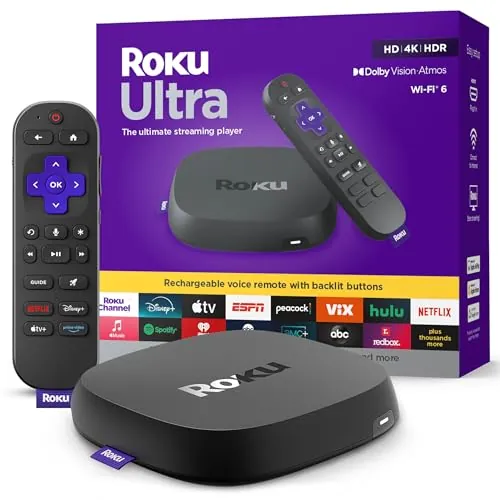
Roku Ultra Streaming Player
U.S. Roku Ultra player with Voice Remote Pro (2nd edition), HDMI cable and power adapter.
Model 4850R (model 4850)
Amazon ASIN B0DF44RTTP
Amazon
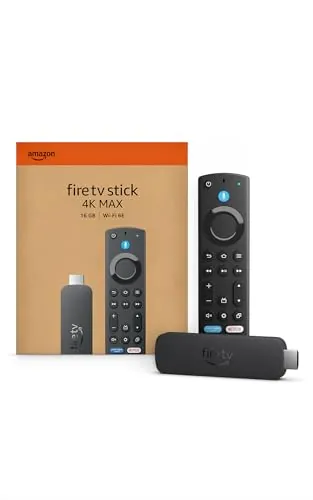
Amazon Fire TV Stick 4K Max (2nd Gen)
2023 second-generation, 16 GB Fire TV Stick; do not confuse with the 2021 first-generation Max or later Fire TV Stick revisions.
Model K3R6AT
Amazon ASIN B0BP9SNVH9
Differences that matter
What matters most to you?
Choose a priority to see what it changes.
Sources for Wired versus wireless network setup
Sources for Remote controls and charging
Sources for 4K, HDR and audio-format chain
Sources for Bluetooth headphone listening
The short answer: wired-first player or Wi-Fi 6E stick
The easiest first split is the network and remote you want to live with. Roku Ultra 4850R is a separate player with Wi-Fi 6 plus a built-in Ethernet jack and a rechargeable Voice Remote Pro. Fire TV Stick 4K Max 2nd Gen K3R6AT is a stick with Wi-Fi 6E and an Alexa remote that adds dedicated TV/audio buttons; for wired Ethernet, Amazon specifies a separately sold Fire TV Ethernet Adapter.
This is a fit decision, not a claim that one will stream faster. Wi-Fi results depend on the router, placement, interference, internet service and the app's stream. Compare the exact port and adapter requirements against the media cabinet before choosing.
Picture and audio formats overlap; your TV path still decides
Roku lists 4K up to 60 fps with Dolby Vision, HDR10, HDR10+ and HLG, plus Dolby Atmos decode over HDMI. Amazon lists 4K Ultra HD with Dolby Vision, HDR10, HDR10+, HLG and Atmos for the 2nd Gen Max. That shared format support means the purchase decision should turn on the display and connection you have, not an assumed image-quality winner.
For a 4K Roku setup, confirm the chosen HDMI input supports HDCP 2.2. Check the receiver or soundbar if the device connects through it, then check the app and specific title. A device capability does not create HDR or Atmos where the display, app, title or audio equipment does not support it.
Remote and headphone routines
Roku bundles its Voice Remote Pro (2nd edition), whose listed features include rechargeable power, backlit buttons, hands-free voice and a lost-remote finder. Fire includes the Alexa Voice Remote Enhanced; its device specification describes dedicated power, volume and channel buttons for compatible TVs, soundbars and receivers. Choose around whether you prefer a rechargeable remote or dedicated equipment controls, and verify compatibility if those buttons need to operate a particular TV or audio system.
Both models support direct Bluetooth headphone use: Roku's support guide explicitly lists Ultra models 4800, 4802 and 4850 and gives the pairing path. The direct pairing menu does not require the Roku phone app for one headset. Roku documents the app as a separate way to listen on up to four devices; it also says a Roku player cannot directly connect multiple headphone pairs. Amazon lists compatible Bluetooth headphones for the 2nd Gen Fire stick.
A five-minute pre-purchase and setup check
1. Inspect the TV: find a free HDMI input, note whether it supports HDCP 2.2/4K, and check room for an attached stick or the Roku player. 2. Choose Wi-Fi or wired networking; if wired, Roku's port is built in while Fire needs the separately sold adapter. 3. Trace the HDMI path through any receiver or soundbar and confirm the formats you need at each step. 4. If headphones matter, decide whether a single direct Bluetooth pair is enough or you need Roku's app-based multi-listener route. 5. Confirm your streaming apps, sign-ins and subscription requirements before setup.
Roku's model-4850 setup guide includes HDMI hookup, internet connection, remote pairing and account activation steps. Keep the carton/listing at hand for the Fire device and verify K3R6AT; different generations share similar names but not every spec.
Product details
Roku Ultra Streaming Player
- Video and audio support
- Up to 4K/60; Dolby Vision, HDR10, HDR10+ and HLG; Dolby Atmos decode over HDMI with compatible speakers. Source
- Network and ports
- Dual-band Wi-Fi 6 and built-in 10/100 Base-T Ethernet; HDMI 2.1b, USB 3.0 and power ports. Source
- Included remote
- Voice Remote Pro (2nd edition): rechargeable, backlit, hands-free voice and lost-remote finder; USB-C charging cable is listed in the box. Source
Amazon Fire TV Stick 4K Max (2nd Gen)
- Video and audio support
- 4K Ultra HD with Dolby Vision, HDR10, HDR10+, HLG and Dolby Atmos audio support. Source
- Network and Bluetooth
- Wi-Fi 6E; wired Ethernet requires the Amazon Ethernet Adapter for Fire TV devices, sold separately; Bluetooth 5.2 + LE for compatible headphones, speakers and controllers. Source
- Included remote
- Alexa Voice Remote Enhanced (remote model K7Q3MT) with dedicated power, volume and channel buttons for compatible TVs, soundbars and receivers. Source
Before you buy
Community discussions
Testing Echo controls and resuming an app
Amazon Fire TV Stick 4K Max (2nd Gen)
A Fire TV Stick 4K Max Gen 2 owner who upgraded from the first generation reported difficulty with some Echo voice commands and said Netflix sometimes reloaded after a longer pause.
What to check
Decide whether you will use the included remote or control the TV through a voice device. Try the commands and app-resume behavior you rely on.
Planning a test for Plex live TV
Amazon Fire TV Stick 4K Max (2nd Gen)
A first-generation 4K Max owner reported buffering and dropped frames with antenna TV through Plex and asked whether moving to the second generation would help.
What to check
If you stream live TV through Plex, verify the app on each platform and try the same live channel, server and network setup you plan to use.
Common questions
Do both devices support Dolby Vision and Dolby Atmos?
Both makers list Dolby Vision video and Dolby Atmos support for these models. Roku describes Atmos decode over HDMI and requires compatible speakers. You still need compatible content, a supported app, and a TV/audio chain that passes the format; a badge on the player does not guarantee it for every title or connection.Roku Ultra product specifications (model 4850 / 4850R)Which Fire TV Device Do I Have? (2nd Gen 4K Max features and requirements)
Does Fire TV Stick 4K Max have an Ethernet port?
Not as a built-in jack on the stick. Amazon says wired Ethernet uses the Amazon Ethernet Adapter for Fire TV devices, sold separately. Roku Ultra has an Ethernet jack built into its player.Which Fire TV Device Do I Have? (2nd Gen 4K Max features and requirements)Roku Ultra product specifications (model 4850 / 4850R)
Can I use Bluetooth headphones without a phone app?
Roku Ultra model 4850 supports direct Bluetooth Headphone Mode through the device settings, and the Fire TV model lists compatible Bluetooth headphones. Roku's mobile app is only needed for its separate multi-device listening route described in its support material, not for one direct headset pairing.Bluetooth Headphone Mode compatibility and pairing stepsWhich Fire TV Device Do I Have? (2nd Gen 4K Max features and requirements)
What do I need for 4K/HDR to work?
Use a compatible UHD TV and HDMI connection, and ensure any receiver or soundbar in the path supports the formats you want. Roku specifies an HDMI input supporting HDCP 2.2 for 4K. Amazon's device-identification page likewise conditions 4K/HDR video on a compatible connected UHD TV. The app and title must also provide that format.Roku Ultra product specifications (model 4850 / 4850R)Which Fire TV Device Do I Have? (2nd Gen 4K Max features and requirements)
Sources and scope
This guide compares manufacturer specifications and setup instructions for Roku Ultra model 4850R and Fire TV Stick 4K Max 2nd Gen model K3R6AT. It is not a speed, interface, picture-quality, audio-quality, or app-availability test. Dolby Vision, HDR and Atmos output depends on compatible content, app/service, display and audio equipment; supported Wi-Fi standards do not predict performance in a particular home.
- Roku Ultra product specifications (model 4850 / 4850R)
- Roku Ultra setup instructions (model 4850)
- Bluetooth Headphone Mode compatibility and pairing steps
- Fire TV Stick 4K Max 2nd Gen device specifications
- Which Fire TV Device Do I Have? (2nd Gen 4K Max features and requirements)
- Fire TV Stick 4K Max safety and compliance (K3R6AT / K7Q3MT model identifiers)
Related comparisons
Fire TV Stick 4K Plus vs 4K Max: App Compatibility, Storage and Remote
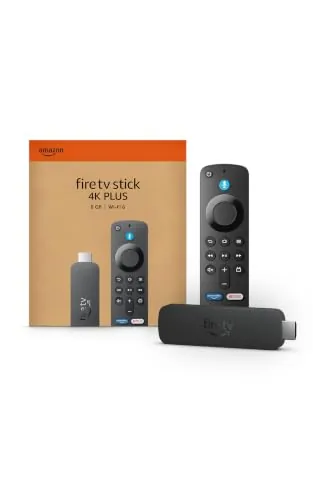
This comparison covers the U.S. Fire TV Stick 4K Plus (2025) and Fire TV Stick 4K Max (2nd Gen, 2023). Amazon lists both with Fire OS 8 based on Android 11, so Max is not an OS-generation upgrade. That does not guarantee support for a particular app: check the app's Works With information for the exact device. Max adds 16 GB total storage with external-storage support, a Wi-Fi 6E/6 GHz option for compatible networks, an enhanced remote and Ambient Experience. Both devices list 2 GB memory and the same core 4K HDR and audio formats. Decide whether a specific Max feature fits your setup.
Read comparison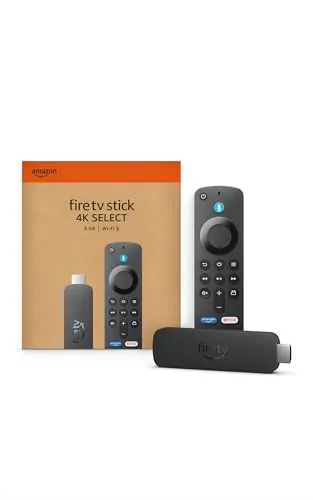
Fire TV Stick 4K Select vs 4K Max: Check Apps, HDR, and Remote Fit
The 2025 Fire TV Stick 4K Select (CL32P4) runs Vega OS, while the 2nd-generation Fire TV Stick 4K Max (K3R6AT) runs Fire OS 8. Amazon uses separate Fire OS and Vega OS app release tracks, so check each must-have app's current Works With listing for the exact stick. Then compare HDR needs, available Wi-Fi, storage, and remote compatibility. The similarly named 2025 4K Plus is a different device.
Read comparison