
Products compared
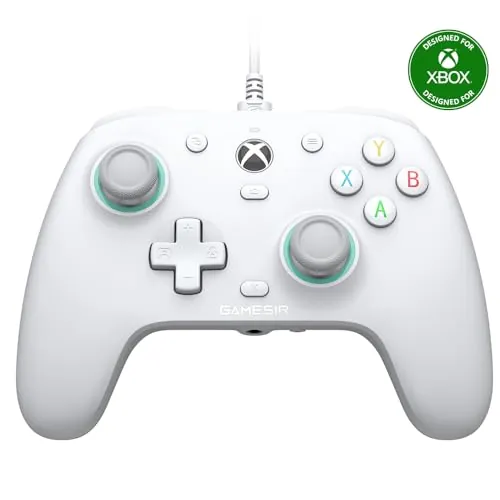
GameSir
GameSir G7 SE Wired Controller (White)
White wired G7 SE controller. GameSir's manual describes Xbox and Windows wired configurations.
Model G7 SE
Amazon ASIN B0C7GW9F88
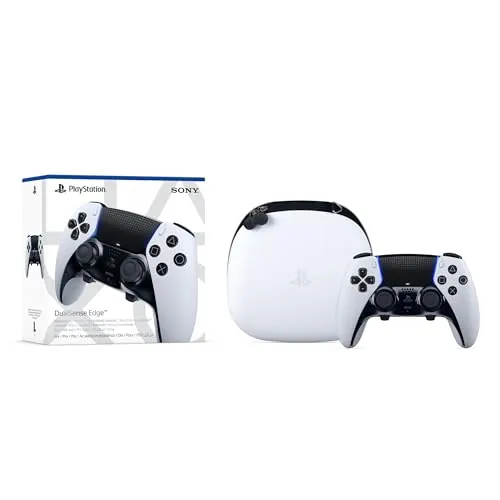
PlayStation
PlayStation DualSense Edge Wireless Controller (White)
White DualSense Edge controller, listing data part number 7211902. Sony describes it as a PS5 controller and documents selected PC/device use with game and connection conditions.
Model DualSense Edge
Amazon ASIN B0BSYFB99D
Differences that matter
What matters most to you?
Choose a priority to see what it changes.
Sources for Connection and cable planning
Sources for Rear-button handling
Sources for Trigger adjustment
Choose for the console you actually own
For Xbox One or Xbox Series X|S, GameSir's detailed system requirements and FAQ explicitly list the G7 SE as a wired controller. For PS5, Sony positions DualSense Edge as its customizable controller. Sony separately documents compatible Windows PC use for Edge; GameSir lists wired Windows 10/11 use for G7 SE. If your decision is based on a console, settle that host question before comparing back controls.
There is one unresolved G7 SE platform detail: the GameSir manual overview lists Android, while the detailed system requirements and FAQ do not. This is not enough to claim Android is unsupported or to promise a particular Android setup. Ask GameSir about your exact phone/tablet and expected functions before choosing it for mobile play.
Compare the physical inputs and the cable path
The rear controls solve different handling preferences. GameSir describes two extra rear buttons with on/off latches. Sony includes two half-dome and two lever back buttons for Edge and explains how to attach or remove them. A player who wants to disable rear inputs while leaving the buttons installed has a different need from someone who wants to swap the shape or remove the buttons.
Plan the connection at the same time: GameSir specifies wired USB-C and its FAQ gives a 3 m detachable cable. Sony lists an included braided USB cable and Bluetooth for Edge on Windows. Sony notes that haptics may require USB on PC and that features depend on game support, so Bluetooth connectivity alone does not promise every feature.
Treat trigger mode and trigger stops as different choices
GameSir's manual explains how to turn Hair Trigger Mode on with a button command but does not describe a physical trigger travel stop. Sony documents physical L2/R2 sliders with long, medium and short stroke settings. These are not interchangeable descriptions.
The short-stroke option has a documented trade-off: Edge's medium and short settings disable trigger effects. If you want those effects, Sony's long-stroke setting retains the trigger-effect function. The available sources do not establish a gameplay or response-time advantage for either controller.
Before you order
Check the exact host, then cable or Bluetooth needs, and only then choose the controls. For Edge on PC, verify that your game supports the controller and whether the feature you want requires USB or the PlayStation Accessories app. For G7 SE, confirm its cable reach and ask GameSir to clarify Android before relying on the overview's listing.
Sony lists a USB braided cable, stick caps, both pairs of back buttons, connector housing and carrying case for Edge. The G7 SE manual documents a detachable cable but this comparison does not infer other box contents. Check the exact retail bundle if included accessories affect your decision.
Product details
GameSir G7 SE Wired Controller (White)
- Documented wired hosts
- Xbox One, Xbox Series X|S, Windows 10/11; the manual overview also lists Android, which is omitted from its detailed system requirements and FAQ. Source
- Connection and cable
- USB-C wired; FAQ specifies a 3 m detachable USB-C cable. Source
- Rear controls
- Two extra R4/L4 rear buttons with latches to enable or disable them. Source
- Trigger mode
- Hair Trigger Mode is enabled by a button command; the manual does not establish physical trigger stops. Source
PlayStation DualSense Edge Wireless Controller (White)
- Documented platform and PC connections
- PS5 controller; Sony documents Windows 10 (64-bit)/11 USB or Bluetooth for compatible games and apps. Source
- Included USB cable and case
- Sony lists a braided USB cable and carrying case in the box. Source
- Rear controls
- Two half-dome and two lever back buttons are included; the buttons can be attached or removed. Source
- Physical trigger stops
- Long, medium or short L2/R2 stroke; medium and short settings disable trigger effects. Source
Before you buy
Community discussions
Check cable routing if you prefer desk play
GameSir G7 SE Wired Controller (White)
A GameSir G7 SE owner wanted to tidy up the extra cable length at their desk.
What to check
Look at where you normally sit and where the cable would run. Check the connection choices available on the host you plan to use.
Common questions
Is GameSir G7 SE wireless?
No. GameSir's exact G7 SE manual describes a USB-C wired connection and specifies a 3 m detachable USB-C cable in its FAQ.How to Use the GameSir G7 SE
Does GameSir document G7 SE for Android?
Its product overview lists Android, but its detailed system requirements and model FAQ list Xbox and Windows only. These sections conflict by omission; confirm the exact Android device and expected functions with GameSir before buying.How to Use the GameSir G7 SE
Can DualSense Edge use Bluetooth on Windows?
Sony documents Bluetooth and USB connections on supported Windows 10 (64-bit) and Windows 11 devices for compatible games and applications. Sony also says some features depend on the game and haptics may require USB on PC.DualSense Edge wireless controllerHow to use DualSense Edge wireless controllers with PC, Mac, and mobile devices
Are GameSir Hair Trigger Mode and DualSense Edge trigger stops equivalent?
The G7 SE manual describes Hair Trigger Mode as a button-command mode, not as a physical stop. Sony documents physical L2/R2 stroke sliders on Edge; medium and short settings disable trigger effects.How to Use the GameSir G7 SEHow to personalize your DualSense Edge wireless controller
Sources and scope
This guide compares manufacturer-documented platform connections and physical controls; it is not a hands-on test. GameSir's G7 SE overview lists Android, while its detailed system requirements and model FAQ list Xbox and Windows only. Android compatibility and feature behavior remain unresolved here. Sony documents PS5 use for Edge and compatible PC/device support; these sources do not establish an Xbox configuration. Do not infer that an unlisted platform is incompatible. No latency, accuracy, comfort, durability or gameplay outcome is measured.
Related comparisons
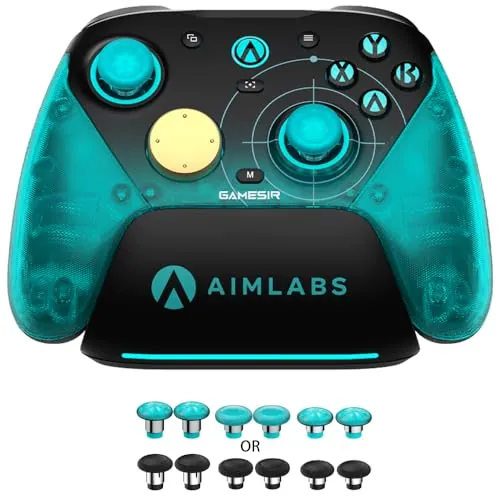
GameSir G7 Pro 8K Aimlabs vs DualSense Edge: Choose by Platform and Control Setup
The GameSir G7 Pro 8K PC Aimlabs Edition is documented around PC wired or 2.4 GHz play and GameSir Connect tuning, with an up-to-8,000 Hz polling-rate specification. DualSense Edge is designed for PS5 and also supports compatible PC and mobile hosts over USB or Bluetooth, with on-controller profiles and replaceable stick modules sold separately. GameSir's own documentation is inconsistent about some non-PC modes, so verify your exact host and game before choosing it for anything beyond the documented PC setup.
Read comparison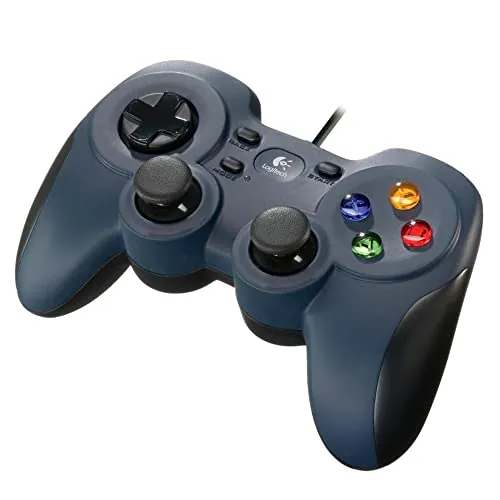
GameSir G7 SE vs Logitech F310: Xbox Support or PC Control Setup?
Choose the wired GameSir G7 SE for Xbox One or Xbox Series X|S, or for its documented Windows 10/11 profiles and rear buttons. The Logitech F310 is a PC controller with a physical XInput/DirectInput switch. Check software availability before relying on DirectInput mapping.
Read comparison