
Products compared
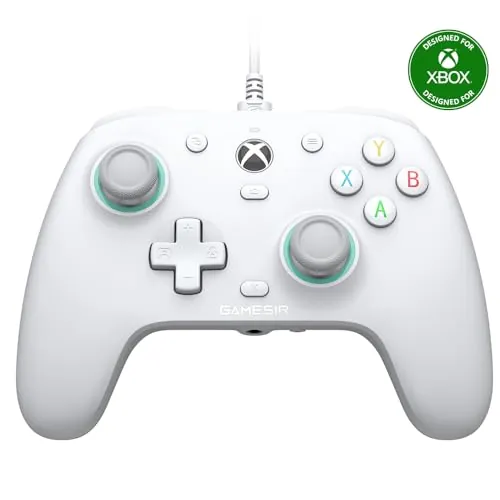
GameSir
GameSir G7 SE Wired Controller
GameSir's manual lists wired Xbox One, Xbox Series X|S and Windows 10/11 use; it documents two lockable remappable rear buttons, profile switching and a detachable 3 m USB-C cable.
Model G7 SE
Amazon ASIN B0C7GW9F88
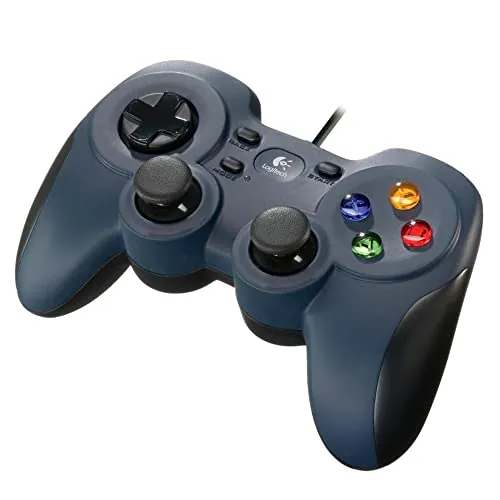
Logitech
Logitech F310 Wired Gamepad
Logitech describes the F310 as a wired PC gamepad with XInput/DirectInput, a four-switch D-pad and Profiler mapping. DirectInput requires software. The reviewed technical page lists Windows versions at release, not a current OS guarantee.
Model F310
Amazon ASIN B003VAHYQY
Differences that matter
What matters most to you?
Choose a priority to see what it changes.
Sources for Host platform support
Sources for Mapping and input-mode workflow
Sources for Cable reach and connector
Sources for Current software and OS check
Start with the host, not the controller label
For a wired Xbox One or Xbox Series X|S setup, GameSir explicitly lists the G7 SE. Logitech describes F310 as a PC gamepad; its technical specification lists the Windows versions supported at release. These sources do not establish F310 support for Xbox One/Series X|S or current Windows, so confirm with Logitech and the game's requirements if either point determines your choice.
The Logitech spec explicitly says the F310 is not compatible with Xbox 360. That statement is specific to Xbox 360; it should not be stretched into an unsupported conclusion about later Xbox models.
Choose the control setup your games can use
The G7 SE's documented extras are two lockable rear buttons that can be mapped and profiles that can be switched by button combination; GameSir also names Nexus customization software. This gives a buyer a hardware-button and profile workflow to consider, without claiming it improves performance.
The F310 offers a different PC path: Logitech documents a physical XInput/DirectInput switch and Profiler mapping. It says DirectInput requires software installation. Logitech Support currently warns that legacy LGS installation files and documentation were removed effective October 31, 2026. Check with Logitech that the software required for the exact mode you want is currently available and works with your computer and game.
Measure the cable run before ordering
GameSir's manual specifies a detachable 3 m USB-C cable. Logitech's current U.S. F310 page says 6 feet, while its F310 technical specification lists 1.98 m/6.5 feet. If the controller will be used from a couch or a computer farther from the seating position, measure the routed path and allow slack rather than relying on the rounded product-page figure.
A short pre-buy compatibility check
1. Confirm your device model and operating system. 2. Check whether the game expects XInput, DirectInput or a console-specific controller. 3. For F310 DirectInput or Profiler use, verify current Logitech software availability first. 4. If finish or included items matter, check the exact retailer offer: Logitech's materials describe F310-family features but do not identify the selected listing's precise part, color or package.
Product details
GameSir G7 SE Wired Controller
Consider if Xbox support is a requirement or you will use the rear-button/profile workflow. Confirm your game supports the controller on its target host.
Logitech F310 Wired Gamepad
Consider if the F310's PC input-mode switch and mapping setup fit your game. Verify current operating-system and software requirements; do not assume its old release-era OS list is a current compatibility statement.
- Documented host scope
- PC gamepad; current Windows version support is not established in the reviewed technical specification Source
- Input mode
- Physical switch for XInput or DirectInput; DirectInput requires software Source
- Cable
- Wired USB; U.S. product page says 6 ft, technical specification says 1.98 m/6.5 ft Source
Before you buy
Community discussions
Choose a control workflow for changing profiles
GameSir G7 SE Wired Controller
A GameSir G7 SE owner asked whether they could switch saved settings without reopening the controller app.
What to check
List the settings you want to change during play. Check what each controller’s buttons or switches actually change.
Common questions
Which one is explicitly listed for Xbox One and Xbox Series X|S?
GameSir lists those consoles for the wired G7 SE. The reviewed F310 material describes PC use and does not establish newer Xbox support. Check directly with Logitech if you intend to use F310 on a particular Xbox; don't treat missing documentation as proof it cannot work.How to Use the GameSir G7 SELogitech Gamepad F310 Technical Specifications
How do the PC mapping options differ?
G7 SE has two lockable remappable rear buttons and profile switching, with GameSir Nexus named for customization. F310 has a physical XInput/DirectInput switch and Logitech Profiler mapping; Logitech says DirectInput requires software. Verify current software availability before relying on that route.How to Use the GameSir G7 SEF310 Gamepad | Logitech GLogitech Gamepad F310 Technical Specifications
Will the F310 work with a current Windows PC?
Logitech markets F310 as a PC gamepad, but its technical page lists Windows XP/Vista/7 as supported at release, not a current Windows-version guarantee. Confirm your exact OS, game and any needed input-mapping software before ordering.F310 Gamepad | Logitech GLogitech Gamepad F310 Technical Specifications
How much USB cable reach do I need?
GameSir lists a detachable 3 m USB-C cable. Logitech's U.S. F310 page says 6 feet, while its technical sheet says 1.98 m/6.5 feet. Measure your actual path and allow slack rather than treating either rounded value as a guaranteed routed length.How to Use the GameSir G7 SEF310 Gamepad | Logitech GLogitech Gamepad F310 Technical Specifications
Sources and scope
This is a manufacturer-documentation comparison, not hands-on testing. The Logitech information here does not establish current F310 support for Xbox or Windows, or current mapping-software access. It also does not identify the exact finish and package for the selected F310 listing.
Related comparisons
GameSir G7 SE vs DualSense Edge: Xbox, PS5 and PC Fit
For Xbox One or Xbox Series X|S, GameSir documents the wired G7 SE; for PS5, Sony positions DualSense Edge as its customizable controller. On Windows, the choice turns on a cable versus USB or Bluetooth, then on rear-button latches versus removable button shapes and physical trigger stops. Edge's medium or short trigger settings disable trigger effects. GameSir's overview mentions Android, but its detailed requirements and FAQ do not explain that support, so confirm an Android setup with GameSir before buying.
Read comparison
GameSir G7 SE vs 8BitDo Ultimate 3-Mode Controller for Xbox: wired console, flexible PC
For this exact white GameSir G7 SE and black 8BitDo Ultimate 3-Mode Controller for Xbox, Xbox play is wired either way. The choice changes at a Windows desk: GameSir is wired there too, while 8BitDo supports wired USB or its included 2.4 GHz receiver and charging dock. GameSir also documents physical latches to disable its two rear buttons. Neither controller is a manufacturer-supported wireless Xbox option.
Read comparison