
Products compared
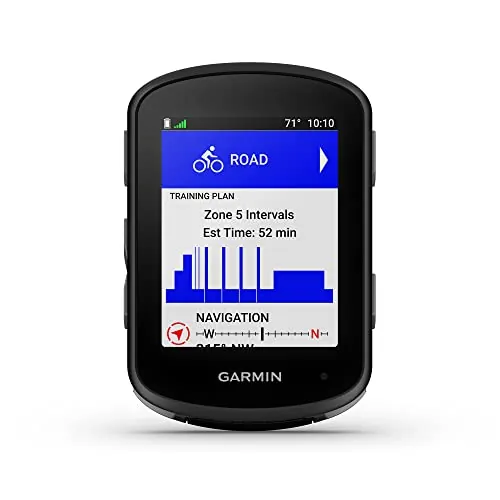
Garmin
Garmin Edge 540 GPS Cycling Computer
U.S. non-Solar standard-edition model code in the listing data; button controls, no touchscreen. Confirm the selected Amazon option and box contents before checkout.
Model Edge 540 (010-02694-00)
Amazon ASIN B0BT36VBGM
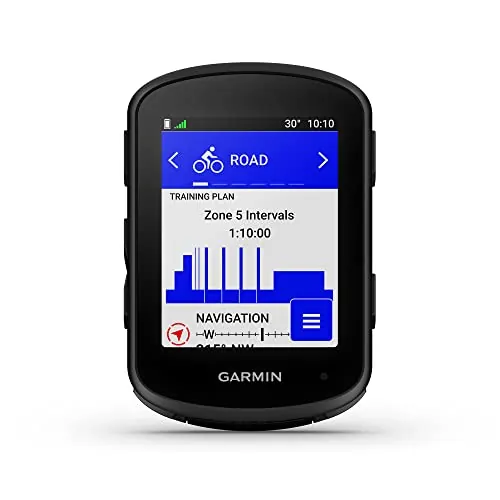
Garmin
Garmin Edge 840 GPS Cycling Computer
U.S. non-Solar standard-edition model code in the listing data; touchscreen plus physical buttons. Confirm the selected Amazon option and box contents before checkout.
Model Edge 840 (010-02695-00)
Amazon ASIN B0BT36CRCQ
Differences that matter
What matters most to you?
Choose a priority to see what it changes.
Sources for Map update and management path
Sources for Internal map storage
Sources for Standard edition versus sensor bundle
Start with the control method you want
Both devices have physical buttons, but only the Edge 840 in this pair also has a touchscreen. Choose the Edge 540 if you deliberately want a button-only interface. Choose the Edge 840 if you want touch available while retaining buttons. Garmin's feature description does not prove that either interface is easier to use with gloves, rain, or while moving, so treat those conditions as something to try or verify rather than a promised advantage.
This is a control-choice comparison, not a claim that the two computers provide different navigation accuracy or better ride results. Garmin's series announcement describes both as cycling computers with navigation and mapping capabilities; the more concrete day-to-day difference here is how you interact with the map and how you maintain it.
Plan map changes around the setup you can use
For the Edge 540, Garmin's manual is specific: map updates are available only through Garmin Express on a computer. Garmin Connect or Wi-Fi can be used for software updates in the documented setup, but that does not make them map-update routes. If your maps are already adequate and you are comfortable connecting the unit to a computer when Garmin offers a map update, that workflow may be fine.
For the Edge 840, Garmin documents map management on the computer itself after it joins Wi-Fi: open Menu, System, then Map Manager to check or update a current map, or select the plus option to download another map. This is a useful distinction if you want to handle map changes without planning a Garmin Express session. It still depends on Wi-Fi access and does not guarantee that a specific region or combination is available or fits.
The 840 lists more internal map storage, but check your actual regions
Garmin's U.S. product comparison lists 16 GB of internal memory for the Edge 540 and 32 GB for the Edge 840. That makes storage a documented specification difference, not proof that a particular map set will fit or that you need the extra capacity. Before treating it as decisive, identify the regions and maps you want and check Garmin's current download requirements.
Check the exact standard edition and box before buying
This comparison covers the standard, non-Solar U.S. Edge 540 (010-02694-00) and Edge 840 (010-02695-00). Garmin also sells Solar versions and separate sensor bundles, so check the exact part number and box contents in the selected listing.
For these exact standard part numbers, Universal Cycles lists the same basic package contents for both: the computer, out-front and standard mounts, a tether, a USB-C cable, and documentation. It lists speed/cadence sensors and an HRM-Dual with a separate bundle option. This is a model-code cross-check from a retailer, not a guarantee about the current Amazon seller, variation, or any seller-added bundle. Open the precise Amazon option and confirm its Garmin part number and included-items list before relying on sensors or accessories being in the box.
Product details
Garmin Edge 540 GPS Cycling Computer
Before you buy
Community discussions
Would a touchscreen change how you navigate?
Garmin Edge 840 GPS Cycling Computer
A rider who bought an Edge 540 for navigation and ClimbPro asked whether switching to the Edge 840 would make map controls easier for them.
What to check
List the map actions you use most on a ride, then decide which you would prefer to do by touch or with buttons.
Common questions
Does the Edge 840 still have physical buttons?
Yes. Garmin describes Edge 840 computers as having a touchscreen and button controls. The 540 is the button-only choice in this pair.Garmin: Edge 540 and Edge 840 series announcement
Can I update Edge 540 maps from my phone or over Wi-Fi?
Garmin's Edge 540 manual says map updates are available only through Garmin Express. Its Garmin Connect and Wi-Fi notes describe software updates, which are a separate task.Edge 540 Owner's Manual: Product Updates
How do I manage maps on the Edge 840?
Connect to Wi-Fi, then go to Menu > System > Map Manager. Garmin's manual says you can select a current map to check or download an update, or choose the plus icon to download another map.Edge 840 Owner's Manual: Managing Maps
Do these two Amazon items include the same accessories?
The listed model codes map to Garmin's non-Solar standard editions. An exact-code retailer currently lists mounts, tether, USB-C cable, and documentation for both standard versions, with speed/cadence sensors and an HRM-Dual listed for a separate bundle. Confirm the contents for the exact Amazon seller and selected variation before purchase.Universal Cycles: Edge 540 exact-code standard and sensor bundle contentsUniversal Cycles: Edge 840 exact-code standard and sensor bundle contentsGarmin: Edge 540 and Edge 840 series announcement
Sources and scope
This guide covers the standard U.S. Edge 540 (010-02694-00) and Edge 840 (010-02695-00). Check the listing for the included mounts and sensors, and confirm map coverage for the region where you ride.
- Garmin Edge 540 U.S. product page, part number 010-02694-00
- Garmin Edge 840 U.S. product page, part number 010-02695-00
- Garmin U.S. Edge 540 and Edge 840 product comparison
- Garmin: Edge 540 and Edge 840 series announcement
- Edge 540 Owner's Manual: Product Updates
- Edge 840 Owner's Manual: Managing Maps
- Universal Cycles: Edge 540 exact-code standard and sensor bundle contents
- Universal Cycles: Edge 840 exact-code standard and sensor bundle contents
Related comparisons
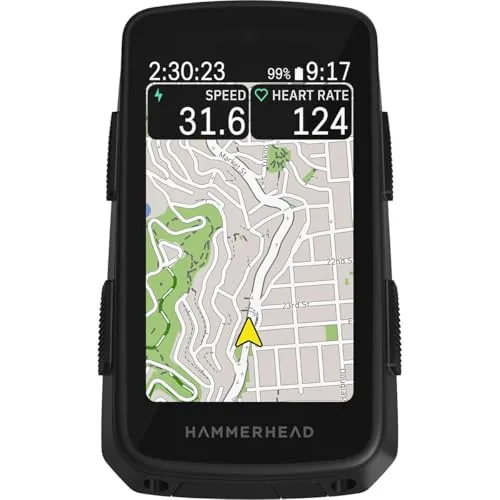
Garmin Edge 840 vs Hammerhead Karoo: Route Planning, Screen Size and Mount Fit
The standard, non-solar Edge 840 (010-02695-00) and the current Hammerhead Karoo (00.3018.396.001) answer route planning differently. Garmin documents an on-device round-trip course starting from distance, location and direction. Hammerhead documents location search or map pins, with a downloaded offline map section and active internet required for that route-creation flow. Compare the published 2.6-inch and 3.2-inch screens, then verify mount and sensor needs for your bike; those figures do not establish readability or fit.
Read comparison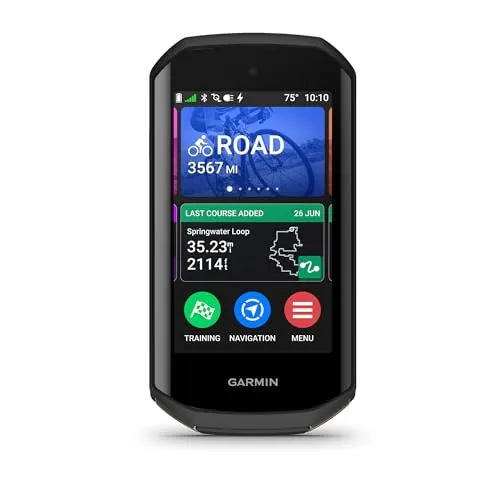
Garmin Edge 1050 vs Hammerhead Karoo: AXS Setup, Routes and Mounts
Both assigned computers document SRAM AXS support and on-device route work. Edge 1050 uses a sensor-menu pairing flow and Garmin course tools; current Karoo links an AXS account, syncs selected bikes and offers route search, pins and waypoints. Check network prerequisites, controller support and the exact mount in the box before choosing.
Read comparison