
Products compared
Garmin
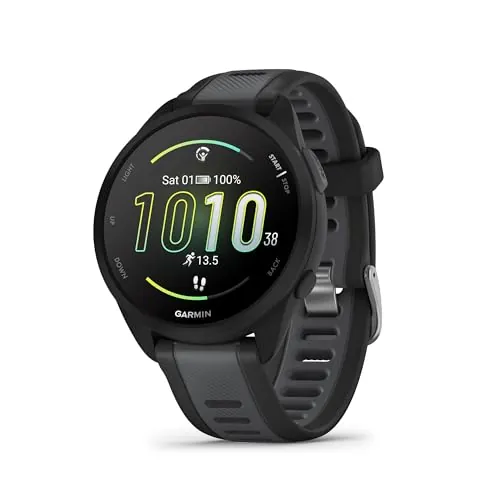
Garmin Forerunner 165 Running Smartwatch, Black
Assigned U.S. black standard Forerunner 165 SKU; this comparison does not substitute a Music edition.
Model 010-02863-20
Amazon ASIN B0CT3SGHXL
Fitbit
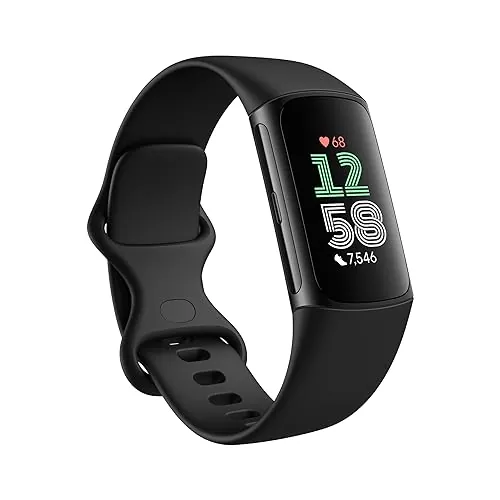
Google Fitbit Charge 6 Fitness Tracker, Obsidian/Black
Assigned U.S. Obsidian/Black Charge 6; Google lists both small and large bands in the box.
Model GA05183-NA
Amazon ASIN B0CC62ZG1M
Differences that matter
What matters most to you?
Choose a priority to see what it changes.
Sources for GPS setup for an outdoor workout
Sources for Screen, controls, and wrist fit checks
Start with the kind of workout prompt you want
The Forerunner 165's distinguishing documented flow is on the watch: select Run and a daily suggested workout appears once the watch has an estimated VO₂ max. Garmin says those suggestions update with training habits, recovery time, and VO₂ max. That makes it a concrete fit for someone who wants to see a prompt while opening a run, not proof that the suggestions improve results.
Charge 6 gives a different set of cues. Google documents Cardio Load with a daily target and an in-app Workout Intensity Map after outdoor GPS exercise. Google Help lists Charge 6 as compatible with the readiness score in the Google Health app. The product page describes the score and recommended workouts in Premium messaging; check access for your account if those are decisive. Those features sit across the tracker and app; they are not the same feature as Garmin's on-watch Run suggestion. Check current Premium terms if those app features would affect your purchase.
Check GPS mode before leaving your phone behind
Garmin's Forerunner 165 Series manual exposes satellite settings for supported activities, including GPS Only and All Systems. Google's Charge 6 specs list built-in GPS, and Google Help describes Dynamic, Built-in GPS, and Phone GPS modes. If you want to record an outdoor route without carrying a phone, confirm that the exercise is using the device's own GPS mode. If you choose Phone GPS on Charge 6, location comes from your phone and the help page lists app location-permission requirements.
This is a setup comparison, not a signal or accuracy test. Google says the app is used to review the Charge 6 workout map after the exercise; syncing and GPS connection depend on the device and phone conditions described in its help documentation. No claim here ranks how either device tracks in trees, dense buildings, or on a particular route.
Compare the controls and phone setup, not just the names
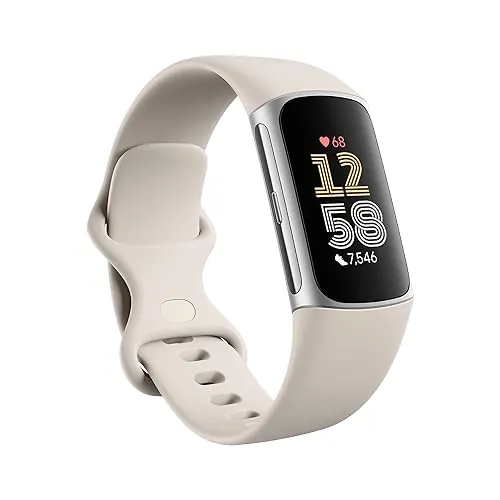
Garmin documents a touchscreen plus five physical controls, including separate UP and DOWN buttons and a START/STOP control. Charge 6 is the narrower tracker-style device: Google lists its dimensions and 30 g weight, and the setup guide describes touch navigation with a side button. If you prefer physical buttons for moving through activity screens, the Forerunner's documented control layout is the relevant difference; it does not prove that either interface is easier for every wearer.
Charge 6 setup has an explicit phone requirement: Google Health app, Google Account, internet, and a compatible iOS 16.4+ or Android 11+ phone. Google says some features need the app and/or paid subscription. Before choosing it for a particular app workflow, check your phone OS and the current terms for the features you plan to use. Both listed sizes and controls are configuration facts, not a guarantee of individual comfort or fit.
Product details
Garmin Forerunner 165 Running Smartwatch, Black
- Run workout prompt
- A daily suggested workout appears after selecting Run when the watch has an estimated VO₂ max; Garmin says suggestions update with training habits, recovery time, and VO₂ max. Source
- Display and controls
- Touchscreen plus LIGHT, UP, DOWN, START/STOP, and BACK physical buttons. Source
- Per-activity satellite options
- The Forerunner 165 Series manual lists GPS Only, All Systems, and UltraTrac options for supported activities; available settings depend on the activity. Source
Google Fitbit Charge 6 Fitness Tracker, Obsidian/Black
- Workout and GPS workflow
- Google lists 40+ exercise modes and built-in GPS. Its GPS help page documents Dynamic, Built-in GPS, and Phone GPS modes; Google Health app sync is used for post-workout maps. Source
- App and phone requirements
- Setup requires the Google Health app, a Google Account, internet, and a compatible phone running iOS 16.4+ or Android 11+; some features require an app and/or paid subscription. Source
- Physical dimensions and bands
- Google lists 36.73 × 23.09 × 11.20 mm and 30 g; both small and large bands are included, with maker-listed wrist-circumference ranges. Source
Before you buy
Community discussions
A Forerunner 165 owner questions a workout pace step
Garmin Forerunner 165 Running Smartwatch, Black
A Forerunner 165 owner expected a Run Coach workout to move from a 10-minute easy step to a 15-minute 5:45/km step, but says the watch continued alerting around 6:55/km for the full 35 minutes. They ask whether they started or set up the workout incorrectly; the post provides no resolution and does not state the Music variant.
What to check
Before relying on guided pace sessions, check how the planned steps and pace alerts appear on the watch during a workout. This single question does not show whether the cause was setup, workout behavior or a device issue.
Common questions
Does the Forerunner 165 show a suggested run workout on the watch?
Yes. Garmin's manual says a daily suggestion appears after you select Run, but the watch must first have an estimated VO₂ max. Garmin says the suggestion updates with training habits, recovery time, and VO₂ max.Forerunner® 165 Series Watch Owner's Manual — Following a Daily Suggested Workout
Can Charge 6 record an outdoor workout without my phone?
Google lists built-in GPS and a Built-in GPS setting for Charge 6, so it can record GPS workouts without carrying a phone. The separate Phone GPS mode uses the phone, while Dynamic can select between phone and tracker GPS. Google Health app sync is used to review a workout intensity map afterward.Fitbit Charge 6 Technical SpecsUse GPS on your Fitbit device or Pixel Watch
Are the workout features the same on both devices?
No equivalence is established by the maker pages. Garmin describes an on-watch suggested workout in Run; Google describes Cardio Load, an in-app map after outdoor GPS exercise, and readiness in the Google Health app and separate Premium coaching. Choose the workflow you want rather than assuming one produces better training results.Forerunner® 165 Series Watch Owner's Manual — Following a Daily Suggested WorkoutFitbit Charge 6 Premium Fitness TrackerGoogle Health Help — Understanding your readiness score and supported devices
What phone do I need to set up Charge 6?
Google says Charge 6 setup requires the Google Health app on a compatible phone running iOS 16.4 or later or Android 11 or later, plus a Google Account and internet access. Some features require an app and/or paid subscription.Get started with the Fitbit Charge 6
Sources and scope
This is a feature and setup comparison, not a device test. It does not establish GPS or heart-rate accuracy, comfort, medical value, battery life in your settings, or comparative training results. Google app features, Premium access, supported phones, and service terms can change; check them for your account before buying.
- Forerunner® 165 Series Watch Owner's Manual — Following a Daily Suggested Workout
- Forerunner® 165 Series Watch Owner's Manual — Overview
- Forerunner 165 Series Watch Owner's Manual — Satellite Settings
- Garmin Forerunner 165 model 010-02863-20 product page
- Fitbit Charge 6 Premium Fitness Tracker
- Fitbit Charge 6 Technical Specs
- Use GPS on your Fitbit device or Pixel Watch
- Get started with the Fitbit Charge 6
- Google Health Help — Understanding your readiness score and supported devices
Related comparisons
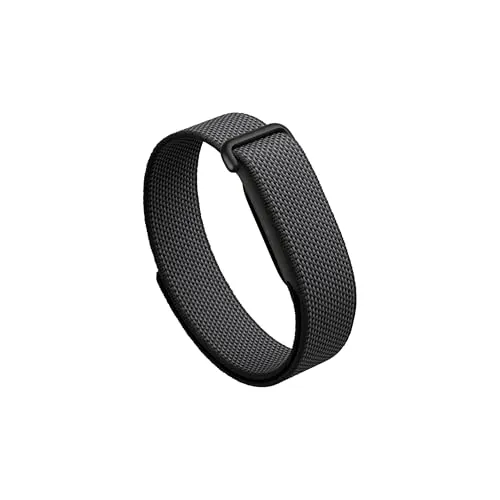
Google Fitbit Air vs Fitbit Charge 6: Workout Controls and Phone Use
The practical split is where you start and check a workout. Fitbit Air has no screen: Google puts its workout quick start and live exercise view in the Google Health phone app, and Air uses connected GPS, so bring your phone for a route. Charge 6 has an Exercise app, an on-wrist display with live stats, and built-in GPS; phone-free route capture does not remove the phone/app requirement for setup and syncing. Check the exact band fit and current Android app requirement before buying.
Read comparison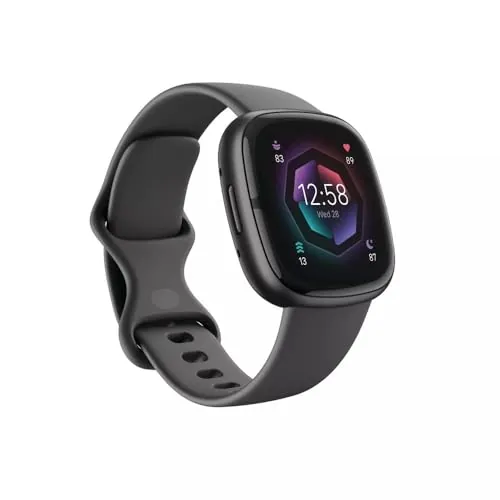
Fitbit Sense 2 vs Charge 6: Screen Shape, Bands and Charging
Choose the Sense 2 if you want a square watch-style body or value Google’s documented 12-minute quick top-up. Choose Charge 6 for a narrower tracker, especially if you already have a Charge 5 or Luxe charging cable. Both use the Google Health app. Check the included band range and match replacement cables by model.
Read comparison