
Products compared
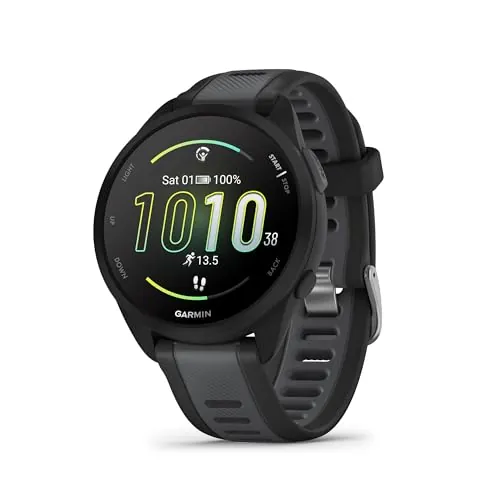
Garmin
Garmin Forerunner 165 Running Smartwatch
Black/Slate Gray U.S. listing; standard non-Music Forerunner 165.
Model Forerunner 165, 43 mm, non-Music, 010-02863-20
Amazon ASIN B0CT3SGHXL
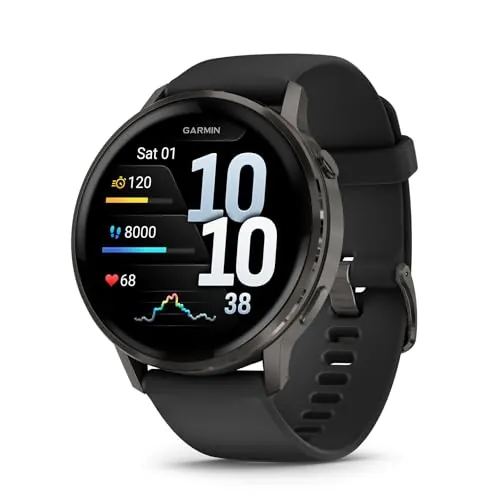
Garmin
Garmin Venu 4 GPS Smartwatch
45 mm Slate/black silicone-band U.S. listing; do not substitute the 41 mm Venu 4 battery column.
Model Venu 4, 45 mm, Slate with Black Silicone Band, 010-03014-00
Amazon ASIN B0FRG18TLS
Differences that matter
What matters most to you?
Choose a priority to see what it changes.
Sources for Activity input and screen navigation
Sources for Calls and paired-phone dependence
Sources for GPS-only activity battery estimate
Sources for All satellite systems activity estimate
Sources for Smartwatch-mode estimate
Sources for Saved course setup and on-watch navigation
Pick the control path you will use while moving
The Forerunner 165 manual gives you five physical controls: LIGHT, UP, DOWN, START/STOP and BACK. UP and DOWN scroll through data screens and settings; BACK can mark a lap or rest. Its touchscreen can be disabled by activity profile and Garmin says it is unavailable during swimming. That is a concrete fit for someone who wants physical scrolling and a dedicated lap/rest button without relying on touch for every selection.
Venu 4's manual documents START and BACK buttons, plus swiping up or down to move to the next activity data screen. Choose this interaction if you prefer touch navigation. Garmin's documentation supports the listed actions, but it does not establish one watch as easier, safer or more dependable during exercise.
Set up a route before you leave
For either watch, Garmin documents a course flow through Garmin Connect: create or select the course, send it to a compatible watch, then use the course saved on the device for navigation. This makes route preparation a shared workflow, not a reason to pick one of these models over the other. Before a run, confirm the intended route is present on the watch and check the activity's navigation menu rather than assuming a phone sync completed.
The manuals do not make every connected function phone-independent. Treat Garmin Connect as part of route setup and verify your own phone and watch pairing during initial setup. Course navigation is documented after the course is saved to the watch; this guide makes no route accuracy, map coverage or safety claim.
Match battery estimates to the GPS mode you actually select
In GPS-only activity mode, Garmin lists up to 19 hours for Forerunner 165 and up to 20 hours for Venu 4 45 mm. In the named all-satellite modes, the figures are up to 17 and 19 hours respectively. Venu 4's separate all-satellite plus multi-band estimate is up to 17 hours; the Forerunner table does not list a multi-band mode, so that row has no like-for-like counterpart here.
For everyday smartwatch use, the Forerunner figure is up to 11 days with activity tracking, phone notifications and wrist-based heart rate; Venu 4 45 mm lists up to 12 days. These are maximum manufacturer estimates with different stated conditions, not a controlled comparison. Garmin says enabled features, phone notifications, GPS and sensors affect actual battery life. The Forerunner 165's music-playback rows belong to the Music variant and are intentionally excluded for part 010-02863-20.
Decide where you want call audio
The Forerunner 165 can show a caller and accept or decline an incoming call from a connected phone, but Garmin's manual says you speak through the phone. Venu 4's Phone app can place calls using the watch's integrated speaker and microphone when a compatible phone is connected over Bluetooth. If you often want hands-free call audio at your wrist, that documented difference may matter more than the shared saved-course workflow.
Both options rely on a compatible paired phone for calling. Check that your phone is supported and decide whether you want call audio on your wrist before buying; no call-quality comparison was performed.
Product details
Garmin Forerunner 165 Running Smartwatch
- Activity controls
- LIGHT, UP, DOWN, START/STOP and BACK physical buttons, plus a touchscreen; UP/DOWN scroll data screens and BACK can mark a lap or rest. Source
- Battery estimate
- Up to 19 hours in GPS-only activity mode; up to 17 hours in All Systems GPS activity mode; up to 11 days in smartwatch mode with activity tracking, phone notifications and wrist-based heart rate. Source
Garmin Venu 4 GPS Smartwatch
Before you buy
Community discussions
Trying two physical buttons during a workout
Garmin Venu 4 GPS Smartwatch
A prospective Venu 4 owner asked for a real-use walkthrough of everyday shortcuts and workout controls, comparing the two-button layout with prior experience using a five-button Forerunner. The captured post has no replies and does not specify the Venu 4 case size; it provides a question about controls, not a direct comparison with Forerunner 165.
What to check
Try the Venu 4 and Forerunner 165 control layouts with the actions you use during exercise and everyday use. Treat this post as a prompt to check control preference, not evidence about the Forerunner 165.
Testing text notifications on an iPhone
Garmin Venu 4 GPS Smartwatch
A Venu 4 owner using an iPhone reported text alerts failing while calls and other app alerts arrived. No reply is present in the captured post, so the cause is unresolved; the watch size is not stated.
What to check
Check how text notifications behave on the phone platform you will use and verify the available setup controls on both watches before depending on alerts.
Common questions
Which watch has more physical activity buttons?
Forerunner 165 has five named physical controls: LIGHT, UP, DOWN, START/STOP and BACK. Garmin documents UP/DOWN scrolling and a lap/rest action on BACK. Venu 4 has START and BACK buttons and documents touch swipes to move between activity data screens. This does not prove one is easier to use.Forerunner 165 Series Owner's Manual: Overview and buttonsVenu 4 Series Owner's Manual
Can I speak through either watch on a phone call?
Forerunner 165 can show and accept or decline an incoming call, but Garmin routes your speech through the connected phone. With a compatible phone paired over Bluetooth, Venu 4 can place calls using its integrated speaker and microphone.Forerunner 165 Series Owner's Manual: Phone calls and route setupVenu 4 Series Owner's Manual
Can both watches follow a saved course?
Both Garmin manuals describe sending a course from Garmin Connect to the watch and navigating after the course is saved. Set up and sync the route before relying on it, then check the course list on the watch.Forerunner 165 Series Owner's Manual: CoursesVenu 4 Series Owner's Manual: Courses
How do their GPS battery estimates compare?
Garmin lists up to 19 hours GPS-only and 17 hours All Systems GPS for Forerunner 165. For Venu 4 45 mm it lists up to 20 hours GPS-only, 19 hours all satellite systems and 17 hours with all satellite systems plus multi-band. These are mode-specific maximum estimates, not paired endurance tests; enabled features affect actual runtime.Forerunner 165 Series Owner's Manual: Battery Life InformationVenu 4 Series Owner's Manual: Battery Information
Sources and scope
This guide uses Garmin's manuals and exact part-number product listings; it does not report hands-on testing, GPS or health accuracy, training effects, call quality, or an overall performance winner. Battery figures are manufacturer estimates with different stated conditions and change with enabled features. Garmin's Forerunner 165 manual covers the series; the selected listing is the non-Music 43 mm part 010-02863-20. The Venu 4 manual covers both sizes; the selected listing is the 45 mm part 010-03014-00. The route workflow is documented for both families, but no claim is made that every connected feature works without a phone.
- Forerunner 165 exact part number 010-02863-20
- Venu 4 45 mm exact part number 010-03014-00
- Forerunner 165 Series Owner's Manual: Overview and buttons
- Forerunner 165 Series Owner's Manual: Phone calls and route setup
- Venu 4 Series Owner's Manual
- Forerunner 165 Series Owner's Manual: Battery Life Information
- Venu 4 Series Owner's Manual: Battery Information
- Forerunner 165 Series Owner's Manual: Courses
- Venu 4 Series Owner's Manual: Courses
- Venu 4 Series Owner's Manual: Sending a Course
Related comparisons
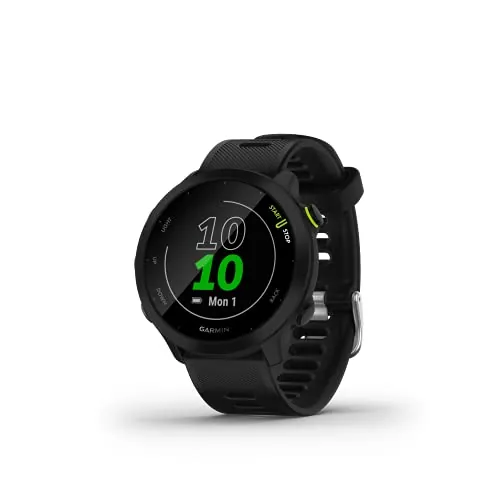
Garmin Forerunner 55 vs 165: Music, Controls and Routes
The standard Forerunner 165 (010-02863-20) is not the Music edition. Both it and the Forerunner 55 can control music playing on a paired phone, but phone-free on-watch music belongs to the separate 165 Music model. The 165 can follow a course synced from Garmin Connect; the 55 does not support on-device courses, although PacePro can give GPS-based pace guidance for a selected course or distance.
Read comparison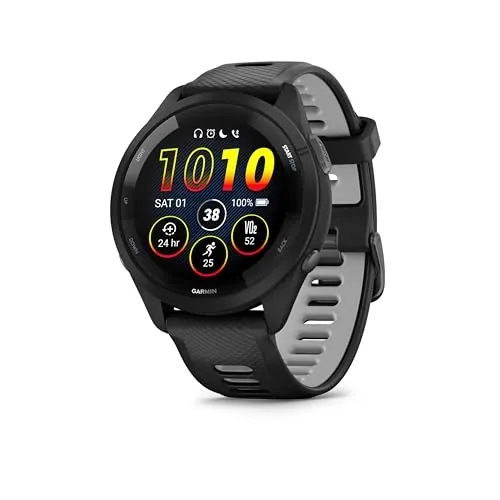
Garmin Forerunner 165 vs 265: Multisport, Music and Training Modes
This pair is the standard black Forerunner 165 (43 mm, part 010-02863-20; not the 165 Music) versus the Black/Powder Gray Forerunner 265 (46 mm, 010-02810-00; not the 42 mm 265S). Garmin documents triathlon and configurable transitions on the 265. Both manuals describe daily suggested workouts, while the 265 adds Training Readiness/Status summaries and Multi-Band/SatIQ satellite options. The standard 165 does not have music storage; the 265 manual lists 8 GB media storage. Use battery estimates for the exact mode you plan to run, and try the labeled case sizes if wrist fit matters.
Read comparison