
Products compared
Garmin
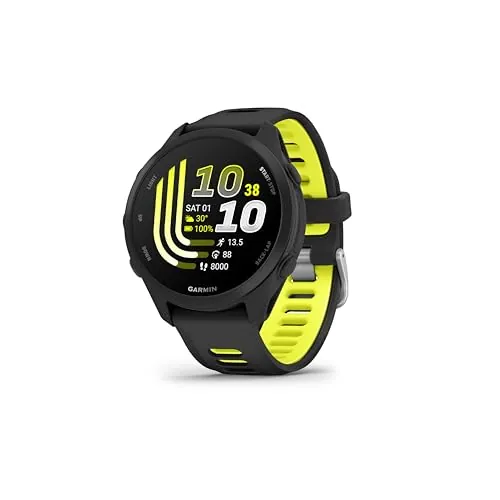
Garmin Forerunner 170 Music — Black/Amp Yellow
43 mm Forerunner 170 Music configuration with Black/Amp Yellow band; the Music edition is selected, not the standard 170.
Model 010-03920-10
Amazon ASIN B0H1F79N52
Garmin
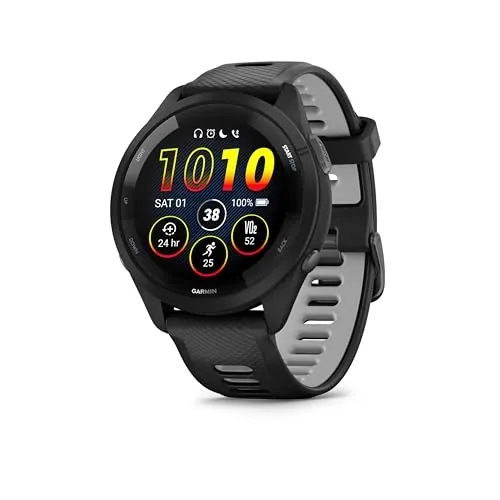
Garmin Forerunner 265 — 46 mm Black/Powder Gray
Selected 46 mm Forerunner 265 configuration in Black/Powder Gray; this comparison does not cover the 42 mm 265S.
Model 010-02810-00
Amazon ASIN B0BS1T9J4Y
Differences that matter
What matters most to you?
Choose a priority to see what it changes.
Sources for One saved triathlon activity or separate sport sessions
Sources for Satellite choices shown in the activity settings
Sources for Phone-free music setup
Sources for Selected case and display size
Start with the workout file you want at the end
If you race swim-bike-run and want one activity to move across segments, the Forerunner 265 manual walks through selecting Triathlon and separately recording transition time. The transitions feature is enabled by default, with a setting to turn it off. That is a concrete workflow benefit for a multisport session, not evidence that it measures any sport more accurately.
The 170 manual lists running, cycling and swimming independently. If you start and save each session separately, check the individual profiles you use.
Check the satellite menu for your activity, not a headline claim
Garmin's 170 manual lists GPS Only, All Systems and UltraTrac. The 265 manual lists those choices and also All + Multi-Band and Auto Select, which uses SatIQ to select a system based on the environment. Both manuals say the settings are not available for every activity.
This answers a setup question: the selected 265 offers additional documented menu choices. It does not tell you whether those modes improve a particular route or whether you will notice a difference. Garmin notes that satellite settings can affect battery use; check the setting and activity you intend to use rather than treating the watch name as a result guarantee.
Music is shared; plan the sync before leaving your phone
Both selected configurations support watch-stored audio and Bluetooth headphone playback according to their manuals. Check the Music variant when you choose the 170.
For third-party playlists, both manuals say to connect to Wi-Fi before downloading. The manuals also warn that downloading audio can drain battery. A useful pre-run routine is to sync the playlist while connected, check that it appears on the watch, then pair headphones before heading out. The sources do not compare download speed, storage capacity in this selected pair, or runtime while music is playing.
Confirm the case size and edition on the listing
Compare the 43 mm Forerunner 170 Music with the 46 mm Forerunner 265. Garmin lists a 1.2-inch display for the 170 and a 1.3-inch display for the 46 mm 265. Check the exact case and model number before ordering.
Use the measurements to check which configuration the retailer is actually offering, not to predict comfort or readability. Verify 010-03920-10 for the Black/Amp Yellow 170 Music and 010-02810-00 for the Black/Powder Gray 46 mm 265 before opening the purchase link.
Product details
Garmin Forerunner 170 Music — Black/Amp Yellow
- Activity list
- The manual lists running, cycling, open-water swimming and pool-swim activities; its list does not establish which other activities are absent. Source
- Satellite settings
- For activities where available, the manual lists GPS Only, All Systems and UltraTrac, alongside Off and Use Default. Source
- Music playback
- The 170 Music manual documents third-party provider music, personal audio and music stored on a phone; on-watch audio can play through Bluetooth headphones. Source
Garmin Forerunner 265 — 46 mm Black/Powder Gray
- Triathlon activity
- The 265 manual documents transitions between sport segments and separate recording of transition time; transitions are on by default and configurable. Source
- Satellite settings
- The 265 manual lists All + Multi-Band and Auto Select using SatIQ, in addition to GPS Only, All Systems and UltraTrac, where the activity supports those settings. Source
- Music playback
- The 265 manual documents music downloaded to the watch, third-party provider playback and phone playback control, with Bluetooth headphones when needed. Source
Before you buy
Community discussions
Checking turn prompts on a saved route
Garmin Forerunner 265 — 46 mm Black/Powder Gray
A Forerunner 265 owner described turn prompts stopping after previously working and remaining unavailable after a factory reset, update, and app reinstall. The captured post has no replies; it is an unresolved individual route case, not a product-wide performance claim.
What to check
Test a saved course and its turn prompts on the exact activity and phone setup you would use before depending on them outdoors.
Testing text notifications on the watch
Garmin Forerunner 265 — 46 mm Black/Powder Gray
A Forerunner 265 owner said text messages had stopped arriving after initially working and could not find how to restore them in watch or phone settings. No replies are present in the captured post, so the cause is unresolved.
What to check
If phone alerts matter, verify the text-notification setup with the phone OS and Garmin Connect configuration you will use; do not infer a fix from this unanswered report.
Common questions
Can the Forerunner 170 Music record a triathlon with transitions?
Garmin lists separate running, cycling and swimming profiles for the 170 Music. Its manual does not document the 265’s single-activity triathlon workflow with separately saved transition time, so choose the 265 if that workflow is required.Forerunner 170 Owner's Manual — ActivitiesForerunner 265 Series Owner's Manual — Triathlon Training
Does the 170 Music have a satellite setting that the 46 mm 265 does not?
The manuals list GPS Only, All Systems and UltraTrac on both. The 265 manual additionally documents All + Multi-Band and Auto Select/SatIQ. Availability depends on the activity, and the setting list is not a comparative accuracy test.Forerunner 170 Owner's Manual — Satellite SettingsForerunner 265 Series Owner's Manual — Satellite Settings
Can both watches play music without carrying a phone?
Their manuals document audio stored on the watch and Bluetooth headphone playback. For third-party provider playlists, both manuals require Wi-Fi for the download; the files should be synced before leaving phone coverage.Forerunner 170 Owner's Manual — MusicForerunner 170 Owner's Manual — Downloading Audio Content from a Third-Party ProviderForerunner 265 Series Owner's Manual — Listening to MusicForerunner 265 Series Owner's Manual — Downloading Audio Content from a Third-Party Provider
Sources and scope
The 170 Music documentation lists separate running, cycling and swimming profiles. The one-activity triathlon workflow with separate transitions is documented for the 265. The selected 265 is the 46 mm Black/Powder Gray configuration. Use Garmin’s settings and dimensions to check your workflow. This comparison has no measured GPS, heart-rate, battery life or fit results.
- Forerunner 170 Owner's Manual — Activities
- Forerunner 265 Series Owner's Manual — Triathlon Training
- Forerunner 170 Owner's Manual — Satellite Settings
- Forerunner 265 Series Owner's Manual — Satellite Settings
- Forerunner 170 Owner's Manual — Music
- Forerunner 170 Owner's Manual — Downloading Audio Content from a Third-Party Provider
- Forerunner 265 Series Owner's Manual — Listening to Music
- Forerunner 265 Series Owner's Manual — Downloading Audio Content from a Third-Party Provider
- Garmin announces the Forerunner 70 & 170 running smartwatches
- Garmin official comparison for the Forerunner 265 and 965 US models
Related comparisons
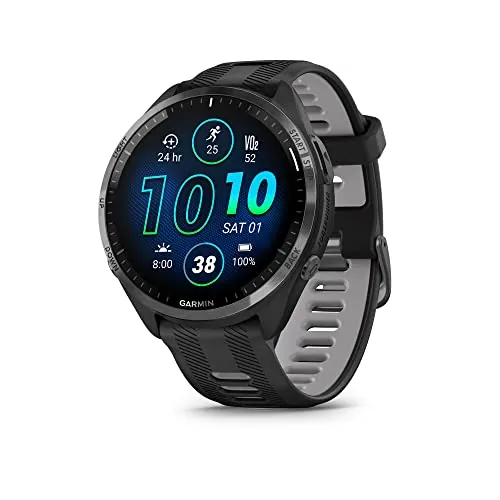
Garmin Forerunner 265 vs 965: Route Recalculation and Wrist Fit
This comparison covers the U.S. Black/Powder Gray Forerunner 265 46 mm (010-02810-00) and Forerunner 965 47 mm (010-02809-00). Garmin's manuals document two course workflows: the 265 Series can receive and follow a saved Garmin Connect course and display it on a map that you can pan or zoom; the 965 offers Follow Course or Use Map, with Use Map using routable maps and recalculating if you stray. The consulted 265 manual does not establish whether it has the same recalculation option, so do not assume either that it does or that it does not. Garmin lists the 265 as 46.1 mm and 47 g with a 1.3-inch display, versus 47.2 mm and 53 g with a 1.4-inch display for the 965. Both list the same 135–205 mm wrist circumference range. Compare those published figures with your preferences; they do not predict individual comfort.
Read comparison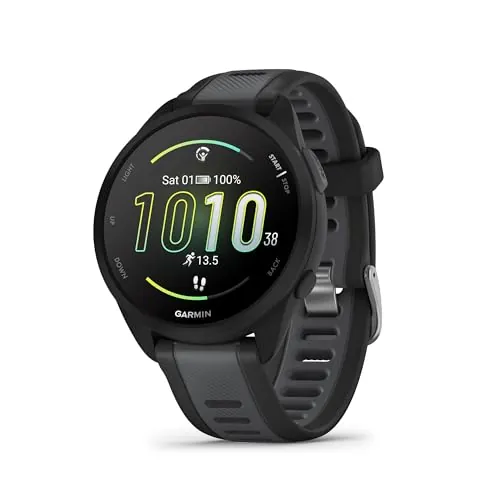
Garmin Forerunner 170 Music vs Forerunner 165: Training Tools and Phone-Free Audio
This exact pair is the Forerunner 170 Music, 43 mm Black/Amp Yellow (010-03920-10), and the standard Forerunner 165, 43 mm Black (010-02863-20). Garmin's direct 170-versus-165 comparison lists Training Readiness and Training Status as features added on the 170; the 165 still documents daily suggested workouts, Training Effect, and recovery-time guidance. The 170 Music can download audio for phone-free listening through Bluetooth headphones. Garmin identifies the 165 Music as a separate edition, so check the part number before buying.
Read comparison