
Products compared
Garmin
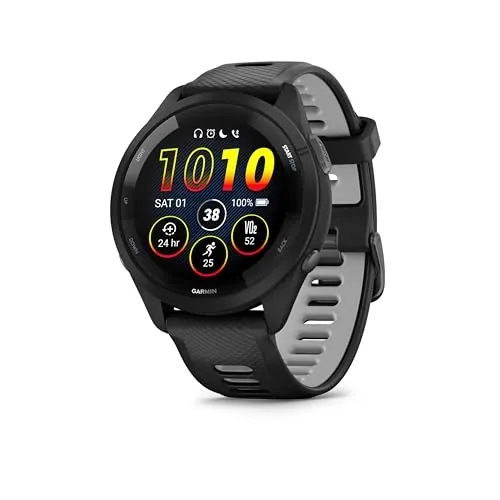
Garmin Forerunner 265 — 46 mm, Black/Powder Gray
Assigned U.S. Forerunner 265 46 mm in Black/Powder Gray. Garmin's series manual explains sending a saved course from Garmin Connect to the watch and following it; a separate course-details page lists a map view with pan and zoom. Garmin's published dimensions are smaller and lighter than the 965, but its pages do not predict personal wrist comfort. The reviewed 265 documents do not settle whether this model has the 965's specific routable-map recalc mode.
Model 010-02810-00
Amazon ASIN B0BS1T9J4Y
Garmin
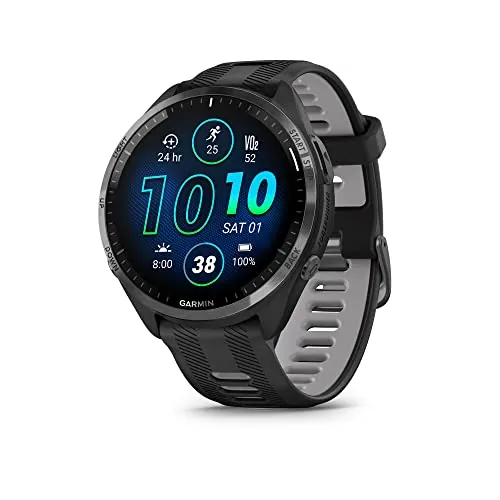
Garmin Forerunner 965 — 47 mm, Black/Powder Gray
Assigned U.S. Forerunner 965 47 mm in Black/Powder Gray. Garmin's manual gives separate Follow Course and Use Map options: Use Map navigates courses using routable maps and recalculates if you stray. The 965 has a slightly larger case and display and weighs 6 g more in Garmin's published comparison; this is a specification difference, not evidence of better navigation or personal fit.
Model 010-02809-00
Amazon ASIN B0BS1XZY7T
Differences that matter
What matters most to you?
Choose a priority to see what it changes.
Sources for Case, display and stated wrist range
Sources for Preparing and inspecting a course
Decide how the watch should handle a route
If you create courses in Garmin Connect and follow the saved line, the Forerunner 265 Series manual documents sending the course to the watch and navigating it after it is saved. The course-details page lets you open the map, pan or zoom it, and start the route. The pages reviewed do not say whether this 265 setup also offers an automatic reroute mode.
The Forerunner 965 manual gives a direct setting choice: Follow Course follows the saved course as shown without recalculating; Use Map uses routable maps and recalculates if you stray. Garmin notes that routing options can vary by activity. If this specific rerouting behavior is the reason to upgrade, choose based on the 965's documented feature and check the intended activity. If you prefer the 265, confirm whether its current software supports the exact behavior you want rather than assuming it from silence in the consulted pages.
Compare size without treating it as a fit promise
Garmin lists the 265 at 46.1 mm across and 47 g, with a 1.3-inch display; the 965 is 47.2 mm and 53 g with a 1.4-inch display. The company lists the same 135–205 mm wrist circumference range for both. If you want the smaller body or larger display, those numbers give a clear specification comparison, but they cannot say which case or band will feel better on your wrist. Try them on if comfort is decisive.
The assigned article is specifically the Black/Powder Gray 265 46 mm part 010-02810-00 against the Black/Powder Gray 965 47 mm part 010-02809-00. Check the listed size and part number because Garmin also sells other sizes and colors within its Forerunner line.
A practical pre-buy route check
Before paying, decide which of these is your required behavior: (1) send a prepared course from Garmin Connect and follow it; (2) inspect or pan/zoom that course on the watch; or (3) leave the course and have the watch recalculate a way back using routable maps. Garmin's consulted 265 pages support the first two. Garmin's 965 manual explicitly documents the third through Use Map. The source material does not settle whether 265 supports that third behavior, so verify it with Garmin if you need it.
Then compare your wrist circumference with Garmin's stated 135–205 mm range for both and consider the case/display numbers. This is a dimension check, not a guarantee of comfort or navigation performance.
Product details
Garmin Forerunner 265 — 46 mm, Black/Powder Gray
- Published case and display size
- 46.1 × 46.1 × 12.9 mm; 47 g; 1.3-inch (32.5 mm) display, 416 × 416 resolution; stated wrist circumference 135–205 mm. Source
- Saved-course workflow
- The Forerunner 265 Series manual documents sending a course from Garmin Connect to the watch and navigating the saved course. Its course-details instructions include opening the course map and panning or zooming it. Source
- Configuration identity
- listing data and the selected exact ASIN identify Forerunner 265, 46 mm, Black/Powder Gray, part 010-02810-00. Source
Garmin Forerunner 965 — 47 mm, Black/Powder Gray
- Published case and display size
- 47.2 × 47.2 × 13.2 mm; 53 g; 1.4-inch (35.4 mm) display, 454 × 454 resolution; stated wrist circumference 135–205 mm. Source
- Course routing choice
- The Forerunner 965 manual distinguishes Follow Course (follow the course as shown, without recalculation) from Use Map (navigate with routable maps and recalculate if you stray). It notes settings may not be available for every activity. Source
Before you buy
Community discussions
Forerunner 965 - Route calculation error & Route calculation takes for ages
Garmin Forerunner 965 — 47 mm, Black/Powder Gray
A Forerunner 965 owner reported long waits when starting a route and losing navigation after leaving it. They said this happened with both Garmin Connect routes and routes they created themselves, so the post does not establish that one route source avoids the issue.
What to check
If rerouting is your reason to choose the 965, check the routing mode and available settings for the activity you plan to use. The manual's Follow Course and Use Map modes behave differently; this account is an individual experience, not a reliability result.
Common questions
Can the Forerunner 265 recalculate a route if I leave a saved course?
The Garmin 265 Series pages reviewed here document sending and following saved courses and viewing a course map. They do not establish whether the 265 has the 965's routable-map recalculation mode. That is an evidence gap, not proof the 265 cannot do it; verify with Garmin if you need that exact behavior.Forerunner 265 Series Watch Owner's Manual — CoursesForerunner 265 Series Watch Owner's Manual — Viewing Course Details
What is the difference between Follow Course and Use Map on the 965?
Garmin says Follow Course navigates the course exactly as it appears without recalculating. Use Map uses routable maps and recalculates if you stray. Garmin also notes that not all routing settings are available for all activity types.Forerunner 965 Watch Owner's Manual — Routing Settings
Does the 965 fit a larger wrist range than the 265?
Garmin's product comparison lists both at 135–205 mm wrist circumference. The 965 has a slightly larger case and display, but the stated band range is the same. This does not determine how either watch feels on your wrist.Garmin Product Comparison: Forerunner 965 and Forerunner 265
Sources and scope
The exact assigned U.S. bundles are Forerunner 265 Black/Powder Gray, part 010-02810-00, and Forerunner 965 Black/Powder Gray, part 010-02809-00. Garmin's 265 Series manual documents synced saved-course navigation and a map view; the consulted pages do not establish whether the 265 offers the 965 manual's routable-map recalculation. That absence in the consulted material is not proof the 265 lacks it. Garmin publishes equal 135–205 mm wrist circumferences for both; dimension and weight figures are not a comfort assessment. No hands-on, navigation-accuracy, GPS, battery, training, health, comfort or durability test was performed. Current prices and purchase timing are omitted.
Related comparisons
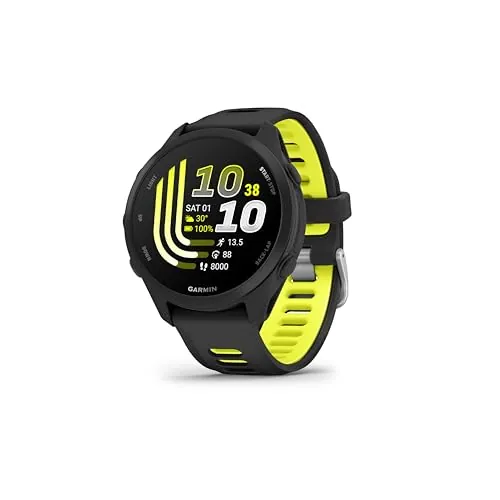
Garmin Forerunner 170 Music vs Forerunner 265: Triathlon Workflow or Running Setup?
Both selected watches support on-watch music, but the 46 mm Forerunner 265 adds a Garmin-documented Triathlon activity with separately recorded transition time and offers All + Multi-Band and Auto Select satellite settings. The Forerunner 170 Music lists individual run, cycling and swim activities, and its manual documents GPS Only, All Systems and UltraTrac. Compare the recording workflow and settings you will actually use; these menu differences do not establish better GPS results.
Read comparison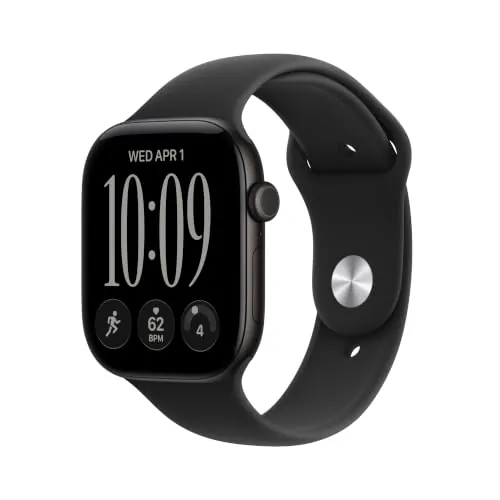
Apple Watch Series 12 vs Garmin Venu 4: Phone Setup, Size and Charging
The assigned Apple Watch Series 12 is the GPS 46mm black aluminum model MJEL4LS/A; the Garmin is Venu 4 45mm Slate, model 010-03014-00. Apple documents iPhone-based Watch setup, while Garmin documents pairing a compatible Bluetooth phone through Garmin Connect and supports compatible iPhone and Android phones. Their official charging paths differ: Apple fast charging requires its USB-C magnetic fast-charge cable plus a suitable adapter, while Garmin specifies its proprietary cable and a USB-C computer port or 5 W-or-higher adapter. Check your phone and charging accessories before choosing; neither maker's battery estimate is a direct comparison test.
Read comparison