
Products compared
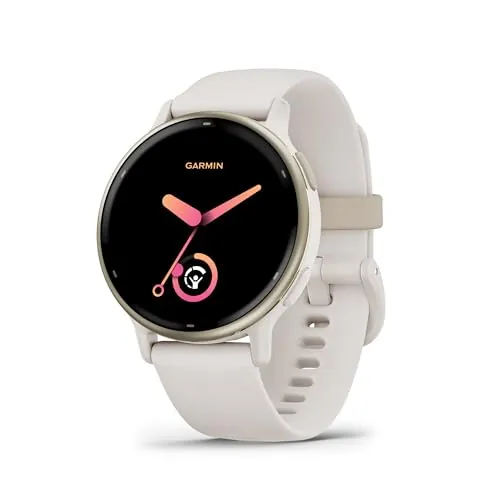
Garmin
Garmin vívoactive 5, 42 mm, Ivory (010-02862-11)
U.S. Ivory 42 mm configuration; Garmin part number 010-02862-11.
Model vívoactive 5
Amazon ASIN B0CG6NBJ61
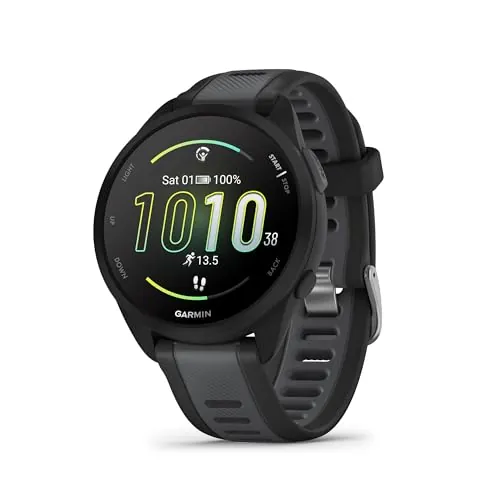
Garmin
Garmin Forerunner 165, 43 mm, Black, non-Music (010-02863-20)
U.S. Black 43 mm non-Music configuration; Garmin part number 010-02863-20. Do not confuse it with Forerunner 165 Music.
Model Forerunner 165
Amazon ASIN B0CT3SGHXL
Differences that matter
What matters most to you?
Choose a priority to see what it changes.
Sources for Physical controls during an activity
Sources for Activity modes and menu labels
Sources for Workouts and running-route preparation
Sources for Where music plays on the assigned configurations
Compare the controls you will use mid-activity
Garmin's vívoactive 5 manual assigns the Action button to opening activities and starting or stopping the timer. Back/Menu is used for activity actions such as recording a lap or advancing a workout step, and the touchscreen can move between data screens. The Forerunner 165 manual instead names START/STOP, BACK and UP/DOWN for those jobs, while also supporting touch.
Before choosing, picture your actual routine: select a mode, start the timer, mark a lap or interval, then check the next screen. Pick the sequence and button labels you expect to remember. The documentation describes the controls; it does not test which interface is easier.
Check the activity labels, not just the feature count
Garmin describes vívoactive 5 as having more than 30 preloaded GPS and indoor sports apps, with examples such as walking, running, rowing, pickleball and wheelchair activities. Forerunner 165 is described with more than 25 activity profiles, including trail running, open-water swimming, pickleball and tennis. The manuals add selectable names such as Golf, Pool Swim, Track Run, Ultra Run, Virtual Run and Open Water.
If you use a specific mode, search its exact name in the relevant manual and check any setup notes. Maker counts and mode names do not measure the quality of recorded data, and similar labels do not prove that two profiles work identically.
Separate shared workouts from the Forerunner's route steps
Both watches have Garmin Connect workout support, so custom workouts alone do not decide this pair. Garmin also lists Garmin Coach for vívoactive 5. For Forerunner 165, Garmin's documentation names course syncing, Navigation > Courses and PacePro; the manual's setup starts with a course or plan prepared in Garmin Connect and then an outdoor running activity.
If you specifically need that documented course-navigation sequence or want to configure a PacePro plan, the Forerunner manual provides the buyer-facing setup path. The vívoactive sources reviewed here describe its many activity apps and workout workflows but do not settle every route-navigation capability; verify a required route task against its current manual instead of treating an undocumented detail as a confirmed omission.
Confirm whether audio comes from the watch or phone
The vívoactive 5 manual explains downloading audio content, pairing Bluetooth headphones and using music stored on the watch; it also lists phone playback as an option. A Wi-Fi connection is required before downloading audio from a third-party provider.
Forerunner 165 part 010-02863-20 is the non-Music configuration. Garmin's series announcement reserves on-watch music storage and phone-free provider listening for Forerunner 165 Music, while the series manual explains how a non-Music watch controls audio already playing on a connected phone. If phone-free listening matters, verify the part number before checkout.
Product details
Garmin vívoactive 5, 42 mm, Ivory (010-02862-11)
- Activity apps
- Garmin says it has more than 30 preloaded GPS and indoor sports apps; examples include walking, running, rowing and wheelchair activities. Source
- Activity controls
- Two physical buttons plus touchscreen. Action opens activities and starts/stops the timer; Back/Menu handles in-activity actions such as laps or workout steps; swipes move through data screens. Source
- Watch music
- Garmin documents downloading audio to the watch and listening with paired Bluetooth headphones; third-party provider downloads require Wi-Fi. Source
Garmin Forerunner 165, 43 mm, Black, non-Music (010-02863-20)
- Activity profiles
- Garmin lists more than 25 profiles; examples include trail running, open-water swimming, pickleball and tennis. Its manual also uses labels such as Track Run, Virtual Run, Pool Swim and Open Water. Source
- Activity controls
- Five physical buttons plus touchscreen. START/STOP operates the activity timer; BACK can mark laps or workout steps; UP/DOWN navigate data screens. Source
- Course and PacePro workflow
- Garmin documents sending a course from Garmin Connect, navigating it on the watch and setting up a PacePro plan for an outdoor running activity. Source
- Music configuration
- This assigned non-Music part can control playback on a connected phone. Garmin identifies watch music storage and phone-free listening as features of the separate Forerunner 165 Music model. Source
Before you buy
Community discussions
A non-Music Forerunner 165 owner sometimes loses phone-music controls
Garmin Forerunner 165, 43 mm, Black, non-Music (010-02863-20)
The owner identifies a non-Music Forerunner 165 and says its music-control option usually lets them skip Apple Music tracks with the bottom-right button, but was blank on one run. They cannot load music onto the watch; the post does not establish a cause or fix.
What to check
If you plan to control phone playback from the watch, check the button workflow and test it with your phone and music app. This report concerns one non-Music watch and does not mean it stores or plays music on its own.
A non-Music Forerunner 165 buyer asks about spoken workout notes
Garmin Forerunner 165, 43 mm, Black, non-Music (010-02863-20)
A Forerunner 165 non-Music owner asks whether custom notes attached to workout intervals can be spoken aloud before each interval. The post is a question and provides no answer or tested result.
What to check
If spoken custom cues are part of your training plan, verify that the watch and your phone setup support the exact interval-note workflow you want before choosing a model. This post does not establish that the feature is available.
A Forerunner 165 owner cannot find workout data-screen settings
Garmin Forerunner 165, 43 mm, Black, non-Music (010-02863-20)
An owner with several loaded workouts says the Garmin Connect app showed no settings for the Workouts activity, while regular Run and Bike activities exposed data-screen settings. They also did not find workout settings on the watch; the post does not establish whether this is expected behavior or how to resolve it.
What to check
If you need a custom data screen during structured workouts, confirm how the exact watch and app let you edit workout screens, alerts and fields. This owner’s difficulty is a question about that workflow, not proof that every workout is uneditable.
Common questions
How do the activity buttons differ?
On vívoactive 5, Garmin assigns activity selection and timer start/stop to Action; Back/Menu handles in-activity actions such as laps or the next workout step, and touch swipes move through data screens. Forerunner 165 uses START/STOP for the timer, BACK for laps or steps, and UP/DOWN for data screens. Both also have touchscreens.vívoactive 5 Owner’s ManualForerunner 165 Series Owner’s Manual
Can the non-Music Forerunner 165 follow a course?
Garmin's Forerunner 165 Series manual documents sending a course from Garmin Connect to the watch, then selecting Navigation > Courses to follow it. It also documents PacePro setup for an outdoor running activity after downloading a plan or loading a course. This comparison does not claim the vívoactive 5 lacks all route-related features; check its exact current manual if route navigation is a must-have.Forerunner 165 Series Owner’s Manualvívoactive 5 Owner’s Manual
Are Garmin Connect custom workouts exclusive to vívoactive 5?
No. Garmin documents custom Garmin Connect workouts for both. The practical choice is not workout access alone: compare their button sequences, activity labels and the specific course/PacePro workflow you plan to use.Introducing the vívoactive 5 GPS smartwatch from GarminForerunner 165 Series Owner’s Manual
Can this Forerunner 165 store playlists for phone-free listening?
The assigned part 010-02863-20 is the non-Music Forerunner 165. Garmin lists watch music storage for the separate Forerunner 165 Music model and documents connected-phone playback controls for a non-Music watch. The vívoactive 5 manual documents downloading music to that watch and pairing Bluetooth headphones.Garmin Forerunner 165 Series U.S. AnnouncementForerunner 165 Series Owner’s Manualvívoactive 5 Owner’s Manual
Sources and scope
This guide compares Garmin's documented model controls and setup workflows. It is not a test of GPS, sensor accuracy, comfort, battery life or training outcomes. The Forerunner 165 source is the 165 Series manual, and its music limitation is specific to the assigned non-Music part 010-02863-20; do not transfer the Forerunner 165 Music features to this product. The cited Forerunner sources document course and PacePro workflows, but this comparison does not infer that the vívoactive 5 lacks every possible route feature.
Related comparisons
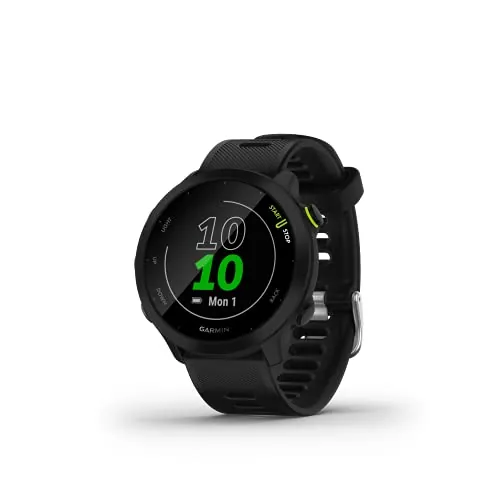
Garmin vívoactive 5 vs Forerunner 55: Which Watch Fits Your Run Routine?
The Ivory 42 mm Garmin vívoactive 5 (010-02862-11) combines AMOLED touchscreen navigation with music stored on the watch for Bluetooth headphones. The Black Garmin Forerunner 55 (010-02562-00) uses five physical buttons and can surface a daily suggested running workout, but its music controls operate playback on a connected phone. Pick by the setup you will actually use: phone-free audio and swipes, or button-only navigation and run prompts. Neither choice implies better GPS accuracy or training results.
Read comparison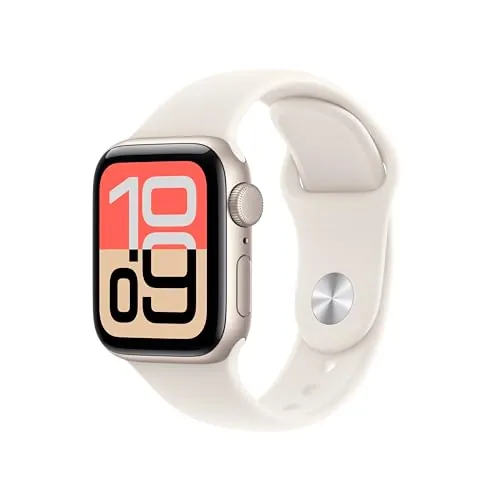
Apple Watch SE 3 vs Garmin Forerunner 165: Phone Setup and Running Workflow
This exact pair is the Apple Watch SE 3 GPS 40mm in Starlight (MEH34LW/A) and the standard, non-Music Garmin Forerunner 165 in Black (010-02863-20). Apple’s current U.S. specifications list iPhone 11 or later with iOS 27 or later. Garmin documents compatible iPhone or Android pairing through Garmin Connect; its current app requirements list iOS 18.2 or later, or Android 9 or later on a phone that natively supports Google Play. After checking compatibility, compare the routine: Apple lists custom workouts and customizable Workout Views, while Garmin documents a Garmin Connect race-calendar workflow and on-watch suggested workouts with prerequisites. Choose by the phone you will pair and the workout setup you will actually use; no running, tracking, wellness or accuracy outcome is ranked.
Read comparison