
Products compared
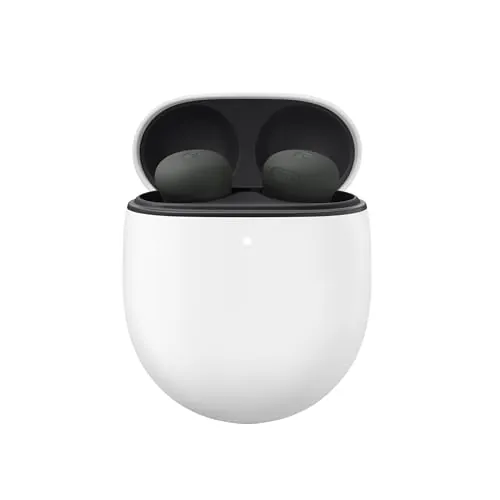
Google Pixel Buds Pro 2
Hazel U.S. listing; Google lists Hazel among Pixel Buds Pro 2 colors.
Model GA05762-US
Amazon ASIN B0D79ND3N7
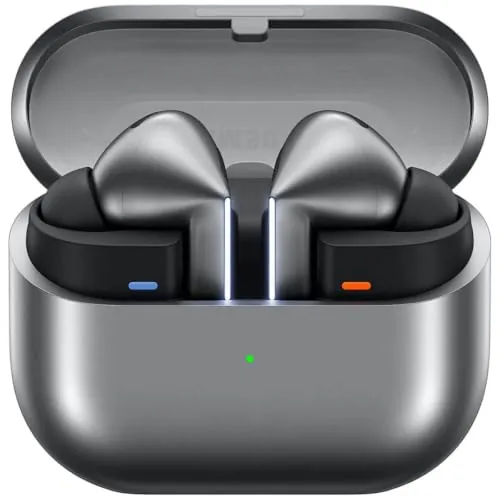
Samsung
Samsung Galaxy Buds3 Pro
Silver international listing; Samsung’s exact model page is Canada-hosted. Confirm region, seller warranty, and phone-feature support for the exact listing.
Model SM-R630NZAAXAC
Amazon ASIN B0D6T9CRLT
Differences that matter
What matters most to you?
Choose a priority to see what it changes.
Sources for Basic phone and computer pairing
Sources for Switching across your devices
Sources for Phone-dependent assistant and Galaxy features
Sources for Fit adjustment and touch routine
Start with the phone you will use most
Pixel Buds Pro 2 has the clearest documented basic-pairing path for a mixed-device household: Google lists Android and iOS phones, tablets, and laptops as Bluetooth 4.0+ devices. Google separates that from full feature access, which requires a Google Account, a companion Android phone, Pixel Buds app/web companion, and internet. Gemini has additional Android 10+, app, and default-assistant requirements.
Samsung’s general connection guide includes iOS Bluetooth pairing steps, while warning that support varies by Buds model. Samsung’s exact SM-R630NZAAXAC product and support pages are Canada-hosted; they do not establish all iPhone app features or U.S. warranty coverage for the international listing. If you use an iPhone, treat basic pairing as distinct from the features you expect and verify those for the exact product code.
Choose the handoff routine you can actually use
Samsung lists Auto Switch, but its notes make the setup specific: supported Galaxy phone/tablet, Watch, Galaxy Book PC or listed TV; the same Samsung account; Bluetooth and Wi-Fi on; and an initial pairing with both devices. Its product page describes transfer between Galaxy devices after audio activity is detected. That is useful if your devices meet those conditions, not a guarantee of universal multi-point switching.
Google’s quick-start covers setting up with a phone and a computer, but the cited instructions do not claim automatic handoff between them. If you regularly move between a work laptop and personal phone, test your desired transition before depending on it; basic pairing instructions alone are not evidence of simultaneous connections or automatic switching.
Fit and controls are a routine to preview, not a comfort score
Google’s setup guide says to twist the stabilizer, try another eartip if needed, and notes that each ear may need a different size. Its specifications list four tip sizes for Pro 2. Samsung documents swiping the Galaxy Buds3 Pro blade for volume and pinching to play/pause or launch a configured action; its exact model page lists three tip sizes. These are different adjustment and control routines, but the documents do not determine which shape will feel better to you.
If fit is uncertain, confirm the retailer’s return window and hygiene policy before opening the package. When trying them, check that the tips are secure and that you can use the controls without changing how you hold or adjust the earbud.
Plan charging and the exact retail package
Both documents list USB-C charging; Google also specifies Qi-certified wireless charging for the Pixel case, with the charger sold separately, and Samsung lists wireless charging for the Galaxy case. This gives either owner a cable or pad route, but check whether your existing pad is Qi certified and whether the exact listing includes a cable.
Before checkout, match the selected product code to the title and box contents. The Samsung listing is the international SM-R630NZAAXAC variant; ask the seller to confirm local warranty, returns, and service. Do not assume a family-level Galaxy Buds3 Pro page settles terms for every region or seller.
Product details
Google Pixel Buds Pro 2
- Basic pairing
- Google lists Bluetooth 4.0+ devices including Android and iOS phones, tablets, and laptops. Source
- Setup and fit routine
- Google’s quick-start instructions describe twisting the stabilizer and trying another eartip; four tip sizes are listed for Pro 2. Source
- Case charging
- USB-C and Qi-certified wireless charging; the Qi charger is sold separately. Source
Samsung Galaxy Buds3 Pro
- Samsung ecosystem switching
- Auto Switch is listed, with support limited to specified Galaxy phones/tablets, Galaxy Watch, Galaxy Book and some Samsung TVs; same Samsung account, Bluetooth/Wi-Fi, and prior pairing requirements apply. Source
- Controls
- Samsung documents swiping the blade for volume and pinching to play/pause or launch the configured app. Source
- Case charging
- Samsung lists USB-C and wireless charging for the case. Source
Before you buy
Community discussions
One Pixel Buds Pro 2 owner's fit experience
Google Pixel Buds Pro 2
A longtime Pixel Buds Pro owner said fit was their biggest frustration with the first generation. They found the Pro 2 comfortable with its included tips during their first few days.
What to check
If fit will decide your purchase, try the included tip sizes when you can and check the seller’s return terms for opened earbuds.
Common questions
Can Pixel Buds Pro 2 pair with an iPhone?
Google lists basic Bluetooth pairing with iOS mobile devices. Its full-feature and Gemini requirements are separate and include Android companion requirements, so do not assume every feature works on iPhone.Google Pixel Buds requirements and specifications
Do Galaxy Buds3 Pro support iPhone?
Samsung’s general guide gives Bluetooth pairing steps for iOS but says iOS support varies by model. The reviewed exact model page does not establish the full app or feature set for SM-R630NZAAXAC on iPhone; verify your intended use with Samsung and the seller.How to connect Samsung Galaxy Buds to other devicesGalaxy Buds3 Pro support page — exact model SM-R630NZAAXAC
Will either set automatically switch between my phone and laptop?
Samsung documents Auto Switch for specified Samsung Galaxy devices under account, Wi-Fi, Bluetooth, and prior-pairing conditions. Google’s cited quick-start guide covers pairing on a phone and computer but does not establish automatic switching. Check exact device support before relying on handoff.Pixel Buds Quick Start GuideGalaxy Buds3 Pro product page — exact model SM-R630NZAAXAC
Can I use a Qi pad with either case?
Google explicitly lists Qi-certified wireless charging and USB-C for Pixel Buds Pro 2. Samsung lists wireless charging and USB-C for the Galaxy Buds3 Pro case. Confirm charger compatibility and exact package contents on the listing.Google Pixel Buds requirements and specificationsGalaxy Buds3 Pro product page — exact model SM-R630NZAAXAC
Sources and scope
This guide compares documented device requirements and handling controls, not sound, call clarity, noise cancellation, comfort, battery life, or real-world switching performance. Samsung’s exact SM-R630NZAAXAC support pages are Canada-hosted and identify an international listing; they do not establish U.S. warranty coverage or the full feature set for this exact SKU on iOS. Verify the seller’s regional terms and your intended phone/app support before purchase.
Related comparisons
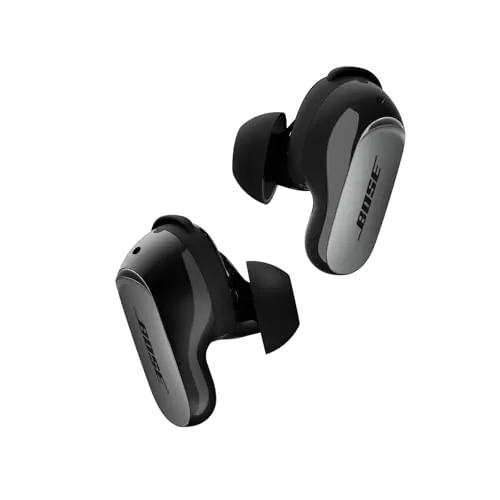
Bose QuietComfort Ultra Earbuds (2nd Gen) vs Pixel Buds Pro 2: Device Switching, Fit and Case
Bose QuietComfort Ultra Earbuds (2nd Gen), Black (896637-0010), and Google Pixel Buds Pro 2, Hazel (GA05762-US), both support multipoint and wireless charging. Pixel Buds Pro 2 pair with Bluetooth 4.0+ devices across Android, iOS, tablets and laptops, but Google says full feature access needs a Google Account, an Android 6.0+ companion phone and internet; its Audio switch has additional Android and same-account requirements. Bose lists app-managed listening modes and Bluetooth multipoint, plus a charging case, three eartip sizes, three stability-band sizes and a short USB-C-to-USB-A cable. Google lists four eartip sizes, a USB-C/Qi case and no cable in its box list. Neither model has a direct matched test against the other in the evidence used here, so this guide does not rank sound, ANC, comfort or battery performance.
Read comparison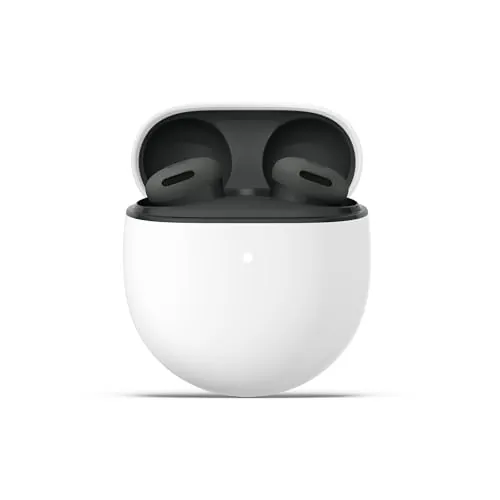
Pixel Buds 2a vs Pixel Buds Pro 2: Is Qi Charging and Longer ANC Listening Worth It?
Google Pixel Buds 2a (Hazel; listed model identifiers G0DNE/GD3B4/GW8XE) and Pixel Buds Pro 2 (Hazel; GA05762-US) share Bluetooth 5.4, a Tensor A1 chip, 11 mm drivers, ANC, transparency, multipoint, twist-to-adjust stabilizers and four eartip sizes. Pro 2 adds swipe volume, Conversation Detection, Adaptive Audio and Qi wireless charging. Google rates Pro 2 for one extra hour per charge with ANC on and ten more total ANC-on hours with its case; SoundGuys' same-condition test measured 7 h 55 min for Pro 2 and 6 h 46 min for 2a. That test also reports a Pro 2 edge in ANC/isolation. The 2a has the lighter case at 47.6 g versus 65 g for Pro 2. The practical choice is whether the extras affect your routine enough to justify the case and charging trade-offs; check current offers separately because prices change.
Read comparison