
Products compared
GoPro
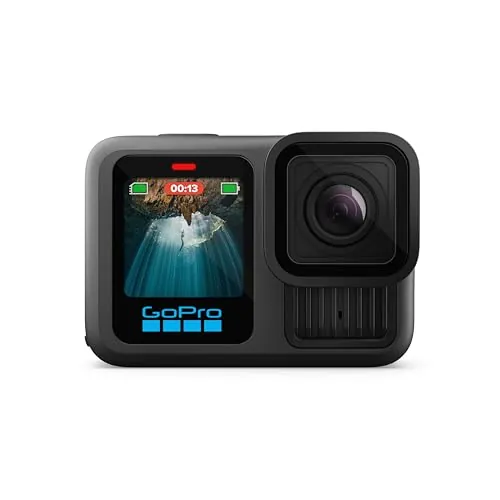
GoPro HERO13 Black
Black GoPro HERO13 Black (CHDHX-131-TH). Verify the exact seller package for the mount and any extra batteries or lenses.
Model CHDHX-131-TH
Amazon ASIN B0DCM34GXX
Insta360
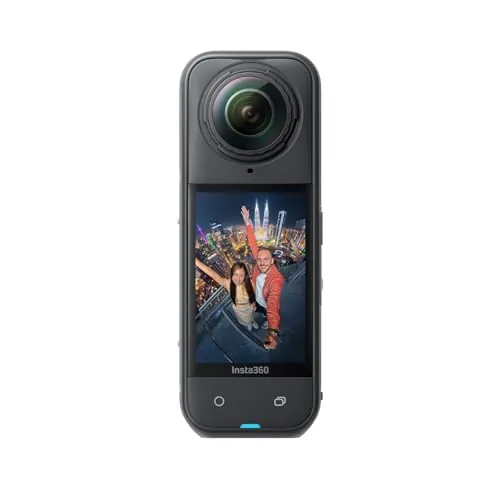
Insta360 X5 Midnight Black
Midnight Black Insta360 X5 (CINSAAHA) with both full 360 capture and a Single-Lens mode.
Model CINSAAHA
Amazon ASIN B0DZCBYCNY
Differences that matter
What matters most to you?
Choose a priority to see what it changes.
Sources for What is captured at record time
Sources for Mode-specific recording choices
Sources for Files, editing and mounting check
Decide where framing happens
HERO13 Black is the more direct fit when the camera can face the subject. GoPro lists video up to 5.3K60 and documents a tall-sensor Full Frame workflow that lets you choose a wide, vertical or full-frame crop later in Quik. That is a crop from the forward view, not a way to see around the camera.
X5 is the fit when the scene may unfold beside or behind the camera and you want to select a direction afterward. Insta360 describes full 360 capture followed by app reframing and export. If you prefer not to do that for every clip, X5 also lists Single-Lens and InstaFrame flat-video modes.
Compare the mode you will actually use
X5 lists 8K30 and 5.7K60 for 360 video, up to 4K60 for Single-Lens, and up to 4K30 for InstaFrame flat video. It records 360 video as INSV and Single-Lens video as MP4. These modes answer different capture questions: the 8K number describes the full spherical frame, not a conventional flat view.
X5 lists 8K/30 and 5.7K/60 in 360, up to 4K/60 in Single-Lens, and a mode-specific 4K/30 option in InstaFrame 2.0 when 360 Video Backup is off. With backup on, InstaFrame 2.0 stores a 360 INSV and a flat MP4 up to 1080p/30. Choose based on the files you want to edit or keep.
Check mounts and package before checkout
Both camera ecosystems offer accessory choices. GoPro identifies HB-Series lenses for HERO13 Black and says they are sold separately. Insta360’s X5 spec lists a 1/4-inch Quick Release mounting point; that spec does not establish what mount hardware is included with this seller’s camera.
GoPro’s U.S. page displays several HERO13 Black bundles with different contents and does not identify the assigned Amazon package. Verify the actual selected box for both cameras—especially battery, mount and any specialty lens or stick—before treating an accessory as included.
Product details
GoPro HERO13 Black
- Published video mode
- GoPro lists video up to 5.3K at 60 frames per second. Source
- View and crop workflow
- GoPro describes choosing a wide, vertical or full-frame view later in Quik from tall-sensor Full Frame capture; that remains within the captured forward view. Source
- Optional lens family
- HERO13 Black is compatible with GoPro HB-Series lens accessories; the manufacturer says lens accessories are sold separately. Source
Insta360 X5 Midnight Black
- 360 video modes
- Up to 8K 30 fps or 5.7K 60 fps in 360 video mode. The 8K figure is for a spherical 360 frame. Source
- Flat-video options
- X5 supports up to 4K/60 in Single-Lens. In InstaFrame 2.0, 4K/30 flat requires 360 Video Backup off; with backup on, the flat file is up to 1080p/30. Source
- File formats and mount point
- The specification page lists INSV for 360 video, MP4 for Single-Lens video, and a 1/4-inch Quick Release mounting point. Source
Before you buy
Community discussions
Checking a chest mount's angle and 360 view
Insta360 X5 Midnight Black
An X5 owner says the Insta360 chest mount points too far down for their single-lens view and creates dark arcs at the top of the frame in 360 mode because the mount blocks the lens. This is one mount and wearer setup.
What to check
Before choosing a chest-mounted 360 workflow, check the camera angle and the full 360 view with the mount in the position you intend to use.
Trying the edit and export steps before a shoot
Insta360 X5 Midnight Black
An X5 owner working on an iPad described difficulty trimming, reframing and exporting individual clips from their footage.
What to check
Take one short clip and try the full edit on the device you would carry. Check whether you need to reframe it and how you save the final file.
Common questions
Does HERO13 Black’s later crop capture the whole area around the camera?
No. GoPro describes choosing wide, vertical or full-frame crops from its tall-sensor Full Frame capture in Quik. It remains a crop of the forward-facing recording, unlike X5’s full 360 capture.HERO13 Black Camera
Is X5’s 8K mode directly comparable with GoPro’s 5.3K60 mode?
No. X5’s listed 8K30 is a 7680 × 3840 spherical 360 frame; GoPro’s 5.3K60 is a forward-facing camera mode. Compare the framing and output you will use rather than treating these numbers as a quality ranking.GoPro HERO13 Black announcement and recording featuresInsta360 X5 Specifications
What should I verify about the box before ordering?
Check the exact seller offer for camera, batteries, mounts and accessories. GoPro’s own page presents multiple HERO13 bundles, and its HB-Series lens accessories are separately sold; it does not confirm the assigned Amazon package.HERO13 Black Camera
Sources and scope
No matched footage or hands-on comparison was conducted. Published mode resolutions are not a like-for-like image-quality test: X5’s 8K mode records a full spherical frame, while GoPro’s 5.3K60 figure describes a forward-facing mode. The GoPro U.S. page presents multiple bundles but does not establish the contents of this selected Amazon listing. Check the exact selected kit and separately sold accessories before buying.
Related comparisons
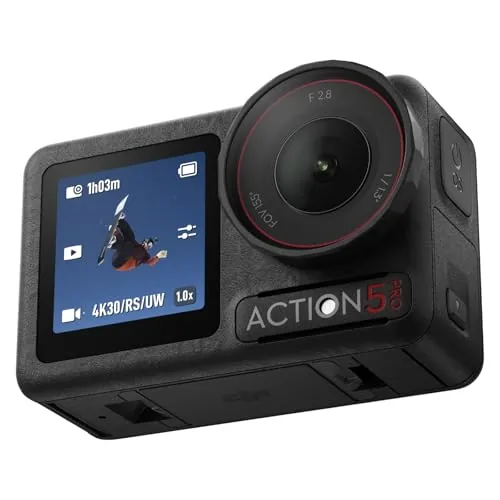
GoPro HERO13 Black vs DJI Osmo Action 5 Pro Standard Combo: Mounts, Media and Water Controls
The HERO13 Black is the fit for a rig that uses GoPro fingers or a 1/4-20 thread, and it lists a 5.3K60 mode; it needs a qualifying microSD card. DJI’s Osmo Action 5 Pro Standard Combo includes a quick-release mount set and lists 47 GB of usable internal storage. Their bare-camera water ratings differ, and DJI disables its shutter/record button at depths greater than 10 m without its waterproof case. Check the exact box, capture format and planned depth before choosing.
Read comparison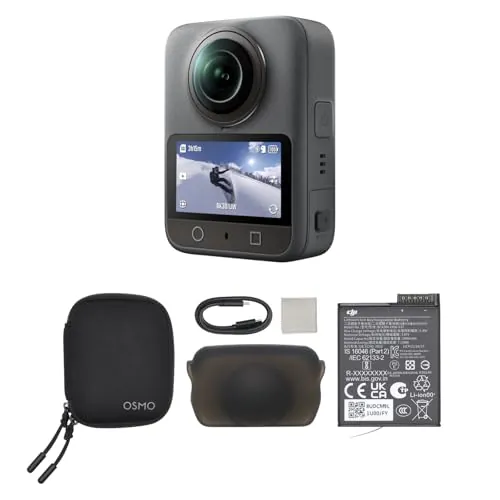
DJI Osmo 360 Standard Combo vs Insta360 X5: Capture, Edit, and Mic Workflow
For the U.S. DJI Osmo 360 Standard Combo (B0DTTZZ6Q3) vs Insta360 X5 (CINSAAHA, B0DZCBYCNY), the useful split is workflow rather than image quality. DJI documents 105 GB of usable internal storage, up to two supported DJI wireless transmitters, and a regular 5K single-lens mode. X5 offers model-specific mic routes and an InstaFrame mode that can output a flat clip alongside 360 footage, subject to its firmware/app and backup settings. Both list 8K/30 360 capture; plan for card and lens-care steps using the exact package and mic you will use.
Read comparison