
Products compared
DJI
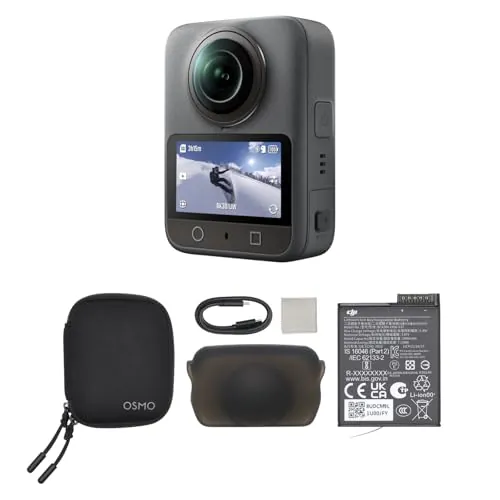
DJI Osmo 360 Standard Combo
U.S. Standard Combo listing. DJI's U.S. package table lists one camera, one battery, a pouch, lens-cleaning cloth, USB-C PD cable and rubber lens protector. The Invisible Selfie Stick and battery case are not listed for this combo; DJI explicitly says the stick is not included. The checked package sources do not establish a bundled microSD card or wireless mic.
Model Osmo 360
Amazon ASIN B0DTTZZ6Q3
Insta360
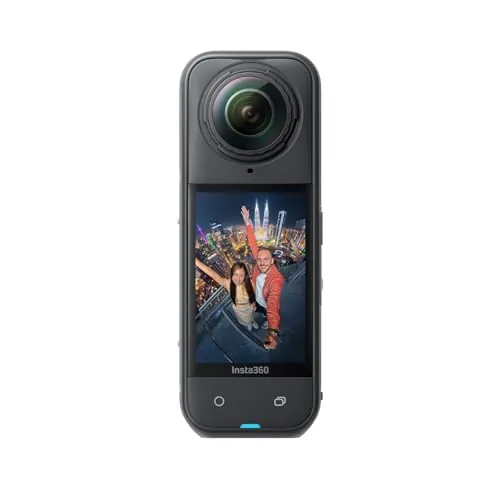
Insta360 X5
U.S. Midnight Black listed variants. Insta360's X5 documentation distinguishes two-lens stitched 360 earlier product-page information, single-lens earlier product-page information and InstaFrame output. Check this exact offer's included card, guards, accessories and warranty terms; the camera compatibility pages do not establish bundle contents.
Model CINSAAHA
Amazon ASIN B0DZCBYCNY
Differences that matter
What matters most to you?
Choose a priority to see what it changes.
Sources for 360 capture vs a ready flat clip
Sources for Microphone connection routine
Sources for First recording and card planning
Sources for Lens care and replacement planning
Start with the file you want to finish
Both are 360 cameras, and both maker pages list 8K/30 360 video. The practical difference is what happens after capture. DJI's manual says an Osmo 360 panoramic clip needs editing before it becomes a regular video for sharing; it points to DJI Mimo for quick phone editing and computer software for advanced editing. If you want to choose a view later, leave time and storage for that edit.
X5 also supports 360 capture, but its InstaFrame mode can write a flat view directly while retaining the 360 original. Insta360's current X5 documentation says the newer InstaFrame 2.0 needs a specified firmware and app version. The flat output and 360 backup ceilings change with the backup toggle: its page lists 4K/30 flat output with backup off, and 1080p/30 flat plus 5.7K+/30 360 backup when backup is on. Confirm the current setting and versions if that is your reason to buy. For ordinary single-lens footage, DJI lists 5K/60 while Insta360 lists 4K/60; that is a mode-spec distinction, not a visual-quality test.
Match the mic before buying the camera
Osmo 360's manual describes linking up to two supported DJI wireless transmitters at once. A linked transmitter can trigger recording; the camera can also save built-in-mic backup as a separate WAV file. Treat “supported” as model-specific: DJI's U.S. product page says first-generation DJI Mic is not supported for direct connection, and microphones are sold separately.
For X5, Insta360's table names separate connection routes for each microphone. It lists DJI Mic for direct connection, and DJI Mic 2 and Mic Mini for direct or Bluetooth. The current X Series table states that X5 supports one Bluetooth audio device at a time. The mic compatibility article is hosted under X4 Air, but its applicability line and columns explicitly cover X5. Before checkout, compare the exact transmitter name, receiver/cable path and camera firmware with the current table; this is a setup comparison, not a claim about sound.
Make the first-recording and lens-care plan concrete
Osmo 360 has 105 GB of usable internal storage and accepts microSD expansion up to 1 TB. DJI's U.S. Standard Combo listing names one camera, one battery, pouch, cloth, USB-C PD cable and rubber lens protector. Its contents table does not list a card or wireless mic, and DJI explicitly excludes the Invisible Selfie Stick from this combo. X5's storage guidance instead specifies exFAT, UHS-I, V30-or-higher microSD up to 1 TB. The exact retailer offer still governs what arrives in the box.
For lens care, DJI documents cleaning and a Lens Protection Mode for its separately sold transparent protectors; the sources checked here do not establish the Osmo's repair or owner-replacement path. Insta360 publishes an X5 replacement-lens-kit procedure with dedicated tools, a low-dust environment, a humidity check and Stitching Calibration after installation. It also gives a cleaning routine for lenses and guards. Consider X5 if that documented procedure suits your maintenance plan, while confirming the kit and DJI service terms directly rather than inferring either from a camera title.
Product details
DJI Osmo 360 Standard Combo
- Panoramic video modes
- DJI lists 8K/24, 25, 30, 48 or 50 fps; 6K/24 through 60 fps; and 4K/100 fps. Mode and frame-rate availability vary by selected capture mode. Source
- Regular single-lens video
- DJI lists up to 5K at 60 fps in its Single Lens - Video specification; this is a flat single-lens mode, not a 360-video resolution comparison. Source
- Built-in storage
- 105 GB usable internal storage, with microSD expansion up to 1 TB. Source
Insta360 X5
- 360 and single-lens modes
- X5's screen guide says its two fisheye lenses are stitched for 360 video up to 8K/30; its single-lens video mode is listed up to 4K/60. Source
- InstaFrame workflow
- InstaFrame can save a directly shareable flat video and retain a 360 original. On X5, InstaFrame 2.0's flat/backup resolutions and features depend on the selected backup setting and required firmware/app versions. Source
- Card requirement
- Insta360 specifies exFAT microSD, UHS-I, V30 or higher, up to 1 TB; its support page does not say a card is included with this ASIN. Source
Before you buy
Community discussions
Editing X5 cloud footage on an iPad
Insta360 X5
An X5 owner describes syncing footage to cloud storage, then trying to trim, reframe and export several clips individually in the iPad app. They could not complete that workflow from the cloud footage and planned to transfer the clips from the camera instead. This is one reported app workflow, not a general limitation.
What to check
If tablet editing is central to your choice, test your intended path from capture and sync through reframing and separate exports on your own device. Check that the files you plan to edit are available in the app view you expect.
Planning remote use on a longer outing
Insta360 X5
A new X5 owner says the battery was depleted after just over two hours on one warm-day outing, despite recording about seven minutes across four clips while using a Mic Pro remote. This is one camera, remote and standby setup; it is not a runtime estimate for other outings.
What to check
If you plan to start and stop remotely, test your own remote and standby routine before a long outing. Carry a spare battery if you cannot recharge during the activity.
Common questions
Do both cameras record 360 video, or is one only a single-lens camera?
Both exact models document 360 capture. DJI lists Osmo 360 panoramic video up to 8K/30 and also a separate single-lens video mode up to 5K/60. Insta360 says X5 stitches two fisheye lenses for 360 video up to 8K/30 and lists single-lens video up to 4K/60. These are mode ceilings from different maker specification pages, not comparative image-quality results.Osmo 360 Specs - DJIInsta360 X5 - Using the Touchscreen and Shooting Modes
Does the DJI Standard Combo include a selfie stick, card or wireless mic?
DJI's U.S. Standard Combo contents table lists the camera, one battery, pouch, lens cloth, USB-C PD cable and rubber lens protector. It does not list a microSD card or wireless mic, and DJI explicitly says the Invisible Selfie Stick is not included. Check the live seller's exact offer before checkout.Osmo 360 Standard Combo - DJI U.S. Store
Can I use the same wireless mic setup with both?
Not automatically. DJI documents up to two supported DJI transmitters for Osmo 360, but its U.S. product page excludes direct connection to the first-generation DJI Mic. Insta360's X5 compatibility table lists models and connection paths individually and limits Bluetooth to one audio device at a time. Check the exact transmitter generation and the current list for whichever camera you choose.Osmo 360 User Manual v1.2Osmo 360 Standard Combo - DJI U.S. StoreX Series: Connecting a Microphone (X5 applicability and compatibility table)
Is the X5 lens documented as replaceable by the owner?
Insta360 publishes an X5 replacement-lens-kit procedure with dedicated tools, a low-dust workspace, a humidity check, and Stitching Calibration afterward. The procedure does not mean the lens kit is included with this ASIN. DJI's checked guide covers lens protection and cleaning but does not resolve its repair or owner-replacement service path.Insta360 X5 - Replacement Lens Kit Installation/RemovalOsmo 360 User Manual v1.2
Sources and scope
This is a documentation-based U.S. feature-fit guide, not an image, audio, stabilization, durability or battery test. Maximum modes can depend on the selected shooting mode, firmware and app version. Check the exact Amazon offer for package contents, seller and service terms. The X5 microphone compatibility page is an Insta360 X Series support article hosted in the X4 Air section; its model list and tables explicitly name X5. DJI's checked manual documents lens protection and cleaning but does not settle DJI's repair or owner-replacement route.
- Osmo 360 User Manual v1.2
- Osmo 360 Specs - DJI
- Osmo 360 Standard Combo - DJI U.S. Store
- Insta360 X5 - Using the Touchscreen and Shooting Modes
- Insta360 X5 - InstaFrame Mode
- X Series: Connecting a Microphone (X5 applicability and compatibility table)
- Insta360 X5 - Attach External Devices
- Insta360 X5 - File Storage
- Insta360 X Series - Hardware Specifications (X5 column)
- Insta360 X5 - Replacement Lens Kit Installation/Removal
- Insta360 X5 - Cleaning
- Insta360 App - View Adjustment (X5 applicability)
Related comparisons
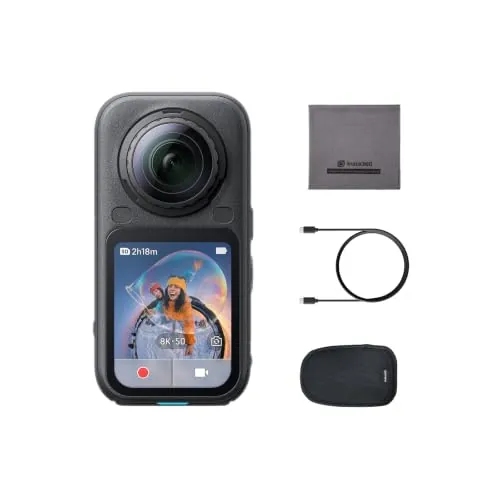
Insta360 X5 vs X6: Which Upgrades Change Your 360 Workflow?
This is an X5-owner upgrade decision, not a claim that every X6 clip looks better. Insta360 lists X5 up to 8K/30fps and 72MP 360 photos; the X6 reaches 8K/50fps and 120MP. The X6 also lists 47 GB of usable built-in storage. Before switching, check Insta360’s compatibility table: the X5 Utility Fast Charge Case and X5 lens guards are not supported on X6, although the standard Foldable Selfie Stick and X Series Chest Strap 2.0 are supported on both.
Read comparison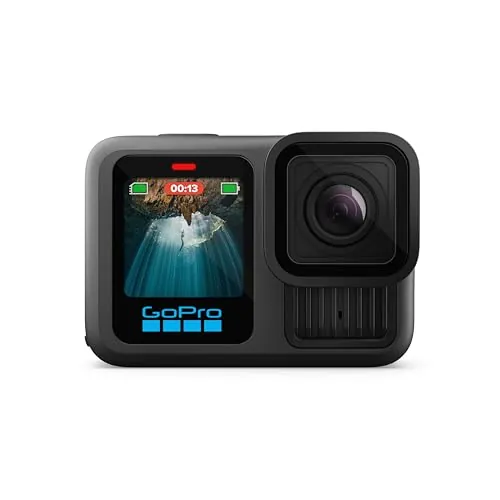
GoPro HERO13 Black vs Insta360 X5: Forward View or 360 Reframe?
The GoPro HERO13 Black is the fit when a forward-facing view and its listed 5.3K60 mode suit the shot. The Insta360 X5 is the fit when you want to record a 360 scene and pick a direction later in the app. Compare the mode you will actually use: X5’s 8K is spherical 360 capture, not a like-for-like resolution against GoPro’s framed view.
Read comparison