
Products compared
Fujifilm
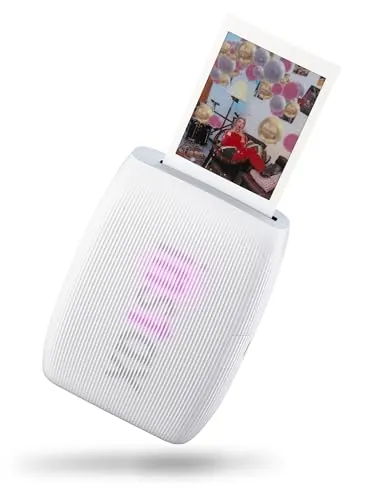
Fujifilm instax mini Link 3 Smartphone Printer
Clay White, standalone smartphone printer; it prints supplied images and does not add a built-in photo camera.
Model 16832194
Amazon ASIN B0D826GXQ3
Fujifilm
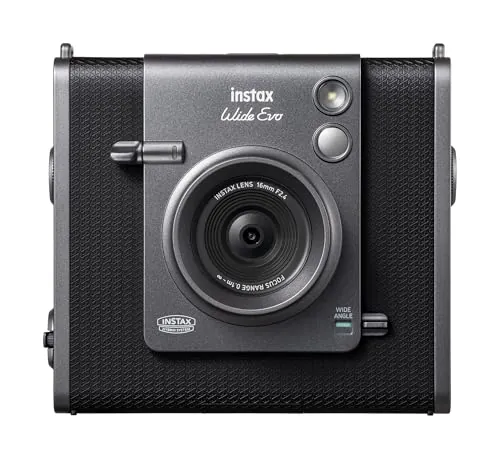
Fujifilm instax WIDE Evo Hybrid Instant Camera
Black WIDE Evo configuration: a hybrid camera-printer with built-in image review and a separate phone-printing workflow.
Model 16840957
Amazon ASIN B0DT1XB3W7
Differences that matter
What matters most to you?
Choose a priority to see what it changes.
Sources for Review and image storage before printing
Sources for Body size and carrying setup
Sources for Phone app, camera compatibility and charging
Separate the camera decision from the print-size decision
This comparison combines two choices that are easy to conflate. The mini Link 3 is a printer for supplied images; it does not add a built-in photo camera. WIDE Evo combines capture, LCD review and printing, but it can also print images from a phone. So if your pictures already live on a phone, you still have a choice between mini and WIDE output without needing WIDE Evo’s camera.
A useful first pass is: choose the image source you want to use, then pick the film format you want to hold. WIDE Evo is the match only when its built-in camera workflow or WIDE format is a real reason for you to choose it.
Check your film drawer before choosing the device
Mini Link 3 uses instax mini film. WIDE Evo uses instax WIDE film; its picture area is listed as 62 × 99 mm, compared with mini Link 3’s 62 × 46 mm. Fujifilm describes WIDE as twice as wide as mini. These are different film formats, not alternate pack sizes for a shared cartridge.
If you already have a supply of one format, use it to narrow the choice before comparing camera features. If buying new, decide which print size suits the cards, keepsakes or group photos you want; both formats are sold separately from the printer/camera.
Plan the WIDE Evo capture and storage loop
WIDE Evo lets you take photos, view them on the camera LCD, select a frame and print. Fujifilm lists about 45 images of internal storage; microSD/microSDHC support is available with the card sold separately. That can make the camera-first workflow practical when you want to review before spending a WIDE film sheet, while still allowing phone-library printing when the shot already exists.
The manual identifies FI028 and explains the operating flow, but verify the exact US seller listing and included items for the camera-only ASIN. The guide’s approximate storage figure is not a promise of how many prints remain in a loaded film pack.
Do a compatibility and carry check before checkout
Open the current app listing on your phone before relying on either app workflow. Fujifilm’s external-camera chart is model-specific and directs users to update camera and instax firmware; check the exact camera route rather than assuming any Fujifilm camera connects. On WIDE Evo, the USB-C port is charging-only, so use the documented app/card workflows for images rather than expecting USB data transfer.
For travel or a shelf, compare actual body dimensions and remember what the listed mass excludes. WIDE Evo is around 490 g before film, recording media and lens cap; the mini printer is listed at 210 g before film. Add the film and any accessories you plan to carry, then compare the loaded kit with your bag or storage space.
Product details
Fujifilm instax mini Link 3 Smartphone Printer
Fujifilm instax WIDE Evo Hybrid Instant Camera
- Compatible film
- FUJIFILM instax WIDE Instant Film only; sold separately Source
- WIDE image size
- Picture size 62 × 99 mm; WIDE film is twice as wide as instax mini film Source
- Internal image storage
- Approximately 45 images; microSD/microSDHC card sold separately for additional storage Source
- Listed body dimensions and weight
- 138.7 × 125 × 62.8 mm, excluding projecting parts; approximately 490 g excluding film cartridge, recording media and lens cap Source
- USB-C port
- Charging only; supplied cable is not for data transfer Source
Before you buy
Community discussions
A WIDE Evo shopper wants control over when to print
Fujifilm instax WIDE Evo Hybrid Instant Camera
A WIDE Evo shopper asks whether they can take a photo and decide when to print it, and how many menu steps that takes.
What to check
Before choosing the phone-first Mini Link 3 or WIDE Evo, decide whether you want to print images from a phone or take pictures with a camera-printer and choose when to print. Check the current features of the exact model you plan to buy.
A Mini Link 3 buyer plans to print from a separate photo app
Fujifilm instax mini Link 3 Smartphone Printer
A Mini Link 3 buyer wanted to print photos from Fujifilm Fav Squad and asked which print settings were available.
What to check
If you already have a photo app in mind, check whether it can send images to the printer and which print options it offers.
Common questions
Can both models print pictures from my phone?
Yes. Fujifilm documents phone-image printing for both. The mini Link 3 uses the mini Link app and mini film; WIDE Evo prints phone-camera-roll images through its own app and uses WIDE film.instax mini Link 3 US product overviewinstax WIDE Evo US product page and specifications
Can mini Link 3 take a photo without my phone?
It is a smartphone printer, not a standalone camera. Fujifilm documents an app feature that can control a smartphone camera, but the phone remains the image source. Check the current compatibility chart before relying on any separate Fujifilm camera route.instax mini Link 3 US product overviewFujifilm camera and instax printing compatibility chart
Can I use mini film in WIDE Evo?
No. The mini Link 3 uses instax mini film and WIDE Evo uses instax WIDE film. Fujifilm lists them as separate film formats; choose the format you want before buying film or printer.instax mini Link 3 US specificationsinstax WIDE Evo US product page and specificationsFujifilm instax film formats and device compatibility
Does WIDE Evo need a phone to shoot and print?
No phone is needed for its documented built-in capture, LCD review and selected-print workflow. A phone is an additional route for phone-library printing, remote shooting and image transfer through the WIDE Evo app.instax WIDE Evo US product page and specificationsinstax WIDE Evo North America user guide, model FI028, revision NA_EN-04
Can I connect WIDE Evo to a computer through USB-C to transfer photos?
The WIDE Evo manual states that its USB-C port is for charging and cannot be used for data transfer. Do not buy it expecting a USB photo-transfer connection.instax WIDE Evo North America user guide, model FI028, revision NA_EN-04
Sources and scope
This guide compares Fujifilm’s listed product features and film formats; it does not test print appearance, color, speed, cost per print, durability or phone compatibility. Film is sold separately for both. Check the seller’s exact package contents and current app support before buying.
- instax mini Link 3 US product overview
- instax mini Link 3 US specifications
- instax mini Link 3 US product page
- instax WIDE Evo US product page and specifications
- instax WIDE Evo North America user guide, model FI028, revision NA_EN-04
- Fujifilm instax film formats and device compatibility
- Fujifilm camera and instax printing compatibility chart
Related comparisons
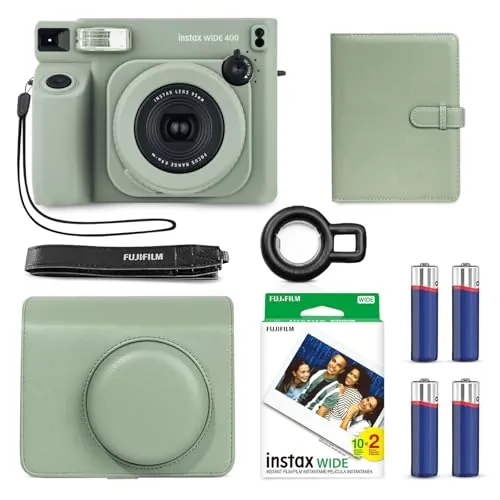
instax WIDE 400 vs WIDE Evo: Direct Prints or Select Before You Print?
The Fujifilm instax WIDE 400 is an analog instant camera that automatically ejects film after a shot. The hybrid WIDE Evo stores digital images so you can select what to print, and it can print images from a phone through its app. Both use instax WIDE film. The practical choice is a direct capture-to-print routine versus image selection, with different framing and battery habits.
Read comparison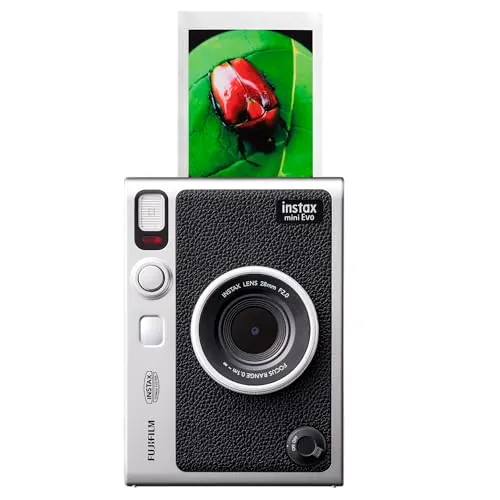
Fujifilm instax mini Evo Black vs mini Link 3 Clay White: Camera or Phone-Photo Workflow
These exact U.S. listings put two different photo paths side by side: the Black mini Evo (part 16812493) is a hybrid camera that stores shots for review and selected printing, while the Clay White mini Link 3 (part 16832194) is a phone-photo printer that requires the mini Link app. Both use separately sold instax mini film. The practical checks are whether your pictures start on the camera or phone, whether you need every original transferred, and whether the current Evo unit has the charging port you expect.
Read comparison