
Products compared
Intel
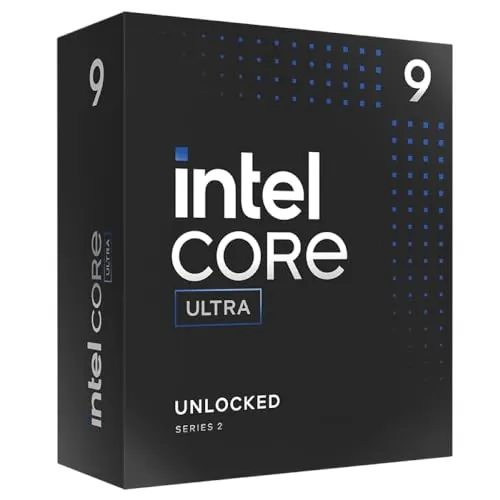
Intel Core Ultra 9 285K
Boxed Series 2 desktop processor for FCLGA1851/Intel 800-series systems, with 24 cores (8 Performance + 16 Efficient) and 24 threads. Intel lists DDR5 only. The CPU specification names Intel Graphics, Quick Sync Video, and H.264, HEVC and AV1 hardware encode/decode.
Model 285K (boxed code BX80768285K)
Amazon ASIN B0DFKC99VL
Intel
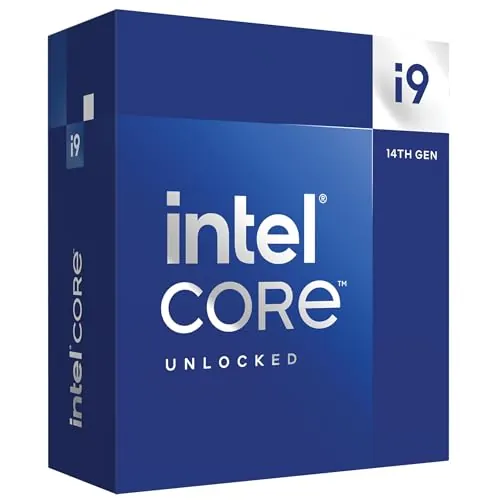
Intel Core i9-14900K
Boxed 14th-generation desktop processor for FCLGA1700 boards. Intel's processor specification supports DDR4 or DDR5, but one motherboard is designed for one memory type; verify the exact board CPU list and BIOS before planning a reuse build. Intel lists UHD Graphics 770 and Quick Sync Video.
Model i9-14900K (boxed code BX8071514900K)
Amazon ASIN B0CGJDKLB8
Differences that matter
What matters most to you?
Choose a priority to see what it changes.
Sources for Memory reuse
Sources for Integrated graphics and media
Start with the board you will keep
The 285K changes the platform: Intel specifies FCLGA1851 and its Series 2 support page names Intel 800-series chipsets, with DDR5 only. The i9-14900K uses FCLGA1700 and Intel lists its processor-level memory support as either DDR4 or DDR5. That makes the 14900K the one to check if you already own an LGA1700 board or DDR4 kit, but it is not an automatic drop-in: Intel says 14th-gen CPUs on 600/700-series boards require a BIOS update, and the exact board maker's CPU list decides support.
Use this short parts check before comparing the processors: read the board's printed model/revision; open its maker CPU-support page; confirm the exact CPU and BIOS version; then match the board's DDR4 or DDR5 slots to the memory kit you intend to keep. The memory support ceiling published for a CPU does not replace the board's own list.
Match media needs, power labels and cooling
Intel lists Intel Graphics with 4 Xe-cores, Quick Sync Video and named H.264, HEVC and AV1 hardware encode/decode for the 285K. For the 14900K, Intel lists UHD Graphics 770, two multi-format codec engines and Quick Sync Video, but its product page does not enumerate the same codec names. If a particular editor or transcode format drives the choice, verify that application's support and the board's physical video outputs instead of treating the shorter spec list as a negative compatibility finding.
Intel lists 125 W Processor Base Power for both; Maximum Turbo Power is 250 W for the 285K and 253 W for the 14900K. Intel's boxed K-series guidance says these processors ship without its fan heatsink. Treat the watt figures as processor specification fields, not test results or a complete cooler comparison, and include a separately selected cooler after checking its exact socket compatibility.
For a 14900K parts list, add one current firmware check: Intel's current support notice recommends Intel Default Settings and the latest motherboard BIOS containing microcode 0x12F or later to mitigate Vmin Shift risk on applicable 13th/14th-gen desktop processors. That guidance does not promise risk elimination and does not establish a reliability winner between these CPUs.
Product details
Intel Core Ultra 9 285K
- Socket and platform
- FCLGA1851; Intel lists the 800-series chipset family for Core Ultra desktop Series 2. Check the exact board and BIOS. Source
- Memory
- DDR5 only; Intel lists up to DDR5-6400 at processor level. Actual memory settings depend on the motherboard and DIMM configuration. Source
- CPU layout
- 24 cores (8 Performance + 16 Efficient), 24 threads. Source
- Integrated graphics and media
- Intel Graphics with 4 Xe-cores; Intel lists Quick Sync Video and H.264, HEVC and AV1 hardware encode/decode. Confirm the application's supported path and the motherboard's display connections. Source
- Cooling and power labels
- Processor Base Power 125 W; Maximum Turbo Power 250 W. The boxed K processor is listed among models shipped without an Intel fan heatsink; choose a separate cooler after checking exact compatibility. Source
Intel Core i9-14900K
- Socket and chipset families
- FCLGA1700; Intel lists 600- and 700-series desktop chipsets. A 14th-generation upgrade may require a BIOS update; use the exact board maker CPU-support list. Source
- Memory
- The processor specification lists DDR4 up to 3200 MT/s or DDR5 up to 5600 MT/s. The exact board uses one memory type and its own supported kit/configuration. Source
- CPU layout
- 24 cores (8 Performance + 16 Efficient), 32 threads. Source
- Integrated graphics and media
- Intel UHD Graphics 770, two multi-format codec engines and Intel Quick Sync Video are listed. This product page does not enumerate the same codec names as the 285K page; absence from that list is not proof that a codec cannot be used. Verify your editor, drivers and system output path. Source
- Cooling and power labels
- Processor Base Power 125 W; Maximum Turbo Power 253 W. The boxed K processor is within Intel's K-series no-fan-heatsink guidance; plan a separate cooler and confirm exact fit. Source
Before you buy
Community discussions
A proposed 285K build for video editing and color grading
Intel Core Ultra 9 285K
A buyer upgrading from an i7-8700 shared a proposed 285K build for DaVinci Resolve, color grading and some gaming. The parts list names a Z890 board, DDR5 memory, cooler and case; it does not report editing results.
What to check
For an upgrade, list the parts you plan to keep and check them against the exact CPU, motherboard and memory combination. Also confirm the board’s support list and the cooler’s fit for your case; the proposed build does not establish an editing advantage over the i9-14900K.
Common questions
Can the Core Ultra 9 285K go into my LGA1700 motherboard?
No. Intel specifies the 285K for FCLGA1851 and says Core Ultra desktop Series 2 is not cross-compatible with older platforms. The i9-14900K is FCLGA1700, but verify its exact board and BIOS support.Intel Core Ultra 9 Processor 285K SpecificationsInformation About Intel Core Ultra Boxed Desktop Processors (Series 2)Intel Core i9 processor 14900K Specifications
Can I reuse DDR4 with either processor?
Intel lists DDR4 support for the i9-14900K, but only a compatible LGA1700 DDR4 motherboard can use that kit. The 285K is listed with DDR5 only. A board's memory type and CPU list must both match.Intel Core Ultra 9 Processor 285K SpecificationsIntel Core i9 processor 14900K SpecificationsInformation About Intel Core Ultra Boxed Desktop Processors (Series 2)
What BIOS should I check for a Core i9-14900K build?
Intel says 600/700-series boards require a BIOS update for 14th-gen support and its current Vmin Shift guidance recommends a current BIOS containing microcode 0x12F or later plus Intel Default Settings to mitigate risk. Check the motherboard maker's exact current BIOS notes; mitigation is not a guarantee.Compatibility of Intel Core Desktop Processors (14th gen)Intel Core 13th and 14th Gen Desktop Processor Vmin Shift Instability Issue – Latest Information
Does either boxed processor include a cooler?
Intel says boxed desktop processors with K in the model name are shipped without an Intel fan heatsink, and its list explicitly includes the 285K. Plan a separate cooler and verify it for your chosen board, case and socket.Intel Core and Core Ultra Boxed Desktop Processors Shipped without Fan Heatsink
Sources and scope
This guide compares Intel's published specifications and support guidance; it does not test application speed, gaming, power draw, temperature, or stability. Intel's Processor Base Power and Maximum Turbo Power are specification labels, not measured whole-system draw or a direct cooling comparison. No particular motherboard, BIOS revision, memory kit, graphics connector, cooler or media application is specified. Verify each against its maker, and treat Intel's 0x12F guidance as mitigation rather than proof that risk is eliminated.
- Intel Core Ultra 9 Processor 285K Specifications
- Intel Core Ultra 9 Processor 285K Ordering & Compliance
- Information About Intel Core Ultra Boxed Desktop Processors (Series 2)
- Intel Core i9 processor 14900K Specifications
- Intel Core i9 processor 14900K Compatible Products
- Compatibility of Intel Core Desktop Processors (14th gen)
- Intel Core 13th and 14th Gen Desktop Processor Vmin Shift Instability Issue – Latest Information
- Intel Core and Core Ultra Boxed Desktop Processors Shipped without Fan Heatsink
Related comparisons

AMD Ryzen 9 9950X vs Intel Core Ultra 9 285K: Board, Media and Cooling Fit
Both are DDR5 desktop processors, but the Ryzen 9 9950X uses AM5 and the Core Ultra 9 285K uses FCLGA1851. Their integrated-graphics documentation also differs: Intel names Quick Sync and H.264, HEVC and AV1 hardware encode/decode; AMD lists Radeon Graphics but does not specify codec blocks on this CPU page. Start with the exact board and BIOS, then match your memory layout, app/media path and cooling plan.
Read comparison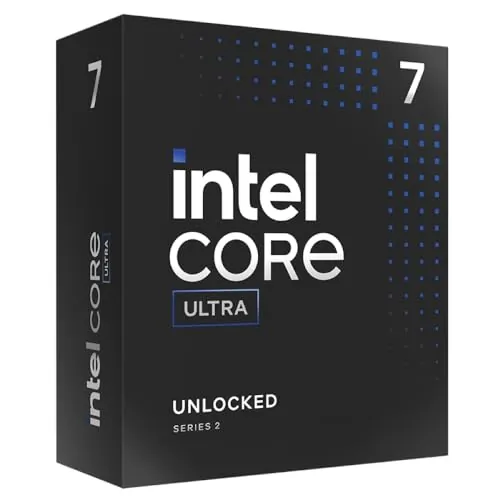
Intel Core Ultra 7 265K vs Core Ultra 9 285K: Choose by Workload
Intel’s Core Ultra 7 265K and Core Ultra 9 285K share LGA1851, DDR5-6400 support, a 125 W Processor Base Power label, a 250 W Maximum Turbo Power label, and the same listed integrated graphics/media features. The 285K has four additional E-cores and higher maximum turbo frequency. In Tom’s Hardware’s August 2025 exact-pair test, its 16-game 1080p average was about 4.4% higher, while its named multithreaded suite geomean was 18.2% higher. Use those results only if the tested workloads resemble yours; check board BIOS, memory configuration, and cooling before choosing either.
Read comparison