
Products compared
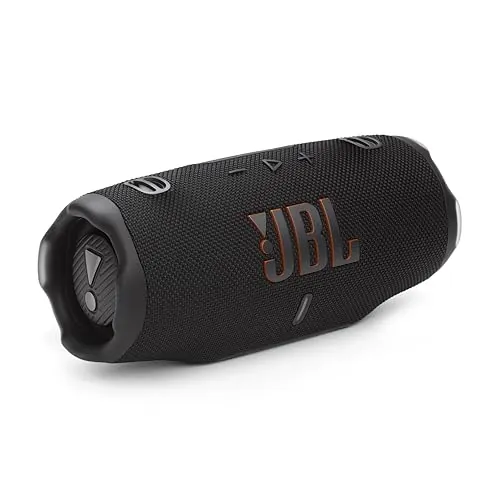
JBL
JBL Charge 6 Portable Bluetooth Speaker (Black)
Black U.S. variant. JBL’s product page lists a detachable strap in the box and says a USB charging cable is not included.
Model Charge 6 / JBLCHARGE6BLKAM
Amazon ASIN B0DN2ZCZX6
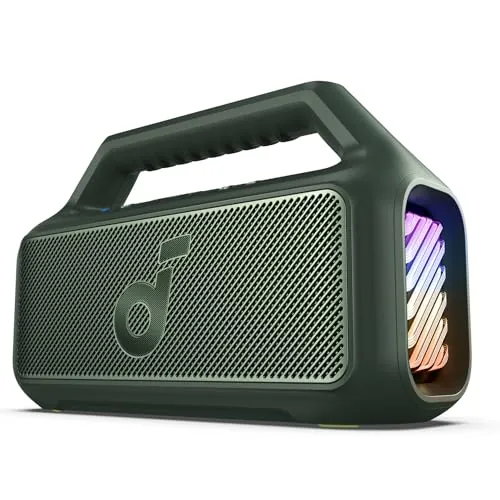
soundcore
soundcore Boom 2 Portable Bluetooth Speaker (Adventure Green)
Adventure Green Boom 2 / A3138 offer. Soundcore's published information does not make clear which hardware revision this offer ships with. Confirm the revision before buying it to join an existing speaker group.
Model Boom 2 / A3138 listing
Amazon ASIN B0CQ6WNXKF
Differences that matter
What matters most to you?
Choose a priority to see what it changes.
Sources for Audio source and playback setup
Sources for Physical controls and app adjustment
First decide how you will play and group music
For a one-phone Bluetooth setup, both product manuals document ordinary Bluetooth pairing. JBL also documents a wired USB-C lossless mode for Charge 6, but it requires a JBL Portable app over-the-air update and a compatible lossless source/content; JBL says the USB cable is not included. Soundcore’s A3138 guide identifies USB-C for charging and USB-A output for other devices, not USB audio input, and its FAQ says Boom 2 has no AUX jack.
For speaker linking, JBL says Auracast can stereo pair two Charge 6 units and connect multiple Auracast-enabled JBL speakers. The soundcore A3138 manual describes TWS stereo pairing with an identical speaker and PartyCast with compatible soundcore models. Current U.S. materials also describe an Auracast Boom 2 revision that cannot TWS-pair with older PartyCast speakers. Soundcore does not say which revision comes with this green offer, so confirm the exact unit before relying on interoperability.
Plan your carry and charging kit from the box list
JBL lists one detachable strap in the Charge 6 box; the JBL page says the USB cable is not included. This is a concrete checklist if you expect to carry it by a strap or want to use USB-C audio.
soundcore’s Boom 2 page lists an integrated handle, and the manufacturer FAQ lists a 60 cm USB-C-to-C cable and Quick Start Guide but no wall charger. Confirm package contents on the specific Adventure Green seller offer, since manufacturer FAQ packaging may not identify every marketplace bundle.
Match app controls and physical playback buttons
JBL Portable provides customizable audio controls; JBL’s quick-start instructions show play/pause, track skip and volume buttons on the speaker. The Boom 2 A3138 guide documents a soundcore app with preset EQ choices and maps a single press for play/pause, double press for next track and triple press for previous track. Use this to check whether your desired app setting or on-speaker control is present; no sound or ease-of-use winner is claimed.
Product details
JBL Charge 6 Portable Bluetooth Speaker (Black)
- Wireless multi-speaker workflow
- Auracast; JBL says two Charge 6 speakers can stereo pair and multiple Auracast-enabled JBL speakers can share a playlist Source
- USB-C audio input
- USB-C lossless playback is available after a JBL Portable app over-the-air software update and requires compatible lossless content/source Source
- Included carry accessory
- JBL lists one strap in the box; quick-start guide shows it attaches/detaches Source
- Charging cable
- Not included, per JBL product specifications and quick-start guide Source
soundcore Boom 2 Portable Bluetooth Speaker (Adventure Green)
- Documented playback and app controls
- Bluetooth playback; soundcore app offers preset EQ options. The A3138 guide says one mobile device plays music at a time. Source
- Legacy A3138 grouping manual
- TWS pairs two identical speakers for left/right stereo; PartyCast synchronizes audio and light with compatible PartyCast soundcore speakers Source
- Current U.S. page grouping statement
- Current Adventure Green product page lists TWS and Auracast; soundcore says newer Auracast hardware cannot pair with older PartyCast devices Source
- Carry and box preparation
- Current U.S. product page lists a built-in handle; soundcore’s Boom 2 FAQ lists a 60 cm USB-C-to-C cable and quick-start guide, with no wall charger Source
Before you buy
Community discussions
Can JBL Charge 6 play true stereo using Auracast with another Charge 6?
JBL Charge 6 Portable Bluetooth Speaker (Black)
A new Charge 6 owner asks whether Auracast between two Charge 6 speakers provides left/right stereo or synchronized playback, and whether the JBL Portable app offers stereo or channel controls.
What to check
If speaker grouping is central, confirm whether you need same-model stereo or multi-speaker playback and check which Charge 6 app steps apply. The thread does not establish how the Boom 2 joins either setup.
JBL Charge 6: USB-C lossless + stereo pair?
JBL Charge 6 Portable Bluetooth Speaker (Black)
A prospective buyer asks whether one Galaxy S26 can send USB-C audio to two Charge 6 speakers as a left/right stereo pair; the poster asks about hubs or splitters but reports no test.
What to check
Check the exact host and the manufacturer-documented input and pairing steps before buying for this setup. The post does not confirm phone compatibility or that a hub or splitter works; it is not evidence of a supported workaround.
Common questions
Can the Charge 6 and Boom 2 play together as a multi-speaker group?
JBL documents stereo pairing between two Charge 6 units and group playback with Auracast-enabled JBL speakers. Soundcore's A3138 manual describes TWS/PartyCast, while current Boom 2 materials also describe an Auracast revision. The brands do not list Charge 6–Boom 2 pairing. Check the exact Boom 2 version and compatibility before buying for a mixed-brand group.JBL Charge 6 U.S. specifications and featuressoundcore Boom 2 User Guide (A3138)soundcore Boom 2 U.S. product page (Adventure Green)soundcore Boom 2 Bluetooth FAQ: hardware revisions
Does the Charge 6 come with a USB charging cable?
No. JBL’s U.S. specification page says the USB cable is not included; JBL lists a strap, quick-start guide and warranty/safety sheet in the box. The JBL page also documents USB-C lossless playback after an app update, so provide your own compatible cable if you intend to use that mode.JBL Charge 6 U.S. specifications and featuresJBL Charge 6 Black (JBLCHARGE6BLKAM)
Does the Boom 2 include its charging cable and wall adapter?
soundcore’s Boom 2 FAQ lists a 60 cm USB-C-to-C cable and Quick Start Guide, and explicitly says the wall charger is not included. Check the exact Amazon seller package and color option because the FAQ is for the product family rather than a package code matching this ASIN.soundcore Boom 2 FAQsoundcore Boom 2 U.S. product page (Adventure Green)
What is the difference between the Boom 2 PartyCast and Auracast versions?
Soundcore's A3138 manual describes TWS and PartyCast. Its current U.S. materials also describe an Auracast version that cannot TWS-pair with older PartyCast units. The green offer's revision is unclear, so ask the seller or soundcore which version ships before relying on an existing speaker group.soundcore Boom 2 User Guide (A3138)soundcore Boom 2 U.S. product page (Adventure Green)soundcore Boom 2 Bluetooth FAQ: hardware revisions
Can the Boom 2 play through USB-C or AUX?
Soundcore's A3138 guide lists USB-C for charging and USB-A for charge-out; its FAQ says Boom 2 has no AUX jack. The guide does not list USB-C audio playback. JBL documents USB-C lossless playback after a JBL Portable app update and with a compatible source and content.soundcore Boom 2 User Guide (A3138)soundcore Boom 2 FAQJBL Charge 6 U.S. specifications and features
Sources and scope
This guide compares documented features, controls, and package details, not sound quality, listening experience, wireless range, runtime, or measured durability. JBL describes Charge 6/Auracast. Soundcore's A3138 manual describes TWS/PartyCast; current U.S. materials also describe an Auracast Boom 2 revision that cannot TWS-pair with older PartyCast units. Soundcore does not say which revision comes with the Adventure Green offer, so confirm the version before buying for speaker interoperability. Box contents can vary by offer and region; check the seller's listing.
- JBL Charge 6 Black (JBLCHARGE6BLKAM)
- JBL Charge 6 Quick Start Guide
- JBL Charge 6 U.S. specifications and features
- soundcore Boom 2 U.S. product page (Adventure Green)
- soundcore Boom 2 User Guide (A3138)
- soundcore Boom 2 FAQ
- soundcore Boom 2 Bluetooth FAQ: hardware revisions
- Anker Japan official A3138 product specifications and package contents
Related comparisons
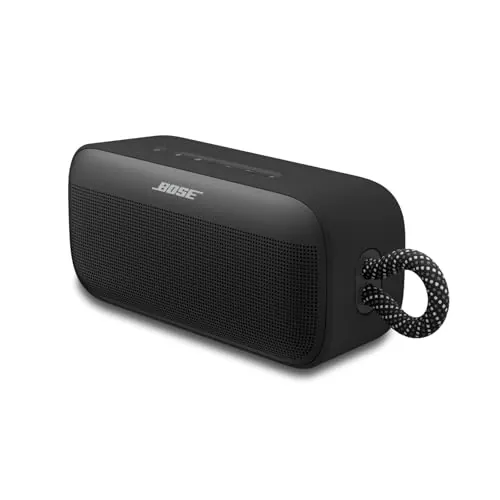
JBL Charge 6 vs Bose SoundLink Plus: Speaker Linking, USB-C, and Carry
For the black U.S. JBL Charge 6 and Bose SoundLink Plus, the practical choice is about your speaker ecosystem and what you expect USB-C to do. JBL documents Auracast connections with enabled JBL speakers, stereo pairing between two Charge 6 units, and USB-C lossless playback after an app update with a compatible source. Bose documents Speaker Link with selected Bose models, including SoundLink Max and Flex (2nd Gen), but only one partner at a time. Their carry and box setups also differ: JBL includes a removable strap but no USB cable; Bose includes a USB-C-to-USB-C cable and uses a built-in utility loop.
Read comparison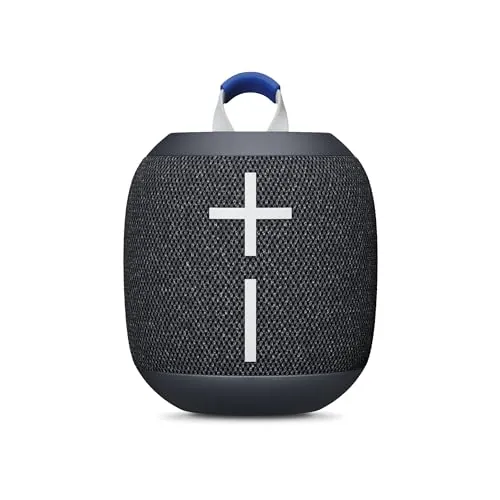
JBL Charge 6 vs Ultimate Ears WONDERBOOM 4: USB Audio or Speaker Pairing?
The black JBL Charge 6 (JBLCHARGE6BLKAM) can accept laptop or tablet audio over USB-C after its software is current, and its Auracast workflow connects compatible JBL speakers. The black Ultimate Ears WONDERBOOM 4 (984-001876) is a Bluetooth speaker whose USB-C port is for charging; its Double Up routine is documented with WONDERBOOM 3 or 4 speakers. Pick the speaker based on the host connection and companion-speaker family you actually plan to use. The reviewed documents do not establish cross-brand grouping or a measured sound winner.
Read comparison