
Products compared
JBL
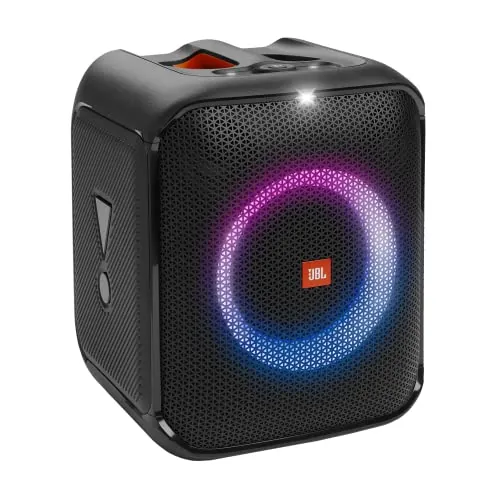
JBL PartyBox Encore Essential
JBL's black U.S. product page identifies PartyBox Encore Essential as item JBLPBENCOREESSAM. Check that the selected listing is Encore Essential, not Encore Essential 2.
Model JBLPBENCOREESSAM
Amazon ASIN B09VMPBBY5
Soundcore
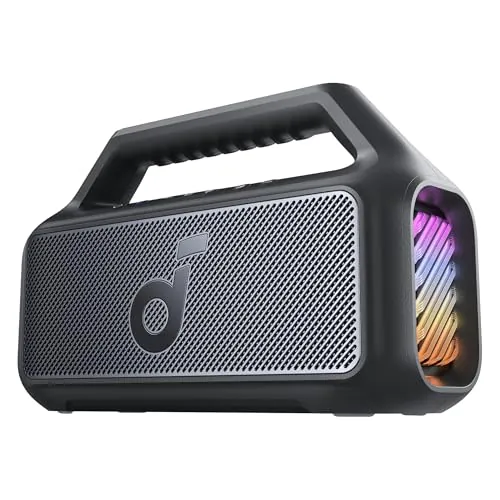
Soundcore Boom 2 Portable Bluetooth Speaker
Soundcore identifies A3138 as Boom 2 and A3134 as Boom 2 Plus. Check the selected model and pairing version before planning a multi-speaker setup.
Model A3138
Amazon ASIN B0CQ53RVTW
Differences that matter
What matters most to you?
Choose a priority to see what it changes.
Sources for Connect the event's microphone or wired playback source
Sources for Plan the carry and placement route
Sources for Check the power-bank use and remaining-playtime assumptions
Sources for Confirm group-playback revision before planning a synchronized set
Sources for Avoid confusing nearby generation and model names
Match the event connections before choosing by speaker size
The JBL PartyBox Encore Essential's rear panel has a microphone socket, microphone-volume knob and gain control. The manual also documents a USB storage input and AUX IN for an external 3.5 mm audio device. Only one music source plays at a time; the manual gives USB, then Bluetooth, then AUX priority. For an event that needs a wired mic or a non-Bluetooth source, those are positive, documented JBL options.
Soundcore's A3138 guide labels USB-A as charging output and USB-C as charging input. The U.S. product FAQ says Boom 2 has no AUX jack and describes a built-in microphone, but does not present it as an external karaoke input. Keep the distinction clear when planning a mic or audio source: a call microphone is not the same purchase feature as a microphone socket. Check the exact cable and microphone connector against the JBL manual.
Use weight and handle as planning facts, not a comfort test
JBL publishes the Encore Essential at 13 lb / 5.9 kg and 27.6 × 32.7 × 29.3 cm (W × H × D); the manual points to the top handle for carrying. Soundcore lists Boom 2 at 3.7 lb with a built-in handle. Those published weights make the Boom 2 a concrete option to consider if the speaker is carried between locations, but they do not measure grip, comfort or how easy it is to move in a real event setup.
Only JBL's opened exact model page gives a three-axis body dimension row in the reviewed sources. Measure the actual shelf, vehicle opening and placement surface for your planned orientation. Do not treat a product dimension as guaranteed fit with cables, clearances or accessories.
Separate power-bank output from music-input connections
Both makers document a way to charge another mobile device, but use different port labels and ratings. JBL's manual lists USB charge-out at up to 5 V / 0.5 A; the A3138 Soundcore guide labels USB-A as output at 5 V / 1 A and USB-C as charging input. This is a practical event check if a phone charge cable is part of the kit. The listed output values do not establish a comparative charging time.
Runtime figures are likewise separate manufacturer references rather than a pair test. JBL says up to 6 hours, qualified by volume and content; its manual notes an example/reference with Bluetooth, volume 21 and the light show off. Soundcore says up to 24 hours; its U.S. FAQ specifies 50% volume with BassUp and lights off and notes variation with content, EQ and volume. Use the stated conditions to set expectations; don't choose based on the headline numbers alone.
Verify the wireless grouping protocol on the exact Boom 2 revision
JBL's manual documents TWS between two PartyBox speakers. It is useful if your setup already uses a compatible PartyBox, but the reviewed manual does not establish compatibility with every JBL generation or other speaker family.
Soundcore's A3138 guide describes TWS for two identical speakers and PartyCast for compatible PartyCast speakers. Current U.S. Boom 2 information also lists TWS and Auracast, and Soundcore says its newer Auracast version cannot pair with older PartyCast units. The seller listing does not show which pairing revision will ship. If synchronized multi-speaker audio matters, confirm the exact version and the other speaker's protocol with Soundcore before the event.
Product details
JBL PartyBox Encore Essential
- External sources and mic
- JBL documents a microphone socket with separate mic-volume and gain controls, USB storage playback and 3.5 mm AUX input. One source plays at a time; manual priority is USB → Bluetooth → AUX. Source
- Published carry envelope
- 5.9 kg / 13 lb; 27.6 × 32.7 × 29.3 cm (W × H × D). Manual says to carry by the top handle. Source
- Maximum-playtime reference
- Up to 6 hours; JBL qualifies this by volume and audio content and gives a reference condition (volume 21, light show off, Bluetooth source). Source
Soundcore Boom 2 Portable Bluetooth Speaker
- Carry and external-device power
- Soundcore lists 3.7 lb and a built-in handle. The A3138 guide identifies USB-A as output and USB-C as input; its specs state 5 V / 1 A output. Source
- Maximum-playtime reference
- Up to 24 hours at 50% volume with BassUp and light effects off; Soundcore says playtime varies with content, EQ and volume. Source
- Multi-speaker setup
- Soundcore's current U.S. page lists TWS and Auracast; its support FAQ says newer Auracast Boom 2 hardware cannot pair with older PartyCast-enabled devices. Confirm the received unit's revision and the other speakers' protocol before an event. Source
Before you buy
Community discussions
Checking a wired DJ source before an event
Soundcore Boom 2 Portable Bluetooth Speaker
A Boom 2 owner wanted to connect a DJ controller by cable and asked whether there was a way to do it.
What to check
Check the output on your music source and the documented audio inputs on each speaker before choosing.
Common questions
Which speaker has a documented external wired microphone input?
JBL PartyBox Encore Essential. Its manual labels a rear microphone socket and separate microphone volume and gain controls. Soundcore Boom 2's guide identifies a built-in call microphone and power ports but does not document an external mic socket; do not assume its built-in mic supports karaoke input.JBL PartyBox Encore Essential Owner's Manual, English V4soundcore Boom 2 U.S. Product Pagesoundcore Boom 2 User Guide (A3138)
Can I compare 6 hours and 24 hours as a runtime test?
No. JBL's manual says its up-to-6-hour figure depends on volume and audio content and gives a reference with light show off, volume 21 and Bluetooth. Soundcore's product FAQ states its up-to-24-hour reference is at 50% volume with BassUp and lights off, and also says playtime varies with content/EQ/volume. These are not matched test conditions.JBL PartyBox Encore Essential Owner's Manual, English V4soundcore Boom 2 U.S. Product Page
Will Boom 2 pair with my existing PartyCast speakers?
Check the hardware version first. The A3138 guide describes PartyCast, while Soundcore's newer FAQ and U.S. product page describe an Auracast version that cannot pair with older PartyCast speakers. The seller listing may not identify which version it will ship, so confirm before buying for a group setup.soundcore Boom 2 User Guide (A3138)soundcore Boom 2 Bluetooth FAQsoundcore Boom 2 U.S. Product Page
Sources and scope
Before buying a Boom 2 for group playback, check the exact unit's pairing protocol. Soundcore's A3138 guide describes PartyCast, and its current U.S. Boom 2 page describes a newer Auracast version. Soundcore says those revisions cannot group together. The two speakers' advertised battery figures are based on different settings.
- JBL PartyBox Encore Essential, Black U.S. Product Page
- JBL PartyBox Encore Essential Owner's Manual, English V4
- JBL PartyBox Encore Essential 2, U.S. Product Page
- soundcore Boom 2 U.S. Product Page
- soundcore Boom 2 User Guide (A3138)
- soundcore Boom 2 Bluetooth FAQ
- Guide to Locating the Serial Number of soundcore Speakers
Related comparisons
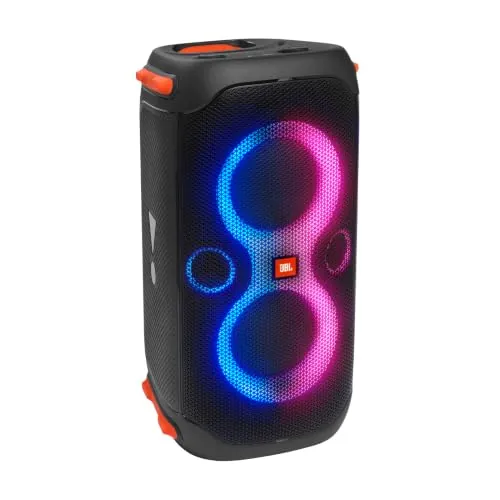
Soundcore Boom 2 vs JBL PartyBox 110: Carry, Inputs and Power Setup
Soundcore identifies this listing as Boom 2 (model A3138, part A3138011), not Boom 2 Plus (A3134). JBL documents the larger, 23 lb PartyBox 110 with AC or battery operation, AUX and USB playback, and wired microphone/guitar mixing. Soundcore's A3138 guide describes a handle, USB-C charging, USB-A device output and speaker-linking routines. Current Soundcore support also describes later Boom 2 hardware, so confirm the exact model/version on the listing before relying on cross-speaker pairing details.
Read comparison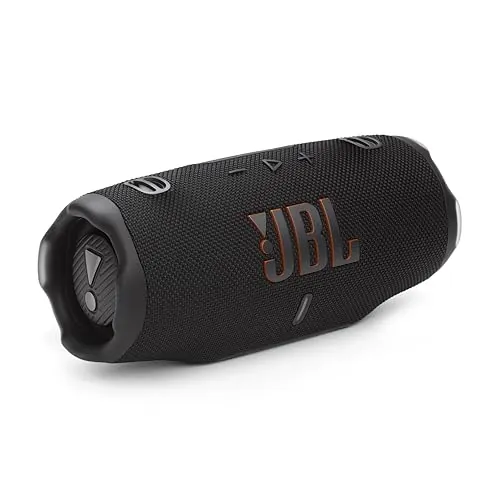
JBL Charge 6 vs soundcore Boom 2: Pairing Revision, USB Audio and Carry
JBL documents Charge 6 stereo pairing with another Charge 6, wider Auracast speaker groups, and USB-C audio from a laptop or tablet after a JBL Portable software update. The A3138 Boom 2 manual documents TWS with an identical speaker, PartyCast and USB-A device charging; soundcore's current U.S. page also describes an updated Auracast-capable Boom 2 that will not TWS-pair with older PartyCast versions. The Amazon listing identity does not settle that revision, so confirm it before buying for a speaker group.
Read comparison