
Products compared
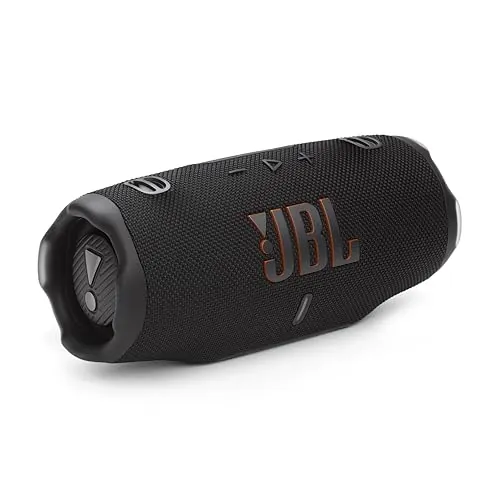
JBL
JBL Charge 6 Portable Bluetooth Speaker — Black
Black U.S. listing; JBL's U.S. page identifies item JBLCHARGE6BLKAM.
Model JBLCHARGE6BLKAM
Amazon ASIN B0DN2ZCZX6
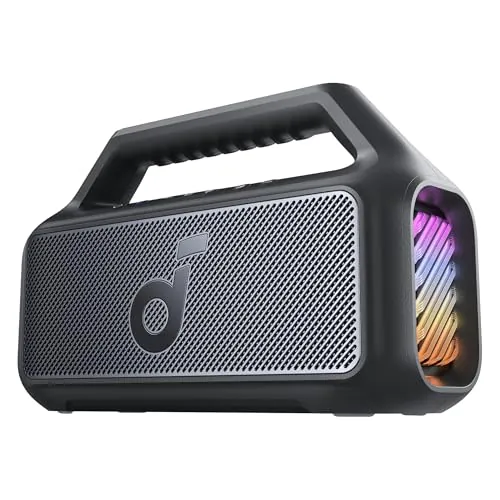
Soundcore
soundcore Boom 2 Portable Bluetooth Speaker — Black, A3138
Black U.S. Boom 2 listing, identified as A3138. Confirm whether the offer is the original PartyCast or updated Auracast-capable revision before buying for an existing speaker group.
Model A3138
Amazon ASIN B0CQ53RVTW
Differences that matter
Sources for Which speakers can join your group?
Sources for Do you need USB audio or device charging?
Sources for What should you check for carry and setup?
Start with the speaker group you already own
JBL says two Charge 6 units can stereo-pair using Auracast and that multiple Auracast-enabled JBL speakers can share a playlist. The A3138 soundcore guide describes TWS pairing between two identical speakers and PartyCast with compatible soundcore models. Those brand-specific instructions do not establish a mixed JBL–soundcore pair.
There is a Boom 2 version difference. Soundcore's current U.S. page describes an updated Auracast-capable version that cannot TWS-pair with older PartyCast Boom 2 units. The offer is identified as A3138, but Soundcore does not say which revision it is. Check the package or confirm the version with the seller or soundcore before buying for an existing Boom 2 group.
Separate USB audio from USB charging
Charge 6's USB-C port has a documented audio path: JBL Support says to install the latest software with JBL Portable, connect a laptop or tablet, and hold Play while connecting USB-C. JBL recommends a cable under 1.2 m, says USB thumb-drive playback is unsupported, and requires a compatible source/content for lossless playback. JBL also describes the built-in powerbank for mobile devices, not laptop charging.
The A3138 guide identifies USB-C as the speaker's charging input and USB-A as a 5V/1A output for charging other devices; it does not describe USB-C audio. That does not establish what later Boom 2 versions support. If wired playback matters, confirm the exact hardware revision. Neither maker states which speaker charges a phone faster or provides more playback afterward.
Check the carry space and package you will actually receive
JBL's U.S. Charge 6 page names the black item JBLCHARGE6BLKAM, lists the speaker at 9.0 × 3.9 × 3.7 inches, and includes a removable strap but no USB cable. The A3138 guide shows a built-in handle and Bluetooth/PartyCast controls. Soundcore's published information does not make clear which Boom 2 revision the black offer includes, so confirm its version before relying on its grouping features or package details.
For a tight shelf or travel pouch, measure the location and confirm the specific offer's dimensions and included charging cable. For a speaker group, the revision check matters more than a general family name: ask the seller or manufacturer to identify the Boom 2 hardware version and compare it with the models you own.
Product details
JBL Charge 6 Portable Bluetooth Speaker — Black
- Documented grouping
- JBL says two Charge 6 speakers can stereo-pair using Auracast; multiple Auracast-enabled JBL speakers can share a playlist. Source
- USB audio setup
- JBL Support says the Charge 6 can play USB audio from a laptop or tablet after the latest speaker software is installed with JBL Portable; hold Play while connecting USB-C to enter USB Audio Playback. USB thumb-drive playback is not supported. Source
- Carry and cable details
- The U.S. page lists a removable strap in the box and gives speaker dimensions of 9.0 × 3.9 × 3.7 inches; it says a USB cable is not included. Source
soundcore Boom 2 Portable Bluetooth Speaker — Black, A3138
- Original A3138 guide's pairing modes
- The A3138 user guide documents TWS stereo pairing with two identical soundcore speakers and PartyCast with compatible soundcore speakers. Source
- USB ports in the A3138 guide
- The guide identifies USB-C as the speaker charging input and USB-A as a 5V/1A external-device charging output; it does not document USB-C audio playback. Source
- Revision check
- Soundcore's current U.S. page describes an updated Boom 2 with Auracast that cannot TWS-pair with older PartyCast units. Soundcore does not identify which revision is supplied under this Amazon offer. Source
Before you buy
Community discussions
Can JBL Charge 6 play true stereo using Auracast with another Charge 6?
JBL Charge 6 Portable Bluetooth Speaker — Black
A new Charge 6 owner asks whether Auracast between two Charge 6 speakers provides left/right stereo or synchronized playback, and whether the JBL Portable app offers stereo or channel controls.
What to check
If you already own speakers, verify the exact speaker families and grouping mode you want. This owner asks about a Charge 6 pair; it does not show whether a Boom 2 of either hardware revision can join.
JBL Charge 6: USB-C lossless + stereo pair?
JBL Charge 6 Portable Bluetooth Speaker — Black
A prospective buyer asks whether one Galaxy S26 can send USB-C audio to two Charge 6 speakers as a left/right stereo pair; the poster asks about hubs or splitters but reports no test.
What to check
Treat this as a host-and-workflow question. Check whether your device and intended two-speaker setup are supported by JBL’s documented USB-audio steps; do not assume a hub or splitter provides separate left/right channels.
Common questions
Can the Charge 6 pair with the Boom 2?
JBL documents its Charge 6 grouping modes, and soundcore describes separate Boom 2 modes. They do not list Charge 6–Boom 2 pairing. Check with both makers if a mixed-brand group is essential.JBL Charge 6 | Portable waterproof and drop-proof Bluetooth speakersoundcore Boom 2 User Guide (A3138)soundcore Boom 2 Portable Bluetooth Speaker | U.S. product page
Does every Boom 2 A3138 use the same speaker-pairing mode?
The soundcore A3138 guide describes TWS and PartyCast. Its current U.S. page also describes a newer Auracast Boom 2 that cannot TWS-pair with older PartyCast units. Soundcore does not say which revision the Amazon offer includes, so verify the exact version before buying for speaker pairing.soundcore Boom 2 User Guide (A3138)soundcore Boom 2 Portable Bluetooth Speaker | U.S. product page
What do I need to use USB audio on the Charge 6?
JBL says to install the latest speaker software through JBL Portable, connect a laptop or tablet using USB-C, and hold Play while connecting the cable to activate USB Audio Playback. JBL recommends a cable shorter than 1.2 m and says USB thumb-drive playback is unsupported.Can I listen to lossless audio on my speaker and does it support USB music playback from laptops and tablets?
Does the A3138 guide document Boom 2 USB-C audio playback?
The A3138 guide lists USB-C as the speaker's charging input and USB-A as a 5V/1A output for charging other devices. It does not describe USB-C audio playback. That does not tell us what later Boom 2 revisions support; check the exact version if wired playback matters.soundcore Boom 2 User Guide (A3138)soundcore Boom 2 Portable Bluetooth Speaker | U.S. product page
Sources and scope
This comparison covers documented connection and carry features, not sound, volume, battery, runtime, charging speed, water resistance, or durability tests. The Boom 2 A3138 manual describes TWS/PartyCast, while soundcore's current U.S. page describes an Auracast revision that cannot TWS-pair with older PartyCast models. Soundcore does not say whether Amazon ASIN B0CQ53RVTW is the older or updated revision. Confirm the hardware version and intended pairing partner with soundcore before relying on TWS, PartyCast, or Auracast compatibility.
Related comparisons
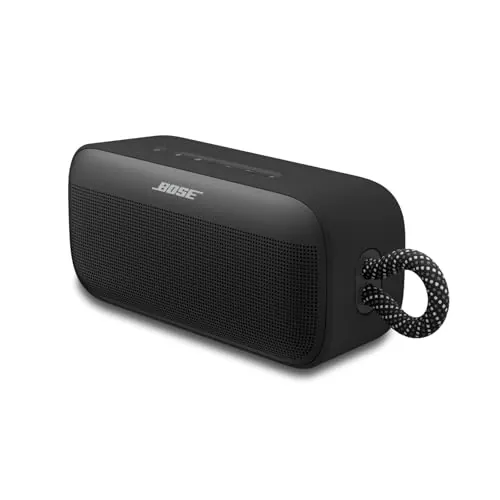
JBL Charge 6 vs Bose SoundLink Plus: Speaker Linking, USB-C, and Carry
For the black U.S. JBL Charge 6 and Bose SoundLink Plus, the practical choice is about your speaker ecosystem and what you expect USB-C to do. JBL documents Auracast connections with enabled JBL speakers, stereo pairing between two Charge 6 units, and USB-C lossless playback after an app update with a compatible source. Bose documents Speaker Link with selected Bose models, including SoundLink Max and Flex (2nd Gen), but only one partner at a time. Their carry and box setups also differ: JBL includes a removable strap but no USB cable; Bose includes a USB-C-to-USB-C cable and uses a built-in utility loop.
Read comparison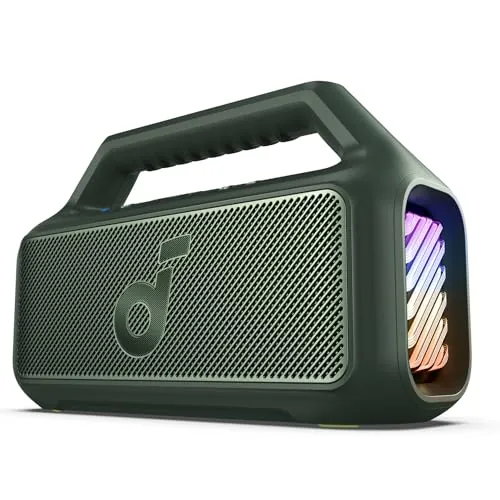
JBL Charge 6 Black vs soundcore Boom 2 Adventure Green: Grouping, Cable and Carry Setup
JBL lists a detachable strap and no USB cable for the Charge 6 Black, and documents USB-C lossless playback after an app update plus Auracast grouping with compatible JBL speakers. Soundcore's A3138 Boom 2 manual describes Bluetooth, TWS and PartyCast; current U.S. materials also describe an Auracast revision that will not TWS-pair with older PartyCast units. Soundcore does not make clear which revision the green offer ships with, so confirm it before buying for group use. Soundcore also lists an integrated handle and USB-C cable, but no wall charger.
Read comparison