
Products compared
JBL
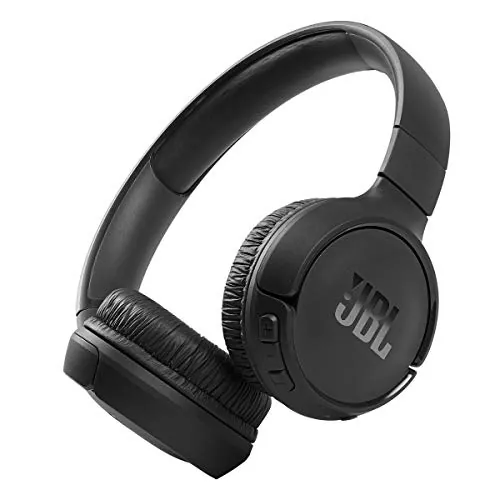
JBL Tune 510BT Wireless On-Ear Headphones (Black)
Black US listing; wireless on-ear model. Confirm the exact color and Tune 510BT name on the retailer listing.
Model Tune 510BT (JBLT510BTBLKAM)
Amazon ASIN B08WM3LJQB
JBL
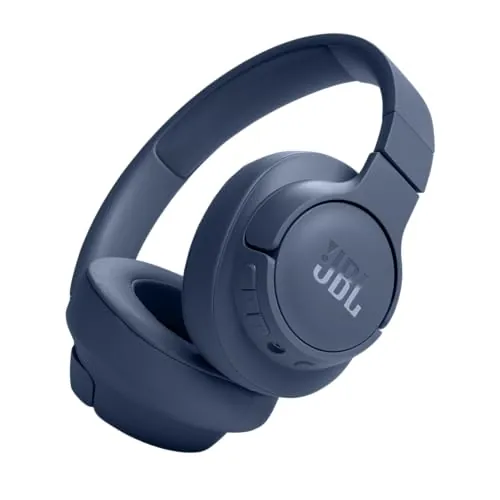
JBL Tune 720BT Wireless Over-Ear Headphones (Blue)
Blue US listing; wireless over-ear model with a detachable audio cable listed in the box.
Model Tune 720BT (JBLT720BTBLUAM)
Amazon ASIN B0CS8WVRLQ
Differences that matter
What matters most to you?
Choose a priority to see what it changes.
Sources for Wired listening and box cable
Sources for Published headphone weight and folding
Sources for Switching between two Bluetooth devices
Start with where the earcups sit
JBL labels the Tune 510BT on-ear and the Tune 720BT over-ear. That difference can help you shortlist based on whether you prefer pads resting on your ears or surrounding them. It cannot predict comfort: head shape, glasses and wearing preference vary, so try the style when possible.
If you carry headphones daily, JBL lists the 510BT at 160 g and the 720BT at 220 g; both product materials describe folding. Those figures help compare published weight, but neither exact source gives a folded case footprint, and neither number tells you how the headband will feel.
The cable question separates these two
The Tune 720BT's box lists a detachable audio cable, and JBL's specification sheet says the cable can keep audio going when the battery is flat. This is useful if you have a compatible analog headphone output or a suitable adapter. Confirm the cable connector and the device's output path before ordering; USB-C charging does not automatically mean wired audio over USB-C.
JBL's Tune 510BT page describes wireless Bluetooth use and its specification sheet lists a USB-C charging cable in the box. More directly, JBL's regional support FAQ for Tune 510BT says wired use is not supported. Because this answer is hosted on JBL Japan's site, verify the exact standard 510BT model in the US listing if wired playback is a must-have.
Multipoint is shared, so check the workflow rather than choosing by its name
Both JBL specification sheets list multipoint for two Bluetooth devices and describe moving from a tablet video to a mobile call. If that is your setup, multipoint alone does not favor one model. Follow the model's quick-start pairing steps, then check how calls take priority and how you return to the other source with your own phone, tablet or computer.
Neither product's maker specs are a substitute for testing your source combination. Multipoint indicates supported switching; it does not mean two audio streams play simultaneously or guarantee identical behavior across every operating system.
A fast pre-buy check
Pick the 510BT first if on-ear is the style you want and you only need Bluetooth. Pick the 720BT first if over-ear is your preference or if you need the included detachable cable for a compatible analog source. If you need both on-ear cups and wired fallback, neither item matches that combination based on the sources reviewed.
Then verify the seller's color and exact model code. JBL's black 510BT page identifies item JBLT510BTBLKAM, while the compared 510BT listing adds a final 1 (JBLT510BTBLKAM1). JBL's blue 720BT page identifies JBLT720BTBLUAM. Confirm the exact listing and included cable before checkout, especially if color or wired use matters.
Product details
JBL Tune 510BT Wireless On-Ear Headphones (Black)
Before you buy
Community discussions
Check whether the cable fits your phone and walking routine
JBL Tune 720BT Wireless Over-Ear Headphones (Blue)
A Tune 720BT owner says their iPhone has no headphone jack and that carrying an adapter for wired listening would be inconvenient on walks.
What to check
If you want wired listening as a fallback, check which audio adapter your phone needs and whether you would carry it.
Identify both ends before replacing the audio cable
JBL Tune 720BT Wireless Over-Ear Headphones (Blue)
A Tune 720BT owner looking for a replacement cable asks which plug fits the headset.
What to check
Check the connector at both ends before ordering a replacement lead. Match one end to the 720BT and the other to your source device or adapter.
Common questions
Can the Tune 510BT be used with a cable when its battery is empty?
JBL's support FAQ for Tune 510BT says wired use is not supported. It is a JBL Japan page, so check the exact US model listing if cable use is essential.JBL Japan Support FAQ: Is wired use supported for JBL Tune 510BT?
Does the Tune 720BT include an audio cable?
Yes. JBL's 720BT specification sheet lists a detachable audio cable in the box and says it can be used when the battery is flat. It does not establish that every USB-C-only device can send analog audio; check your source and adapter needs.JBL Tune 720BT specification sheet
Which one connects to two Bluetooth devices?
JBL lists multipoint for both Tune 510BT and Tune 720BT, so this is not a differentiator. Follow the exact model's pairing instructions and confirm the call-switching behavior with your devices.JBL Tune 510BT specification sheetJBL Tune 720BT specification sheet
Is the 720BT more comfortable because it is over-ear?
The manufacturer's over-ear label describes the design, not a fit result for every listener. Personal ear shape, glasses, clamping feel, and preferred coverage can change which style feels better; no comfort test is represented here.JBL Tune 510BT product page (Black, US/global JBL listing)JBL Tune 720BT product page (Blue, US listing)
Sources and scope
JBL lists manufacturer specifications and cable behavior; this guide does not include listening, comfort, call-quality, wireless-range, or battery testing. The 510BT wired-use FAQ is from JBL's Japanese support site, so confirm the exact U.S. retailer listing is the standard Tune 510BT. JBL's U.S./global black product page shows item JBLT510BTBLKAM, while the comparison's 510BT listing includes an additional trailing 1 (JBLT510BTBLKAM1); color and family agree, but JBL's reviewed documentation does not explain that code difference.
Related comparisons
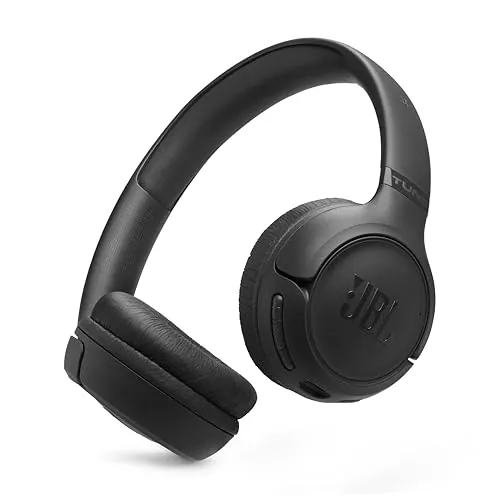
JBL Tune 510BT vs Tune 530BT: Battery, App Controls and Charging Cable
This guide compares the black JBL Tune 510BT (JBLT510BTBLKAM, B08WM3LJQB) and black Tune 530BT (JBLT530BTBLKAM, B0GHY4PR3N). Both fold flat, sit on the ears and connect to two Bluetooth devices. JBL rates their playback at up to 40 and 76 hours, respectively; these are manufacturer figures, not a same-condition test. The 530BT adds app EQ presets and Bluetooth 6.0, and does not include a USB-C charging cable. The 510BT box list includes one, and JBL says phone calls take priority during multipoint use.
Read comparison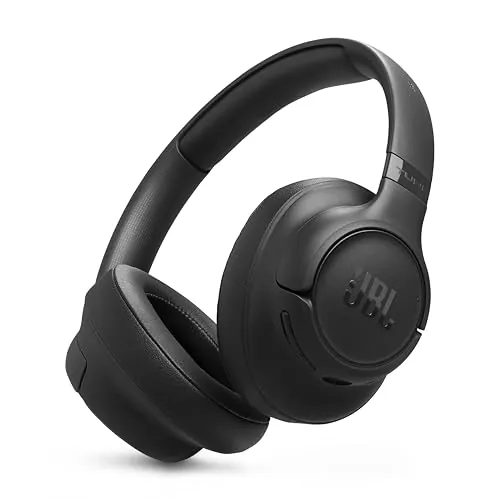
JBL Tune 730BT vs Tune 720BT: Charging, Cable, and Pairing Differences
Both over-ear headphones are rated for up to 76 hours and support multipoint Bluetooth. JBL lists a five-minute charge for three extra hours on the Tune 720BT and five hours on the Tune 730BT. The practical split is the 720BT’s included detachable 3.5 mm audio cable and USB-C charging cable versus the 730BT’s faster stated top-up, with its charging cable sold separately.
Read comparison