
Products compared
JBL
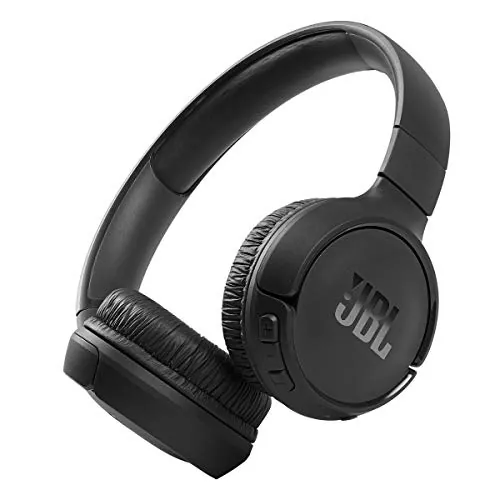
JBL Tune 510BT Black
Black foldable on-ear Bluetooth headphones; JBL documents physical earcup controls, multipoint for up to two devices, and a USB-C charging cable in the manufacturer box list.
Model JBLT510BTBLKAM
Amazon ASIN B08WM3LJQB
JBL
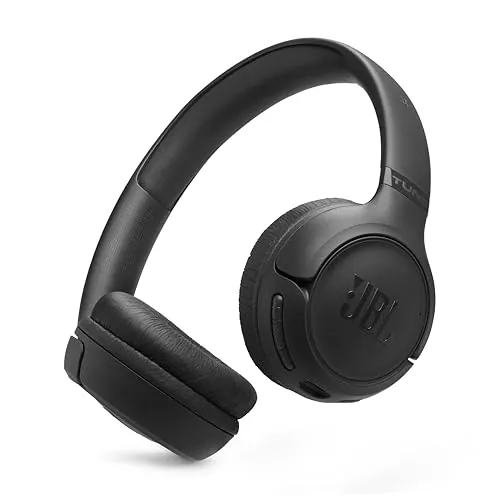
JBL Tune 530BT Black
Black foldable on-ear Bluetooth headphones; the exact JBL US product page lists item JBLT530BTBLKAM, JBL Headphones app EQ presets and a charging cable sold separately.
Model JBLT530BTBLKAM
Amazon ASIN B0GHY4PR3N
Differences that matter
What matters most to you?
Choose a priority to see what it changes.
Sources for Battery rating and quick charge
Sources for App features and Bluetooth generation
Sources for Multipoint switching behavior
Sources for Cable in the box
Sources for On-ear form and portability
Do you need app EQ or just on-headphone controls?
Tune 510BT has earcup buttons and voice-assistant access in JBL’s specification sheet. That source documents multipoint but does not specify an EQ companion app. Tune 530BT’s JBL Headphones app includes EQ presets and voice prompts; JBL says advanced controls are enabled by connecting the headphones to the app. If you already adjust EQ per headphone, the named 530BT app route is a tangible feature. If you only need playback, calls and device switching, the 510BT documents those basics.
Tune 530BT also lists Bluetooth 6.0 and Android Fast Pair / Windows Swift Pair. Those matter when your regular devices use the named pairing systems; they are not evidence of better sound or call quality.
Plan for how two-device switching works
Both models document multipoint connections for up to two devices. For Tune 510BT, JBL’s quick guide gives a practical sequence: connect the first device, pair the second, pause the current music and press play on the other device. It says phone calls take priority and notes that a device leaving range may need manual reconnection.
JBL says the Tune 530BT can pair with two devices and switch between them. Its guide does not describe the same call-priority rule given for the Tune 510BT, so check whether that difference matters for your setup.
Compare the rated charging plan and package
JBL rates Tune 510BT for up to 40 hours of music with Bluetooth on and says a five-minute charge adds two hours; its spec sheet gives a two-hour charge time. For Tune 530BT, JBL lists up to 76 hours with Bluetooth on, five hours from a five-minute speed charge and less than two hours to charge from empty. Settings and test conditions are not fully aligned in these documents, so use the numbers as manufacturer estimates rather than a direct endurance test.
For charging, JBL includes a USB-C cable with the Tune 510BT and says the Tune 530BT cable is sold separately. Check the seller's package and have a cable ready if you choose the 530BT.
Keep fit and sound personal
Both products are foldable on-ear designs. JBL’s official descriptions do not provide a direct fit trial or matched comfort assessment for this pair. If on-ear pressure, sound signature or calls are your main concern, prefer a seller with a return window and judge the chosen pair with your own device and routine. No product is named the sound, comfort or call winner here.
Product details
JBL Tune 510BT Black
- Published battery and charging
- JBL lists up to 40 hours of music playback with Bluetooth on, 2 hours for a full charge, and 5 minutes of charge for 2 additional hours of music. Source
- Two-device and call workflow
- Supports multipoint for up to two devices. The setup guide says pause the current source and select play on the other device to switch music; phone calls take priority. Source
- Controls and box contents
- Earcup buttons control playback, calls and voice assistants. JBL lists one USB-C charging cable in the box. Source
JBL Tune 530BT Black
- Published battery and charging
- JBL lists up to 76 hours of music playback with Bluetooth on, up to 45 hours talk time, under 2 hours to charge from empty, and a 5-minute speed charge for 5 hours of playtime. Source
- App and Bluetooth workflow
- JBL Headphones app offers EQ presets and voice prompts; JBL lists multipoint for up to two devices and Bluetooth 6.0. Android Fast Pair and Windows Swift Pair are described on the US page. Source
- Charging cable and physical design
- Foldable on-ear headphones. JBL says the USB-C charging cable is sold separately. Source
Before you buy
Community discussions
A 530BT owner asks about PC EQ controls
JBL Tune 530BT Black
The original poster names the Tune 530BT and wants to lower bass EQ from a PC. They ask whether a JBL app or another program can do that; the archived thread has no replies, so it does not confirm PC app support or a working alternative.
What to check
If you plan to adjust EQ from a computer, confirm that the control method you want works on your own PC before relying on it. This post raises the question but does not answer it.
A 530BT household tests its usual video device
JBL Tune 530BT Black
A buyer replacing a 510BT said the new 530BT played music on their devices but switched off during video playback in their setup.
What to check
If you switch models, try the new headset on your usual device with both audio and video before you settle on it.
Common questions
Does the JBL Tune 530BT include a charging cable?
JBL says the black Tune 530BT does not include a charging cable. The Tune 510BT box list includes a USB-C cable. Check the seller's package details before ordering.JBL Tune 530BT US Product Page (Black item JBLT530BTBLKAM)JBL Tune 510BT Spec Sheet (English)
How much longer is the Tune 530BT battery rated for?
JBL lists up to 76 hours of music playback with Bluetooth on for Tune 530BT and up to 40 hours for Tune 510BT. These are manufacturer ratings with incomplete shared test details, not a controlled comparison of actual battery life.JBL Tune 530BT Quick Start Guide (Multilingual)JBL Tune 510BT Spec Sheet (English)
Do both headphones connect to two devices?
JBL documents multipoint for both models, with a maximum of two devices in their guides. The Tune 510BT manual says pause the current music source and press play on the second, and states phone calls take priority. JBL’s 530BT page describes switching between the two paired Bluetooth devices.JBL Tune 510BT Quick Start GuideJBL Tune 530BT US Product Page (Black item JBLT530BTBLKAM)JBL Tune 530BT Quick Start Guide (Multilingual)
Which model supports app-based EQ?
JBL lists EQ presets and voice prompts in its Headphones app for the Tune 530BT. For the Tune 510BT, JBL lists earcup controls and voice-assistant access but does not list app EQ; that omission does not establish whether other EQ options are available.JBL Tune 530BT US Product Page (Black item JBLT530BTBLKAM)JBL Tune 510BT Spec Sheet (English)
Is the Tune 530BT a Tune 520BT?
No. This comparison covers the black Tune 530BT, model JBLT530BTBLKAM. The Tune 520BT is a different model and its features are not covered here.JBL Tune 530BT US Product Page (Black item JBLT530BTBLKAM)
Sources and scope
This guide compares the black JBL Tune 510BT (JBLT510BTBLKAM) and Tune 530BT (JBLT530BTBLKAM). Their published battery and quick-charge figures come from JBL, not a same-condition test, and the source details do not specify all listening settings. Both are foldable on-ear headphones, but the specifications do not establish a comfort or sound-quality winner. JBL specifies phone-call priority during two-device multipoint on the 510BT; its 530BT information confirms multipoint but does not specify the same call behavior. JBL lists two beamforming microphones for the 530BT, but that does not establish call quality. The 510BT box list includes a USB-C charging cable; the 530BT does not.
Related comparisons
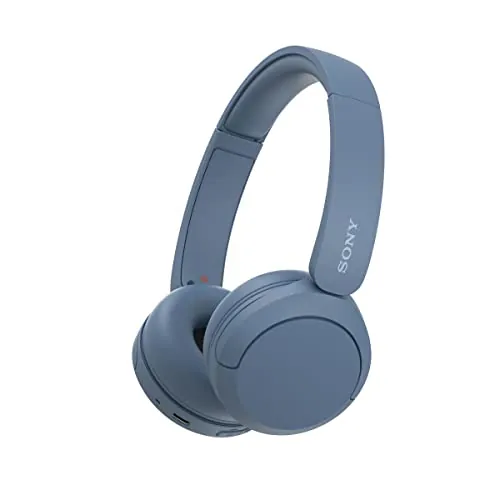
JBL Tune 530BT vs Sony WH-CH520: Multipoint Setup, Cable and Carry
Both the black JBL Tune 530BT (JBLT530BTBLKAM) and blue Sony WH-CH520 support connecting to two Bluetooth devices. JBL documents starting a second-device search with the headset’s BT button; Sony documents enabling multipoint in its app and pairing later devices with a button hold. Sony lists a short charging cable in the box, while JBL says its package has no charging cable. JBL explicitly says its headset folds flat; check the Sony’s actual storage shape before counting on it for a tight pouch.
Read comparison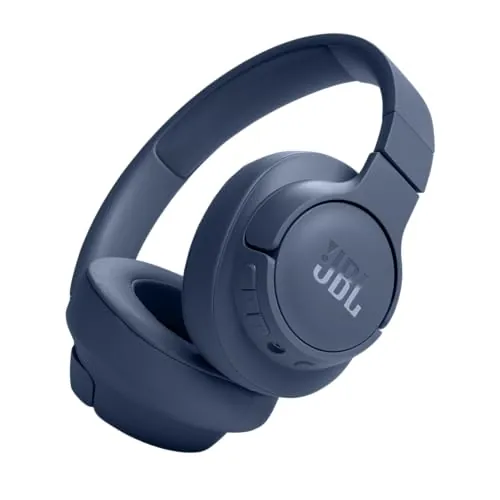
JBL Tune 510BT vs Tune 720BT: On-Ear Fit or Wired Backup?
The Tune 510BT is JBL's on-ear, Bluetooth-only choice; the Tune 720BT is over-ear and includes a detachable audio cable that JBL says can be used when its battery is flat. Both list multipoint, so two-device switching does not decide the pair.
Read comparison