
Products compared
JBL
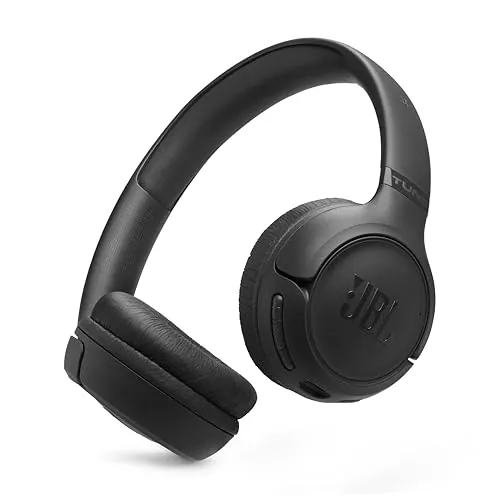
JBL Tune 530BT Wireless On-Ear Headphones, Black
Black U.S. item JBLT530BTBLKAM. JBL documents two-device multipoint, a headset BT-button route to search for a second device, app EQ presets, fold-flat storage, and no charging cable in the package.
Model JBLT530BTBLKAM
Amazon ASIN B0GHY4PR3N
Sony
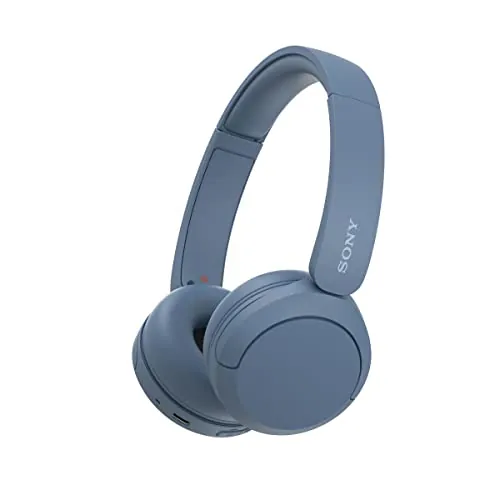
Sony WH-CH520 Wireless Headphones with Microphone, Blue
Blue U.S. Sony WH-CH520. Sony documents two-device multipoint, app setup, Bluetooth-button pairing for later devices, and a short USB-A-to-USB-C charging cable in the package.
Model WHCH520/L
Amazon ASIN B0BS1RT9S2
Differences that matter
What matters most to you?
Choose a priority to see what it changes.
Choose the multipoint setup you will actually use
Both products have manufacturer-documented multipoint for two Bluetooth devices. JBL's support page explicitly applies to Tune 530BT and gives a button-led sequence: connect the first device, press the headset's BT button, then select the headphones on the second device. Sony's WH-CH520 guide provides an app setting for two-device multipoint; its pairing guide says to hold the Bluetooth button for about five seconds when pairing a later device.
For a phone-plus-laptop routine, decide whether you prefer JBL's direct second-device search action or Sony's app-based multipoint setting and button-based pairing flow. The sources describe setup steps only; they do not show that either headset switches more reliably or handles calls better.
Compare app controls without treating EQ labels as a listening test
JBL lists Default, Bass and Vocal EQ presets in the JBL Headphones app. Sony's exact WH-CH520 app guide lists multipoint controls along with Equalizer/CLEAR BASS settings and a customizable equalizer. These are different documented ways to adjust settings; the names alone do not establish a preferred sound.
If you already know you like selecting among named presets, note JBL's three listed options. If a custom equalizer and the same app for multipoint setup fit your routine, Sony documents that combination. Neither option is a substitute for trying the headphones if sound preference is the deciding factor.
Check cable length and charging preparation before travel
The cable difference is concrete: JBL says the Tune 530BT box does not include a charging cable, while Sony's WH-CH520 package list names one USB-A-to-USB-C cable about 20 cm long. Sony's charging guidance recommends using the supplied cable. That short lead may not reach comfortably from every desk outlet, power bank or shared charging spot.
Before ordering, identify where the headset will charge and whether a cable is already available there. For Sony, confirm the included short lead reaches. For JBL, check JBL's exact-model charging instructions before buying or relying on another cable; the reviewed product page does not specify a replacement-cable requirement. Runtime and fast-charge statements are intentionally not used to rank these products.
Dry-fit the headset in your everyday bag
JBL explicitly says Tune 530BT folds flat. That gives a useful storage property to check against a laptop sleeve or pouch. The Sony page and guide reviewed here do not establish that the WH-CH520 folds flat or that a storage case is included; do not treat that missing documentation as proof it cannot fold or that a case is absent from every retailer bundle.
If the bag pocket is tight, check the exact WH-CH520 physically and verify the seller's box contents. For either model, test the headset with any case or accessories you will actually carry rather than estimating from an on-ear label.
Product details
JBL Tune 530BT Wireless On-Ear Headphones, Black
- Bluetooth multipoint setup
- JBL's U.S. support page applies to Tune 530BT and says to press the headset's BT button after connecting the first device to start searching for the second. Source
- App and packing details
- JBL lists Default, Bass and Vocal EQ presets in the JBL Headphones app and says the headset folds flat. Source
- Package contents
- JBL's U.S. product page states that a charging cable is not included; the box list names the headphones and printed materials. Source
Sony WH-CH520 Wireless Headphones with Microphone, Blue
- Bluetooth multipoint setup
- Sony's WH-CH520 app guide provides a setting to connect two devices simultaneously; its pairing guide says to hold the Bluetooth button for about five seconds when pairing a later device. Source
- App controls
- Sony's WH-CH520 guide lists app controls for multipoint and Equalizer/CLEAR BASS, including custom equalizer settings. Source
- Package contents
- Sony lists one approximately 20 cm USB-A-to-USB-C cable in the WH-CH520 package and recommends using the supplied cable for charging. Source
Before you buy
Community discussions
A 530BT owner asks how to adjust sound settings on a computer
JBL Tune 530BT Wireless On-Ear Headphones, Black
A JBL Tune 530BT owner wanted to use equalizer controls with their PC and asked what software supported that workflow.
What to check
Check the app platform and which controls are available on the devices you will actually use.
A 530BT household tests its usual video device
JBL Tune 530BT Wireless On-Ear Headphones, Black
A buyer replacing a 510BT said the new 530BT played music on their devices but switched off during video playback in their setup.
What to check
Try your two main devices with the calls, music or video you use, and check how switching works for you.
Common questions
Can both connect to two Bluetooth devices?
Yes. JBL's U.S. support instructions list Tune 530BT and describe pressing the headset's BT button to begin searching for a second device. Sony's WH-CH520 guide includes an app setting for connecting to two devices simultaneously. These are manufacturer setup descriptions, not a test of connection reliability.JBL U.S. Support: Multi-Point Connection SupportSony WH-CH520 Help Guide: Sony Headphones Connect app controls
Which one includes a charging cable?
Sony's WH-CH520 package list includes one approximately 20 cm USB-A-to-USB-C cable and Sony recommends using the supplied cable. JBL states that Tune 530BT does not include a charging cable. Check Sony's cable length against your power source; for JBL, use its exact-model charging guidance to determine a suitable separate cable.JBL U.S.: Tune 530BT Wireless On-Ear Bluetooth HeadphonesSony WH-CH520 Help Guide: Checking the package contentsSony WH-CH520 Help Guide: Charging cannot be done
Can I put either headset in a small pouch?
JBL says the Tune 530BT folds flat. The Sony sources reviewed here do not establish an equivalent folding mechanism or a supplied storage case. Check the physical WH-CH520 and exact offer contents against the pouch you plan to use.JBL U.S.: Tune 530BT Wireless On-Ear Bluetooth HeadphonesSony U.S.: WH-CH520 Wireless Headphones with Microphone, BlueSony WH-CH520 Help Guide: Checking the package contents
Do the app controls mean one sounds better?
No conclusion about sound follows from the app controls. JBL lists Default, Bass and Vocal EQ presets; Sony lists Equalizer/CLEAR BASS settings, including a customizable equalizer. A listening comparison under controlled conditions would be needed to make a sound-quality claim.JBL U.S.: Tune 530BT Wireless On-Ear Bluetooth HeadphonesSony WH-CH520 Help Guide: Sony Headphones Connect app controls
Sources and scope
This guide compares manufacturer-documented setup, controls, package contents and carrying details for JBL item JBLT530BTBLKAM and the blue Sony WH-CH520. It is not a listening, microphone, comfort, wireless-reliability, charging-speed or battery-endurance test. The manufacturers' playback figures are not treated as comparable test results. JBL's reviewed material does not specify a replacement charging cable, and the Sony source reviewed here does not establish a fold-flat design or storage-case inclusion; verify exact listing contents and physical fit before purchase.
- JBL U.S.: Tune 530BT Wireless On-Ear Bluetooth Headphones
- JBL U.S. Support: Multi-Point Connection Support
- Sony U.S.: WH-CH520 Wireless Headphones with Microphone, Blue
- Sony WH-CH520 Help Guide: Sony Headphones Connect app controls
- Sony WH-CH520 Help Guide: Checking the package contents
- Sony WH-CH520 Help Guide: Pairing and connecting with a Bluetooth device
- Sony WH-CH520 Help Guide: Charging cannot be done
Related comparisons
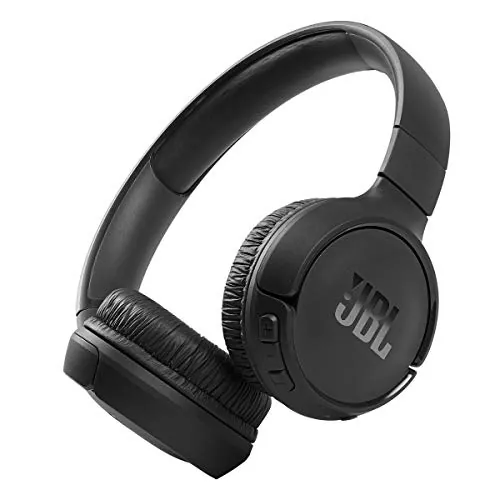
JBL Tune 510BT vs Tune 530BT: Battery, App Controls and Charging Cable
This guide compares the black JBL Tune 510BT (JBLT510BTBLKAM, B08WM3LJQB) and black Tune 530BT (JBLT530BTBLKAM, B0GHY4PR3N). Both fold flat, sit on the ears and connect to two Bluetooth devices. JBL rates their playback at up to 40 and 76 hours, respectively; these are manufacturer figures, not a same-condition test. The 530BT adds app EQ presets and Bluetooth 6.0, and does not include a USB-C charging cable. The 510BT box list includes one, and JBL says phone calls take priority during multipoint use.
Read comparison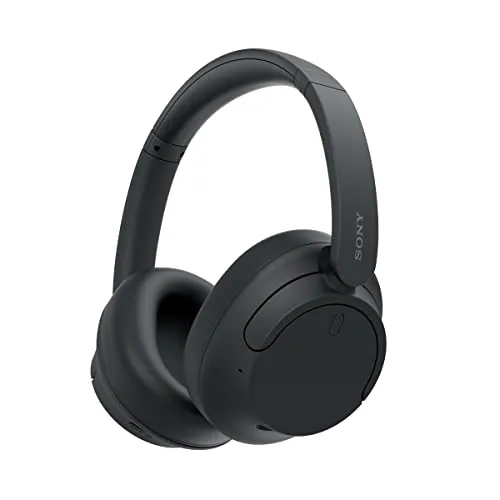
Sony WH-CH720N vs WH-CH520: ANC, On-Ear Fit, and Wired Listening
For the U.S. WH-CH720N/B Black and WH-CH520/L Blue, the practical split is not a sound or comfort ranking. Sony documents active noise canceling and a supplied analog cable on the over-ear CH720N, including playback with the headset off. The on-ear CH520 is Bluetooth-only and has no audio input or passive operation. Check whether your source has a headphone output and which wearing style you prefer before choosing.
Read comparison