
Products compared
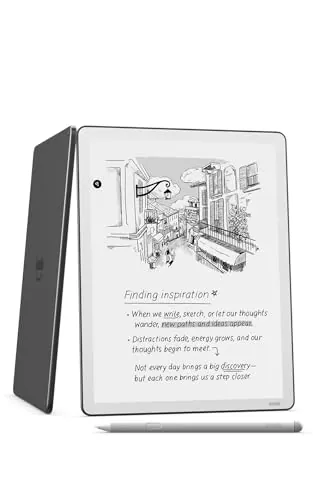
Amazon
Amazon Kindle Scribe (3rd Generation, 2025), 32GB Graphite
Exact US offer: 32GB Graphite, front-lit 2025 Scribe, with Premium Pen included. Kept distinct from Scribe Colorsoft and the 2026 16GB Scribe without a front light.
Model PA2MA4
Amazon ASIN B0DVQQGMCZ
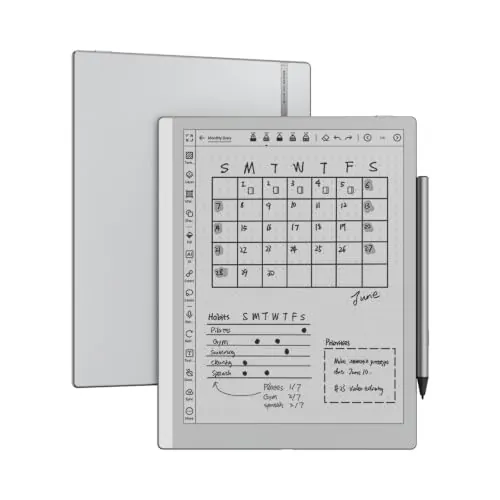
BOOX
BOOX Go 10.3 (Gen II) Lumi, 64GB
Exact Lumi model, not the related Go 10.3 Gen II without a front light. BOOX lists the dual-tone front light, Android 15, Google Play, 64GB and included InkSense Plus stylus.
Model Go 10.3 Gen II Lumi
Amazon ASIN B0GQXZGSMY
Differences that matter
What matters most to you?
Choose a priority to see what it changes.
Sources for Pen in the box and charging
Sources for Reading and annotation inputs
Start with where your notes begin
For Kindle-store reading and Kindle notebooks, the Scribe has the more directly documented path: Amazon describes handwriting tools for books and personal documents. Personal-document behavior depends on how a file is sent; Amazon specifically says handwritten notes are not supported on PDFs loaded through USB-C.
BOOX presents a more general Android reading setup: the exact Lumi page lists NeoReader and 26 formats, including EPUB, PDF and AZW3, and says it supports apps from Google Play. That is a format and platform distinction, not a promise that every protected title or app feature is available.
Check the pen and export steps
Both devices include a pen, but charging differs. Amazon lists the Premium Pen as not requiring charging; BOOX says the included InkSense Plus is USB-C rechargeable and that the Go 10.3 Gen II series is compatible only with that stylus.
Amazon’s 2025 Scribe cloud flow requires an Amazon account, internet, and Google or Microsoft account. Amazon describes PDFs for annotated documents sent to Drive or OneDrive, and a separate notebook-sharing path to OneNote; its support page says personal documents cannot be shared to OneNote through that path. BOOX lists Onyx Cloud, Google Drive, Dropbox and OneDrive syncing, plus BOOXDrop transfer over a local network. Confirm service account and app terms before relying on a workflow.
Verify the exact front-light model
This guide compares the 2025 32GB front-lit Kindle Scribe with the front-lit Go 10.3 Gen II Lumi. Amazon’s product listing identifies the 11-inch Graphite PA2MA4 offer, and its support page identifies the 2025 third-generation Scribe and adjustable screen light. This scope does not include the Colorsoft or the 2026 16GB Scribe without a front light.
On BOOX, confirm “Go 10.3 (Gen II) Lumi.” BOOX lists its dual-tone front light; the related Go 10.3 (Gen II) without Lumi has no front light. Both devices’ feature descriptions are manufacturer claims, not a test of display quality, writing feel or battery life.
Product details
Amazon Kindle Scribe (3rd Generation, 2025), 32GB Graphite
- Generation and screen light
- Amazon identifies Kindle Scribe (3rd Generation) as released in 2025 and lists adjustable screen light; the compared offer is the 32GB Graphite PA2MA4 configuration. Source
- Pen
- Premium Pen included; the exact offer listing says the included pen does not need charging Source
- Handwriting workflow
- Amazon support documents handwriting tools on books and personal documents and limits supported file workflows Source
BOOX Go 10.3 (Gen II) Lumi, 64GB
- Front light and storage
- Lumi variant has a dual-tone front light and 64GB; series page distinguishes the no-front-light Go 10.3 Gen II Source
- Operating system and files
- Android 15, built-in Google Play Store, and listed support for 26 digital formats including EPUB, PDF and AZW3 Source
- Stylus
- InkSense Plus included; Gen II series is compatible only with this stylus, which charges via USB-C Source
Before you buy
Community discussions
Checking how handwritten notes become an editable document
Amazon Kindle Scribe (3rd Generation, 2025), 32GB Graphite
A shopper comparing the third-generation Kindle Scribe with the BOOX Go 10.3 Gen II Lumi wanted to read course PDFs and turn handwritten notes into an editable document.
What to check
Try a page from a PDF and a handwritten note you would really use. Check how each exact device edits and exports them.
Common questions
Is the BOOX listing the Go 10.3 Gen II Lumi or the no-light base model?
The BOOX in this comparison is Go 10.3 Gen II Lumi. BOOX distinguishes the Lumi, with a dual-tone front light, from the base Gen II model without a front light.BOOX Go 10.3 (Gen II) Lumi — Official BOOX Store
Can I handwrite on any Kindle PDF?
No. Amazon documents handwriting for supported personal documents and says handwriting is not supported on PDFs loaded by USB-C. Check the exact file type and Send to Kindle route before planning around markup.Use Your Pen to Handwrite on Books and Personal DocumentsKindle Personal Document File Types That Support Notes
What accounts are needed to move Kindle notes to cloud services?
Amazon says connected Drive/OneNote services require a 2025-or-later Scribe registered to an Amazon account and online, plus a Google or Microsoft account. It sends annotated documents as PDFs to Drive or OneDrive; OneNote sharing is for notebooks, not personal documents.Share Kindle Scribe Notes and Notebooks to Google Drive, Microsoft OneDrive, or Microsoft OneNote
Does BOOX accept other styluses?
BOOX says the Go 10.3 Gen II series is compatible only with InkSense Plus. Its official page lists that pen as included and USB-C rechargeable.BOOX Go 10.3 (Gen II) Lumi — Official BOOX Store
Do these workflows require a paid subscription?
The sources reviewed do not establish a paid subscription requirement for the listed core functions. Individual e-book content, third-party apps and cloud-provider plans can have separate terms; check those services for your use case.Amazon listing: Kindle Scribe 32GB (2025), Graphite (PA2MA4)Share Kindle Scribe Notes and Notebooks to Google Drive, Microsoft OneDrive, or Microsoft OneNoteBOOX Go 10.3 (Gen II) Lumi — Official BOOX Store
Sources and scope
This is a documentation-based workflow comparison, not a hands-on test of display, writing feel, battery life or speed. It covers the 2025 32GB Graphite Kindle Scribe, model PA2MA4, and the Go 10.3 Gen II Lumi. Confirm the Scribe configuration and the Lumi name on the retailer listing before ordering; Amazon support identifies the 2025 third-generation Scribe, while BOOX distinguishes the front-lit Lumi from the base Gen II. Third-party BOOX apps and their account, file-access or subscription terms are not evaluated.
- Amazon listing: Kindle Scribe 32GB (2025), Graphite (PA2MA4)
- Identify Your Kindle E-Reader
- Use Your Pen to Handwrite on Books and Personal Documents
- Kindle Personal Document File Types That Support Notes
- Share Kindle Scribe Notes and Notebooks to Google Drive, Microsoft OneDrive, or Microsoft OneNote
- BOOX Go 10.3 (Gen II) Lumi — Official BOOX Store
Related comparisons
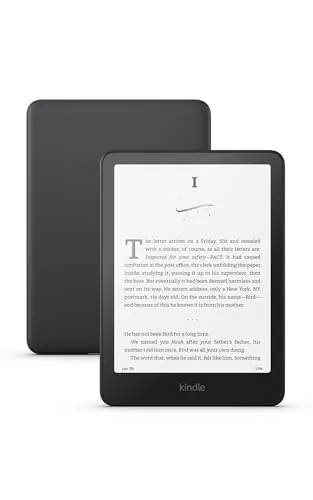
Kindle Scribe (2025) vs Paperwhite (2024): Do You Need to Write on the Page?
The deciding question is whether handwriting directly on books or compatible documents is part of your regular routine. Amazon documents pen tools and a notebook on the 2025 Kindle Scribe (3rd Generation); the 2024 Paperwhite supports touch-selected notes and highlights in its model guide. The Paperwhite is also the option with the smaller listed display. Check the document format and transfer path you actually use before paying for a pen workspace.
Read comparison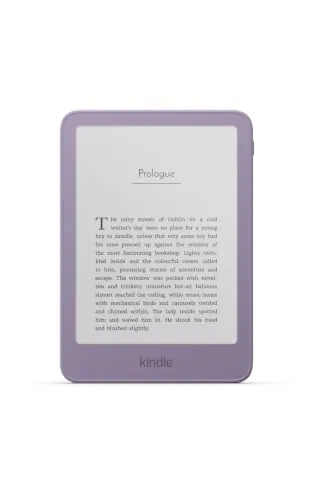
Kindle Scribe (3rd Gen) vs Kindle (2026): Handwriting or a Lighter Reader?
This US comparison covers the Kindle Scribe 3rd Generation (2025 release, 32GB, Graphite, pen included) and the Kindle (2026 release, 16GB, Ube). Amazon documents pen writing and notebook creation on the Scribe, while the 2026 Kindle supports touch-selected notes and highlights. The Scribe has the larger listed display; the Kindle has the lower listed device weight. Check support for the exact books or documents you plan to mark up before choosing.
Read comparison