
Products compared
Logitech
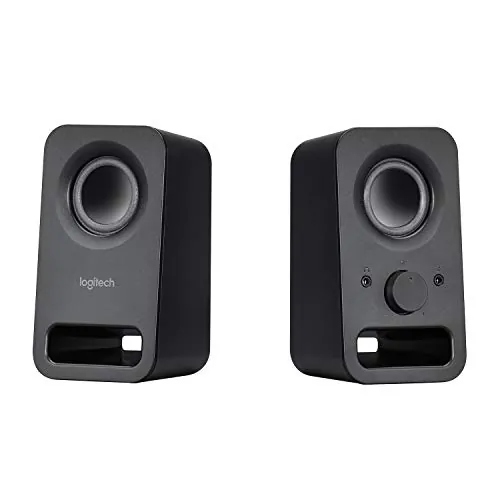
Logitech Z150 Multimedia Speakers (Black)
Black U.S. listing; wired stereo pair with 3.5 mm analog input and AC adapter.
Model Z150 / 980-000802
Amazon ASIN B00EZ9XLEY
Logitech
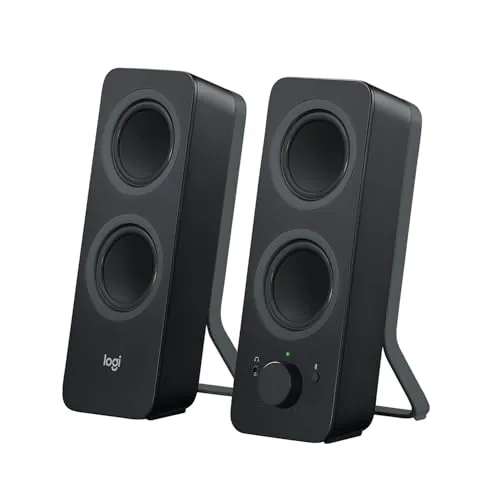
Logitech Z207 Bluetooth Computer Speakers (Black)
Black U.S. listing; powered stereo pair with Bluetooth pairing and a 3.5 mm analog input.
Model Z207 / 980-001294
Amazon ASIN B074KJ6JQW
Differences that matter
What matters most to you?
Choose a priority to see what it changes.
Sources for Published body height per satellite
Sources for Published width and depth per satellite
Sources for Right-speaker and outlet reach
Choose by the sources you actually switch between
Z150 is a wired choice: the quick-start guide shows its attached 3.5 mm cable going to a source and a second auxiliary jack on the front of the right speaker. Z207 keeps the 3.5 mm option but adds Bluetooth pairing for up to two sources. Logitech's described routine is to pause the source in use, switch, then play from the other. If that is your normal computer-and-phone pattern, Z207 gives you a documented switching path; if one analog feed is enough, Z150's simpler wired layout may cover the need.
Do not count two paired sources as two simultaneous inputs. The manufacturer's instructions establish sequential source switching, not a mix of both signals. Also, a 3.5 mm port is only useful when the source has a matching analog output or an appropriate adapter you already intend to use.
Put the controls where you can reach them
Both designs put power and volume on the right speaker. Z150's guide shows its auxiliary and headphone jacks on that speaker's front; Z207 puts Bluetooth pairing controls there and its analog input at the back. Before you commit to a left/right arrangement, check which side has a clear approach from your chair and where cables will enter. A convenient knob can still be awkward if the speaker is trapped behind a monitor or against a wall.
The quick-start guide also shows a front headphone output on each model's right speaker. Treat that as an occasional connection at the reachable control speaker, not a reason to bury the right unit behind the display.
Measure the whole route, not just the speaker body
Z207's published body dimensions are 241 mm high, 90 mm wide and 124 mm deep per satellite. Logitech lists Z150 at 151.5 mm high, but its U.S. product page says 84.5 × 76 mm for the other two dimensions while its support specifications say 84 × 84.5 mm. Because those official figures conflict, use the lower height only as a preliminary check and measure the actual Z150 if your shelf or desk is tight.
Logitech lists Z150's speaker-to-speaker lead at 1.2 m and its auxiliary and power leads at 1.8 m. For Z207 each of those three cable runs is listed at 1.8 m. Lay out the left speaker, right speaker, source and outlet on paper or with temporary marks: the right speaker is the control and power hub on both, and the Z207 analog jack is rear-facing. Leave extra space for connector bodies and cable bends; published cable lengths are not a fit guarantee.
Product details
Logitech Z150 Multimedia Speakers (Black)
- Audio inputs
- Attached 3.5 mm auxiliary cable plus a front 3.5 mm auxiliary jack on the right speaker Source
- Speaker controls and headphone jack
- Power/volume knob and headphone output on the right speaker; the quick-start guide also identifies the front auxiliary jack there Source
- Cable lengths
- Auxiliary input cable 1.8 m; speaker-to-speaker cable 1.2 m; power cable 1.8 m Source
- Body height
- 151.5 mm (6 in); published width/depth figures conflict between Logitech sources Source
Logitech Z207 Bluetooth Computer Speakers (Black)
- Audio connections
- Pair up to two Bluetooth sources and connect one analog source through the 3.5 mm input Source
- Bluetooth source switching
- Pause the currently playing paired source, then switch and play from the other; this documents turn-taking, not simultaneous mixing Source
- Body dimensions
- 241 mm high × 90 mm long × 124 mm deep per satellite Source
- Cable lengths
- Satellite-to-satellite, power and auxiliary cables are each listed as 1.8 m Source
Before you buy
Community discussions
A crowded desk and cable route shape this speaker shortlist
Logitech Z150 Multimedia Speakers (Black)
A buyer with a docked laptop, two keyboards and two mice lists the Z150 and Z207 among wired speaker options for a small desk. They want roughly 175 cm of cable and plan to use the speakers with Linux and Windows without installing special drivers; no model is reported as tested.
What to check
Measure the open desk area and the cable route, then verify cable reach and the exact connection requirements for the version you plan to buy instead of assuming either listing meets them.
Common questions
Can Z207 play two paired Bluetooth devices at the same time?
Logitech documents pairing up to two Bluetooth devices and switching by pausing the current one and playing the other. That supports turn-taking; it does not establish simultaneous mixing.Logitech Z207 Bluetooth Computer Speakers (U.S. product page; Black variant)
Does choosing Bluetooth let Z207 run without an outlet?
No. Logitech's setup guide connects the Z207 right speaker to its AC adapter and an electrical outlet. Z150 also has an AC adapter, so compare audio connection separately from power placement.Logitech Z207 Setup GuideLogitech Z150 Quick Start Guide
Will Z150 fit a narrow shelf?
Its listed height is 151.5 mm, but Logitech's U.S. product page and support specifications disagree on width and depth. Use the height only as a first screen and measure the actual pair and cable/control clearance before relying on a tight fit.Logitech Z150 Stereo Speakers (U.S. product page; Black variant)Logitech Z150 Technical Specifications
Which speaker has a longer cable between the left and right units?
Logitech lists 1.2 m between Z150 speakers and 1.8 m between Z207 satellites. Check the route on your own desk; cable length does not include extra slack for bends or edge routing.Logitech Z150 Technical SpecificationsLogitech Z207 Technical Specifications
Sources and scope
This is a connection and placement guide, not a listening test. Logitech's Z150 support specifications and U.S. product page give conflicting width/depth figures; only its 151.5 mm height agrees across those sources. Do not use one disputed footprint to promise a tight fit. Published body dimensions also exclude room for cable bends, plugs and access to the right-speaker controls.
Related comparisons
Logitech Z207 vs Creative Pebble V3: Choose by Desk Connections
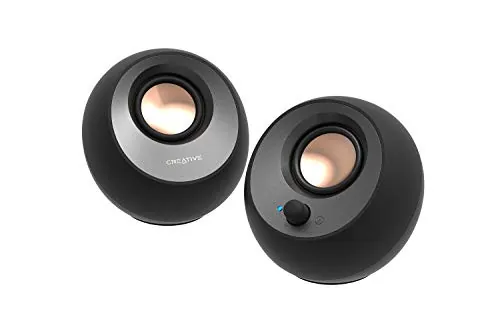
For a desktop speaker setup, the black Logitech Z207 (980-001294) and Creative Pebble V3 (MF1700) solve different connection problems. Logitech documents two paired Bluetooth devices plus one 3.5 mm input and an Easy-Switch routine. Creative documents USB-C audio and power, Bluetooth 5.0 and AUX; its package material lists a USB-C-to-USB-A converter but no USB power adapter or AUX cable. Check which ports your computer actually has and whether you need separate USB power when using analog audio.
Read comparison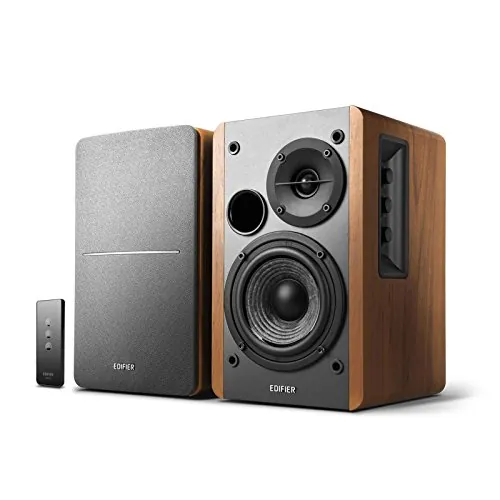
Logitech Z207 vs Edifier R1280T: Bluetooth, Inputs and Desk Setup
Logitech Z207 model 980-001294 accepts Bluetooth and one 3.5 mm analog input, with power and volume at the right speaker. Edifier R1280T has no Bluetooth, but offers two RCA inputs, a remote for volume and mute, and side-panel tone controls. A 3.5 mm source can still connect to the R1280T using its documented 3.5 mm-to-RCA cable; its two connected sources play together rather than auto-selecting.
Read comparison