Pickagu

Computer Speakers

Find your model below to compare what is included and how the differences affect everyday use.

20 comparisons

Computer Speakers comparisons

Logitech Z207 Bluetooth Computer Speakers · 980-001294
Logitech Z207 Bluetooth Computer Speakers
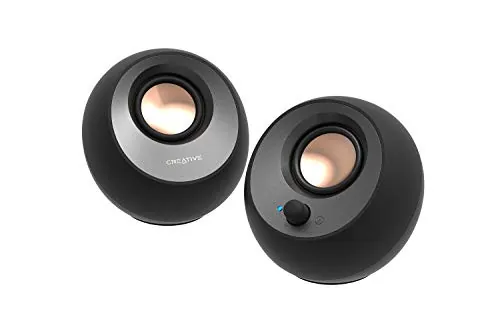
Creative Pebble V3 Desktop Speakers · MF1700
Creative Pebble V3 Desktop Speakers

Logitech Z207 vs Creative Pebble V3: Choose by Desk Connections

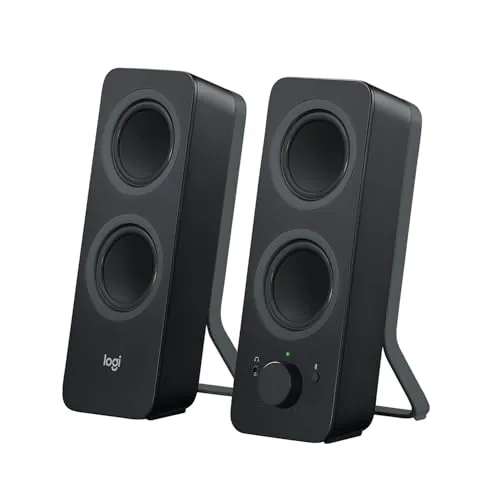
For a desktop speaker setup, the black Logitech Z207 (980-001294) and Creative Pebble V3 (MF1700) solve different connection problems. Logitech documents two paired Bluetooth devices plus one 3.5 mm input and an Easy-Switch routine. Creative documents USB-C audio and power, Bluetooth 5.0 and AUX; its package material lists a USB-C-to-USB-A converter but no USB power adapter or AUX cable. Check which ports your computer actually has and whether you need separate USB power when using analog audio.

Read comparison
Creative Pebble V3 USB-C Desktop Speakers · MF1700
Creative Pebble V3 USB-C Desktop Speakers
Edifier R1280T Powered Bookshelf Speakers · R1280T
Edifier R1280T Powered Bookshelf Speakers

Creative Pebble V3 vs Edifier R1280T: USB Desk Speakers or Wired Bookshelf Pair?

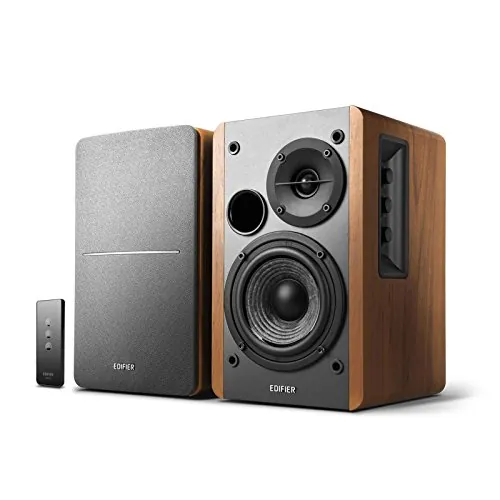
The Creative Pebble V3 (MF1700) is the compact computer-first option: USB audio, Bluetooth 5.0 or 3.5 mm AUX, with USB power. The Edifier R1280T is a larger two-speaker wired setup with dual RCA inputs, an AC power cord, remote and side tone controls; it has no Bluetooth. Before choosing, map each source to the cable you will actually use, confirm a nearby outlet for the R1280T, and reserve space for its two cabinets. The R1280T manual says two connected sources both play, so it does not automatically switch between them. No matched listening test establishes a sound-quality winner.

Read comparison
Logitech Z207 Bluetooth Computer Speakers · 980-001294
Logitech Z207 Bluetooth Computer Speakers
Edifier R1280T Powered Bookshelf Speakers · R1280T
Edifier R1280T Powered Bookshelf Speakers

Logitech Z207 vs Edifier R1280T: Bluetooth, Inputs and Desk Setup

Logitech Z207 model 980-001294 accepts Bluetooth and one 3.5 mm analog input, with power and volume at the right speaker. Edifier R1280T has no Bluetooth, but offers two RCA inputs, a remote for volume and mute, and side-panel tone controls. A 3.5 mm source can still connect to the R1280T using its documented 3.5 mm-to-RCA cable; its two connected sources play together rather than auto-selecting.

Read comparison
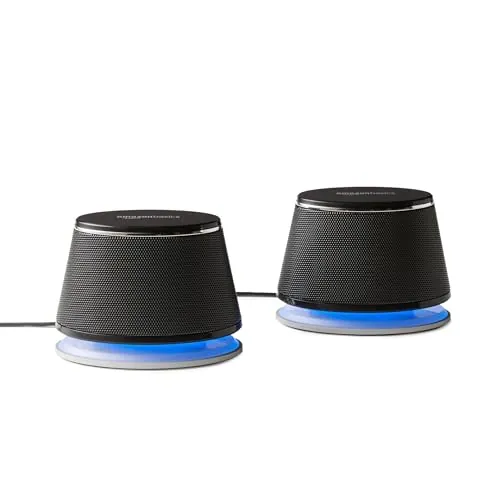
Amazon Basics U213 USB-Powered Computer Speakers (Black) · U213
Amazon Basics U213 USB-Powered Computer Speakers (Black)
Amazon Basics V620BLACK Stereo 2.0 Speakers (Black) · V620BLACK
Amazon Basics V620BLACK Stereo 2.0 Speakers (Black)

Amazon Basics U213 vs V620BLACK: Headphone Jack or Lower Speakers?

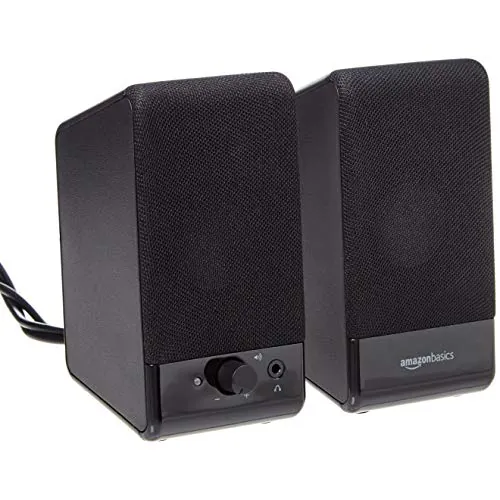
Both are black, USB-powered pairs of wired desktop speakers with a 3.5 mm audio connection. The U213 places its volume/on-standby control and a documented headphone jack on the front of one speaker. V620BLACK puts volume control in-line on its cable, and its product details do not specify headphone pass-through. If shelf clearance matters, V620BLACK has the lower listed item height; compare the measurements for each speaker, not an assumed combined footprint. Before buying, check that your computer has USB power and a suitable 3.5 mm audio output, then decide which control and headphone setup you will actually use.

Read comparison
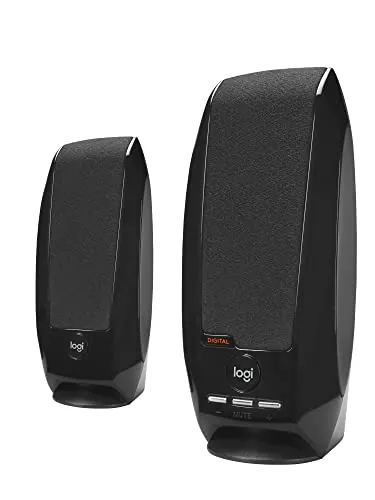
Logitech S150 USB Stereo Speakers · S150
Logitech S150 USB Stereo Speakers
Edifier R1280T Powered Bookshelf Speakers · R1280T
Edifier R1280T Powered Bookshelf Speakers

Logitech S150 vs Edifier R1280T: Connection, Cables and Remote Controls

For this exact pair, Logitech S150 uses one USB-A computer connection for audio and power, with volume and mute buttons on the right speaker. Edifier R1280T uses analog RCA audio and a separate AC power connection; its manual lists included audio and speaker cables, a remote, and physical volume/bass/treble controls. The two RCA inputs can accept two connected sources, but the manual says both signals play at once. Choose by your source outputs and control reach, not an untested sound-quality claim.

Read comparison
Logitech S150 USB Stereo Speakers — Black · 980-000028
Logitech S150 USB Stereo Speakers — Black
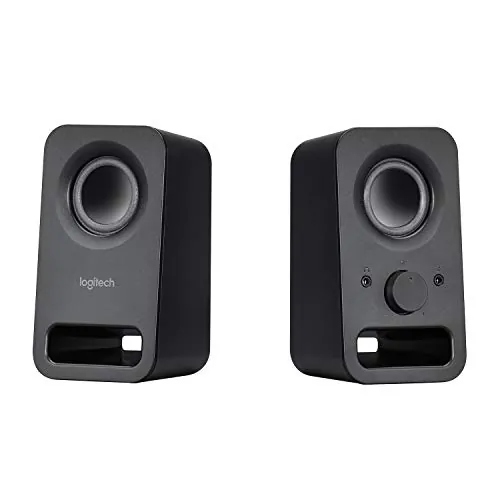
Logitech Z150 Multimedia Speakers — Black · 980-000802
Logitech Z150 Multimedia Speakers — Black

Logitech S150 vs Z150: USB Computer Audio or Analog Desk Speakers?

The black U.S. S150 (980-000028) uses one USB-A connection to a computer for both audio and power, with volume and mute buttons on the right speaker. The black Z150 (980-000802) uses an AC adapter plus analog 3.5mm audio; its right speaker has a power/volume knob, front auxiliary input and headphone jack. Choose by the ports and controls you will use. Logitech does not document how the Z150's two audio inputs behave when connected at once, nor does this comparison establish a sound-quality winner.

Read comparison
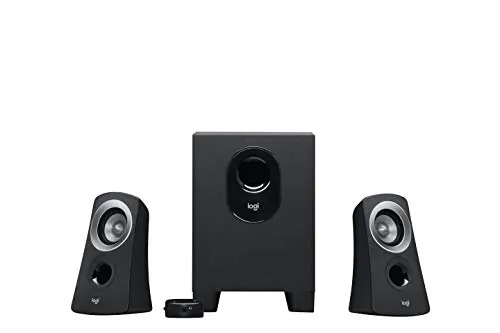
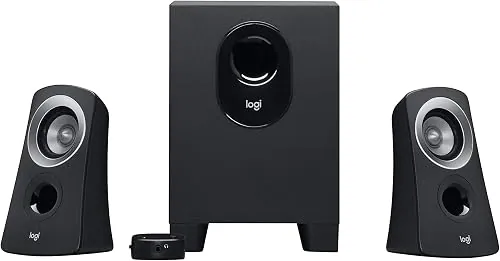
Logitech Z313 2.1 Speaker System with Subwoofer (Black) · 980-000382
Logitech Z313 2.1 Speaker System with Subwoofer (Black)
Logitech Z150 Stereo Speakers (Black) · 980-000802
Logitech Z150 Stereo Speakers (Black)

Logitech Z313 vs Z150: Which Speaker Layout Fits Your Desk?

Both models accept an analog 3.5 mm source. The Z313 uses a separate subwoofer and wired control pod; the Z150 connects at the right speaker and places its power, volume, headphone jack and auxiliary input together. Logitech's Z313 product page and setup guide describe its input cable path differently, so confirm the cable routing before arranging the subwoofer and controls.

Read comparison
Logitech S150 USB Stereo Speakers — Black · 980-000028
Logitech S150 USB Stereo Speakers — Black
Logitech Z207 Bluetooth Computer Speakers — Black · 980-001294
Logitech Z207 Bluetooth Computer Speakers — Black

Logitech S150 980-000028 vs Z207 980-001294: USB or Bluetooth?

The black U.S. S150 (980-000028) connects to a computer through USB-A for audio and power. The black Z207 (980-001294) pairs up to two Bluetooth devices, supports pause-one/play-the-other switching, also has a 3.5 mm input, and needs separate outlet power. Start by checking the audio ports on the actual devices you will use, then match the right-speaker controls to your desk routine.

Read comparison
Logitech Z150 Stereo Speakers, Black · 980-000802
Logitech Z150 Stereo Speakers, Black
Creative Pebble V3 · MF1700
Creative Pebble V3

Logitech Z150 vs Creative Pebble V3: Audio Signal and Power Setup

The Logitech Z150 is a straightforward analog setup: its attached 3.5 mm lead carries audio and Logitech lists an AC adapter in the box. Creative Pebble V3 can take USB audio, Bluetooth or 3.5 mm AUX, but the USB-C cable also supplies its power; Bluetooth and AUX listening still need USB power, and its external power adapter and AUX cable are not included. Choose by the audio output you have and where the speakers will get power, then check the cable and adapter details before purchase.

Read comparison
Logitech Z150 Multimedia Speakers (Black) · Z150 / 980-000802
Logitech Z150 Multimedia Speakers (Black)
Logitech Z207 Bluetooth Computer Speakers (Black) · Z207 / 980-001294
Logitech Z207 Bluetooth Computer Speakers (Black)

Logitech Z150 vs Z207: Wired Inputs, Bluetooth Switching and Desk Fit

Z150 is the simpler analog-first setup, with an attached 3.5 mm cable and a front auxiliary jack on its right speaker. Z207 adds pairing for up to two Bluetooth sources with pause-and-play switching, plus a rear analog input. Both need AC power. Check the right-speaker reach and actual footprint before buying; Z150's published width/depth figures conflict.

Read comparison
Logitech Multimedia Speakers Z150, Black · 980-000802
Logitech Multimedia Speakers Z150, Black
Marshall Acton III Bluetooth Home Speaker, Black · Acton III (1006008)
Marshall Acton III Bluetooth Home Speaker, Black

Logitech Z150 vs Marshall Acton III: Inputs, Headphone Listening, and Desk Fit

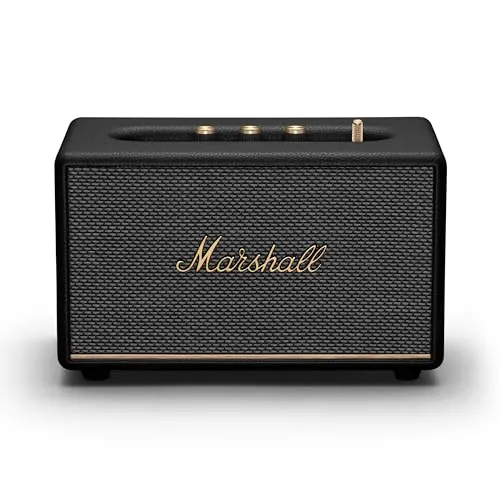
The black Logitech Z150 is the fit for an analog 3.5 mm source when you want a headphone jack on the right speaker. The black Marshall Acton III adds Bluetooth and on-speaker bass and treble controls, but its documented 3.5 mm connection is an input; plan private listening through your phone or computer instead.

Read comparison
Logitech Z313 Speaker System with Subwoofer, Black · Z313 (980-000382)
Logitech Z313 Speaker System with Subwoofer, Black
Creative Pebble V3 Minimalistic 2.0 USB-C Speakers with Bluetooth · Pebble V3 (MF1700)
Creative Pebble V3 Minimalistic 2.0 USB-C Speakers with Bluetooth

Logitech Z313 vs Creative Pebble V3: Which Desktop Speaker Setup Fits?

For a desktop with a 3.5 mm audio output and an available electrical outlet, the Logitech Z313 documents a wired 2.1 layout with two satellites, a separate subwoofer and an inline control pod. Creative Pebble V3 is the more direct fit when the computer supports USB Audio and provides suitable USB power, or when you want to avoid placing a separate supplied subwoofer. Pebble also has Bluetooth and AUX modes, but those still need USB power; its AUX cable and power adapter are separate purchases.

Read comparison
Logitech Z313 2.1 Speaker System with Subwoofer · Z313 (980-000382)
Logitech Z313 2.1 Speaker System with Subwoofer
Logitech S150 USB Stereo Speakers · S150 (980-000028)
Logitech S150 USB Stereo Speakers

Logitech Z313 vs S150: Analog Subwoofer Setup or USB Speakers?

The Logitech Z313 is a two-satellite system with a separate subwoofer and wired control pod; it uses 3.5 mm source audio plus mains power. The Logitech S150 is a two-speaker setup whose USB-A cable carries audio and power from a compatible computer, with volume and mute controls on the right speaker. Check source support first, then choose the arrangement that fits the desk.

Read comparison
Logitech Z313 2.1 Multimedia Speaker System with Subwoofer · Z313
Logitech Z313 2.1 Multimedia Speaker System with Subwoofer
Edifier R1280T Powered Bookshelf Speakers · R1280T
Edifier R1280T Powered Bookshelf Speakers

Logitech Z313 vs Edifier R1280T: Subwoofer Layout or Bookshelf Pair?

These wired, mains-powered speakers differ most in where the boxes and everyday controls go. The Logitech Z313 uses two satellites plus a separate subwoofer and a wired control pod. The Edifier R1280T is an active/passive bookshelf pair with a remote for volume and mute, while tone and power controls stay on a speaker. Check your source's analog output, outlet and cable paths before picking either.

Read comparison
Amazon Basics Stereo 2.0 Speakers for PC or Laptop, 1 Pair, Black · V620BLACK
Amazon Basics Stereo 2.0 Speakers for PC or Laptop, 1 Pair, Black
Logitech Z207 Bluetooth Computer Speakers · Z207 (980-001294, black)
Logitech Z207 Bluetooth Computer Speakers

Amazon Basics V620BLACK vs Logitech Z207: USB Power or Bluetooth Switching?

Amazon Basics V620BLACK uses USB for power and a separate 3.5 mm audio connection. Logitech’s Z207 uses an AC adapter and adds Bluetooth pairing for two devices plus a 3.5 mm input. Map the power and audio connections and check cable reach before placing either pair.

Read comparison
Amazon Basics USB-Powered Computer Speakers — Black · U213
Amazon Basics USB-Powered Computer Speakers — Black
Edifier R1280T Powered Bookshelf Speakers — Brown · R1280T
Edifier R1280T Powered Bookshelf Speakers — Brown

Amazon Basics U213 vs Edifier R1280T: USB Power or RCA Desk Setup?

The black Amazon Basics U213 uses a 3.5 mm audio connection and a separate USB cable for power; it also has a headphone jack and a single front volume/on-standby control. Brown Edifier R1280T uses analog stereo RCA inputs, mains power and a cable between its active and passive speakers; Edifier's manual says two connected sources play at once, with switching handled by lowering or turning off the unselected source. Choose U213 for a compact, one-source computer routine with USB power available. Choose R1280T when you can make shelf/desk room for two separated speakers and want two analog source pairs connected. Neither is a USB-audio speaker on the evidence reviewed.

Read comparison
Amazon Basics Stereo 2.0 USB-Powered PC Speakers · V620BLACK
Amazon Basics Stereo 2.0 USB-Powered PC Speakers
Creative Pebble V3 USB-C Desktop Speakers · MF1700
Creative Pebble V3 USB-C Desktop Speakers

Amazon Basics V620BLACK vs Creative Pebble V3 MF1700: Which Desk Connection Fits?

The Amazon Basics V620BLACK guide documents USB for power, a separate 3.5 mm audio connection and an inline volume control. Creative’s MF1700 quick-start guide documents USB Audio, Bluetooth and AUX, plus a speaker source button. For Pebble V3’s High Gain mode, the guide specifies a 10 W USB-C port or adapter, or a 5 V 2 A USB-A power adapter; a power adapter and AUX cable are not included. Choose by your computer’s ports, your planned source and the cables or power already at your desk, not by wattage as a sound-quality measure.

Read comparison
Logitech Z313 Speaker System with Subwoofer · 980-000382
Logitech Z313 Speaker System with Subwoofer
Amazon Basics Stereo 2.0 Speakers for PC or Laptop, Black · V620BLACK
Amazon Basics Stereo 2.0 Speakers for PC or Laptop, Black

Logitech Z313 vs Amazon Basics V620BLACK: Subwoofer, Power and Controls

The Logitech Z313 is a 2.1 setup with a separate subwoofer, AC power and a wired control pod. The Amazon Basics V620BLACK listing describes a USB-powered stereo 2.0 pair with a 3.5 mm input and volume control. Both list 3.5 mm audio; decide which power and placement arrangement works at your desk. This is a setup comparison, not a sound-quality test.

Read comparison
Bose Companion 2 Series III Multimedia Speaker System · C2III
Bose Companion 2 Series III Multimedia Speaker System
Edifier R1280T Powered Bookshelf Speakers · R1280T
Edifier R1280T Powered Bookshelf Speakers

Bose Companion 2 Series III vs Edifier R1280T: Inputs, Controls, and Desk Space

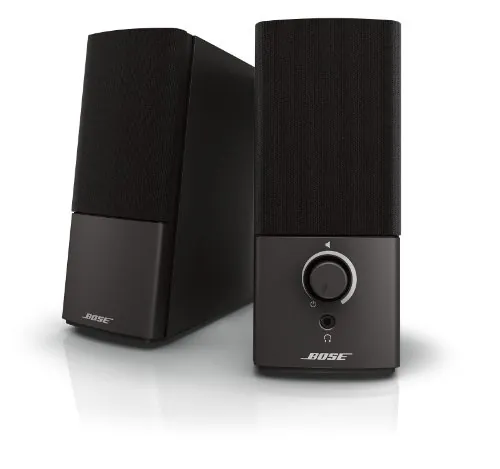
The Bose Companion 2 Series III documentation shows a computer connection plus another device at the right speaker, and Bose support says plugging in headphones automatically mutes the speakers. The Edifier R1280T has two RCA input pairs, a remote and speaker-side bass/treble controls; its manual says both connected sources play when active, so mute or turn off the one you are not using. Neither source set establishes a dedicated input selector on either model. Compare the cable plan and the labeled cabinet dimensions before choosing; this is not a sound-quality ranking.

Read comparison