
Products compared
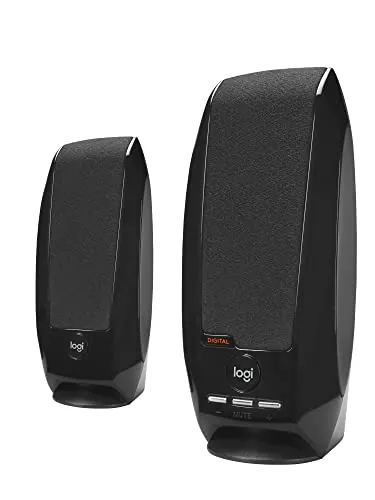
Logitech
Logitech S150 USB Stereo Speakers
Black USB stereo speaker system in the US listing data
Model S150
Amazon ASIN B000ZH98LU
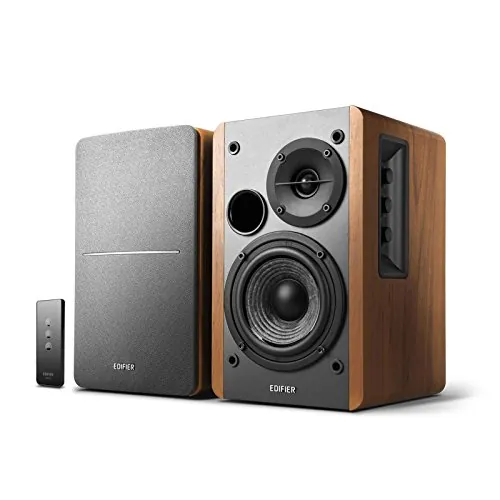
Edifier
Edifier R1280T Powered Bookshelf Speakers
Brown R1280T powered stereo pair; analog inputs and separate AC power
Model R1280T
Amazon ASIN B016P9HJIA
Differences that matter
What matters most to you?
Choose a priority to see what it changes.
Sources for Audio connection and speaker power
Sources for Cables and setup items
Sources for Volume and mute access
Sources for Two-source behavior on the R1280T
Start with the source connection
S150 is the simpler cabling path for a computer that can send USB audio: Logitech describes USB-A audio and power through the same computer connection. R1280T accepts analog RCA audio and needs a separate AC power connection; the manual also shows the cable between the active and passive speaker.
Before choosing, check what audio output your source actually offers. The R1280T manual specifically shows a PC sound-card connection using the included 3.5 mm-to-dual-RCA cable. For sources outside the documented setup, verify the output and cable requirements rather than assuming compatibility.
Place the controls where you will use them
S150 puts volume and mute buttons on the front of the right speaker. If that speaker sits within reach at your desk, its local buttons may suit the setup.
R1280T includes an infrared remote for volume and mute, while the speaker itself has master-volume, bass and treble dials and a power switch. Its remote can change listening volume from another seat, but the physical controls still need an accessible place. No control-distance or sound result is claimed.
Do not mistake dual inputs for remote source selection
Edifier lists two pairs of RCA inputs. Its manual says when two audio sources are connected simultaneously, both signals play; to hear one source, lower its level or turn that source off. The manual’s documented remote controls are mute and volume, not input selection.
If you plan to leave a computer and another analog source connected, decide whether simultaneous playback is acceptable. If you specifically need a one-button source selector, confirm that feature in the exact product documentation before buying.
Before you buy: a four-check setup audit
1. Check the source output: USB audio over USB-A for the S150, or an analog output/cable path for the R1280T.
2. Check power and placement: S150 takes power through the computer USB connection; R1280T’s active speaker uses AC and connects to the passive speaker by cable.
3. Check control reach: S150 buttons are on its right speaker; R1280T provides remote volume/mute but keeps tone and power controls on the speakers.
4. Check the input behavior and package: R1280T’s dual RCA inputs play both active signals simultaneously, and its manual lists included audio/speaker cables and a remote. Verify the exact seller box if an accessory matters.
Product details
Logitech S150 USB Stereo Speakers
Edifier R1280T Powered Bookshelf Speakers
- Audio inputs
- Two pairs of RCA inputs for analog sources Source
- Power and speaker connection
- Active speaker has an AC power cord; the passive speaker connects to the active speaker with the included speaker cable Source
- Controls
- Remote volume and mute; physical master-volume, bass and treble dials on the speaker Source
- Documented box contents
- Manual, passive and active speakers, remote, 3.5 mm-to-dual-RCA cable, dual-RCA cable and speaker cable; verify exact seller package Source
Before you buy
Community discussions
Leaving a computer and console connected
Edifier R1280T Powered Bookshelf Speakers
An R1280T owner connected two sources to its two RCA inputs so they could use a PC or console without moving cables.
What to check
If you want two sources, check which RCA cables you will need and what each source can mute separately.
Common questions
Does the S150 need a separate power adapter?
Its manufacturer page and setup guide describe USB-A audio and power through the computer connection. The guide shows an orange power indicator while the speakers are on. Verify the source supports USB audio; a USB charging port alone is not described as an audio source.S150 USB Stereo SpeakersS150 Complete Setup Guide
Can the R1280T remote switch between its two RCA inputs?
The documented remote buttons are mute and volume. The manual says that when two audio sources are connected simultaneously, both signals play; it does not document remote input selection.R1280T Bookshelf SpeakersR1280T User Manual V1.3
What cables does the R1280T manual list in the box?
The R1280T manual lists a 3.5 mm-to-dual-RCA audio cable, dual-RCA audio cable and speaker connecting cable, as well as the speakers and remote. Confirm the exact seller package if any cable or accessory is essential.R1280T User Manual V1.3
Which pair sounds better?
The cited manufacturer sources describe connections and controls, not a comparable listening test for these exact products. This guide does not rank sound quality, loudness or reliability.S150 USB Stereo SpeakersR1280T Bookshelf Speakers
Sources and scope
This is a setup and control comparison based on manufacturer pages and manuals. It does not establish sound quality, loudness, latency, reliability or suitability for a particular room. Confirm that your exact source has the required USB-audio or analog output and check the seller’s included package if a cable or remote is essential.
Related comparisons
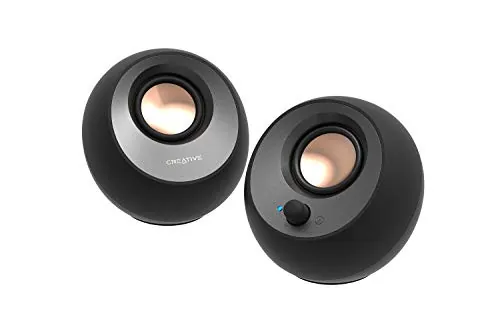
Creative Pebble V3 vs Edifier R1280T: USB Desk Speakers or Wired Bookshelf Pair?
The Creative Pebble V3 (MF1700) is the compact computer-first option: USB audio, Bluetooth 5.0 or 3.5 mm AUX, with USB power. The Edifier R1280T is a larger two-speaker wired setup with dual RCA inputs, an AC power cord, remote and side tone controls; it has no Bluetooth. Before choosing, map each source to the cable you will actually use, confirm a nearby outlet for the R1280T, and reserve space for its two cabinets. The R1280T manual says two connected sources both play, so it does not automatically switch between them. No matched listening test establishes a sound-quality winner.
Read comparison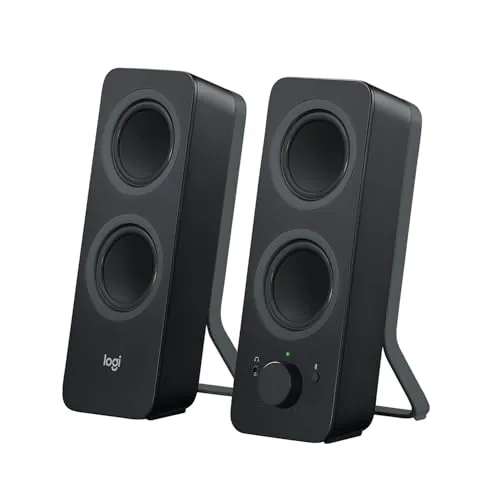
Logitech Z207 vs Edifier R1280T: Bluetooth, Inputs and Desk Setup
Logitech Z207 model 980-001294 accepts Bluetooth and one 3.5 mm analog input, with power and volume at the right speaker. Edifier R1280T has no Bluetooth, but offers two RCA inputs, a remote for volume and mute, and side-panel tone controls. A 3.5 mm source can still connect to the R1280T using its documented 3.5 mm-to-RCA cable; its two connected sources play together rather than auto-selecting.
Read comparison