
Products compared
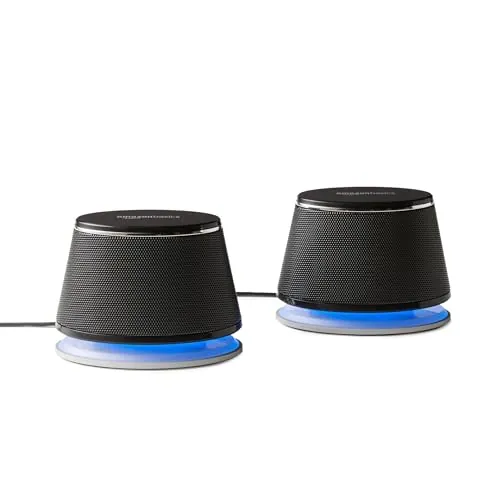
Amazon Basics
Amazon Basics Stereo 2.0 Speakers for PC or Laptop, 1 Pair, Black
The exact black V620BLACK offer is a pair of desktop speakers listed with a 3.5 mm Aux audio input, USB power and volume control. Amazon.com lists no wireless communication technology for this model; the page does not document exact cable lengths or where the volume control sits.
Model V620BLACK
Amazon ASIN B07DDK3W5D
Logitech
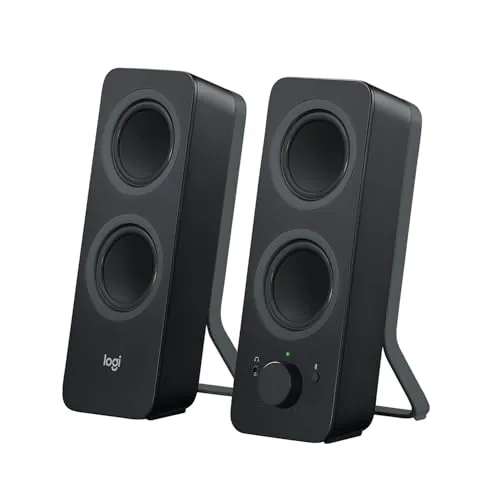
Logitech Z207 Bluetooth Computer Speakers
The U.S. Z207 page documents pairing up to two Bluetooth devices with Easy-Switch plus one 3.5 mm input. Logitech's setup guide shows an AC adapter, a right-speaker power/volume control and Bluetooth pairing button, a right-speaker analog input and a front headphone jack.
Model Z207 (980-001294, black)
Amazon ASIN B074KJ6JQW
Differences that matter
What matters most to you?
Choose a priority to see what it changes.
Sources for Satellite body and desk space
Choose by the audio and power ports you can actually use
V620BLACK's exact Amazon.com listing describes USB power and a separate 3.5 mm Aux input; its product details report no wireless communication technology. That points to a straightforward wired desk plan: one USB power connection and one host audio jack. The listing does not state the cable lengths, so check reach if the computer is far from the speakers.
Logitech Z207 accepts a 3.5 mm source and supports up to two paired Bluetooth devices. Logitech describes Easy-Switch as pausing one Bluetooth device, switching, and playing from the other. Treat that documented switching as a Bluetooth-to-Bluetooth workflow; the cited sources do not say it automatically changes between Bluetooth and the analog input. Its setup guide shows an AC adapter, so it needs a suitable outlet rather than USB speaker power.
Measure the pair, cable route and reach to the controls
Logitech publishes each Z207 satellite at 241 × 90 × 124 mm and lists 1.8 m (5.9 ft) for the power cable, Aux cable and cable between speakers. Put the right satellite in your sketch first: the power/volume knob, Bluetooth pairing button, rear analog input and front headphone jack are all there. Measure the actual route rather than assuming the full listed cable length is usable slack.
Amazon lists the V620BLACK item at 2.6 × 2.88 × 3.9 inches, but the cited product details do not say whether these dimensions apply to one speaker or the pair. They also say volume control without specifying its location, and do not publish cable lengths. If your desk has a tight cubby, distant USB port or hidden audio jack, confirm the exact offer/package details before relying on a specific fit or cable reach.
A simple pre-buy desk check
Write down the host audio connection, the power source, the distance between left and right speaker positions, and which speaker must remain within reach. V620BLACK fits the documented USB-power plus 3.5 mm audio pattern. Z207 fits a wall-powered setup with one wired input and a separate two-device Bluetooth pairing/switching option.
This checklist decides by ports and desk routing, not sound. Neither the listing nor Logitech's support specifications is a matched listening test, and no result here establishes better output, reliability or durability.
Product details
Amazon Basics Stereo 2.0 Speakers for PC or Laptop, 1 Pair, Black
- Audio and power
- 3.5 mm Aux input; USB power; Amazon.com listing says no wireless communication technology Source
- Listed item dimensions
- 2.6 × 2.88 × 3.9 in (D × W × H); listing does not clarify a separate size for each satellite Source
- Control
- Volume control listed; control location and cable lengths not specified in the cited product details Source
Logitech Z207 Bluetooth Computer Speakers
- Audio connections
- Up to two paired Bluetooth devices and one 3.5 mm input; Easy-Switch is documented for switching between paired Bluetooth devices Source
- Power and controls
- AC adapter; power/volume knob and Bluetooth pairing button on the right satellite; headphone jack on right speaker Source
- Satellite dimensions and cables
- Each satellite: 241.0 × 90.0 × 124.0 mm (H × L × D); power, Aux and satellite-to-satellite cables each listed at 1.8 m (5.9 ft) Source
Before you buy
Community discussions
A cable-management update with Logitech Z207 speakers
Logitech Z207 Bluetooth Computer Speakers
For a home-office and game-room setup, the owner chose Logitech Z207 speakers because the PC connects over Bluetooth and the controls sit on one speaker. The owner describes two cables to plan around: power and the link between the speakers.
What to check
Before choosing the Z207, check that Bluetooth audio and controls on one speaker suit your desk, and map the power lead and speaker-to-speaker cable to your planned positions.
Common questions
Can the V620BLACK switch between Bluetooth devices?
Amazon.com's listing for the exact V620BLACK ASIN identifies a 3.5 mm Aux input and USB power, and its product-detail table says no wireless communication technology. Logitech's Z207, by contrast, documents pairing up to two Bluetooth devices and switching between them with Easy-Switch.Amazon Basics Stereo 2.0 Speakers for PC or Laptop with Volume Control, 3.5mm Aux Input, USB-Powered, 1 Pair, Black (ASIN B07DDK3W5D)Logitech Z207 2.0 Stereo Computer Speakers with Bluetooth (980-001294)
Does the Z207 automatically switch between Bluetooth and its 3.5 mm input?
Logitech documents the 3.5 mm input and Easy-Switch between up to two paired Bluetooth devices. The sources used here do not establish automatic handoff between Bluetooth and analog, so do not count on that behavior without checking Logitech's instructions for the exact setup.Logitech Z207 2.0 Stereo Computer Speakers with Bluetooth (980-001294)Z207 Computer Speakers Quick Setup Guide
How should I plan Z207 cable reach?
Logitech lists the power cable, Aux cable and cable between satellites at 1.8 m (5.9 ft) each. Measure the planned route, including bends and slack. The V620BLACK listing used here does not provide cable lengths.Z207 Technical SpecificationsAmazon Basics Stereo 2.0 Speakers for PC or Laptop with Volume Control, 3.5mm Aux Input, USB-Powered, 1 Pair, Black (ASIN B07DDK3W5D)
Where are the Z207 controls?
Logitech's guide places the power/volume controls and Bluetooth-pairing button on the right speaker. The analog input is at the back of that speaker, and the optional headphone jack is at its front. The V620BLACK listing says it has volume control but does not locate it in the cited product details.Z207 Computer Speakers Quick Setup GuideAmazon Basics Stereo 2.0 Speakers for PC or Laptop with Volume Control, 3.5mm Aux Input, USB-Powered, 1 Pair, Black (ASIN B07DDK3W5D)
Which speaker sounds better?
These sources document connections, placement dimensions, cable lengths and controls; they do not provide a matched listening test. This guide does not rank sound quality, loudness or bass.Amazon Basics Stereo 2.0 Speakers for PC or Laptop with Volume Control, 3.5mm Aux Input, USB-Powered, 1 Pair, Black (ASIN B07DDK3W5D)Logitech Z207 2.0 Stereo Computer Speakers with Bluetooth (980-001294)Z207 Technical Specifications
Sources and scope
The V620BLACK listing leaves cable lengths and volume-control position unspecified. Logitech shows the controls on the right speaker and documents switching between Bluetooth sources. Confirm the power, audio and inter-speaker cable paths on your desk.
Related comparisons
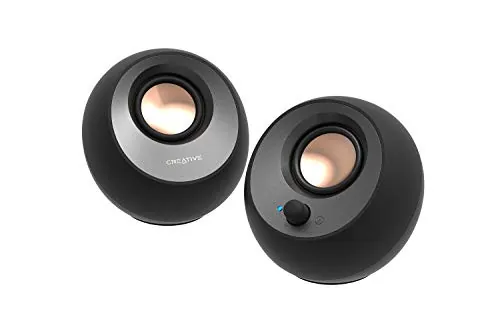
Logitech Z207 vs Creative Pebble V3: Choose by Desk Connections
For a desktop speaker setup, the black Logitech Z207 (980-001294) and Creative Pebble V3 (MF1700) solve different connection problems. Logitech documents two paired Bluetooth devices plus one 3.5 mm input and an Easy-Switch routine. Creative documents USB-C audio and power, Bluetooth 5.0 and AUX; its package material lists a USB-C-to-USB-A converter but no USB power adapter or AUX cable. Check which ports your computer actually has and whether you need separate USB power when using analog audio.
Read comparison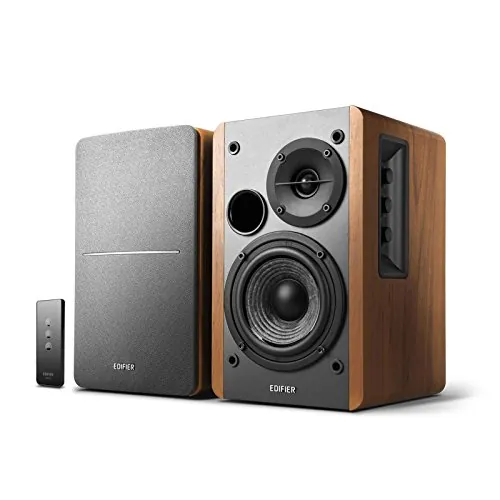
Logitech Z207 vs Edifier R1280T: Bluetooth, Inputs and Desk Setup
Logitech Z207 model 980-001294 accepts Bluetooth and one 3.5 mm analog input, with power and volume at the right speaker. Edifier R1280T has no Bluetooth, but offers two RCA inputs, a remote for volume and mute, and side-panel tone controls. A 3.5 mm source can still connect to the R1280T using its documented 3.5 mm-to-RCA cable; its two connected sources play together rather than auto-selecting.
Read comparison