
Products compared
Logitech
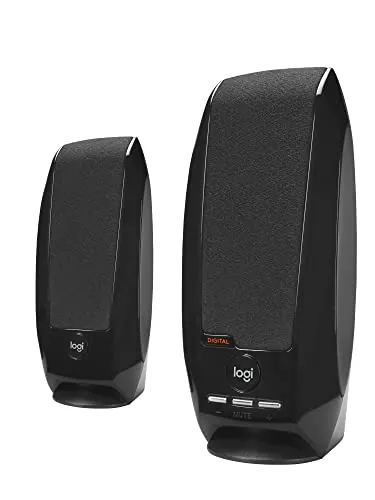
Logitech S150 USB Stereo Speakers — Black
Black U.S. S150 stereo speakers; Logitech part 980-000028; computer USB-A connection documented for audio and power.
Model 980-000028
Amazon ASIN B000ZH98LU
Logitech
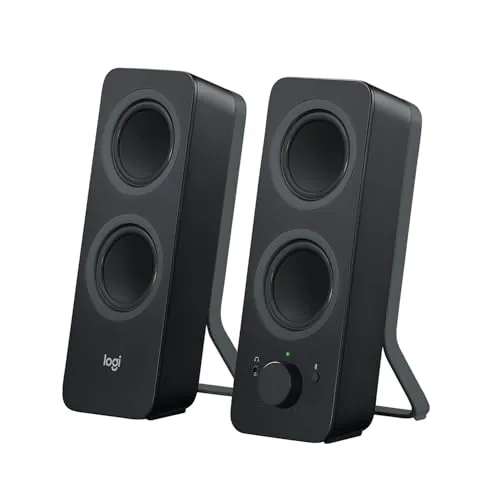
Logitech Z207 Bluetooth Computer Speakers — Black
Black U.S. Z207 Bluetooth computer speakers; Logitech part 980-001294; two Bluetooth pairings, an analog 3.5 mm input and separate outlet power are documented.
Model 980-001294
Amazon ASIN B074KJ6JQW
Differences that matter
What matters most to you?
Choose a priority to see what it changes.
Sources for Controls within reach
First decide how audio reaches the speakers
The exact black S150 980-000028 is documented for a computer USB-A connection that carries audio and power. Z207 980-001294 takes audio from Bluetooth or a 3.5 mm input and its setup guide shows a separate AC adapter. Compare the actual host and cable route on your desk; connector shape by itself does not establish that a monitor, dock or charging port supplies compatible audio.
A useful pre-buy test is to list each audio source and mark its intended path: computer USB-A for S150; Bluetooth or 3.5 mm for Z207. Then locate the Z207 outlet and check that its adapter can reach. Confirm the exact listing’s supplied cables and adapters if the placement depends on them.
Separate Bluetooth pairing from everyday switching
For a phone-and-computer desk, Z207 is the feature-fit option only if both devices will actually take turns playing. Logitech says to pair up to two Bluetooth sources and switch playback by pausing one device and playing from the other. The setup guide’s pairing-button press is for initial pairing; it is not the documented action required for each handoff.
The Z207 product page also lists one 3.5 mm input alongside the two Bluetooth pairings. That is useful when one source is wired, but the cited pages do not describe mixing between wired and Bluetooth inputs, automatic priority, or simultaneous playback. If you need that behavior, verify it with the exact unit before relying on it.
Match the right-speaker controls to interruptions
S150 places volume-up, volume-down and mute buttons on the front of the right speaker. This is a clear fit when a dedicated mute action is part of the daily routine. Logitech’s guide shows Z207’s right-side power/volume knob and Bluetooth pairing button; its setup guide also labels the front headphone jack.
Before ordering, decide what should be within arm’s reach: S150’s separate mute and volume buttons, or Z207’s knob, pairing control and headphone connection. This is a layout choice, not evidence that one speaker is easier or sounds better.
Use this two-minute compatibility checklist
1. Confirm the computer or other source model and its documented audio output. 2. For S150, confirm computer USB-A supports audio, not only charging. 3. For Z207, decide whether the source will use Bluetooth or the analog input; if alternating Bluetooth devices, make sure pause/play is convenient on each. 4. Check outlet access for Z207. 5. Verify the exact black Logitech parts 980-000028 and 980-001294 plus the included leads/adapters on the seller’s box listing.
If any connection path or cable is unclear, resolve that detail before purchase. The manufacturer documentation supports a conditional connection-and-controls choice, not universal compatibility across adapters and displays.
Product details
Logitech S150 USB Stereo Speakers — Black
- Documented host and connection
- Logitech says to connect S150 to a computer USB-A port; that connection carries audio and power. Disconnecting the cable powers the speakers off. Source
- Right-speaker controls
- The front of the right speaker has separate volume-up, volume-down and mute buttons. Source
- Other input paths
- The reviewed S150 U.S. product page and setup guide document USB computer audio; they do not establish Bluetooth or analog input support. Source
Logitech Z207 Bluetooth Computer Speakers — Black
- Bluetooth source switching
- Logitech describes pairing up to two Bluetooth devices; to switch playback, pause one device and play from the other. Source
- Additional connection and controls
- The right speaker has a Bluetooth pairing button, power/volume knob, analog 3.5 mm input and headphone jack; the setup guide shows a separate AC adapter and outlet. Source
- Connected sources versus active audio
- The product page describes two paired Bluetooth devices plus a 3.5 mm input. It does not specify simultaneous mixing or input priority. Source
Before you buy
Community discussions
A cable-management update with Logitech Z207 speakers
Logitech Z207 Bluetooth Computer Speakers — Black
For a home-office and game-room setup, the owner chose Logitech Z207 speakers because the PC connects over Bluetooth and the controls sit on one speaker. The owner describes two cables to plan around: power and the link between the speakers.
What to check
If you want to switch sources at the desk, check where the controls sit and sketch where the power and inter-speaker leads would go.
Adding basic speakers to a desktop PC
Logitech S150 USB Stereo Speakers — Black
A shopper wanted desktop speakers for times they preferred to skip headphones. A reader said they used Logitech S150 speakers on their PC.
What to check
Check whether you want the computer to send audio through USB or Bluetooth. Count the outlets and ports your other desk devices already use.
Common questions
Can I switch Z207 between a paired phone and computer without pairing again?
Logitech documents pairing the Bluetooth devices first, then using Easy-Switch by pausing one device and playing from the other. Pairing is the setup step; pause/play is the documented playback-switching action.Logitech Z207 Bluetooth Computer Speakers U.S. product page (black; part 980-001294)Logitech Z207 Complete Setup Guide
Does Z207 mix Bluetooth and its 3.5 mm input?
The product page lists up to two paired Bluetooth devices and one 3.5 mm input, but the reviewed manufacturer sources do not specify simultaneous mixing or input priority. Treat that behavior as unverified if it matters to your setup.Logitech Z207 Bluetooth Computer Speakers U.S. product page (black; part 980-001294)Logitech Z207 Complete Setup Guide
Does S150 work from any USB-A port?
Logitech documents S150 plugged into a computer USB-A port for audio and power. That does not confirm a USB charging socket, monitor, dock or adapter provides compatible USB audio. Check the host documentation for the exact connection chain.Logitech S150 USB Stereo Speakers U.S. product page (black; part 980-000028)Logitech S150 Complete Setup Guide
Which speaker needs a wall outlet?
The Z207 setup guide connects a separate AC adapter to the right speaker and an electrical outlet. Logitech describes S150 as using the computer USB-A cable for both audio and power.Logitech Z207 Complete Setup GuideLogitech S150 USB Stereo Speakers U.S. product page (black; part 980-000028)Logitech S150 Complete Setup Guide
Which is better sounding?
These sources document ports, power and controls; they do not provide a controlled listening test for this comparison. Choose by the supported connection and control workflow, not an inferred sound ranking.Logitech S150 USB Stereo Speakers U.S. product page (black; part 980-000028)Logitech Z207 Bluetooth Computer Speakers U.S. product page (black; part 980-001294)
Sources and scope
This guide compares manufacturer-documented connections and controls; it is not a listening test and does not rank sound quality, loudness, latency or reliability. Logitech documents S150 connected to a computer USB-A port for both audio and power, but this does not confirm every monitor, dock, USB-C adapter or generic charging port will supply compatible audio. Z207 documentation describes two paired Bluetooth devices and Easy-Switch pause/play behavior, plus a 3.5 mm input; it does not establish that Bluetooth and analog inputs mix, automatically take priority, or switch in a particular way when both are active. Confirm host support and the exact seller bundle if either is essential.
Related comparisons
Logitech Z207 vs Creative Pebble V3: Choose by Desk Connections
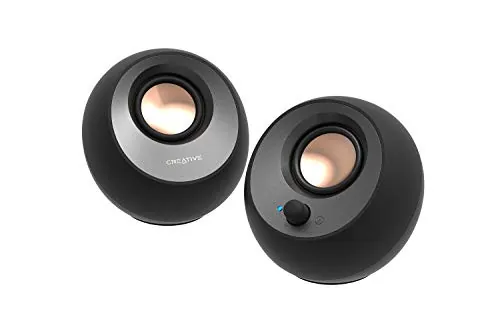
For a desktop speaker setup, the black Logitech Z207 (980-001294) and Creative Pebble V3 (MF1700) solve different connection problems. Logitech documents two paired Bluetooth devices plus one 3.5 mm input and an Easy-Switch routine. Creative documents USB-C audio and power, Bluetooth 5.0 and AUX; its package material lists a USB-C-to-USB-A converter but no USB power adapter or AUX cable. Check which ports your computer actually has and whether you need separate USB power when using analog audio.
Read comparison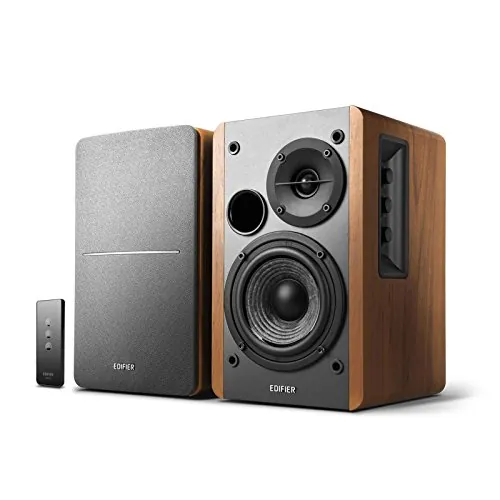
Logitech Z207 vs Edifier R1280T: Bluetooth, Inputs and Desk Setup
Logitech Z207 model 980-001294 accepts Bluetooth and one 3.5 mm analog input, with power and volume at the right speaker. Edifier R1280T has no Bluetooth, but offers two RCA inputs, a remote for volume and mute, and side-panel tone controls. A 3.5 mm source can still connect to the R1280T using its documented 3.5 mm-to-RCA cable; its two connected sources play together rather than auto-selecting.
Read comparison