
Products compared
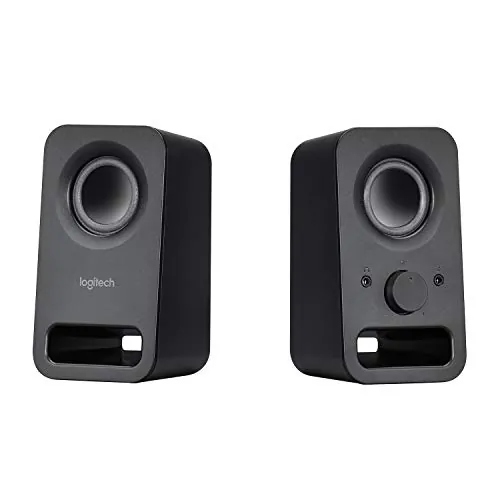
Logitech
Logitech Z150 Stereo Speakers, Black
Exact black U.S. Logitech part 980-000802. Logitech documents analog 3.5 mm audio, an attached auxiliary cable and an AC adapter in the package.
Model 980-000802
Amazon ASIN B00EZ9XLEY
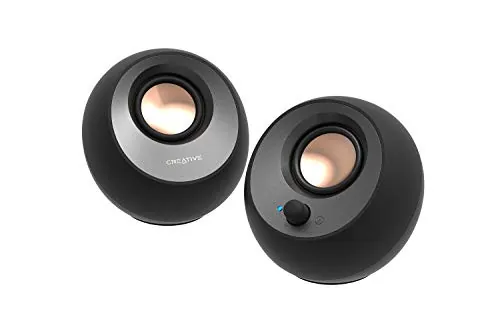
Creative
Creative Pebble V3
Exact black Creative Pebble V3 family model MF1700. Its quick-start guide documents USB audio, Bluetooth and 3.5 mm AUX, with an attached USB-C cable used for power and USB audio.
Model MF1700
Amazon ASIN B08F57GSJ7
Differences that matter
What matters most to you?
Choose a priority to see what it changes.
Sources for Audio signal paths
Sources for Signal versus power
Sources for Included leads and adapter plan
Sources for Reachable controls
Start with the audio route, then check power
The Z150 path is analog audio over its attached 3.5 mm lead, with power from the included AC adapter. Pebble V3 has a source button for USB Audio, Bluetooth or AUX. Its attached USB-C lead can carry computer USB audio and power together, but a USB connection that only supplies power is not an audio connection. When using Bluetooth or AUX, Pebble V3 still needs USB power.
Check the cables and supply in your actual setup
For a USB-A computer, Creative says a USB-C-to-USB-A converter is required, but its opened quick-start guide does not confirm that converter is in the selected retail package. The same guide explicitly says the AUX-in cable and external power adapter are not included. Up to 8 W RMS is a conditional rating for High gain with the specified power supply; do not assume a connector or any USB port meets that condition. Logitech's Z150 specifications list the AC adapter in the box, and its support instructions call the 3.5 mm lead attached.
Check where the controls will sit
Both products put primary controls on the right speaker. Logitech documents Z150's front headphone and auxiliary jacks with the power/volume control. Creative places its source button and volume knob on the right Pebble satellite and its gain switch underneath. If you expect to plug in headphones or adjust gain often, check that this speaker can remain within reach on your desk.
A three-step pre-buy check
1. Identify the audio output you will use: analog, computer USB Audio or Bluetooth. 2. Identify the power source separately; Pebble V3 needs USB power even when its audio is Bluetooth or AUX. 3. Confirm the exact cables and adapter in the box against your host ports and listening modes before ordering.
Product details
Logitech Z150 Stereo Speakers, Black
- Audio connection
- Analog stereo 3.5 mm; Logitech's setup page says the attached auxiliary cable connects the source Source
- Power and package
- External AC adapter is listed in the box; the technical specification lists a 100–240 V, 5 V/0.8 A adapter Source
- Right-speaker controls
- Power/volume knob, front auxiliary input and front headphone output Source
Creative Pebble V3
- Audio modes
- USB Audio, Bluetooth 5.0 or 3.5 mm analog AUX; the right-speaker source button cycles available modes Source
- Power arrangement
- The attached USB-C lead can provide both USB audio and power; Bluetooth or AUX mode still needs USB power. The external power adapter is not included. Source
- Controls and cable limits
- Right-speaker volume/source controls and underside gain switch; AUX-in cable is not included. The guide says a USB-C-to-USB-A converter is required for a USB-A computer but does not establish that it is included in this selected retail package. Source
Before you buy
Community discussions
Using Bluetooth audio with USB power at a desk
Creative Pebble V3
A reader sharing a MacBook desk setup said they used a Creative Pebble V3 over Bluetooth and powered it through USB-C for calls and general laptop audio.
What to check
Plan the audio and power connections separately. Check which port can supply power and how you want the laptop to send sound.
Keeping speaker cables behind a monitor setup
Creative Pebble V3
A PS5 and monitor owner chose the Creative Pebble V3 and routed the cable to the back of the console to keep the desk clear.
What to check
Check your own source device’s supported audio outputs and where each cable would reach. The layout in this setup is one example.
Common questions
Does Pebble V3 get audio from any USB power source?
No. Its guide distinguishes USB Audio from a power source that does not support USB audio. The latter can power the speaker but is not itself an audio source; use Bluetooth or analog AUX for audio in that setup.Creative Pebble V3 Quick Start Guide, MF1700, Rev B
What comes in the Z150 box compared with Pebble V3?
Logitech lists the Z150 speakers, AC adapter and documentation, and its setup instructions say the source connects through the attached 3.5 mm cable. Creative's MF1700 guide says its AUX-in cable and external power adapter are not included; it calls for a USB-C-to-USB-A converter with a USB-A computer but does not establish package inclusion. Check the exact Pebble V3 listing for that converter.Logitech Multimedia Speakers Z150 Technical SpecificationsUsing the Z150 speakersCreative Pebble V3 Quick Start Guide, MF1700, Rev B
Does either guide establish which speaker sounds louder or better?
No. Creative's up-to-8 W RMS statement is conditional on High gain and the specified USB power source; it is not a head-to-head listening or loudness result. This comparison makes no sound-quality or maximum-volume ranking.Creative Pebble V3 Quick Start Guide, MF1700, Rev B
Sources and scope
This is a source-and-power fit comparison, not a sound-quality, loudness, latency or reliability test. Verify the exact retail package before purchase: Creative's opened MF1700 quick-start guide does not confirm whether the USB-C-to-USB-A converter is included, so this guide does not treat it as a verified box item. A power connection alone does not establish that a computer supports USB audio.
Related comparisons
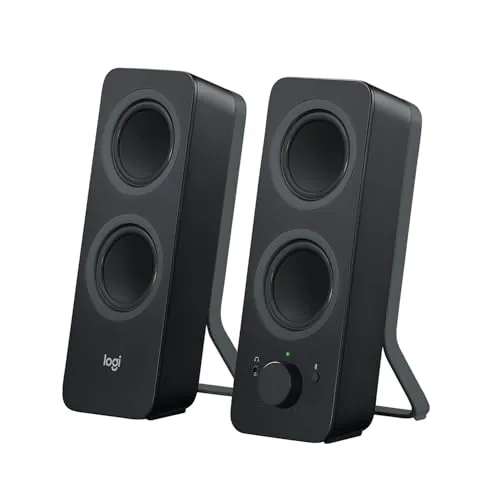
Logitech Z207 vs Creative Pebble V3: Choose by Desk Connections
For a desktop speaker setup, the black Logitech Z207 (980-001294) and Creative Pebble V3 (MF1700) solve different connection problems. Logitech documents two paired Bluetooth devices plus one 3.5 mm input and an Easy-Switch routine. Creative documents USB-C audio and power, Bluetooth 5.0 and AUX; its package material lists a USB-C-to-USB-A converter but no USB power adapter or AUX cable. Check which ports your computer actually has and whether you need separate USB power when using analog audio.
Read comparison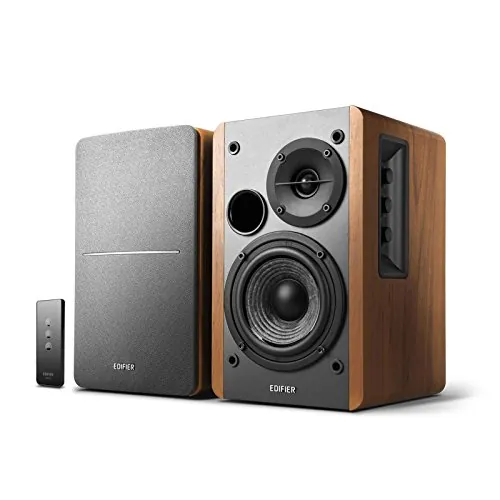
Creative Pebble V3 vs Edifier R1280T: USB Desk Speakers or Wired Bookshelf Pair?
The Creative Pebble V3 (MF1700) is the compact computer-first option: USB audio, Bluetooth 5.0 or 3.5 mm AUX, with USB power. The Edifier R1280T is a larger two-speaker wired setup with dual RCA inputs, an AC power cord, remote and side tone controls; it has no Bluetooth. Before choosing, map each source to the cable you will actually use, confirm a nearby outlet for the R1280T, and reserve space for its two cabinets. The R1280T manual says two connected sources both play, so it does not automatically switch between them. No matched listening test establishes a sound-quality winner.
Read comparison