
Products compared
Logitech
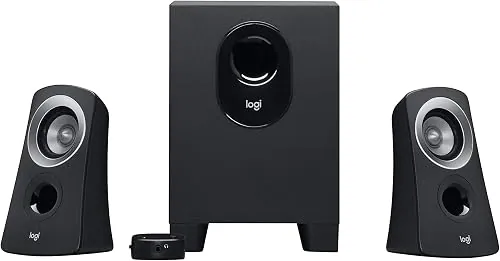
Logitech Z313 2.1 Speaker System with Subwoofer (Black)
Black U.S. listing. A two-satellite system with a separate subwoofer and wired control pod; check the exact listing for current seller and package details.
Model 980-000382
Amazon ASIN B002HWRZ2K
Logitech
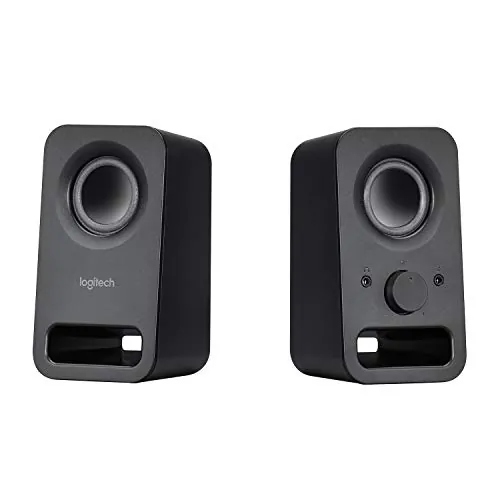
Logitech Z150 Stereo Speakers (Black)
Black U.S. listing. Two speakers; the right speaker holds the power/volume knob, headphone jack and auxiliary input. The box contents and seller bundle should be checked on the exact listing.
Model 980-000802
Amazon ASIN B00EZ9XLEY
Differences that matter
What matters most to you?
Choose a priority to see what it changes.
Sources for Where the main source cable lands
Sources for Private listening and volume adjustment
Map the input hub before placing the speakers
The Logitech Z313 (980-000382, black U.S. part) is a 2.1 arrangement: its two satellites connect to a separate subwoofer, while a wired pod handles power and speaker volume. The setup guide shows the pod's 3.5 mm lead connecting to the source, but Logitech's current product page describes the source input as being on the back of the subwoofer. Verify the exact cable path on the unit before planning a tight route. Put the subwoofer where its outlet and satellite cables can reach; do not size the desk around the satellites alone.
The Logitech Z150 (980-000802, black U.S. part) puts the attached 3.5 mm source lead, power connection and controls on the right speaker. The guide also shows a front 3.5 mm auxiliary input and a headphone jack there. This makes right-speaker access part of the layout decision, even though there is no separate subwoofer cabinet to place.
Choose by the control position you can keep reachable
Z313 separates the wired control pod from the satellites and subwoofer. That is useful if the speakers and subwoofer will sit away from your hand, provided the pod has enough cable reach. The manual is explicit about a commonly missed detail: its wheel changes speaker volume, not headphone volume; adjust headphone level at the connected source.
Z150 keeps its power/volume knob and headphone jack on the right speaker. Leave that front edge open if you expect to adjust the knob, connect headphones or use the auxiliary input. Its guide does not say whether the knob changes headphone volume, so that behavior remains unconfirmed.
Measure the real route, not just the cabinet outline
For Z313, Logitech lists each satellite at 146.2 × 89.4 × 81 mm and the subwoofer at 228.4 × 150 × 220 mm. Add room for the pod, plugs and cable bends. For Z150, its support specification table lists cable runs of 1.8 m for audio and power and 1.2 m between speakers, but cabinet dimensions conflict with the current U.S. product page. Measure the exact unit or confirm the dimensions with Logitech before committing to a close shelf fit.
In either case, draw the full path from the audio source and outlet to the speakers. Cable lengths describe the leads, not a guaranteed straight-line distance after routing around desk edges, monitors or cable organizers.
Product details
Logitech Z313 2.1 Speaker System with Subwoofer (Black)
- Source connection
- The setup guide shows a 3.5 mm audio lead from the wired pod to the source and the satellites connected to the subwoofer. The current product page describes the source input as being on the back of the subwoofer, so confirm the exact cable path on the unit before routing it tightly. Source
- Control and headphone location
- Power, speaker-volume wheel and headphone jack are on the wired control pod. The pod wheel does not change headphone volume; adjust that at the audio source. Source
- Listed enclosure dimensions
- Logitech's current US page lists each satellite H × W × D as 146.2 × 89.4 × 81 mm and the subwoofer as 228.4 × 150 × 220 mm; allow additional room for cables and access. Source
Logitech Z150 Stereo Speakers (Black)
- Source connections
- The attached analog 3.5 mm lead connects to the right speaker; a second 3.5 mm auxiliary input is on its front. Source
- Control and headphone location
- Power/volume knob and headphone jack are on the right speaker; keep its front and knob reachable. Source
- Cable planning
- Logitech support lists 1.8 m audio and power leads and a 1.2 m inter-speaker cable; these lengths do not equal unobstructed desk separation. Source
Before you buy
Community discussions
Z313 owner reroutes a new desk setup
Logitech Z313 2.1 Speaker System with Subwoofer (Black)
After moving to a new desk, an owner described a Z313 connection issue: a monitor connection behaved differently from routing advice they had found about connecting through the subwoofer.
What to check
Check the model's hookup diagram against the audio output and cable route you plan to use, and allow space for the subwoofer and control pod. The post describes one owner's setup experience.
A Z313 buyer’s first setup with a separate subwoofer
Logitech Z313 2.1 Speaker System with Subwoofer (Black)
A new Z313 owner accustomed to a pair of desk speakers asked how to connect the extra speakers and subwoofer in their setup.
What to check
Sketch the location of each speaker, any separate control and the listening position. Check that the cables reach.
Common questions
Can the Z313 control pod adjust headphone volume?
No. Logitech's setup guide says the pod wheel changes speaker volume, while headphone volume is adjusted at the audio source. Keep that source control within reach if you use the pod's headphone jack.Logitech Z313 Complete Setup Guide
Can I connect a second source to the Z150?
Its setup guide shows the attached source lead and a separate front auxiliary input on the right speaker. The guide does not establish a switching method or simultaneous playback behavior, so confirm the expected workflow before relying on two connected sources.Logitech Z150 Complete Setup Guide
Which speaker set is easier to fit on a small desk?
Z150 has two speaker cabinets, while Z313 adds a separate subwoofer and wired pod that also need positions. For a close fit, measure the exact Z150 unit because Logitech's US product page and support table list conflicting dimensions; for Z313, use the product-page dimensions and leave room for cable access.Logitech Z313 Speaker System with Subwoofer: U.S. product specificationsLogitech Z150 Stereo Speakers: U.S. product specificationsLogitech Z150 Technical Specifications and Cable Lengths
Sources and scope
This is a documentation-based layout and connection comparison for the black U.S. Logitech Z313 part 980-000382 and Z150 part 980-000802. No hands-on sound, loudness, bass, durability or reliability comparison was performed. Logitech's current Z150 U.S. product page and support specification table give different cabinet dimensions, so this guide avoids a precise Z150 footprint claim; measure the actual unit and leave access and cable-bend room for a tight shelf. The Z313 manual says its control-pod wheel does not set headphone volume. Z150's published guide identifies its headphone jack but does not state whether the speaker knob changes headphone volume, so that behavior is not assumed.
Related comparisons
Logitech Z313 vs Z207: Subwoofer Setup or Bluetooth Switching?
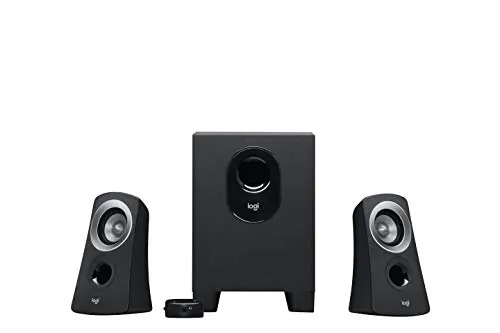
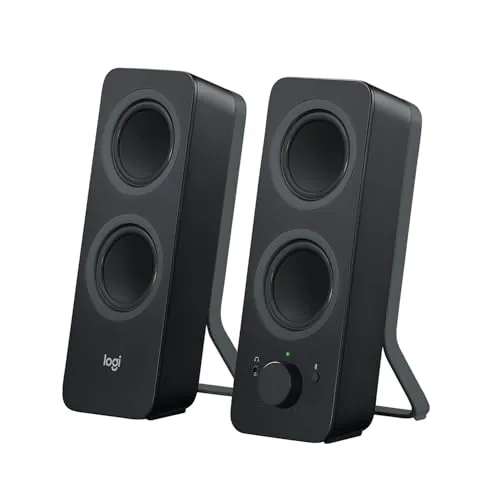
The Logitech Z313 is a 2.1 speaker system built around two satellites, a separate subwoofer and a wired control pod. The Z207 is a 2.0 stereo pair whose maker documents switching between up to two Bluetooth devices alongside a 3.5 mm input. Decide by desk layout, source switching and where you want the controls.
Read comparison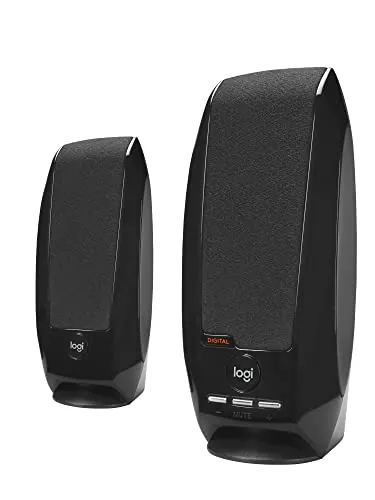
Logitech S150 vs Z150: USB Computer Audio or Analog Desk Speakers?
The black U.S. S150 (980-000028) uses one USB-A connection to a computer for both audio and power, with volume and mute buttons on the right speaker. The black Z150 (980-000802) uses an AC adapter plus analog 3.5mm audio; its right speaker has a power/volume knob, front auxiliary input and headphone jack. Choose by the ports and controls you will use. Logitech does not document how the Z150's two audio inputs behave when connected at once, nor does this comparison establish a sound-quality winner.
Read comparison