
Products compared
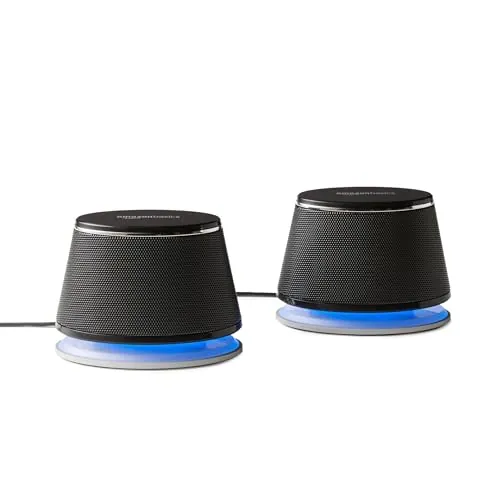
Amazon Basics
Amazon Basics Stereo 2.0 USB-Powered PC Speakers
Black 1-pair set. The exact-ASIN user guide describes USB power, a separate 3.5 mm audio lead and inline volume control.
Model V620BLACK
Amazon ASIN B07DDK3W5D
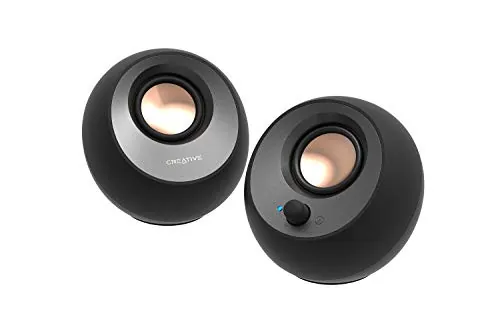
Creative
Creative Pebble V3 USB-C Desktop Speakers
Black desktop pair. Creative’s MF1700 quick-start guide lists USB Audio, Bluetooth and 3.5 mm AUX input.
Model MF1700
Amazon ASIN B08F57GSJ7
Differences that matter
What matters most to you?
Choose a priority to see what it changes.
Sources for Computer audio and power path
Sources for USB-C host, converter and High Gain power
Sources for Source and volume controls
Choose by the ports you can use
For V620BLACK, the exact-ASIN guide shows a split connection: USB power to the computer and a separate 3.5 mm audio lead to its audio output. That setup is a practical fit when your desk has both connections free and you want to keep audio wired.
Pebble V3 MF1700 lists USB Audio, Bluetooth and 3.5 mm AUX. The guide shows USB-C-to-A conversion if needed, but the computer port still needs to support the connection behavior you plan to use. With AUX, plan audio cable plus USB power.
Separate the adapter from the audio converter
Pebble V3’s USB-C-to-A converter is shown for a USB-A connection; it changes the connector path. Creative separately states that High Gain can provide up to 8 W RMS with a 10 W USB-C port or adapter, or a 5 V 2 A USB-A power adapter. The separate power adapter is not included. A suitable 10 W USB-C computer port is also listed, so check the port rather than assuming a brick is mandatory.
The AUX cable is not included. If you want to use analog audio, add that cable to your desk checklist. These are connection and operating conditions, not evidence that one pair sounds louder or better.
Picture your daily control routine
V620BLACK puts volume on an inline control; the guide’s shut-off step is disconnecting USB power. Pebble V3 has a speaker power/volume knob and a source button cycling USB Audio, Bluetooth and AUX. Choose the control location and source-changing routine that suit your desk.
Before ordering, confirm the computer and any phone or other source you plan to use, list their available ports, and check the current seller offer for cables. Creative explicitly says the AUX cable and separate power adapter are not included; the Amazon-issued guide describes hookup but is not a complete current seller package list.
Product details
Amazon Basics Stereo 2.0 USB-Powered PC Speakers
Creative Pebble V3 USB-C Desktop Speakers
- Documented input modes
- USB Audio, Bluetooth and 3.5 mm analog AUX Source
- High Gain power condition
- Up to 8 W RMS when High Gain is used with a 10 W USB-C port/adapter or 5 V 2 A USB-A power adapter; adapter not included Source
- Included connection accessory and cable caveat
- Guide shows a USB-C-to-A converter if required; AUX-in cable is not included Source
Before you buy
Community discussions
A home-office buyer has about five inches under the monitor
Creative Pebble V3 USB-C Desktop Speakers
A shopper with a small desk bought the Creative Pebble V3 and describes wanting speakers that fit in the space below their monitor.
What to check
Measure the space under your monitor and leave room for wires, the stand and any controls you will reach.
A dorm-desk setup tries to reduce visible cables
Creative Pebble V3 USB-C Desktop Speakers
A Pebble V3 owner wants their laptop, external monitor and speakers connected with only one cable visible on the work surface.
What to check
Plan which connections need to carry power and audio, and where the laptop and monitor cables will run on your own desk.
Common questions
Does V620BLACK use the 3.5 mm cable for power?
No. Its exact-ASIN guide shows USB for power and a separate 3.5 mm audio connection to the computer.USB-Powered Computer Speakers with Dynamic Sound — User Guide (exact ASIN B07DDK3W5D)
Can Pebble V3 use a USB-A computer?
The MF1700 guide shows a USB-C-to-A converter if required for its USB connection. Check that the particular USB port supports the needed USB Audio and power behavior; the converter itself is not a power adapter.Creative Pebble V3 Quick Start Guide, Model MF1700
Is a separate adapter required for Pebble V3 High Gain?
Not in every setup. The guide specifies a 10 W USB-C port, USB-C power adapter or 5 V 2 A USB-A power adapter for its up-to-8 W RMS High Gain condition. The adapter is not included; a suitable 10 W USB-C port is also listed.Creative Pebble V3 Quick Start Guide, Model MF1700
Does the Pebble V3 box include the AUX cable?
Creative’s exact MF1700 quick-start guide says the AUX-in cable is not included. Check the current offer for any seller-added bundle items.Creative Pebble V3 Quick Start Guide, Model MF1700
Which speaker sounds louder or better?
This comparison contains no matched listening test. The Pebble V3’s wattage is a documented operating specification, not evidence of a sound-quality or loudness winner over V620BLACK.Creative Pebble V3 Quick Start Guide, Model MF1700USB-Powered Computer Speakers with Dynamic Sound — User Guide (exact ASIN B07DDK3W5D)
Sources and scope
This is a source and power workflow comparison, not an audition or sound-quality test. Amazon’s exact-ASIN V620BLACK guide documents connection and control steps but does not settle every current retailer-box inclusion. Creative’s exact MF1700 quick-start guide states the AUX cable and separate power adapter are not included; its USB-C-to-A converter is a connection converter, not a power adapter. Host compatibility depends on the particular USB port and computer.
Related comparisons
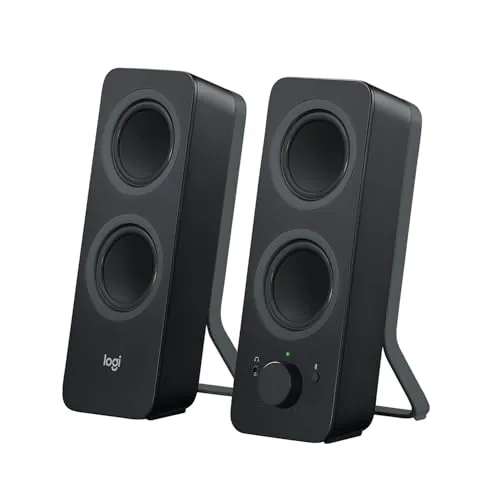
Logitech Z207 vs Creative Pebble V3: Choose by Desk Connections
For a desktop speaker setup, the black Logitech Z207 (980-001294) and Creative Pebble V3 (MF1700) solve different connection problems. Logitech documents two paired Bluetooth devices plus one 3.5 mm input and an Easy-Switch routine. Creative documents USB-C audio and power, Bluetooth 5.0 and AUX; its package material lists a USB-C-to-USB-A converter but no USB power adapter or AUX cable. Check which ports your computer actually has and whether you need separate USB power when using analog audio.
Read comparison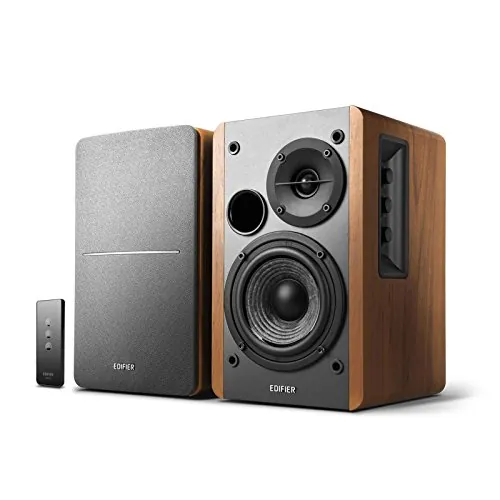
Creative Pebble V3 vs Edifier R1280T: USB Desk Speakers or Wired Bookshelf Pair?
The Creative Pebble V3 (MF1700) is the compact computer-first option: USB audio, Bluetooth 5.0 or 3.5 mm AUX, with USB power. The Edifier R1280T is a larger two-speaker wired setup with dual RCA inputs, an AC power cord, remote and side tone controls; it has no Bluetooth. Before choosing, map each source to the cable you will actually use, confirm a nearby outlet for the R1280T, and reserve space for its two cabinets. The R1280T manual says two connected sources both play, so it does not automatically switch between them. No matched listening test establishes a sound-quality winner.
Read comparison