
Products compared
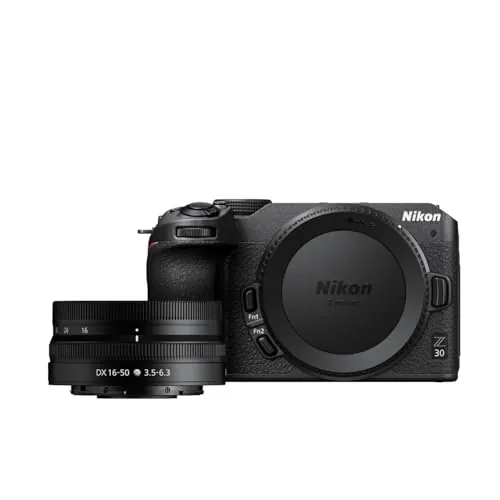
Nikon
Nikon Z 30 Mirrorless Camera, One Lens Kit with NIKKOR Z DX 16–50mm VR
The Nikon Z 30 One Lens Kit (model 1749) pairs the Z 30 with the NIKKOR Z DX 16–50mm f/3.5–6.3 VR. Nikon’s U.S. kit page distinguishes it from body-only, power-zoom, two-lens and Creator’s kit packages. Nikon’s Z 30 specifications list no viewfinder and a 3-inch vari-angle touch LCD. The 16–50mm lens uses Nikon’s in-lens Vibration Reduction. Nikon describes external USB-C power; its optional UC-E25 cable is required for USB Power Delivery, while the included UC-E24 USB-A-to-C cable charges the camera with it off.
Model 1749 (Z 30 One Lens Kit)
Amazon ASIN B0B527QM4X
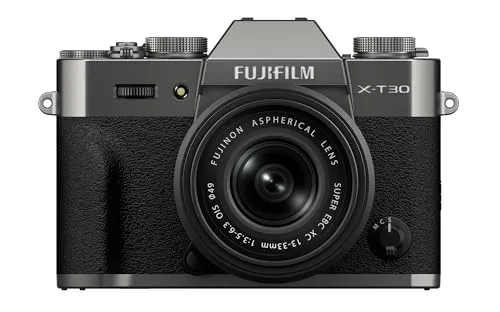
FUJIFILM
FUJIFILM X-T30 III Mirrorless Camera with XC13–33mmF3.5–6.3 OIS Lens Kit (Charcoal Silver)
This listing is the X-T30 III 16966957 kit in Charcoal Silver with the FUJINON XC13–33mmF3.5–6.3 OIS zoom. Fujifilm’s U.S. store lists the X-T30 III in an XC13–33mm kit configuration, and Fujifilm North America announced that exact camera/lens pairing. The body has a 0.39-inch OLED electronic viewfinder and a 3-inch tilt-type touchscreen. Its supplied NP-W126S battery, USB-C power/data mode setting, HDMI Micro output and 2.5mm microphone/remote connector are documented in Fujifilm’s exact-model specifications and manual.
Model 16966957 (X-T30 III + XC13–33mm kit)
Amazon ASIN B0FWVBHRLV
Differences that matter
What matters most to you?
Choose a priority to see what it changes.
Sources for Eye-level viewfinder or articulating monitor
Sources for Exact included lens and stabilization label
Sources for Video modes and microphone connection
Sources for Battery and external USB power workflow
Start with how you want to frame
The key body difference is direct: Nikon says the Z 30 has no viewfinder and gives it a vari-angle screen; Fujifilm fits the X-T30 III with an OLED EVF and a tilt-type touchscreen. If you frequently look through a finder at eye level, the Fuji has that built in. If you need to face the camera and see the screen, Nikon’s articulated panel is the documented setup. Screen design does not guarantee better visibility in sun or a more comfortable shooting position.
The Nikon 1749 One Lens Kit is not the body-only, power-zoom, two-lens or Creator’s kit. The Fujifilm 16966957 listing is shown in Charcoal Silver with the XC13–33mm lens; Fujifilm’s U.S. store and North America announcement support the X-T30 III/XC13–33mm kit pairing. Verify the finish and lens on the offer you select.
Translate each included zoom into the scene you photograph
Nikon’s included DX 16–50mm zoom corresponds to about 24–75mm on FX/full-frame, according to Nikon. The Fujifilm XC13–33mm manual gives a 20–50mm equivalent range. A wider starting field can help when you cannot step back; a longer telephoto-equivalent end frames distant or tighter subjects with less cropping in-camera. That is a field-of-view comparison, not a prediction of image quality or subject reach in a particular scene.
Both kit lenses carry a named optical stabilization system: Nikon VR in the lens, Fujifilm OIS in the lens. Treat those as manufacturer feature labels. The guide does not compare how steady photos or video look in practice.
For video, check capture modes and the microphone you already own
Fujifilm lists internal 6.2K/30p and 4K/60p recording on the X-T30 III; its manual describes selecting MOVIE from the drive options, recording with the shutter control, and changing movie settings in the movie menus. For the 100 or 200 Mbps modes, Fujifilm calls for a memory card rated V30 or better. Nikon lists 4K UHD up to 30p and Full HD up to 120p; its vari-angle screen is the display option if you want to frame yourself from in front of the camera. These are the documented mode lists, not a side-by-side video test.
The microphone sockets differ: Nikon lists a 3.5mm stereo mini-pin jack with plug-in power; Fujifilm lists a 2.5mm mic/remote jack, and its manual says plug-in-powered microphones should operate at 2 V or less. Check whether your current mic has the correct plug or needs an adapter, and confirm its power requirement. For monitoring sound on the Fuji, the manual says to convert USB-C using the supplied headphone adapter.
Plan USB power without confusing it with a recording guarantee
The Z 30 uses an EN-EL25 battery. Nikon says the included UC-E24 USB-A-to-C cable can charge it with the camera off. For Nikon’s USB Power Delivery option, use the separately sold UC-E25 USB-C-to-C cable; Nikon lists an optional EH-7P or EH-8P adapter as able to power the camera while it is on. Confirm your source and adapter before relying on continuous mains power.
The X-T30 III uses an NP-W126S battery. Fujifilm’s USB menu distinguishes power from communication: AUTO switches between them, while POWER SUPPLY ON/COMM OFF draws power from the connected device but turns data transfer off. The battery charges while the camera is off regardless of this selection. This distinction can matter if you want power and a tether/data connection at the same time; it does not promise a specific recording duration.
Product details
Nikon Z 30 Mirrorless Camera, One Lens Kit with NIKKOR Z DX 16–50mm VR
- Viewfinder and monitor
- Nikon lists no viewfinder. The body has a 3-inch vari-angle TFT touch LCD; Nikon lists 170° viewing angle and approximately 100% frame coverage. Source
- Included kit zoom and stabilization
- Nikon’s One Lens Kit pairs the Z 30 with the NIKKOR Z DX 16–50mm f/3.5–6.3 VR. The lens is a Z-mount DX zoom with 16–50mm focal length and in-lens VR; Nikon describes the DX range as approximately 24–75mm equivalent on full-frame/FX. Source
- Video and external microphone
- Nikon lists 4K UHD up to 30p and Full HD up to 120p. The body has a 3.5mm stereo mini-pin microphone jack with plug-in power; Nikon also lists USB Type-C and Type D HDMI connectors. Source
- Battery and external power
- The Z 30 uses one EN-EL25 battery. Nikon says the supplied UC-E24 USB-A-to-C cable charges in-camera with the camera off; the separately sold UC-E25 USB-C-to-C cable is needed for USB Power Delivery, and a compatible optional EH-7P/EH-8P adapter can power the camera while it is on. Source
FUJIFILM X-T30 III Mirrorless Camera with XC13–33mmF3.5–6.3 OIS Lens Kit (Charcoal Silver)
- EVF and monitor
- Fujifilm specifies a 0.39-inch OLED color EVF with approximately 2.36 million dots and a 3-inch tilt-type touchscreen LCD with approximately 1.62 million dots. Source
- Included kit zoom and stabilization
- The kit includes the XC13–33mmF3.5–6.3 OIS. Its exact-model lens manual gives 13–33mm focal length, 20–50mm 35mm-format equivalent and OIS; Fujifilm’s X-T30 III announcement identifies this kit pairing. Source
- Video and external microphone
- Fujifilm lists internal 6.2K/30p and 4K/60p modes. The exact-model specifications list a 2.5mm microphone/remote connector, USB-C and HDMI Micro; the manual gives external-microphone plug-in power of 2 V or less when required by the microphone. Source
- Battery and USB power mode
- The supplied battery is NP-W126S. Fujifilm’s menu manual says AUTO switches between power and data; POWER SUPPLY ON/COMM OFF draws power from the connected device but disables data transfer. The battery charges while the camera is off regardless of the setting. Source
Before you buy
Community discussions
Deciding how to frame outdoor still photos
Nikon Z 30 Mirrorless Camera, One Lens Kit with NIKKOR Z DX 16–50mm VR
A photographer considering the Nikon Z 30 wondered whether they would miss an eye-level viewfinder when composing still photos outdoors.
What to check
Picture how you hold the camera when composing outside. Decide whether you would rather use the rear screen or look through a viewfinder.
Choosing a first kit lens for street and everyday photos
Nikon Z 30 Mirrorless Camera, One Lens Kit with NIKKOR Z DX 16–50mm VR
A prospective Nikon Z 30 buyer considering the 16–50mm kit wanted to photograph street scenes and everyday moments without buying another lens.
What to check
List the scenes you expect to photograph and compare framing with the included 16–50mm and 13–33mm kit lenses before deciding whether either range fits your plans.
Common questions
Which kit lens offers the wider equivalent view?
The Fujifilm XC13–33mm kit is specified as 20–50mm equivalent in 35mm format. Nikon’s 16–50mm DX kit zoom is described by Nikon as approximately 24–75mm equivalent on full-frame/FX. The Fuji starts wider; the Nikon reaches farther at the long end.What Can You Do With a Nikon Kit Lens?FUJINON XC13–33mmF3.5–6.3 OIS Lens Owner’s Manual
Can I compose at eye level with both cameras?
No. Nikon lists no viewfinder on the Z 30; its composition display is a vari-angle screen. Fujifilm specifies an electronic OLED viewfinder on the X-T30 III as well as a tilting touchscreen.Nikon Z 30 Mirrorless Camera (Model 1749) — U.S. Product PageFUJIFILM X-T30 III — U.S. Specifications
What should I check before plugging in an external microphone or USB power?
Z 30 lists a 3.5mm microphone jack and needs the optional UC-E25 USB-C-to-C cable for USB Power Delivery. X-T30 III uses a 2.5mm microphone jack; its manual specifies no more than 2 V when a microphone requires plug-in power. Fujifilm’s USB Power Supply ON/Comm OFF setting draws external power but disables data transfer. Check the mic and power-source requirements for your exact setup.Nikon Z 30 Mirrorless Camera (Model 1749) — U.S. Product PageHow to Charge a Nikon Z Series Mirrorless Camera Using USBFUJIFILM X-T30 III Manual — Movie RecordingFUJIFILM X-T30 III Manual — Network/USB Setting Menu
Sources and scope
This guide compares manufacturer specifications for the Nikon Z 30 16–50mm One Lens Kit (model 1749) and Fujifilm X-T30 III 16966957 with XC13–33mm kit. It does not test image quality, autofocus, video quality, stabilization, battery runtime, display visibility or handling. Nikon lists no viewfinder on the Z 30 and a vari-angle touch LCD; Fujifilm lists an OLED EVF and a tilt-type touch LCD on X-T30 III. The Nikon page describes the 16–50mm kit lens with VR, and the Fujifilm kit includes the XC13–33mm OIS lens; these lens systems do not establish equivalent stabilization performance. Fujifilm’s 16966957 listing identifies Charcoal Silver; its U.S. manufacturer page identifies the body/kit but does not show color-selection text in the captured page. Confirm the color on the selected offer; technical statements refer to the named camera/lens models. Nikon describes its 16–50mm DX zoom as equivalent to 24–75mm on FX/full frame; Fujifilm’s lens manual gives a 20–50mm equivalent for its 13–33mm zoom. These equivalents compare framing, not image output.
- Nikon Z 30 Mirrorless Camera (Model 1749) — U.S. Product Page
- Nikon Z 30 — Choose Your Kit
- NIKKOR Z DX 16–50mm f/3.5–6.3 VR — U.S. Lens Specifications
- What Can You Do With a Nikon Kit Lens?
- How to Charge a Nikon Z Series Mirrorless Camera Using USB
- FUJIFILM X-T30 III — U.S. Product Page
- FUJIFILM X-T30 III — U.S. Specifications
- FUJIFILM North America: X-T30 III Kit with XC13–33mm Lens Announcement
- FUJINON XC13–33mmF3.5–6.3 OIS Lens Owner’s Manual
- FUJIFILM X-T30 III Manual — Network/USB Setting Menu
- FUJIFILM X-T30 III Manual — Technical Specifications
- FUJIFILM X-T30 III Manual — Movie Recording
Related comparisons
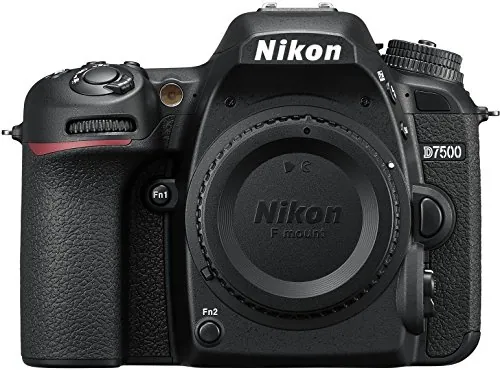
Nikon D7500 vs Z 30: Viewfinder, Lens Mount and Kit Contents
The D7500 is a body-only F-mount DSLR with an eye-level optical viewfinder and tilting rear screen. This Z 30 listing is the 16–50mm lens kit: it has no viewfinder, a vari-angle screen and Nikon Z mount. If you own F-mount glass, check exact lens and function compatibility before choosing an adapter path.
Read comparison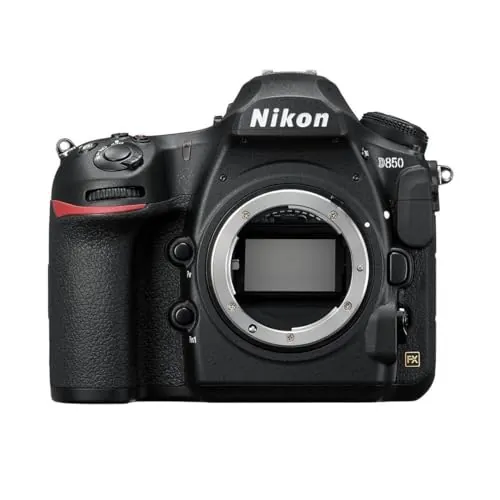
Nikon D850 vs Z 6II: Check F-Lens Functions, Stills and 4K60
The D850 keeps an F-mount lens on a native F mount; the Z 6II can use many F lenses through an FTZ adapter, but autofocus and other functions depend on the exact lens. D850 records larger listed FX and DX still dimensions. Z 6II adds in-camera 4K UHD 60p/50p under firmware, DX-area and 8-bit conditions. Compare the lens nameplate, required crop and media workflow before buying either body.
Read comparison