Products compared
Nintendo
Nintendo Switch 2 System
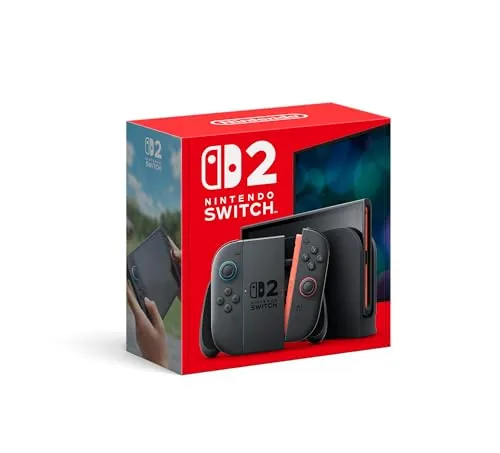
This exact U.S. System package lists the console, two Joy-Con 2 controllers, Joy-Con 2 grip and straps, AC adapter, USB-C charging cable, Switch 2 dock and HDMI cable. Nintendo says games are sold separately. The standard package gives you a documented handheld, tabletop and dock-to-TV setup; check each older Switch game before relying on it.
Model BEESKB6AA (Nintendo US SKU 123669)
Amazon ASIN B0F3GWXLTS
Valve Steam Deck
Steam Deck OLED 512GB
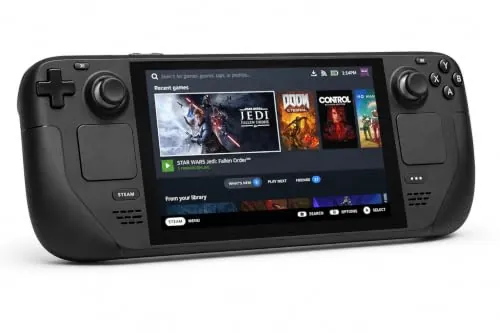
Valve's 512GB OLED configuration lists a 512GB NVMe SSD, 7.4-inch HDR OLED screen, 45W power supply and carrying case. Valve's per-game Deck ratings help check a Steam library before purchase. The official Docking Station is a separate TV and peripheral connection option; Valve also documents compatible third-party docks and hubs.
Model Steam Deck OLED 512GB (Valve configuration)
Amazon ASIN B0CQ3RWQQZ
Differences that matter
What matters most to you?
Choose a priority to see what it changes.
Sources for Library and game-compatibility check
Sources for Handheld, tabletop and TV setup
Sources for Built-in screen and supported output modes
Sources for Built-in and removable storage
Sources for Controls for portable and shared play
Start with the game list, not the platform label
These systems use separate game libraries. Nintendo describes Switch 2 support for compatible physical and digital Switch games, though some earlier titles may not be supported or fully compatible. Valve rates Steam titles one at a time as Verified, Playable, Unsupported or Unknown, and the review is ongoing.
Before you buy, write down the games that decide the purchase. Check Nintendo's current compatibility entry for each Switch game and Valve's current Deck status for each Steam game. A platform name alone cannot tell you how your specific list will fit.
Map the TV or tabletop routine before choosing
The Switch 2 System package listed by Nintendo includes its dock, HDMI cable, two detachable Joy-Con 2, grip, AC adapter and charging cable. Nintendo documents handheld, tabletop and TV modes. For a household that wants to open the box and connect the console to a TV, those are concrete included pieces; Nintendo lists games separately.
Deck OLED can send video over USB-C. Valve's Docking Station page describes TV play with wireless controllers and says other compatible hubs or docks can also be used. Draw your own setup: console-to-TV input, dock or hub placement, power connection and whether you want an external controller. Confirm the chosen accessory supports the display and controller arrangement you plan to use.
Compare listed screen modes with your display
Nintendo lists Switch 2's built-in screen as a 7.9-inch, 1920 × 1080 LCD. Its technical specifications list handheld and tabletop output up to 1080p and docked TV output up to 4K at 60 fps; 1080p or 1440p TV output can support up to 120 fps. Nintendo conditions TV modes on supported games and a compatible display.
Valve lists the 512GB Deck OLED with a 7.4-inch, 1280 × 800 HDR OLED panel up to 90Hz and USB-C DisplayPort output. Its technical page lists external output up to 4K at 120Hz. These are display capabilities and connection modes, not game frame rates or a same-game image-quality result. Check your display's inputs and the titles you play.
Check storage capacity and the card already in your drawer
Switch 2 has 256GB of internal UFS storage, with some reserved for system use. Nintendo says game-data expansion uses microSD Express cards, up to 2TB. A non-Express microSD card from an older Switch cannot store or load games or save data on Switch 2; Nintendo limits that card's use there to importing captured screenshots and videos.
Steam Deck OLED 512GB starts from a 512GB NVMe SSD and has a microSD slot. Valve's OLED technical specifications list UHS-I support for SD, SDXC and SDHC. If you plan to expand storage, check the card format printed on the card and make sure it matches the system rather than assuming the two use the same standard.
A practical pre-buy checklist
1. Mark each must-play title as a Switch 2/Switch game or a Steam game, then check the manufacturer's current title-specific compatibility information.
2. For Switch 2, verify the listing is the standard System with its dock, HDMI cable and Joy-Con 2 kit. For Deck TV play, choose a compatible USB-C dock or hub and decide whether you want an external wireless controller.
3. Check how much internal storage you need and identify any existing card by format. Switch 2 game expansion needs microSD Express; Deck OLED lists UHS-I SD/SDXC/SDHC support.
4. Compare the listed handheld panel and your TV/monitor inputs, but do not treat a maximum output mode as a guarantee for any particular game's frame rate or rendering.
Product details
Nintendo Switch 2 System
- Included home-play kit
- System package includes the Switch 2 dock, two detachable Joy-Con 2, grip, straps, AC adapter and HDMI cable; games sold separately. Source
- Screen and output modes
- Built-in 7.9-inch 1920 × 1080 LCD; Nintendo lists handheld/tabletop output up to 1080p and TV output up to 4K at 60 fps. 1080p or 1440p TV output can support up to 120 fps; supported game and compatible display conditions apply. Source
- Storage expansion
- 256 GB internal UFS storage, with some reserved for the system; game data expansion requires microSD Express. Nintendo lists support up to 2 TB. Source
Steam Deck OLED 512GB
- 512GB configuration
- Valve lists a 512GB NVMe SSD, 7.4-inch 1280 × 800 HDR OLED display, up to 90Hz refresh, 45W power supply and carrying case. Source
- External display and controller path
- Valve lists DisplayPort over USB-C; its Docking Station connects Deck to a TV and supports wireless controllers. A compatible display, dock or hub and any desired controller should be checked against your setup. Source
- Storage expansion
- The 512GB NVMe configuration has a microSD slot; Valve's OLED specifications list UHS-I support for SD, SDXC and SDHC cards. Source
Before you buy
Community discussions
A 512GB OLED buyer weighs installed-library size
Steam Deck OLED 512GB
A buyer who ordered the Steam Deck OLED 512GB says they tend to leave games installed until storage prompts a deletion, though they usually play only one or a few large games at once. Their post makes the number of titles kept installed together a useful capacity question; it does not establish how games perform from a memory card.
What to check
List the games you want installed at the same time and ask whether removing finished titles when space runs low fits your routine before choosing between these systems.
Common questions
Will my Nintendo Switch games run on Switch 2?
Nintendo says Switch 2 can play compatible physical and digital Switch games, but some older titles may not be supported or fully compatible. Check the current compatibility status for each title you plan to use.Nintendo Switch 2: System Features and Play ModesNintendo Switch Game Compatibility with Nintendo Switch 2
Does every Steam game work on the Steam Deck OLED?
Valve assigns ratings by game. Verified is intended to work out of the box, Playable may need user adjustments, Unsupported currently does not function on Deck, and Unknown means it has not been checked. Review the current entry for each game you care about.Steam Deck Verified
Which one includes a dock and TV cable in this exact package?
Nintendo's U.S. Switch 2 System contents list the dock and an HDMI cable. Valve documents TV play over USB-C and offers its Docking Station as an option; check the exact Deck offer contents and your chosen display accessory before buying.Nintendo Switch 2 SystemSteam Deck Docking StationIntroducing Steam Deck OLED
Can I reuse my older Switch microSD card for games on Switch 2?
No. Nintendo says Switch 2 uses microSD Express for game data; a non-Express microSD card previously used with Switch can only transfer screenshots and videos. The Deck OLED specs list a different UHS-I card path for SD, SDXC and SDHC.microSD Card and microSD Express Card Compatibility with Nintendo Switch 2 and Nintendo SwitchSteam Deck OLED Tech Specs
Are the listed screen or output rates a promise about a game?
No. They are manufacturer-listed display and output modes. Nintendo conditions higher TV modes on supported games and compatible displays; the Steam Deck output figures describe its USB-C display path. Neither figure is a measured or guaranteed frame rate for a specific game.Nintendo Switch 2 Technical SpecsNintendo Switch 2: System Features and Play ModesSteam Deck OLED Tech Specs
Sources and scope
This is a source-based platform and setup comparison, not a hands-on test. It does not rank frame rate, image quality, battery life, comfort or game performance. Compatibility is title-specific on both systems: check the current status of the exact games you plan to play.
- Nintendo Switch 2 System
- Nintendo Switch 2: System Features and Play Modes
- Nintendo Switch Game Compatibility with Nintendo Switch 2
- Nintendo Switch 2 Technical Specs
- microSD Card and microSD Express Card Compatibility with Nintendo Switch 2 and Nintendo Switch
- Introducing Steam Deck OLED
- Steam Deck OLED Tech Specs
- Steam Deck Verified
- Steam Deck Docking Station