
Products compared
Olight
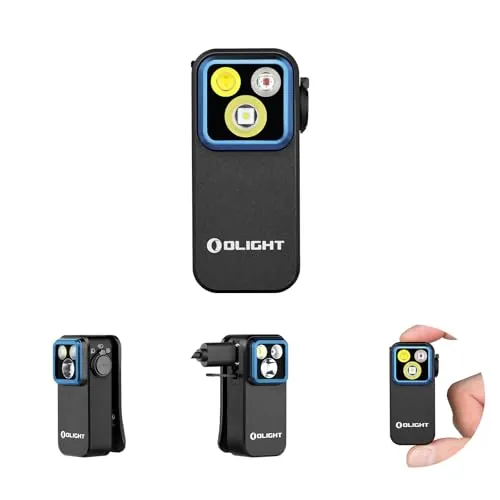
Olight Oclip Pro Rechargeable Clip-On Light
A clip-on light with a magnetic clip and lanyard hole. Its selector changes between spotlight, floodlight, and red light. This is the original Oclip Pro, not Oclip Pro S or Oclip Ultra.
Model Original Oclip Pro, Black
Amazon ASIN B0DDC4MH84
Streamlight
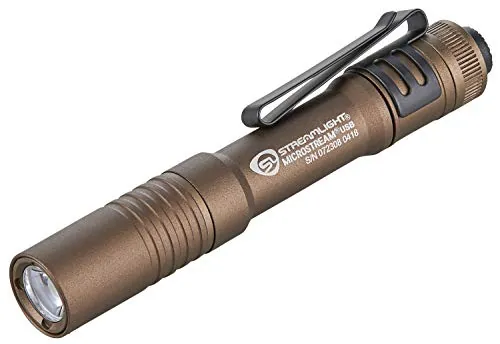
Streamlight MicroStream USB Pocket Light
The assigned Coyote 66608 version has a removable pocket clip and a tail switch with high and low modes. Streamlight's item sheet lists a 5-inch micro-USB charging cord in the Coyote clam-pack box.
Model MicroStream USB 66608, Coyote, clam pack
Amazon ASIN B07DLZXZV1
Differences that matter
What matters most to you?
Choose a priority to see what it changes.
Sources for Light source and control routine
Sources for Charging connection to check
Sources for Package identity to confirm
Start with where you need the light to sit
Both are clip-on lights, but the manufacturer documents emphasize different placements. Oclip Pro has a clip and lanyard hole, and its manual calls the clip magnetic. Streamlight describes the MicroStream USB's removable pocket clip as suitable for a hat brim. If the work puts your hands elsewhere, decide whether you will actually use a brim, lanyard, pocket edge, or magnetic surface, then check that attachment point and the light's direction before buying.
Treat these as documented options, not exclusive abilities or a fit guarantee. Olight notes that metal powder on the magnetic clip can affect its function, so a dusty metal-work area adds a small cleanup step. Neither source tests attachment stability on your particular clothing, tool, or surface.
Choose the control sequence you prefer
Oclip Pro uses a selector to choose spotlight, floodlight, or red light; its button handles power and brightness. MicroStream USB uses a tail switch for high and low modes, with a double tap to change modes. Streamlight's item sheet also lists momentary or constant-on operation. These are different control menus, not evidence that one light gives better illumination or works better in a given setting.
If the intended task calls for changing between source types, Oclip Pro documents that selector. If high/low and Streamlight's documented brim clip are all you need, MicroStream USB gives the simpler listed choice.
Check the exact connector before reusing a cable
Olight's Oclip Pro manual specifies USB-C charging. Streamlight's product family page calls MicroStream USB rechargeable and describes the covered charging port; its January 2025 Coyote 66608 clam-pack item sheet identifies the included cord as 5-inch micro-USB. That dated package document is the best match for this exact Streamlight color and item number.
If you are buying to match an existing cable, verify the current seller's exact 66608 package or inspect the received unit before relying on the connector. Do not transfer contents from another MicroStream item number or color.
Product details
Olight Oclip Pro Rechargeable Clip-On Light
Before you buy
Community discussions
The OClip Pro is a rugged little light
Olight Oclip Pro Rechargeable Clip-On Light
An Oclip Pro owner carries it in a pocket at work and says a key ring once caught the light’s magnet.
What to check
If you carry keys and a light in the same pocket, check where the clip and magnet would sit.
Common questions
Can the Oclip Pro attach magnetically?
Its user manual identifies the clip as magnetic and says metal powder on it can affect its function. Check the target surface and intended orientation yourself; the document does not report hold strength or attachment stability.Oclip Pro User Manual, Version D
Can the MicroStream USB clip onto a hat brim?
Yes. Streamlight's product page describes its removable pocket clip as also clipping onto a hat brim for hands-free use. This is a documented use, not a guarantee for every brim thickness or orientation.Streamlight MicroStream USB Pocket Light product pageStreamlight MicroStream USB Info Sheet with Part Numbers, January 2025
What charging cable comes with the Coyote MicroStream USB 66608?
Streamlight's January 2025 item sheet lists the Coyote 66608 clam pack with a 5-inch micro-USB cord. Check the exact current listing or received version if you need a particular connector; this statement is tied to that item sheet and package.Streamlight MicroStream USB Info Sheet with Part Numbers, January 2025
Do the extra Oclip Pro light modes mean it illuminates better?
No such conclusion follows from these controls. Oclip Pro selects spotlight, floodlight, and red light, while MicroStream USB selects high and low; no matched illumination or placement test is used here.Oclip Pro User Manual, Version DStreamlight MicroStream USB Pocket Light product page
Sources and scope
This guide compares manufacturer-documented placement hardware, controls, and the Coyote 66608 package; it does not test beam coverage, brightness, stability, comfort, runtime, or durability. The Streamlight product page describes the product family, while its January 2025 info sheet identifies Coyote clam-pack item 66608 and its included micro-USB cable. Confirm the exact connector on the listing or received unit if cable matching is essential.
Related comparisons
Olight i3T 2 EOS vs Streamlight MicroStream USB: Battery and Button Workflow
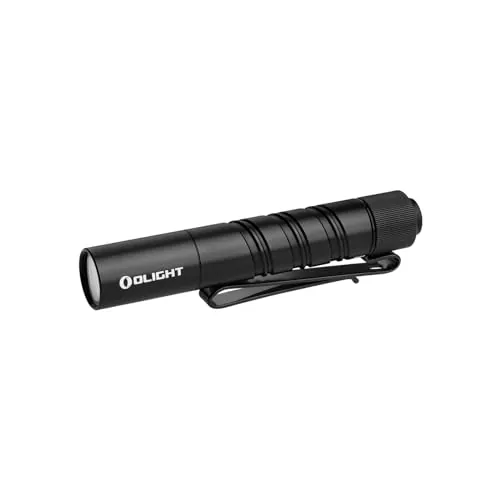
For an everyday pocket or household flashlight, the practical difference is how you keep it ready and select low output. The black Olight i3T 2 EOS (I3T2-BK-300000) is supplied with one AAA alkaline battery and lets you set its initial brightness. The Coyote Streamlight MicroStream USB 66608 recharges its lithium-ion cell through a covered micro-USB port; Streamlight lists a short cable and lanyard in this exact color/package row. Check which battery routine and button sequence you will actually use, then verify the full model and included items on the retailer page.
Read comparison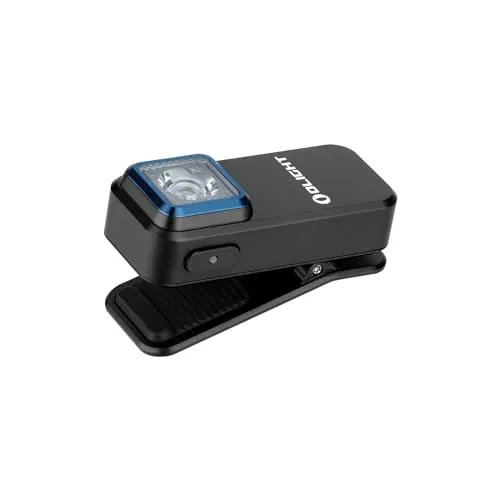
Olight Oclip Mini vs Oclip Pro: Which Clip Light Fits Your Routine?
The listing data-listed Oclip Mini (model OCLIP-BK-300000) uses a double-press to switch between white and red light in its manual; Oclip Pro uses a rotary selector for floodlight, spotlight and red-light modes. Both manuals show a clip and magnetic attachment option. Check the exact product label and intended attachment point before ordering.
Read comparison