
Products compared
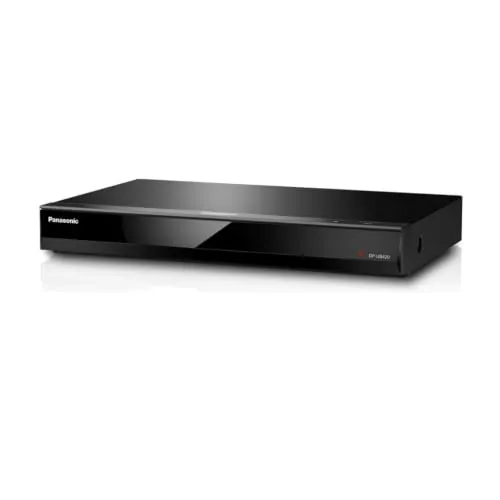
Panasonic
Panasonic 4K Blu-ray Player DP-UB420-K
listed model suffix -K. Panasonic's U.S. support page lists DP-UB420K; the U.S. owner manual identifies DP-UB420. It documents Ultra HD Blu-ray, BD-Video, DVD-Video and Music CD, but explicitly lists Super Audio CD as unsupported.
Model DP-UB420-K
Amazon ASIN B07YD3PXQP
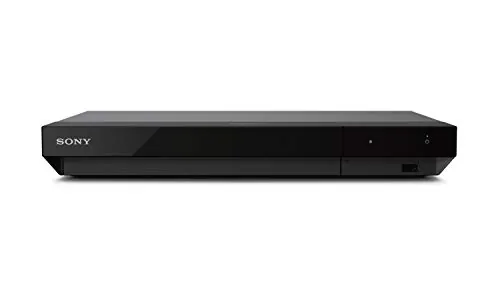
Sony
Sony UBP-X700U 4K Ultra HD Blu-ray Player
Sony's U.S. product page identifies the exact UBP-X700U model. Sony's UBP-X700/U manual lists Ultra HD Blu-ray, BD, DVD, CD and Super Audio CD, and describes an HDMI cable included specifically for UBP-X700/U.
Model UBP-X700U
Amazon ASIN B0DWH36G9J
Differences that matter
What matters most to you?
Choose a priority to see what it changes.
Sources for Discs you want to play
Sources for HDR formats and setup dependencies
Sources for Receiver wiring and digital audio
Sources for Cable and standard box contents
Choose by the discs on your shelf
Both manuals list Ultra HD Blu-ray, standard Blu-ray, DVD and CD playback. The clearest media-format split is SACD: Sony's UBP-X700/U manual includes Super Audio CD, and Panasonic's DP-UB420 manual names it as unsupported. If that format matters, the Sony documentation is decisive; if it does not, move on to the connections and HDR setup.
Recorded discs have their own conditions. Panasonic says some recorded media must be finalized, and Sony notes that playback can depend on disc type, version and finalization. Check the exact disc format rather than assuming all recordable discs work.
Match HDR to the whole signal chain
Panasonic's DP-UB420 manual says its HDR10+ option only works when an HDR10+-compatible device is connected and an HDR10+ disc is playing. The quick-start guide also calls for HDCP 2.2, 4K/60p (4:4:4) and HDR capability for Ultra HD Blu-ray 4K/HDR viewing.
Sony's UBP-X700/U manual describes a Dolby Vision Output option and requires a compatible display and HDMI chain, with an 18 Gbps cable and the setting enabled. However, Sony's own support materials conflict on Dolby Vision for UBP-X700/U, and Panasonic's firmware page uses a DP-UB420P suffix rather than the assigned DP-UB420-K. Treat Dolby Vision as a verify-before-buy issue for both exact offers.
Map the outputs to your TV and receiver
Panasonic labels separate HDMI VIDEO OUT and HDMI AUDIO OUT jacks and also provides optical digital audio. Its manual shows how to send video to a 4K TV and audio separately to a receiver; it warns that HDMI AUDIO OUT cannot carry 4K or HDR in the documented Video+Audio setting.
Sony labels HDMI OUT 1 for video and audio, HDMI OUT 2 for audio only, and includes a coaxial digital audio output. Before choosing either unit, compare those connectors with the inputs on your exact television, receiver or soundbar. If you need a particular legacy route, confirm that the receiving device accepts the intended signal.
Make the cable and bundle check before checkout
Panasonic's U.S. manual's accessory list names the remote, two batteries and AC power cord, but does not list an HDMI cable. Sony's UBP-X700/U manual specifically lists a High Speed HDMI cable rated for 18 Gbps, along with its power adaptor, remote and two AAA batteries.
Use these as manufacturer-listed standard-box contents, not a guarantee about every Amazon seller bundle. Match the product title and suffix to the assigned model, inspect the seller's included-items list, and confirm cable length and format rating for your rack.
Product details
Panasonic 4K Blu-ray Player DP-UB420-K
- Supported disc families
- Ultra HD Blu-ray, BD-Video, DVD-Video and Music CD are listed; Super Audio CD is listed among formats that cannot be played. Source
- Video and audio connections
- Two HDMI outputs (HDMI VIDEO OUT and HDMI AUDIO OUT), optical digital audio, and LAN; Panasonic documents connecting video to the TV and audio to a receiver separately. Source
- HDR10+ setup
- The owner manual says HDR10+ can be enabled when a compatible device is connected and an HDR10+ disc is playing. Source
- Manual-listed accessories
- Remote, two remote batteries and AC power cord; the manual's supplied-accessory list does not list an HDMI cable. Source
Sony UBP-X700U 4K Ultra HD Blu-ray Player
- Supported disc families
- Ultra HD Blu-ray, BD-ROM/BD-R/BD-RE, DVD-ROM/DVD±R/RW, CD/CD-R/RW and Super Audio CD. Source
- Video and audio connections
- HDMI OUT 1 carries video and audio; HDMI OUT 2 is audio-only. The rear panel also has coaxial digital audio and LAN. Source
- Dolby Vision setup
- The UBP-X700/U manual describes Dolby Vision Output and says a compatible TV, 18 Gbps HDMI cable and matching connected-device support are required; the setting must be enabled. Source
- Manual-listed accessories
- For UBP-X700/U only, the manual lists a High Speed HDMI cable rated for 18 Gbps, along with an AC adaptor, remote and two AAA batteries. Source
Before you buy
Community discussions
Check HDR setup against the exact revision
Sony UBP-X700U 4K Ultra HD Blu-ray Player
A shopper considering the UBP-X700U wanted a simpler way to switch between Dolby Vision and HDR than on their older UBP-X700.
What to check
Check how the exact UBP-X700U and DP-UB420-K handle your display’s HDR formats and whether either requires a settings change between discs.
Common questions
Can the Panasonic DP-UB420 play Super Audio CDs?
No. The U.S. DP-UB420 manual lists Super Audio CD among the disc types the unit cannot play. Sony's UBP-X700/U manual lists SACD support.DP-UB420 Owner's Manual (U.S.) — PanasonicUBP-X700/U Operating Instructions — Sony
Does the DP-UB420-K support Dolby Vision?
The available official documentation does not establish this confidently for the assigned -K offer. The U.S. DP-UB420 manual documents HDR10+ settings but does not mention Dolby Vision; Panasonic's U.S. firmware page lists DP-UB420P and a version that added Dolby Vision support. Confirm the exact suffix and installed firmware before relying on it.DP-UB420 Owner's Manual (U.S.) — PanasonicDP-UB9000/UB820/UB420 Firmware Download (United States) — Panasonic
Does the Sony UBP-X700U support Dolby Vision?
Sony's UBP-X700/U manual describes Dolby Vision Output, but a Sony support article for UBP-X700/U says Dolby Vision is not supported. Because the official material conflicts for this model family, ask Sony about the exact UBP-X700U and firmware before buying for Dolby Vision.UBP-X700/U Operating Instructions — SonySupported Sound Characteristics and Audio Formats for UBP-X700/U — Sony Support
Is an HDMI cable included?
Panasonic's U.S. accessory list names a remote, batteries and AC cord, but not HDMI. Sony's UBP-X700/U manual specifically lists a High Speed HDMI cable supporting 18 Gbps for UBP-X700/U. Check the selected seller bundle.DP-UB420 Basic Owner's Manual / Quick Start (U.S.) — PanasonicUBP-X700/U Operating Instructions — SonyUBP-X700U 4K Ultra HD Blu-ray Player — Sony Electronics U.S.
Sources and scope
Feature and setup comparison using U.S. manufacturer materials for the DP-UB420 model and UBP-X700/U family, plus Sony's exact UBP-X700U product page. No picture-quality, loading-speed, reliability or hands-on test is claimed. Official Sony materials conflict on whether UBP-X700/U supports Dolby Vision, and Panasonic's firmware listing uses a DP-UB420P suffix; treat Dolby Vision compatibility for the exact assigned offers as unresolved until the exact device/firmware is confirmed. Retailer bundle contents can differ from manufacturer package lists.
- DP-UB420 Owner's Manual (U.S.) — Panasonic
- DP-UB420 Basic Owner's Manual / Quick Start (U.S.) — Panasonic
- DP-UB420K Product Guide — Panasonic Support
- DP-UB9000/UB820/UB420 Firmware Download (United States) — Panasonic
- UBP-X700/U Operating Instructions — Sony
- UBP-X700U 4K Ultra HD Blu-ray Player — Sony Electronics U.S.
- Supported Sound Characteristics and Audio Formats for UBP-X700/U — Sony Support
Related comparisons
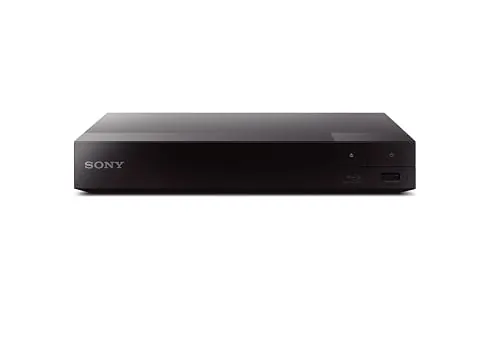
Sony UBP-X700U vs BDP-S1700U: UHD Discs, HDR Setup and Receiver Fit
The Sony UBP-X700U is the fit when Ultra HD Blu-ray playback is part of your library, or when its second, audio-only HDMI output solves a specific 4K-TV and non-4K-receiver setup. Sony's manual requires compatible equipment and an HDMI cable supporting 18 Gbps for its higher-definition formats, with TV settings to check. The BDP-S1700U is a Full HD player for Blu-ray, DVD and CD libraries; its manual documents one HDMI output plus coaxial audio and a smaller 9 1/8 × 7 3/4-inch footprint. Check your exact discs, receiver inputs and shelf depth before choosing. No picture or sound performance was measured.
Read comparison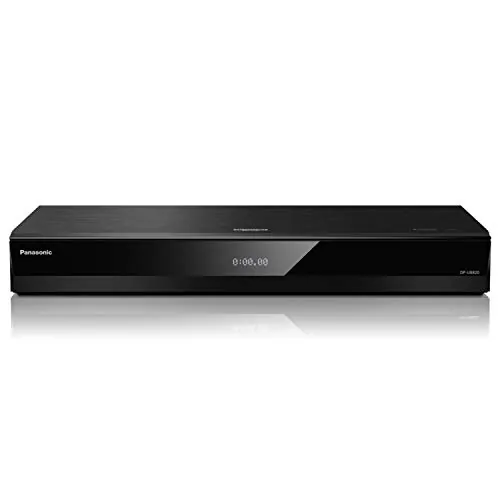
Panasonic UB820 vs UB420: Dolby Vision, Receiver Outputs, and Fit
For an existing DP-UB420-K owner, the UB820-K adds Dolby Vision playback when both a disc and display support it, plus 2-channel and 7.1-channel analog audio outputs. Both list HDR10+, HDR10, HLG, twin HDMI outputs, and optical audio. Check your display and receiver inputs, HDMI routing, and shelf width before treating this as an upgrade need; Panasonic's feature documents do not establish a picture-quality winner.
Read comparison