
Products compared
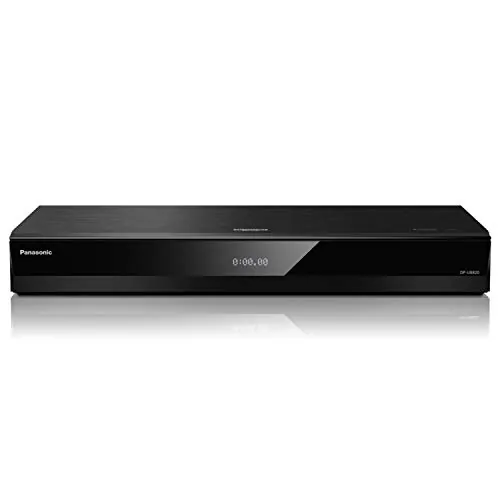
Panasonic
Panasonic DP-UB820-K 4K Blu-ray Player
U.S. model; compared here as an existing-player upgrade from DP-UB420-K. Verify the Amazon listing remains this exact model.
Model DP-UB820-K
Amazon ASIN B07N3PQM5N
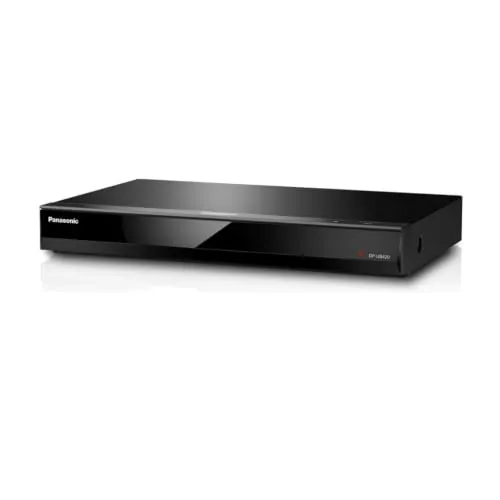
Panasonic
Panasonic DP-UB420-K 4K Blu-ray Player
U.S. model; the existing player in this upgrade comparison. Verify the Amazon listing remains this exact model.
Model DP-UB420-K
Amazon ASIN B07YD3PXQP
Differences that matter
What matters most to you?
Choose a priority to see what it changes.
Sources for Receiver audio connections
Sources for Player shelf space
Sources for Split HDMI setup
Upgrade for a Dolby Vision use case, not a format badge alone
Panasonic's U.S. pages list HDR10+, HDR10, and HLG for both players. Its comparison table marks Dolby Vision playback for the UB820 but not the UB420. Panasonic's UB820 manual says Dolby Vision playback requires a Dolby Vision-capable connected device and Dolby Vision-encoded content. That makes the upgrade decision concrete: check your TV or projector model and the discs you watch before paying for a feature that may not be used in your setup.
Do not turn this format difference into a promise that every movie will look better on UB820. These are manufacturer feature and setup documents, not a controlled picture comparison. Also note Panasonic's manual condition for the UB820: if a disc or content and display support both Dolby Vision and HDR10+, and both features are enabled, HDR10+ takes precedence for playback.
Match outputs to the receiver you already own
Both model manuals show separate HDMI VIDEO OUT and HDMI AUDIO OUT terminals and an optical digital audio output. UB820 adds analog audio output terminals selectable for 2-channel or 7.1-channel use. If your existing receiver has multichannel analog inputs and that connection is important to you, the UB820 documents the needed player-side output. If your receiver uses HDMI or optical, compare its exact inputs and settings against the UB420 manual before treating the extra analog outputs as useful.
For a display plus separate receiver, Panasonic documents HDMI VIDEO OUT to the television and HDMI AUDIO OUT to an audio system. Its manuals say to set HDMI AUDIO OUT for audio-only use in that arrangement and warn that this terminal is not a 4K output. The TV receives video from HDMI VIDEO OUT; check the receiver's input support and the exact settings instead of assuming an older AVR passes 4K/HDR video.
Measure the shelf before replacing the player
Panasonic lists UB820 at 430 × 62 × 208 mm and UB420 at 320 × 45 × 199 mm, measured width by height by depth including projecting parts. The UB820 takes more width and height. Measure the cabinet opening and player position, then allow for cables and follow that model's ventilation instructions; the listed body dimensions do not specify safe operating clearance.
A quick keep-or-replace worksheet
Keep the UB420 if your display and disc collection use HDR10+, HDR10, or HLG and your receiver works with its HDMI or optical outputs. Consider UB820 if you can name a Dolby Vision disc-and-display use case, or if the receiver specifically needs multichannel analog input from the player. Then check the receiver's exact inputs, your HDMI video path, and the 430 mm UB820 shelf width. If none of those checks identifies a feature you will use, this evidence does not establish a reason to replace a working UB420.
Product details
Panasonic DP-UB820-K 4K Blu-ray Player
Panasonic DP-UB420-K 4K Blu-ray Player
- HDR formats
- HDR10+, HDR10, and HLG; Panasonic's product comparison does not mark Dolby Vision playback for UB420 Source
- Audio outputs
- Two HDMI outputs and optical digital audio; the manual's output-connector list does not include analog audio terminals Source
- Body dimensions
- 320 × 45 × 199 mm (W × H × D, including projecting parts) Source
Before you buy
Community discussions
A UB820 owner noticed a pause-and-resume brightness change with an LG G6
Panasonic DP-UB820-K 4K Blu-ray Player
An owner who identified the player as a UB820 said they changed from Dolby Vision Mode 2 to Mode 1 while using a new LG G6. With a 4K copy of Spectre, they noticed the scene looked brighter while paused and dimmer after playback resumed, and asked whether that was expected. The post does not establish a cause or a general result; it does not state the U.S. suffix.
What to check
If Dolby Vision behavior is central to your choice, check the processing options available with your own display and test a disc in that exact setup. This owner's pause/resume observation does not establish a fault or a preferred mode.
Reading the HDR format during playback
Panasonic DP-UB820-K 4K Blu-ray Player
A DP-UB820-K owner using a TCL QM7 said the playback screen showed HDR10+ when they expected Dolby Vision.
What to check
Before buying for a specific HDR format, pick a disc you own and confirm what the disc, player and TV each report during playback.
Common questions
Does the UB820 support more HDR formats than the UB420?
Panasonic lists HDR10+, HDR10, and HLG for both. Its U.S. product comparison marks Dolby Vision playback for UB820 and not for UB420. Panasonic says UB820 Dolby Vision requires both compatible content and a compatible connected display.Panasonic U.S. DP-UB820-K product page and Blu-ray player comparison tablePanasonic U.S. DP-UB420-K product page and Blu-ray player comparison tablePanasonic DP-UB820 Owner's Manual (U.S. English/Spanish)
Will buying the UB820 guarantee a better picture?
No such result follows from Panasonic's format and feature documents. They support a conditional Dolby Vision compatibility decision, not a measured comparison of picture quality between these players.Panasonic U.S. DP-UB820-K product page and Blu-ray player comparison tablePanasonic U.S. DP-UB420-K product page and Blu-ray player comparison table
What audio outputs does the UB820 add?
Its manual lists 2-channel and 7.1-channel analog AUDIO OUT terminals in addition to HDMI and optical. The UB420 manual lists HDMI and optical outputs; its connector/specification sections do not list analog audio output terminals.Panasonic DP-UB820 Owner's Manual (U.S. English/Spanish)Panasonic DP-UB420 Owner's Manual (U.S. English/Spanish)
Can I use two HDMI cables to send video to a TV and audio to an older receiver?
Both manuals document separate HDMI VIDEO OUT and HDMI AUDIO OUT connections. For the separate receiver path, Panasonic documents audio-only output settings and warns that HDMI AUDIO OUT is not a 4K output. Check the receiver inputs and the exact model manual before wiring the system.Panasonic DP-UB820 Owner's Manual (U.S. English/Spanish)Panasonic DP-UB420 Owner's Manual (U.S. English/Spanish)
Will the UB820 fit in the same shelf as my UB420?
Not necessarily: Panasonic lists the UB820 at 430 mm wide and the UB420 at 320 mm wide, including projecting parts. Measure the shelf and use the owner's manual for ventilation guidance; body dimensions alone are not operating-clearance instructions.Panasonic DP-UB820 Owner's Manual (U.S. English/Spanish)Panasonic DP-UB420 Owner's Manual (U.S. English/Spanish)
Sources and scope
No controlled head-to-head picture, audio, upscaling, or playback test was performed. Dolby Vision is a format compatibility distinction and its practical use depends on the disc and connected display. Panasonic's documented connection and dimensions facts do not confirm the user's exact receiver input support, current firmware behavior, HDMI cable condition, cabinet ventilation, or Amazon listing condition. These are an owner-setup decision aids, not a total-cost or universal upgrade recommendation.
- Panasonic North America DP-UB820K support page
- Panasonic North America DP-UB420K support page
- Panasonic U.S. DP-UB820-K product page and Blu-ray player comparison table
- Panasonic U.S. DP-UB420-K product page and Blu-ray player comparison table
- Panasonic DP-UB820 Owner's Manual (U.S. English/Spanish)
- Panasonic DP-UB420 Owner's Manual (U.S. English/Spanish)
Related comparisons
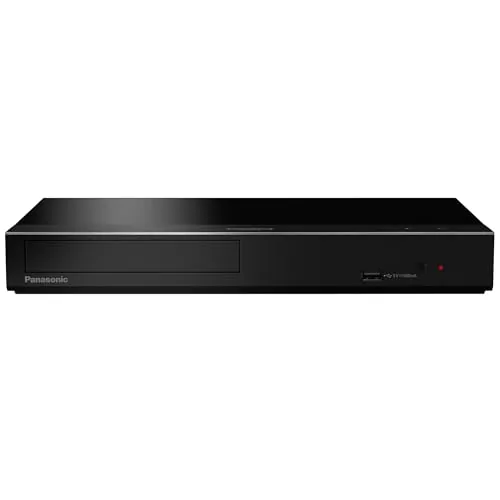
Panasonic DP-UB820-K vs DP-UB450P-K: Which 4K Blu-ray Player Fits Your Setup?
A practical comparison of the U.S. DP-UB820-K and DP-UB450P-K. Check the HDR formats your display actually accepts, the receiver inputs you plan to use, and the exact model suffix before buying.
Read comparisonPanasonic DP-UB450P-K vs DP-UB420-K: Dolby Vision, HDR Optimizer and Receiver Setup
The US Panasonic DP-UB450P-K is the documented choice for Dolby Vision playback when both the disc and connected display support it. The US DP-UB420-K supports HDR10+, HDR10 and HLG, includes built-in Wi-Fi, and its manual documents HDR Optimizer for HDR(PQ) content; that adjustment is disabled during HDR10+ playback. Both manuals show separate HDMI video and audio outputs for a TV-plus-receiver setup. Before buying, check the exact US model code, the HDR formats on your discs and TV, and the receiver's available HDMI, optical or coaxial input. Panasonic US materials reviewed here do not establish HDR Optimizer or built-in Wi-Fi for the UB450, so those are questions to confirm if they are required.
Read comparison