
Products compared
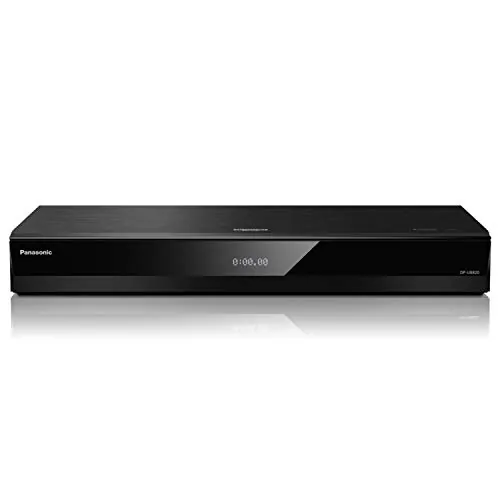
Panasonic
Panasonic 4K Blu-ray Player DP-UB820-K
U.S. black model. The useful distinction in this comparison is the UB820's documented HDR Optimizer and broader documented audio-output routing.
Model DP-UB820-K
Amazon ASIN B07N3PQM5N
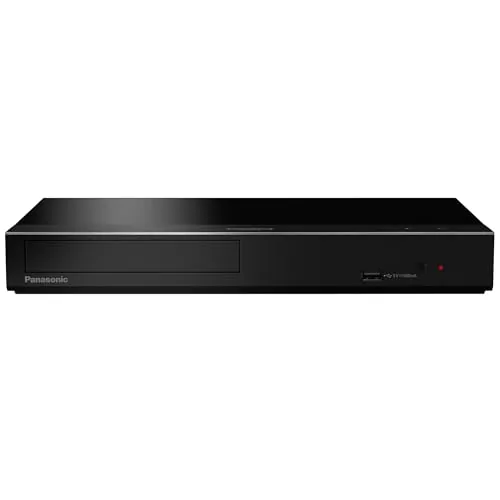
Panasonic
Panasonic Ultra HD 4K Blu-ray Player DP-UB450P-K
U.S. black model. Panasonic documents separate HDMI video/audio outputs and coaxial digital audio; confirm your receiver's input before buying.
Model DP-UB450P-K
Amazon ASIN B0D47QY3W4
Differences that matter
What matters most to you?
Choose a priority to see what it changes.
Sources for HDR adjustment workflow
Start with your equipment, not a picture-quality promise
These are two U.S. Panasonic 4K Blu-ray players with different documented adjustment and connection options. The evidence here supports a setup-fit decision; it does not establish which produces a better picture or sound in a controlled comparison.
First note your display's HDR formats, whether you use a receiver or projector, and the receiver inputs you actually have available. Then compare the relevant output and menu path below.
When the UB820's HDR controls matter
The clearest documented distinction is HDR Optimizer on the UB820: Panasonic says it uses HDR10 metadata and works only with HDR (PQ) material. The manual also explains that matching the HDR TV Type can tune the function. It is not a general control for every active format: Optimum HDR Adjustment is disabled while HDR10+ is in use, and the manual also marks Video Settings unavailable during Dolby Vision.
The UB450-family manual still documents picture adjustment and a conditional HDR-to-SDR conversion path. Its Video Settings are unavailable during Dolby Vision and HDR10+ playback. Choose based on the format and control you will use, not on an assumption that only one model can adjust video.
Map your receiver before choosing an output
The UB820 manual lays out separate HDMI video/audio outputs plus optical, 2-channel analog and 7.1-channel analog connections. These options involve setup choices, and the illustrated dual-amplifier arrangement cannot send audio simultaneously to the HDMI AUDIO OUT amplifier and the other optical/analog amplifier.
For the exact U.S. UB450P-K, Panasonic support lists two HDMI outputs and coaxial digital audio. In the shared family manual, HDMI AUDIO OUT carries digital audio only, not video or HDMI CEC. The practical check is to match the player's documented output to a free receiver input and follow the manual's mode settings. If your UB450 setup depends on an input not listed by Panasonic U.S. support, verify before buying.
A quick pre-purchase check
1. Copy the exact model suffix from the listing: DP-UB820-K or DP-UB450P-K. 2. Write down the HDR formats your display accepts and the source formats you watch. 3. Trace the physical cables from player to TV/projector and receiver, including any coaxial, optical or analog requirement. 4. Open the matching North American manual and confirm the output-mode settings for that path.
Panasonic's UB450 manual covers the DP-UB450 family and uses the base model name on its cover. The separate U.S. support and shop pages identify the exact DP-UB450P-K SKU. That bridge is why this comparison stays with U.S. listings and does not transfer claims from another region's similarly named model.
Product details
Panasonic 4K Blu-ray Player DP-UB820-K
- HDR Optimizer
- The manual describes HDR Optimizer for HDR (PQ) material using HDR10 metadata; matching HDR TV Type can tune its operation. Source
- Audio connections
- Manual diagrams document separate HDMI video/audio outputs, optical digital audio, and 2-channel and 7.1-channel analog audio outputs, with routing settings to check. Source
Panasonic Ultra HD 4K Blu-ray Player DP-UB450P-K
- HDMI and audio outputs
- Panasonic U.S. support lists two HDMI outputs and coaxial digital audio; the shared UB450-family manual explains the split HDMI video/audio routing. Source
- HDR controls
- The manual documents Picture Mode/User/Picture Adjustment and HDR-to-SDR conversion with stated connection conditions. Source
Before you buy
Community discussions
A DP-UB820-K owner checked the HDR output on a TCL QM7
Panasonic 4K Blu-ray Player DP-UB820-K
The poster names the Panasonic DP-UB820-K and a TCL QM7 TV. While trying to watch a standard 4K disc of The Shining in Dolby Vision, they said the player's playback information showed HDR10+/BT.2020 and asked what they were missing. This identifies one exact U.S. model and device chain; the post does not establish why that output appeared.
What to check
If a particular HDR format is a deciding requirement, check what your chosen disc and exact TV/player chain reports during playback. This single setup report does not show that the player, display, disc, or listed cable caused the result.
Common questions
Does the UB450 have no HDR adjustment?
No. Its shared UB450-family manual documents Picture Mode, User Picture Adjustment and conditional HDR-to-SDR conversion. It also limits Video Settings during Dolby Vision and HDR10+ playback, so the available controls depend on format and setup.Panasonic DP-UB150 / DP-UB154 / DP-UB450 Owner's Manual (North America)
What does the UB820 HDR Optimizer do, and when does it work?
The manual says it uses HDR10 metadata and works only for HDR (PQ) material. Selecting an HDR TV Type that matches your display can tune the function; the manual does not establish a universal improvement over the UB450.Panasonic DP-UB820 Owner's Manual (North America)
Can I send audio to two receivers at once from the UB820?
The manual's illustrated dual-amplifier setup says it is not possible to output audio simultaneously from the amplifier on HDMI AUDIO OUT and the other amplifier on optical or analog audio outputs. Check the required routing and setup settings for your system.Panasonic DP-UB820 Owner's Manual (North America)
Does the UB450's HDMI AUDIO OUT carry video?
No. Its family manual describes HDMI AUDIO OUT as a digital-audio-only signal and says it is not compatible with video or HDMI CEC. Use HDMI VIDEO OUT for the display and confirm the receiver routing in the manual.Panasonic DP-UB150 / DP-UB154 / DP-UB450 Owner's Manual (North America)
Which exact U.S. models are being compared?
The listings in this guide are Panasonic DP-UB820-K, ASIN B07N3PQM5N, and DP-UB450P-K, ASIN B0D47QY3W4. Check that the full suffix matches the offer you open.Panasonic U.S. Shop: DP-UB820-K product pagePanasonic U.S. DP-UB450 Feature and Specification Support
Sources and scope
This is a feature and connection-fit comparison based on Panasonic U.S. manuals and product information, not a matched picture- or sound-quality test. The UB450 manual covers the shared UB450/UB150/UB154 family; Panasonic U.S. SKU pages are used to bridge the exact DP-UB450P-K retail model. Verify the exact suffix and your display/receiver requirements before ordering.
- Panasonic DP-UB820 Owner's Manual (North America)
- Panasonic DP-UB150 / DP-UB154 / DP-UB450 Owner's Manual (North America)
- Panasonic U.S. DP-UB450 Feature and Specification Support
- Panasonic DP-UB820K U.S. Support Hub
- Panasonic U.S. Shop: DP-UB820-K product page
- Panasonic U.S. Shop: DP-UB450P-K product page
- Panasonic: How to Set Dolby Vision Settings
Related comparisons
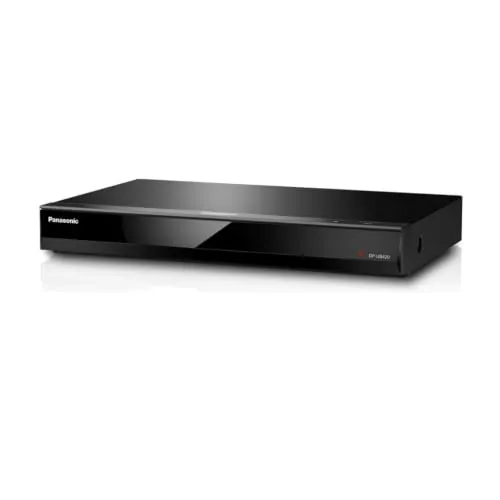
Panasonic UB820 vs UB420: Dolby Vision, Receiver Outputs, and Fit
For an existing DP-UB420-K owner, the UB820-K adds Dolby Vision playback when both a disc and display support it, plus 2-channel and 7.1-channel analog audio outputs. Both list HDR10+, HDR10, HLG, twin HDMI outputs, and optical audio. Check your display and receiver inputs, HDMI routing, and shelf width before treating this as an upgrade need; Panasonic's feature documents do not establish a picture-quality winner.
Read comparisonPanasonic DP-UB450P-K vs DP-UB420-K: Dolby Vision, HDR Optimizer and Receiver Setup
The US Panasonic DP-UB450P-K is the documented choice for Dolby Vision playback when both the disc and connected display support it. The US DP-UB420-K supports HDR10+, HDR10 and HLG, includes built-in Wi-Fi, and its manual documents HDR Optimizer for HDR(PQ) content; that adjustment is disabled during HDR10+ playback. Both manuals show separate HDMI video and audio outputs for a TV-plus-receiver setup. Before buying, check the exact US model code, the HDR formats on your discs and TV, and the receiver's available HDMI, optical or coaxial input. Panasonic US materials reviewed here do not establish HDR Optimizer or built-in Wi-Fi for the UB450, so those are questions to confirm if they are required.
Read comparison