Products compared
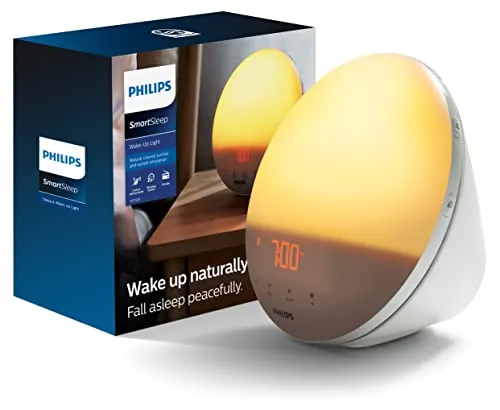
Philips
Philips SmartSleep Wake-up Light HF3520/60
A standalone wake-up light with alarm profiles set from the device menu. The manual documents two profiles, built-in natural sounds and FM radio as alarm audio.
Model HF3520/60
Amazon ASIN B0093162RM
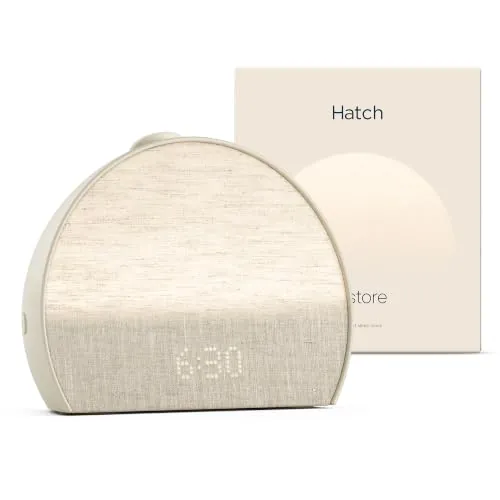
Hatch Baby
Hatch Restore 3 (Putty)
An app-configured bedside light-and-sound routine device. Hatch requires the device to remain plugged in and requires its app and Wi-Fi for setup; physical controls cover selected routine and alarm actions.
Model Restore03
Amazon ASIN B0DLLSCVZW
Differences that matter
What matters most to you?
Choose a priority to see what it changes.
Sources for Where alarm setup happens
Sources for Wake-up audio choice
Sources for Bedside operation
Sources for Physical setup
Two different ways to build a morning alarm
The Philips HF3520/60 manual describes setting two wake-up profiles through the clock’s menu, with built-in natural sounds or FM radio as alarm audio. The alarm buttons toggle the profiles, and the top of the unit snoozes. This suits buyers who prefer to set alarms on the clock rather than in a phone app.
Restore 3 starts with a different setup path. Hatch says to keep it plugged in, install the Hatch Sleep app on a phone or tablet, and use Wi-Fi during setup. Its alarm guide creates the alarm in the app, where you choose a light/sound pairing and schedule. The Restore 3 still has physical bedside controls for routine steps, volume, snoozing/stopping, and alarm enablement; these are useful shortcuts, but Hatch documents alarm creation in the app.
Check the sound listing data before choosing Restore 3
Philips’s manual explicitly lists natural sounds and FM radio as wake-up audio. Hatch’s current Restore 3 support material separates included alarm choices from additional Hatch+ content. You can use the included choices without assuming a membership; if a particular sound is the reason to buy, check its current tier in Hatch’s app or support page first.
No controlled comparison here measures brightness, audio quality or waking outcomes. The useful question is which setup and sound-selection process you want, and whether the specific content you expect is included.
Pre-buy bedside checklist
1. Decide whether you want to create alarm profiles at the clock or in an app. 2. If considering Restore 3, make sure app and Wi-Fi setup is acceptable, confirm the current free alarm sounds, and check whether a desired option is Hatch+ content. 3. Plan an outlet for Restore 3 and compare your bedside surface with the Philips manual’s placement guidance.
Do not treat a sunrise alarm as a medical or sleep treatment. The manuals and support pages reviewed here do not establish that either product improves sleep or wakes every user more effectively.
Product details
Philips SmartSleep Wake-up Light HF3520/60
Hatch Restore 3 (Putty)
- Setup
- Plug-in device; Hatch Sleep app on phone/tablet and Wi-Fi required for setup Source
- Alarm workflow
- Alarms are added and configured in the Hatch Sleep app Source
- Physical controls
- Big Button for routine steps, volume and alarm snooze/stop; side toggle enables/disables alarms Source
- Content tiers
- Restore 3 included alarm options are listed separately from Hatch+ alarm content Source
Before you buy
Community discussions
Setting alarms without a phone in the bedroom
Hatch Restore 3 (Putty)
A prospective Hatch Restore 3 buyer wanted to keep their phone out of the bedroom and asked whether alarms can be set or changed on the clock.
What to check
If you want to create alarms at the clock, compare the Philips on-device alarm menu with Restore 3's app-based alarm setup and selected physical controls.
Checking which audio is included before choosing Hatch+
Hatch Restore 3 (Putty)
A Restore 3 user asks whether Hatch+ is worth it for the sounds they play before bed and the music they want at sunrise.
What to check
Check Hatch’s current included-content list for the sounds you actually want before deciding whether to subscribe.
Common questions
Does the Philips HF3520/60 need an app to set its alarms?
Its exact-model manual describes using the clock’s own menu to configure two wake-up profiles and its alarm buttons to toggle them.Wake-Up Light HF3520 User Manual
Does Restore 3 require Hatch+ for its alarm?
Hatch's Restore 3 setup requires the Hatch Sleep app and Wi-Fi. Its guides describe phone-down controls after setup, but do not specify which alarms or routines continue during a Wi-Fi outage. If that matters, ask Hatch about the exact behavior before choosing.Restore 3 Alarm GuideWhat do I get with Hatch+? What do I get for free?
Can Restore 3 alarms be configured on the device?
Hatch’s alarm guide says to add and configure an alarm in the Hatch Sleep app. Its physical controls handle selected actions such as starting or advancing routines, snoozing or stopping an alarm, and enabling or disabling alarms.Restore 3 Controls GuideRestore 3 Alarm Guide
What if FM radio is part of my wake-up routine?
The Philips manual explicitly supports FM radio as a wake-up sound. The reviewed Restore 3 materials describe app-selected sound choices; they do not establish FM radio as a Restore 3 wake source.Wake-Up Light HF3520 User ManualRestore 3 Alarm Guide