
Products compared
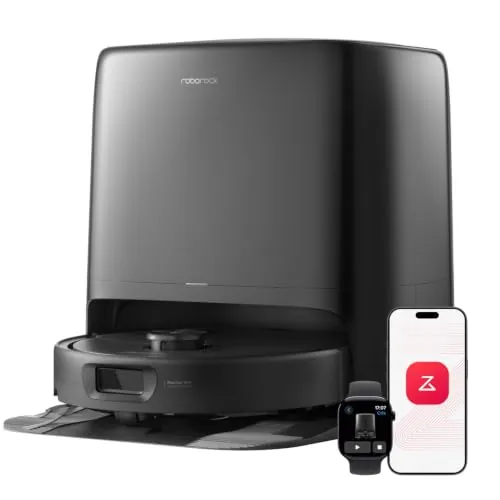
Roborock
Roborock Qrevo 2 Pro Robot Vacuum and Mop
Black US listing data configuration; the official US product page lists Black and White color options.
Model Qrevo 2 Pro
Amazon ASIN B0GXF7ZQPY
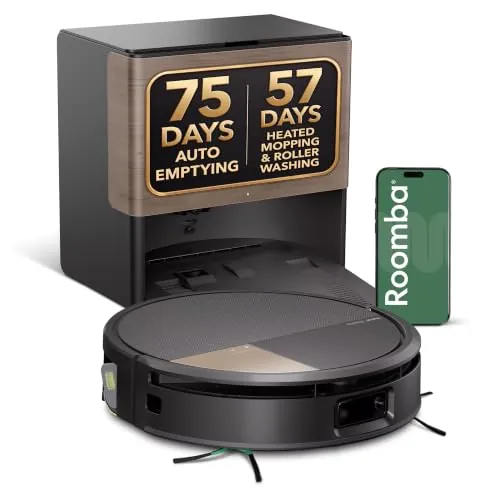
iRobot
iRobot Roomba Max 705X Combo Robot Vacuum & Mop with AutoWash Dock
Black US Combo configuration identified by item X184020; includes the AutoWash Dock per iRobot's exact-model product page.
Model Max 705X Combo (X184020)
Amazon ASIN B0GSH62CFF
Look up your exact robot vacuum model and key differences
Enter an exact model number or ASIN to see its cited side of the documented dock, upkeep or coverage differences.
Select an exact model above, or enter its ASIN.
Browse exact models in this comparison
- Qrevo 2 Pro · ASIN B0GXF7ZQPY — Roborock Qrevo 2 Pro Robot Vacuum and Mop
- Max 705X Combo (X184020) · ASIN B0GSH62CFF — iRobot Roomba Max 705X Combo Robot Vacuum & Mop with AutoWash Dock
Enter an exact model number or ASIN to see its cited side of the documented difference. These statements apply to the listed models and packages; check the linked source for regional variants and conditions.
Differences that matter
What matters most to you?
Choose a priority to see what it changes.
Sources for Keeping the mop away from carpets
Sources for What the dock does after a mop run
Sources for Routine care information on the product pages
Sources for App and cleaning-mode setup
Start with your floor plan
This choice matters most if your cleaning route crosses from hard floor to rugs or carpet. Write down which rooms you want mopped and which carpeted areas lie between the dock and those rooms. Then choose the transition behavior you prefer: Roborock describes detaching the mop module at the dock before carpet cleaning, while iRobot describes a protective roller cover and carpet avoidance in mop modes.
For the Qrevo 2 Pro, include one setup step in your plan: Auto Mop Removal must be enabled in the Roborock app. For the 705X Combo, choose among the listed cleaning modes and keep the stated automatic carpet avoidance in mind. Neither source proves the behavior will suit every rug, map or home layout, so consult the current manual for your exact setup.
Compare the dock routine you will actually use
Roborock describes its dock washing the mop after a cleaning cycle and warm-air drying it. iRobot describes the AutoWash Dock auto-emptying debris, washing and heat-drying the roller, dispensing solution and running a self-clean cycle. The different descriptions are useful for understanding each workflow, but they are not a comparative service schedule or a measure of how much attention either system needs over time.
iRobot's exact-model FAQ lists wiping the robot bin, rinsing dock water tanks, cleaning charging contacts and brushes, and replacing the filter every 3–6 months. The Roborock US page does not list an equivalent complete care schedule; consult its current manual rather than treating the missing interval as zero maintenance.
Product details
Roborock Qrevo 2 Pro Robot Vacuum and Mop
The Qrevo 2 Pro is the better feature fit when you specifically want a dock-assisted mop-detachment step for carpet cleaning and are comfortable enabling that option in the app. The product page describes mop washing and warm-air drying at the dock, but does not provide a like-for-like total owner-maintenance schedule against the iRobot page.
- Carpet transition
- Auto Mop Removal detaches the mop at the dock before carpet cleaning and reattaches it afterward; the feature must be enabled in the Roborock app. Source
- Dock workflow
- The multifunction dock washes the mop after a cleaning cycle and uses warm-air drying; the page also lists a self-sealing dust bag. Source
iRobot Roomba Max 705X Combo Robot Vacuum & Mop with AutoWash Dock
The Roomba Max 705X Combo is the better feature fit when you prefer a roller mop with a protective cover and the documented carpet-avoidance behavior in mop modes. Its exact-model FAQ describes dock and robot care, including a 3–6 month filter interval; that does not make it directly comparable with an undocumented Qrevo total-care interval.
- Carpet transition
- The PowerSpin roller mop has a protective cover; iRobot says the robot automatically avoids carpet in mop-only and vacuum-plus-mop modes. Source
- Dock workflow
- The AutoWash Dock auto-empties debris, washes and heat-dries the roller, dispenses solution, and runs a self-clean cycle. Source
- Published routine care
- iRobot lists wiping the robot bin, rinsing dock water tanks, cleaning charging contacts and brushes, and changing the filter every 3–6 months. Source
Before you buy
Community discussions
Keeping rugs dry while cleaning rubber mats
Roborock Qrevo 2 Pro Robot Vacuum and Mop
A Qrevo 2 Pro owner with hardwood, rugs, and rubber kitchen mats wanted to mop the mats while leaving the rugs dry. They asked whether the app could handle the two areas separately.
What to check
Mark where your rugs and mats are before choosing a mop routine. Check the documented surface settings and watch the first run across each boundary.
Checking a room-specific mopping schedule
Roborock Qrevo 2 Pro Robot Vacuum and Mop
A Qrevo 2 Pro owner tried to schedule mopping for two tile rooms. They said the first scheduled run started mopping in a hardwood room, so they stopped it. The cause was not established.
What to check
Check which rooms your schedule assigns to vacuuming and mopping. Observe the first scheduled run on a mixed hard-floor layout so you can catch an incorrect room assignment.
Common questions
Does the Roborock Qrevo 2 Pro remove its mop before cleaning carpet?
Roborock says Auto Mop Removal detaches the mop at the dock before carpet cleaning and reattaches it afterward. The option must be manually enabled in the Roborock app.Roborock Qrevo 2 Pro Robot Vacuum with Auto Mop Removal — Roborock US
Does the Roomba Max 705X Combo avoid carpet while mopping?
iRobot says the 705X Combo has a protective cover for the PowerSpin roller mop and automatically avoids carpet in mop-only or vacuum-plus-mop modes. That is the maker's stated behavior, not an independent carpet-protection test.Roomba Max 705X Combo Robot Vacuum & Mop with AutoWash Dock — iRobot US
Which dock requires less maintenance?
The available pages do not establish a total-maintenance winner. iRobot lists specific owner tasks and a 3–6 month filter interval for the 705X Combo. Roborock describes dock mop washing and drying but does not provide an equivalent full robot-and-dock care schedule on its US product page.Roborock Qrevo 2 Pro Robot Vacuum with Auto Mop Removal — Roborock USRoomba Max 705X Combo Robot Vacuum & Mop with AutoWash Dock — iRobot US
Are these equivalent Roomba bundles?
The comparison is against the Roomba Max 705X Combo with AutoWash Dock, item X184020. Verify that the retailer listing names the Combo and includes the AutoWash Dock; the Max 705 family also has vacuum-only variants.Roomba Max 705X Combo Robot Vacuum & Mop with AutoWash Dock — iRobot US
Sources and scope
This guide compares documented features and care guidance for the named US models. It is not a hands-on test: the manufacturer sources do not establish comparative cleaning results, carpet protection, reliability, total maintenance burden or a universal winner. The exact iRobot product is the Max 705X Combo, item X184020; confirm that name and item number on the retailer's listing before checkout.
Related comparisons
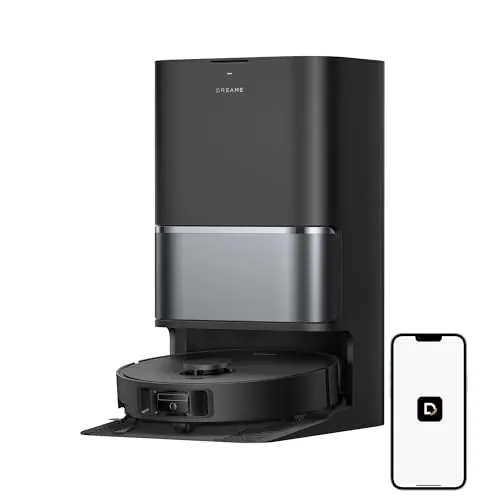
Dreame L40 Ultra Gen 2 vs Roborock Qrevo 2 Pro: carpet handling and dock chores
Both are robot vacuums with docks that empty dust, wash and dry mop pads, and refill the robot. The practical difference is how the exact models handle rugs: Dreame lists a 10.5 mm mop lift but no mop removal, while Roborock documents automatic mount removal only in specific, app-enabled conditions. Roborock’s US product page promotes high-pile carpet handling, but its manual says not to use the product on high-pile carpet, so do not rely on that claim without clarification.
Read comparison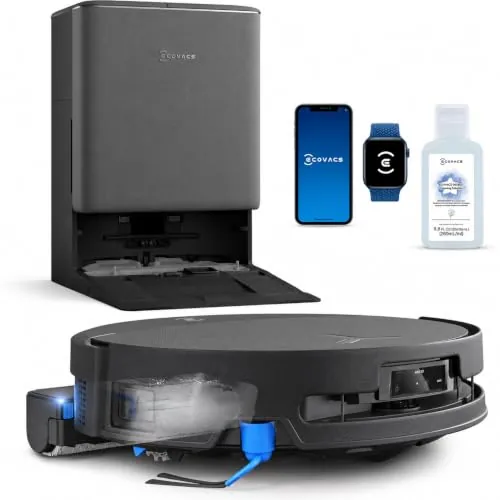
Roborock Qrevo 2 Pro vs ECOVACS DEEBOT T90 PRO OMNI: Mop and Rug Workflow
The US Roborock Qrevo 2 Pro uses two spinning cloth pads and can detach their mounts for a carpet-first route when the app feature is enabled and its conditions are met. The US ECOVACS DEEBOT T90 PRO OMNI uses a microfiber roller that ECOVACS says rinses while mopping; its listed 15 mm lift describes the mop mechanism, not a rug-pile allowance. Both still require attention to wet-side parts. Compare your route, rugs, threshold geometry and actual dock location before choosing.
Read comparison