
Products compared
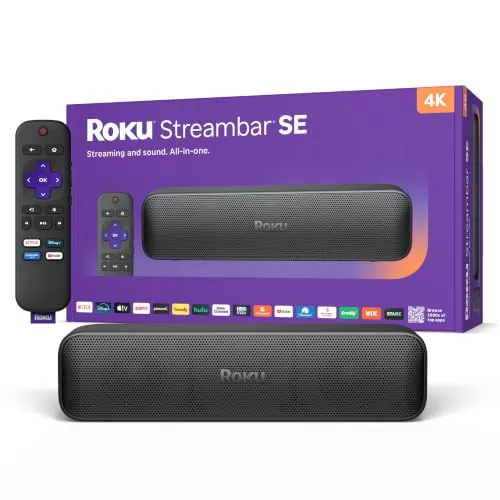
Roku
Roku Streambar SE 4K Streaming Soundbar
Black Streambar SE, model 9104R. The soundbar also provides a built-in Roku 4K streaming interface. Roku lists HDMI ARC or HDMI plus optical TV connections and says the TV-audio output should be PCM stereo. Its listed package includes a remote with TV controls, batteries, power adapter and HDMI cable; confirm the exact retailer package.
Model 9104R
Amazon ASIN B0CTBF4MKS

Sony
Sony HT-S100F 2.0ch Compact Soundbar
Black Sony HT-S100F. Sony documents TV sound over HDMI ARC or optical, with Dolby Digital or Linear PCM 2ch supported on those TV-input paths; Bluetooth and USB are additional inputs. The HT-S100F manual describes changing input among TV, Bluetooth and USB and explains an IR-repeater option if the bar obstructs the TV's remote sensor.
Model HT-S100F
Amazon ASIN B0797MY6JB
Differences that matter
What matters most to you?
Choose a priority to see what it changes.
Sources for TV ports and audio-output setting
Sources for Remote controls and source changes
First decide whether the bar should provide streaming
Roku Streambar SE (9104R) combines TV audio with a built-in Roku streaming interface. Its setup connects to the internet and proceeds through on-screen activation. That can suit a display that needs a streaming source, provided your TV connection and its audio setting fit the Streambar SE.
Sony HT-S100F is documented as a soundbar receiving TV audio over HDMI ARC or optical, with Bluetooth and USB as additional inputs. If your TV or a separate player already supplies apps, Sony can take the TV audio while the existing device handles streaming. You are not choosing between equivalent streaming platforms: only the Roku is documented here with integrated Roku streaming.
Match the soundbar input to the TV's ports and format
For Streambar SE, Roku recommends the TV's HDMI ARC port. Without ARC, its setup uses HDMI plus the included optical cable. For TV audio, set the output to PCM-Stereo or Stereo; Roku states the SE cannot play Dolby Audio or DTS from that TV-output path. Roku's separate USB media compatibility list is a different input and does not change the TV-audio requirement.
Sony's HT-S100F specifications list HDMI ARC and optical TV inputs and name Dolby Digital, Dolby Dual mono and LPCM 2ch for those inputs. Its manual says ARC input takes priority if both ARC and optical are connected. This makes the TV's output setting a real purchase check: record the exact port and format the TV sends rather than assuming any HDMI connection carries every format.
Choose a remote routine that fits your television
Roku lists an included remote with TV power, volume and mute controls, and says these work with most TVs. Its setup instructions explain that HDMI-CEC needs to be enabled for Streambar remote control of TV power or TV-remote control of Streambar volume on the documented path. Verify CEC in your TV settings before expecting one-remote operation.
Sony's U.S. package list includes a remote and batteries; its manual says INPUT cycles the soundbar through TV, Bluetooth and USB. If the bar blocks the TV remote sensor, the manual describes enabling an IR repeater, with a warning that it may not work properly on some TVs. A practical check is to note which actions you need from the TV remote versus the soundbar remote, then verify CEC or sensor placement for your actual TV.
A quick compatibility check before checkout
1. Identify where streaming currently comes from and whether you want another Roku interface. 2. Check the TV for an HDMI ARC port and optical digital audio output. 3. Read the TV audio menu and confirm PCM stereo is available for Streambar SE or that the Sony-supported ARC/optical format matches your output. 4. Check HDMI-CEC and the remote actions you expect; for Sony, check sensor placement and IR-repeater behavior if the bar will sit in front of it. 5. Confirm current seller box contents and the TV's 4K/HDCP support if Roku video output requirements matter.
These checks resolve the connection and control fit. They do not establish which bar sounds clearer, louder or better in a room.
Product details
Roku Streambar SE 4K Streaming Soundbar
- Built-in streaming and TV connection
- Roku identifies model 9104R as a 2-in-1 4K streaming soundbar. Roku recommends TV HDMI ARC; if the TV lacks ARC, its setup uses HDMI plus optical. Internet connection and on-screen setup/activation are required. Source
- TV audio format
- For TV-audio input, Roku says the Streambar SE cannot play Dolby Audio or DTS and directs the TV output to PCM-Stereo (or Stereo). This is separate from the product page's USB media format list. Source
- Remote and listed package
- Roku lists a remote with TV power, volume and mute buttons, two AAA batteries, power adapter, Premium High Speed HDMI cable and optional optical cable in the box. Roku says TV controls work with most TVs; verify the seller's exact package and TV compatibility. Source
Sony HT-S100F 2.0ch Compact Soundbar
- TV inputs and supported formats
- Sony lists HDMI ARC and optical input. Dolby Digital, Dolby Dual mono and LPCM 2ch are listed for HDMI and optical TV input; Bluetooth receiver uses SBC and USB lists WAV, MP3 and WMA. These format lists apply to their labeled inputs, not interchangeably. Source
- Input selection and TV remote path
- The U.S. manual says pressing INPUT cycles TV, Bluetooth and USB. If the bar blocks the TV remote sensor, an IR repeater can relay the TV remote signal; Sony cautions that the function may not work correctly with some TVs. Source
- Listed in-box items
- Sony's U.S. specification page lists a remote control, batteries, optical cable and AC cord. Confirm contents on the exact current seller listing. Source
Before you buy
Community discussions
An HT-S100F owner describes a three-remote TV setup
Sony HT-S100F 2.0ch Compact Soundbar
An HT-S100F owner says they initially used separate remotes for the TV, soundbar volume and Fire TV apps, and asked how to simplify the routine.
What to check
List which remote you expect to handle streaming, TV power and soundbar volume. Compare that routine with the Roku remote details and Sony plus separate-player setup in this guide, then verify it with your own TV and player.
Common questions
Does the Roku Streambar SE include streaming apps, or does it need a separate Roku player?
Roku identifies model 9104R as a 2-in-1 device with built-in 4K streaming. Setup also requires an internet connection and on-screen activation. Check that your TV's HDMI path and video requirements match the viewing mode you want.Roku Streambar SE 4K Streaming Soundbar, model 9104RHow to set up your Roku Streambar SE
What TV audio setting should I use with Streambar SE?
For TV audio input, Roku says to set the TV output to PCM-Stereo or Stereo; the Streambar SE cannot play Dolby Audio or DTS formats from that TV-output path. The rule is specific to TV input and should not be applied to Roku's separate USB media-format list.How to set up Roku Streambar SE with a non-Roku TV system
Will the Sony HT-S100F accept Dolby Digital from a TV?
Sony lists Dolby Digital and Linear PCM 2ch for HT-S100F TV audio over HDMI ARC or optical. Check that your TV outputs the desired format over the selected port; if both ARC and optical are connected, Sony's manual says ARC input takes priority.Sony HT-S100F Specifications, U.S.Sony HT-S100F Operating Instructions, U.S.
Can the Sony soundbar help if it blocks the TV remote sensor?
Sony's HT-S100F manual describes an IR repeater that relays the TV remote signal from the rear of the bar. Sony warns that it may not work correctly with some TVs, so check placement and test with your exact TV. Roku separately lists TV power, volume and mute buttons on its included Streambar SE remote.Sony HT-S100F Operating Instructions, U.S.Roku Streambar SE 4K Streaming Soundbar, model 9104R
Sources and scope
Uses Roku's Streambar SE product and setup documentation and Sony's HT-S100F U.S. specifications and operating manual. No listening, dialogue-clarity, loudness, bass, latency, reliability or HDMI-CEC test was performed. TV ports, audio-output labels, CEC behavior and remote compatibility depend on the exact TV. Roku's PCM stereo requirement applies to the Streambar SE TV-audio input path; Roku lists other formats separately for USB media playback. Check the seller's current package and TV manual before purchase.
Related comparisons
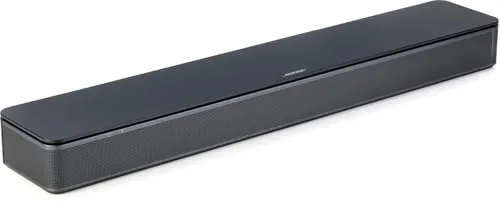
Bose TV Speaker 838309-1100 vs Sony HT-S100F: Match TV Ports, Cables, and Shelf Space
For a simple TV connection, either soundbar can use optical audio and both official box lists include an optical cable. Both also support HDMI ARC, but plan for a separate HDMI cable and verify that your TV has an ARC-labeled port; actual control and audio behavior depends on the TV and its settings. Bose’s TV Speaker (838309-1100) includes a remote with Dialogue and Bass controls and supports optional wired Bose Bass Module 500 or 700 expansion using a separately sold cable. Sony HT-S100F includes a remote and supports Voice mode plus USB playback for compatible file types. Bose is 23.38 inches wide; Sony is 35.5 inches wide, so check the shelf and cable path.
Read comparisonRoku Streambar SE vs Bose TV Speaker: Streaming and TV Connection Fit
Roku Streambar SE combines a Roku streaming player with TV audio. Bose TV Speaker is documented as a TV-audio speaker with HDMI ARC or optical input and Bluetooth from a mobile device. Roku’s exact setup requires internet/account activation and PCM Stereo for TV audio; Bose Support identifies Dolby Digital and PCM 2.0 support for model 838309-1100. Check your television’s actual ports and source-output settings before choosing.
Read comparison