
Products compared
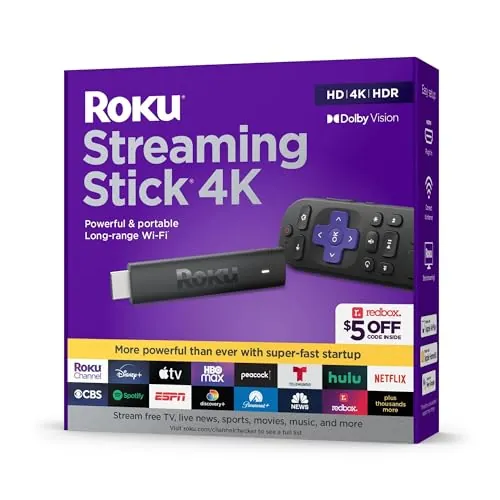
Roku
Roku Streaming Stick 4K, selected listed model 3820R
The listing identifies this black Streaming Stick 4K as model 3820R. Roku's setup guide covers model 3820, while its current product page labels model 3820R2, so the suffix-to-ASIN relationship remains unresolved. The supported setup distinction is the supplied USB power cable with the long-range Wi-Fi receiver built into it.
Model 3820R (Roku support identifies model family 3820; current Roku product page lists 3820R2)
Amazon ASIN B0BMNVWB73
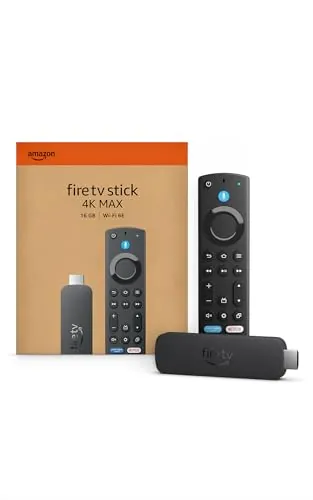
Amazon
Amazon Fire TV Stick 4K Max, 2nd Generation (K3R6AT)
Amazon maps K3R6AT to the Fire TV Stick 4K Max 2nd Generation (2023). Amazon's setup instructions list the Enhanced remote, power cable and adapter, AAA batteries and optional HDMI extender; it instructs using the wall adapter rather than the TV's USB port.
Model K3R6AT; included Alexa Voice Remote Enhanced model K7Q3MT
Amazon ASIN B0BP9SNVH9
Differences that matter
If you want to connect at 6 GHz and have a compatible router
Amazon Fire TV Stick 4K Max, 2nd Generation (K3R6AT) · Amazon documents Wi-Fi 6E for the second-generation Fire TV Stick 4K Max. Confirm that the TV location can reach the router’s 6 GHz network.
View K3R6AT; included Alexa Voice Remote Enhanced model K7Q3MT on Amazon (paid link)Sources for TV port, 4K HDR and audio chain
Sources for Wi-Fi band and router fit
Sources for Power cable and physical installation
Start with the TV and sound system you already own
Both are 4K streaming sticks, and both official pages list Dolby Vision and HDR10+ among supported formats. Roku also lists HDR10 and HLG up to 60 fps and specifies an HDMI input supporting HDCP 2.2 for 4K HDR. Amazon's exact-generation page lists Dolby Vision, HDR10, HDR10+ and HLG for the 2nd-generation Max, with Dolby Atmos audio support. Before choosing, check the TV input and any receiver or soundbar path for the format you actually watch. The format lists do not prove that a particular app or title will output it through your equipment.
For audio, Roku documents digital stereo, DTS Digital Surround pass-through and Dolby-encoded audio pass-through. Amazon documents Dolby Atmos for the Max. Match the source, TV and audio equipment; this is a format-fit check, not a claim that one stick sounds better.
Check the router band, not a promise of faster streaming
Roku lists dual-band 802.11ac MIMO Wi-Fi on 2.4 and 5 GHz. The Fire TV Stick 4K Max 2nd Gen lists Wi-Fi 6E. Its 6 GHz option is relevant only if your router and home network support that band where the TV is installed. If your router does not, compare the available 2.4/5 GHz path instead. Neither specification establishes speed, coverage, buffering or reliability in an individual home.
Roku's setup has one unusual constraint: its supplied USB cable carries the long-range Wi-Fi receiver, and Roku says to use the included cable. For Amazon, the documented Wi-Fi choice is through the stick itself; the reviewed Max row does not establish a wired Ethernet adapter path, so this guide does not recommend one.
Plan power and clearance before taking the stick out of the box
Roku's current product page lists a USB power cable with the receiver and a power adapter in the box. Roku support recommends the included wall adapter because some TV USB ports do not supply enough power. Do not replace the receiver cable with an ordinary USB lead: Roku says using another cable may prevent startup.
Amazon's 2nd-generation Max setup list includes its power cable and wall adapter, the Alexa Voice Remote Enhanced and batteries, with an optional HDMI extender. Amazon says to plug the adapter into a wall outlet and avoid powering the stick directly from TV USB. If the HDMI stick does not fit comfortably behind the set, Amazon's extender is one included installation option.
Compare the controls you will reach for every day
Roku lists a Voice Remote with power, volume and mute buttons, plus support listings for Roku Smart Home, Apple AirPlay/HomeKit, Google Home and Alexa. Roku says its TV power and volume buttons work with most televisions, not every model. Roku's listing labels this item 3820R, but the current product page says 3820R2; the setup page identifies only family model 3820. That suffix link is unresolved.
Amazon identifies the exact Fire stick as K3R6AT and its included Enhanced remote as K7Q3MT. Amazon's setup guide describes voice, playback and preset app buttons, while the device spec page lists Alexa interaction. Choose the remote and ecosystem that fit your household, then confirm any specific TV or smart-home function with its maker.
Four checks before checkout
1. Note the TV's free HDMI port and whether that input supports the video format you want; Roku calls out HDCP 2.2 for its 4K HDR path. 2. Check the soundbar or receiver path for Dolby Atmos, DTS or the specific audio format you use. 3. Look at the router's available bands at the TV location; 6 GHz only helps as an option if the router supports it. 4. Plan a wall outlet and enough clearance, keeping Roku's receiver cable attached and using the Fire TV adapter as Amazon directs.
If you are ordering the Roku based on a suffix-specific bundle, resolve the 3820R/3820R2 discrepancy first. The public sources support family-level setup facts, but not the exact ASIN-to-suffix mapping.
Product details
Roku Streaming Stick 4K, selected listed model 3820R
- TV/video path
- Up to 4K/60fps; Dolby Vision, HDR10/HDR10+ and HLG are listed for compatible 4K HDR TVs; Roku specifies an HDMI input supporting HDCP 2.2 for 4K HDR Source
- Network
- 802.11ac dual-band MIMO Wi-Fi on 2.4 GHz and 5 GHz Source
- Power and receiver cable
- Roku says the long-range Wi-Fi receiver is built into the included USB power cable and instructs using that cable; wall power with the included adapter is recommended Source
- Audio formats
- Roku lists digital stereo, DTS Digital Surround pass-through and Dolby-encoded audio pass-through over HDMI Source
Amazon Fire TV Stick 4K Max, 2nd Generation (K3R6AT)
- TV/video formats
- Amazon lists 4K Ultra HD with Dolby Vision, HDR10, HDR10+ and HLG for the 2nd-generation Max; compatible TV and content are required Source
- Network
- Wi-Fi 6E support; a 6 GHz connection requires a compatible router and network setup Source
- Audio
- Amazon lists Dolby Atmos audio support; the full HDMI audio chain and content must also support the desired format Source
- Power and in-box setup
- Power cable and adapter are listed in the setup contents; Amazon instructs plugging the adapter into a wall outlet and avoiding TV USB power Source
Before you buy
Community discussions
Checking Echo voice controls on Fire TV Stick 4K Max Gen 2
Amazon Fire TV Stick 4K Max, 2nd Generation (K3R6AT)
A 4K Max Gen 2 owner who upgraded from Gen 1 reported difficulty using some Echo voice commands with the stick. This describes one device setup.
What to check
If you use Echo voice control, verify support for your exact Echo and remote, then try the commands you use most with the specific Fire TV model.
Common questions
Do both devices support Dolby Vision and HDR10+?
Roku lists Dolby Vision and HDR10/HDR10+ for compatible 4K HDR TVs. Amazon lists Dolby Vision, HDR10 and HDR10+ for the Fire TV Stick 4K Max 2nd Gen. A compatible TV, HDMI path and content are needed; format support is not an image-quality ranking.Roku Streaming Stick 4K product details and current model labelFire TV Stick 4K Max 2nd Gen device specifications
Can I use the Roku stick with a generic USB cable?
Roku says the long-range Wi-Fi receiver is built into the included USB power cable and instructs buyers to use that cable; using another cable may prevent startup. Roku also notes that some TVs do not supply enough power over USB and recommends the included wall adapter in that case.How to set up your Roku Streaming Stick 4K
Does the Max use 6 GHz Wi-Fi, and is it automatic?
Amazon lists Wi-Fi 6E support for the 2nd-generation Max. A buyer needs a compatible 6 GHz-capable router and correct network configuration; this specification does not promise better range or performance.Which Fire TV Device Do I Have?
Which model suffix should I confirm for the Roku Streaming Stick 4K offer?
The Roku offer with ASIN B0BMNVWB73 is identified as model 3820R in its listing. Roku's current product page lists 3820R2, while its setup page names the 3820 family without resolving the suffix-to-ASIN mapping. Treat the exact suffix as unconfirmed if it affects your order.Roku Streaming Stick 4K product details and current model labelHow to set up your Roku Streaming Stick 4K
Sources and scope
Roku's listing identifies the black item as model 3820R, but its current product page lists 3820R2 and its setup page identifies only the 3820 family. The precise suffix mapping for this ASIN is unresolved; this guide scopes Roku feature statements to the Streaming Stick 4K/3820 family and does not treat the current R2 page as proof of the exact listing revision. Fire TV facts refer to 2nd-generation K3R6AT and its documented remote. No streaming, Wi-Fi, HDR, audio or reliability tests were performed; format support does not guarantee a result through a particular TV, receiver, app or title.
- Roku Streaming Stick 4K product details and current model label
- How to set up your Roku Streaming Stick 4K
- Which Fire TV Device Do I Have?
- Fire TV Stick 4K Max 2nd Gen device specifications
- Safety and Compliance Information for Fire TV Stick 4K Max
- How to Set Up Fire TV Stick 4K Max (2nd Generation)
Related comparisons
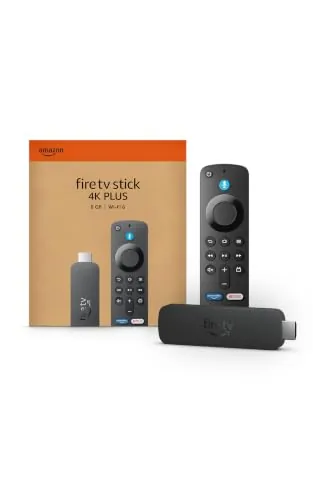
Fire TV Stick 4K Plus vs 4K Max: App Compatibility, Storage and Remote
This comparison covers the U.S. Fire TV Stick 4K Plus (2025) and Fire TV Stick 4K Max (2nd Gen, 2023). Amazon lists both with Fire OS 8 based on Android 11, so Max is not an OS-generation upgrade. That does not guarantee support for a particular app: check the app's Works With information for the exact device. Max adds 16 GB total storage with external-storage support, a Wi-Fi 6E/6 GHz option for compatible networks, an enhanced remote and Ambient Experience. Both devices list 2 GB memory and the same core 4K HDR and audio formats. Decide whether a specific Max feature fits your setup.
Read comparison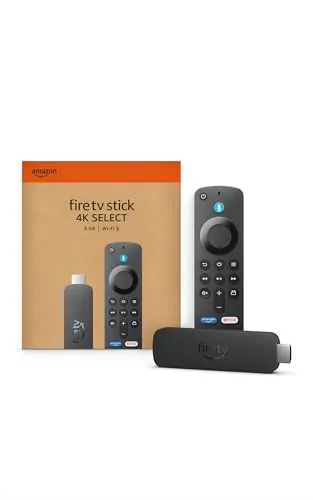
Fire TV Stick 4K Select vs 4K Max: Check Apps, HDR, and Remote Fit
The 2025 Fire TV Stick 4K Select (CL32P4) runs Vega OS, while the 2nd-generation Fire TV Stick 4K Max (K3R6AT) runs Fire OS 8. Amazon uses separate Fire OS and Vega OS app release tracks, so check each must-have app's current Works With listing for the exact stick. Then compare HDR needs, available Wi-Fi, storage, and remote compatibility. The similarly named 2025 4K Plus is a different device.
Read comparison