
Products compared
Roku
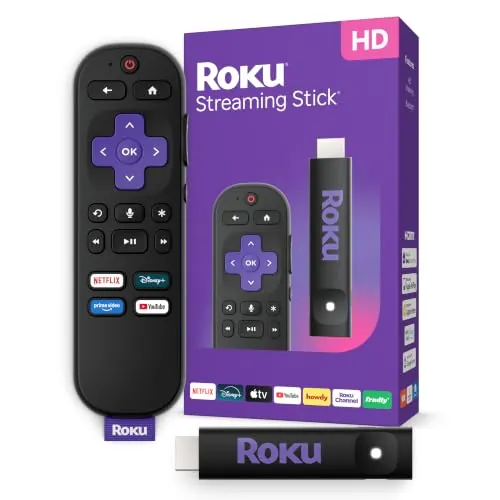
Roku Streaming Stick (HD)
U.S. HD streaming stick; HDMI plug-in form with TV power cable and Voice Remote
Model 3840R
Amazon ASIN B0DXXYS4BJ
Roku
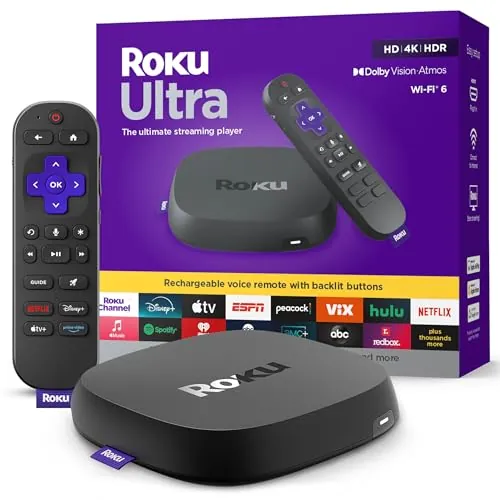
Roku Ultra
U.S. 4K streaming player with Ethernet and Voice Remote Pro (2nd edition)
Model 4850R
Amazon ASIN B0DF44RTTP
Differences that matter
What matters most to you?
Choose a priority to see what it changes.
Sources for Power and physical setup
Sources for Network connection
Sources for Remote and included items
Start with the TV and connection path
For an HD television and a compact player behind the screen, the 3840R is the simpler match: Roku lists it for up to 1080p, gives it an HDMI plug-in design, and describes it as TV-powered. Its product details list an included USB-C-to-USB-A power cable, a Voice Remote with TV controls, and two AAA batteries. Check that your TV's USB and HDMI ports are reachable in your intended installation.
If you want a wired network option or plan a 4K display chain, the 4850R adds a 10/100 Ethernet port, a separate power adapter, and an included Premium High Speed HDMI cable. Roku lists output up to 2160p at 60 fps, but calls out compatible TV and HDMI requirements. For 4K, trace the entire route: the TV input and each AVR or soundbar in between need the supported HDMI/HDCP path; the content and service/network conditions matter too. This guide compares documented features, not observed stream performance.
The box also changes the routine: the Stick remote uses two included AAA cells, while Ultra's Voice Remote Pro (2nd edition) is rechargeable and its box includes a USB-C remote cable. Pick the maintenance style and cable layout you actually want, then confirm the exact Amazon listing identifies the intended model before purchase.
Product details
Roku Streaming Stick (HD)
Roku Ultra
- Maximum listed output
- Up to 2160p at 60 fps (3840 × 2160); Dolby Vision at 60 fps, HDR10/HDR10+ and HLG listed for compatible TVs Source
- Network options
- Dual-band Wi-Fi 6 and 10/100 Base-T Ethernet Source
- Included box items
- Voice Remote Pro (2nd edition), USB-C remote charging cable, Premium High Speed HDMI cable, and power adapter Source
Before you buy
Community discussions
Adding an external player to a Roku TV
Roku Ultra
A Roku TV owner considering an external player asks how HDMI input selection and using a second Roku remote would work in practice. The question is about fitting a separate device into an existing TV setup.
What to check
If you are choosing between a direct-plug streaming stick and the standalone Ultra for a Roku TV, check for an available HDMI input and decide how you will switch between the TV interface and the external player. The thread raises the setup question but does not establish behavior for every TV.
Common questions
Will the Roku Ultra make every program display in 4K?
No. Roku lists up-to-4K output for 4850R, but 4K viewing also requires a compatible 4K TV/input and HDMI path, HDCP 2.2 where required, compatible 4K content, and the content provider's bandwidth requirements. The 3840R is listed for up to 1080p.Roku Streaming Stick (HD), product details for model 3840RRoku Ultra, product details for model 4850RRoku: Set up your player for 4K
Can I connect the Roku Streaming Stick HD without a wall outlet?
Roku describes the 3840R as TV-powered and says it can be powered by the TV without a wall outlet; its box lists a USB-C-to-USB-A power cable. Check the TV-side ports and your intended installation before ordering.Roku Streaming Stick (HD), product details for model 3840R
Which one has an Ethernet port?
Roku's product details list 10/100 Base-T Ethernet on the 4850R Ultra. The 3840R product details list dual-band Wi-Fi; those details do not establish an Ethernet connection for that Stick.Roku Ultra, product details for model 4850RRoku Streaming Stick (HD), product details for model 3840R
What should I plan for the remotes?
The 3840R includes a Voice Remote and two pre-installed AAA batteries. The 4850R includes a Voice Remote Pro (2nd edition) and a USB-C charging cable for that remote.Roku Streaming Stick (HD), product details for model 3840RRoku Ultra, product details for model 4850R
Sources and scope
This is a feature and setup comparison, not a test of app launch time, stream stability, picture quality, or remote battery life. Roku states the listed output and compatibility conditions; actual resolution depends on the TV, every device in the HDMI path, available content, and network/service requirements.
Related comparisons
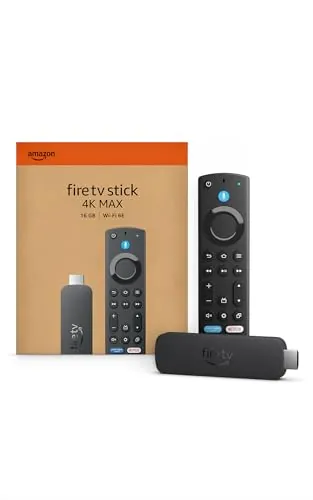
Roku Ultra 4850R vs Fire TV Stick 4K Max: Ethernet, Remote and Setup
These exact U.S. models both list 4K video with Dolby Vision, HDR10+ and Dolby Atmos. Their practical differences are the Roku box with built-in Ethernet and rechargeable Voice Remote Pro versus the Fire stick with Wi-Fi 6E, a voice remote with dedicated TV controls and Ethernet only through a separately sold adapter. Check your TV's HDMI/HDCP support, wired-network parts, remote habits and streaming apps before choosing.
Read comparison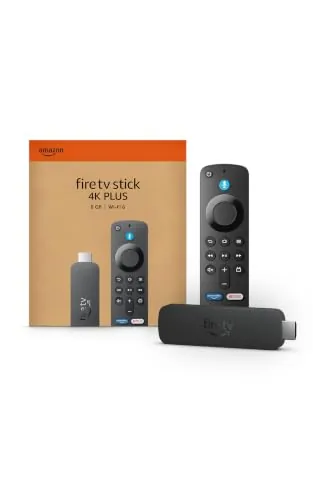
Roku Ultra 4850R vs Fire TV Stick 4K Plus: Wired Setup or Compact Stick?
Roku Ultra 4850R is a tabletop player with a built-in 10/100 Ethernet port and a rechargeable Voice Remote Pro; Fire TV Stick 4K Plus (2025) is a compact HDMI stick whose Ethernet option needs an adapter. Roku includes an HDMI cable and remote charging cable, while Amazon lists a power set, HDMI extender and AAA batteries. If you expect to use 4K or HDR, check your TV, HDMI/HDCP path, content and audio equipment against the formats each maker lists.
Read comparison