
Products compared
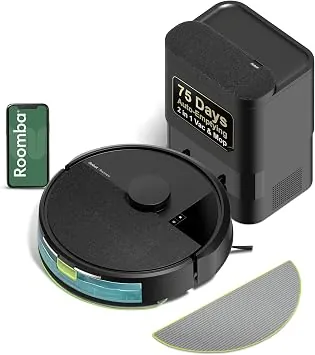
iRobot
Roomba 105 Combo Robot + AutoEmpty Dock
U.S. 105 Combo bundle with AutoEmpty dust-collection dock; not the charge-only or vacuum-only 105 configuration.
Model Y354020
Amazon ASIN B0DWFZ8Q7M
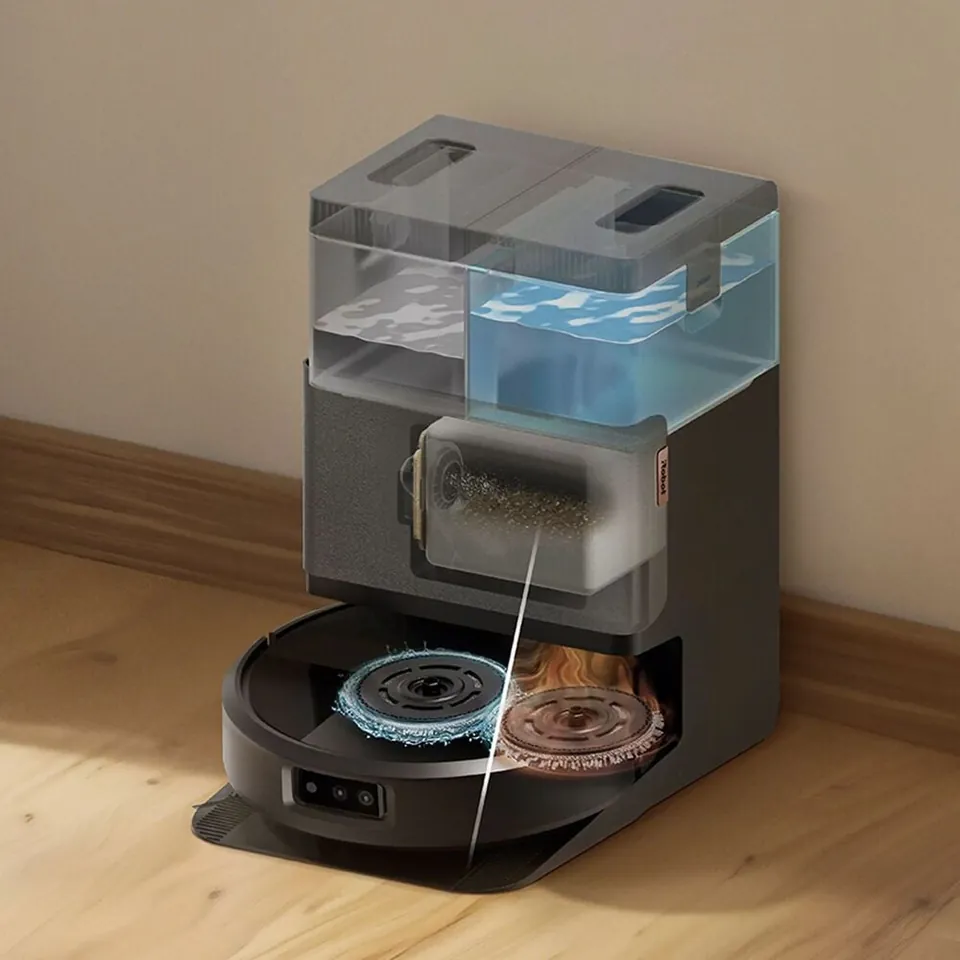
iRobot
Roomba Plus 505 Combo Robot + AutoWash Dock
U.S. Plus 505 Combo bundle with AutoWash dock, dual spinning mop pads, pad washing and heated drying.
Model N185020
Amazon ASIN B0DWG1YNJR
Look up your exact robot vacuum model and key differences
Enter an exact model number or ASIN to see its cited side of the documented dock, upkeep or coverage differences.
Select an exact model above, or enter its ASIN.
Browse exact models in this comparison
- Y354020 · ASIN B0DWFZ8Q7M — Roomba 105 Combo Robot + AutoEmpty Dock
- N185020 · ASIN B0DWG1YNJR — Roomba Plus 505 Combo Robot + AutoWash Dock
Enter an exact model number or ASIN to see its cited side of the documented difference. These statements apply to the listed models and packages; check the linked source for regional variants and conditions.
Differences that matter
What matters most to you?
Choose a priority to see what it changes.
Sources for Dock automation
Sources for Mop hardware and owner care
Sources for Cleaning solution and refills
Sources for Dock installation check
Start with the chore you want the dock to remove
The Y354020 105 Combo AutoEmpty dock handles dry debris. iRobot advertises up to 75 days between bag changes, but the robot still uses a microfiber mop pad and needs owner refill and pad care. The N185020 505 Combo AutoWash adds a different set of chores to its dock: iRobot says it refreshes and washes pads during mopping, then washes and heat-dries them. It also lists up to 75 days of dry-debris emptying and four weeks of pad washing under its use assumptions.
So the useful question is not which dock has the bigger name. Ask whether emptying a dust bin is your main nuisance, or whether handling mop pads and water is the repeated chore you want to reduce. The 505 automates more of the mop routine; that feature difference does not establish better cleaning results or maintenance-free ownership.
Trace your carpet transitions before choosing a mop route
iRobot says the 105 automatically avoids carpet during mopping. Its 100/1000 Combo support guide adds that the robot cannot lift the pad to travel over a rug, and recommends removing rugs from the area being mopped. In a home where an area rug separates the dock from a hard-floor room, that avoidance behavior can matter more than the advertised suction figure.
The 505 page says its mop pads auto-lift when they sense carpet. That is a relevant feature if your route includes mixed flooring, but the page does not publish a pile-height or transition limit. Mark the exact edges and threshold in your home and check current guidance; do not treat the feature as a pass for every rug.
Check how you will handle pads, water and solution
The 105's microfiber pad is an owner task: iRobot's 100/1000 guide says to remove it, hand-wash it in cold water and let it air-dry. Its North American approved-solution page gives 100/1000 Combo guidance and recommends three caps when an AutoEmpty dock is used. The same guide prohibits hot water and water mixed with vinegar.
For Plus 505, iRobot lists StayClean concentrate, Braava Jet Fresh Liquid Floor Cleaner or water, with instructions to add the solution to the clean-water tank and fill only to its line. These instructions differ by series. Use the current official list rather than assuming an all-purpose detergent is compatible. The 505 washing dock reduces pad handling; it does not remove every need to inspect or care for the robot and dock.
Do a five-minute bundle and dock-location check
At checkout, verify the full bundle code: Y354020 is the 105 Combo AutoEmpty in this comparison, while N185020 is the Plus 505 Combo AutoWash. Similar model-family names can lead to the wrong dock configuration. Then measure where the dock can sit and draw the robot's exit and return path.
For the 505, iRobot specifies a hard floor, at least four feet from stairs and ample space for the robot to navigate in and out. The product page does not give the dock's outside dimensions, so check the physical listing or manual for any tight space. For either robot, sketch the actual rug edges along the mopping route and review the exact mode and solution requirements before purchase.
Product details
Roomba 105 Combo Robot + AutoEmpty Dock
This bundle automates dust disposal, not mop-pad washing. Plan for water-tank refill and pad care yourself. The 105 product page and 100/1000 support guide differ on whether mop-only mode is available, so confirm that point for this exact robot before purchase if it matters.
- Dock work
- AutoEmpty dock collects robot debris into a bag; iRobot advertises up to 75 days between bag changes under its stated use conditions Source
- Mop hardware
- Microfiber mop pad Source
- Carpet behavior
- Product page says it automatically avoids rugs while mopping; support says it cannot lift the pad to cross rugs during mopping Source
- Cleaning-solution guidance
- North American guide lists iRobot Braava Jet Fresh Liquid Floor Cleaner or water; recommends 3 caps with an AutoEmpty dock and says not to use hot water or water plus vinegar Source
Roomba Plus 505 Combo Robot + AutoWash Dock
The AutoWash dock automates more of the mop routine, including pad washing and heated drying, but still needs an appropriate dock location and owner maintenance. Its auto-lift carpet feature is not a published rug-height guarantee.
- Dock work
- AutoWash dock auto-empties debris, refreshes and washes pads, then heat-dries them; iRobot lists up to 75 days of dust emptying and 4 weeks of pad washing under stated use Source
- Mop hardware
- DualClean spinning mop pads with auto-lift when sensing carpet Source
- Dock placement
- Place the dock on a hard floor, at least 4 ft from stairs, with ample approach space Source
- Cleaning-solution guidance
- North American guide lists StayClean concentrate, Braava Jet Fresh Liquid Floor Cleaner or water; no hot water or water plus vinegar Source
Before you buy
Community discussions
Choosing a dock spot before the first run
Roomba Plus 505 Combo Robot + AutoWash Dock
A first-time Roomba Plus 505 Combo buyer asked what to expect. A reply suggested finding a dock location with a clear route and considering the layout before setting up the map.
What to check
Measure the free space on the way to the dock, then check whether you can easily reach the bag or the AutoWash tanks where the dock will sit.
What you need on hand for the AutoWash dock
Roomba Plus 505 Combo Robot + AutoWash Dock
A 505 Combo owner asked what supplies they could use in the dock’s clean-water tank.
What to check
Compare the 505’s tank and dock upkeep with the 105’s pad-washing routine. Check iRobot’s guidance for the supplies each exact bundle uses.
Checking the robot bin when keeping an older dock
Roomba 105 Combo Robot + AutoEmpty Dock
A buyer reused an older Roomba 105 AutoEmpty dock with a separately purchased 105 Combo. The robot charged, but the buyer said the replacement bin did not empty.
What to check
If you need automatic emptying, confirm the exact robot, dock and bin included together in the listing.
Common questions
Does the Roomba 105 AutoEmpty dock wash the mop pad?
No pad washing is documented for the Y354020 AutoEmpty dock. It collects dry debris into a bag. Plan to refill the robot and clean its microfiber pad yourself; iRobot's 100/1000 guide says to hand-wash the pad with cold water and air-dry it.Roomba 105 Combo Robot + AutoEmpty Dock (Y354020)Roomba 100/1000: How to Clean or Replace the Mop Pad
Can the 105 Combo mop without vacuuming?
The Y354020 product page lists mop-only mode, but iRobot's 100/1000 Combo support instructions say the family can vacuum and mop or vacuum-only, not mop-only. Confirm current behavior for this exact bundle with iRobot before relying on that mode.Roomba 105 Combo Robot + AutoEmpty Dock (Y354020)How to Mop with your Roomba 100/1000 Series Combo Robot
Which bundle is intended to handle a rug in a mopping route?
The 105's product page says it avoids rugs while mopping, and iRobot support says the 100/1000 Combo cannot lift its pad to cross rugs. The 505 page says its pads auto-lift when sensing carpet. That supports different route behavior, not a guarantee for every rug height or transition.Roomba 105 Combo Robot + AutoEmpty Dock (Y354020)How to Mop with your Roomba 100/1000 Series Combo RobotRoomba Plus 505 Combo robot + AutoWash dock (N185020)
What floor-cleaning liquid can I use?
Use iRobot's current North American approved-solutions guide for the exact family. It lists Braava Jet Fresh Liquid Floor Cleaner or water for Roomba 100/1000 Combo (with 3 caps recommended when using AutoEmpty) and StayClean, Braava Jet Fresh Liquid Floor Cleaner or water for Plus 505. It warns against hot water and water plus vinegar.Approved Cleaning Solutions for Mopping and Combo Robots (North America)
Sources and scope
This is a feature-fit comparison of the U.S. Y354020 and N185020 configurations, not a cleaning-performance test. iRobot's 105 product page lists mop-only mode, but its 100/1000 Combo support guide says that family cannot mop without vacuuming; confirm current Y354020 app and firmware behavior with iRobot before relying on standalone mopping. Official 105 materials describe carpet avoidance; the support guide further says the robot cannot lift its pad to travel across rugs and recommends removing rugs from the area being mopped. The 505 page says pads auto-lift when sensing carpet, but does not establish a safe rug-height limit or guarantee every transition. Manufacturer maintenance intervals and cycle estimates depend on stated use and are not guarantees for every home. No hands-on pickup, mopping, navigation, noise, reliability or pad-cleaning test was performed.
Related comparisons
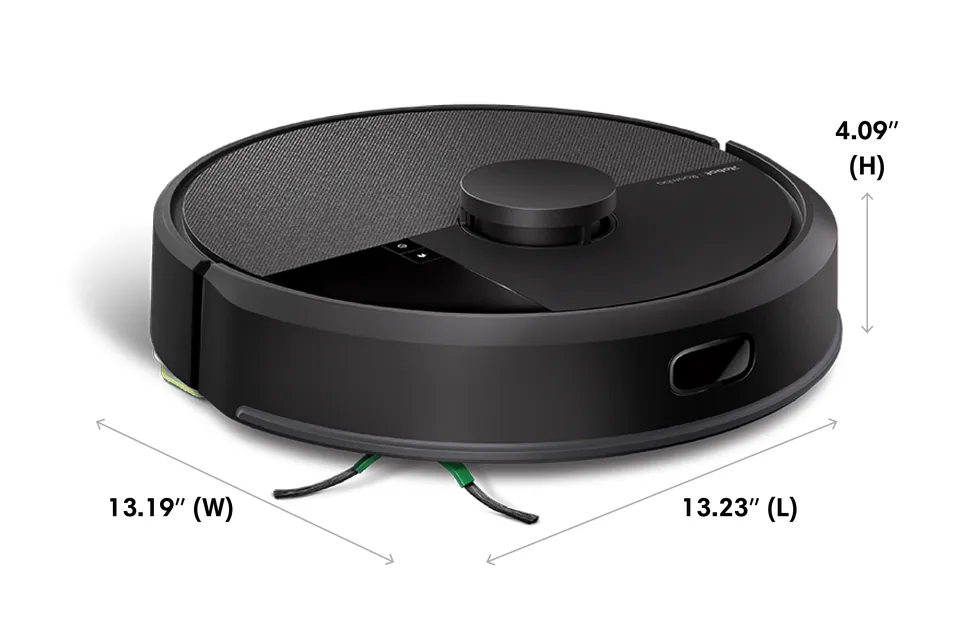
Roomba 105 Combo Y314020 vs Y354020
Y314020 has a Charge-Only Dock; Y354020 adds an AutoEmpty Dock for dry debris. Both remain 105 Combo kits with manual tank and mop-pad care.
Read comparisonRoomba 105 Combo vs Roomba Plus 505 Combo
For the exact US bundles, Roomba 105 Combo Y314020 has a Charge-Only Dock; Roomba Plus 505 Combo N185020 has an AutoWash dock that empties debris and washes and heat-dries pads. The 505 also needs a hard-floor location at least four feet from stairs with room to enter and exit. Decide whether that dock space and its tank, basin, and bag care are worth shifting routine pad handling away from you.
Read comparison