
Products compared
iRobot
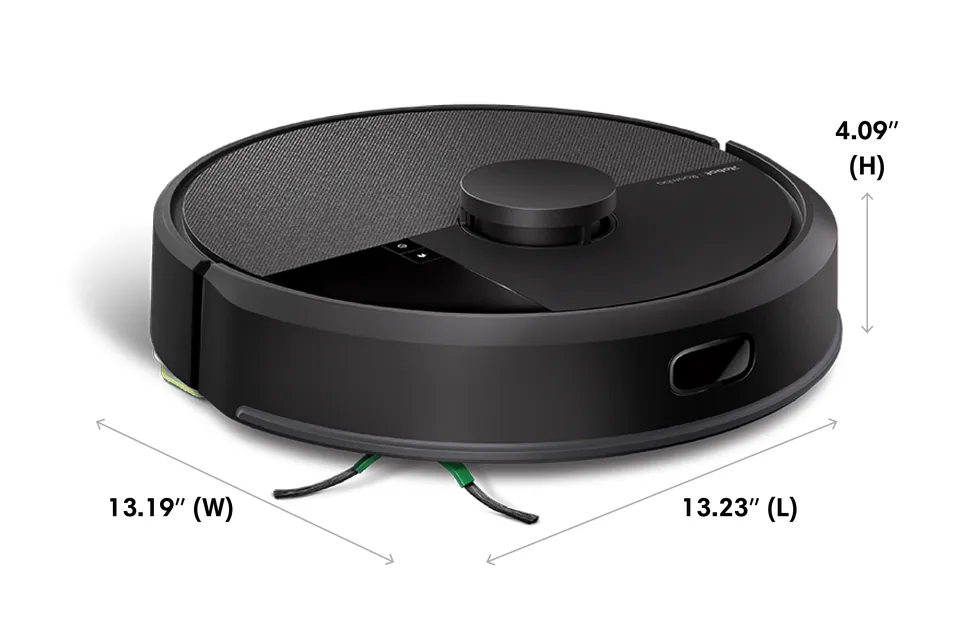
iRobot Roomba 105 Combo Robot + Charge-Only Dock
US Y314020 bundle; the official box list names a Charge-Only Dock, but generic copy on the same page conflicts
Model Y314020
Amazon ASIN B0DWG2BB7X
iRobot
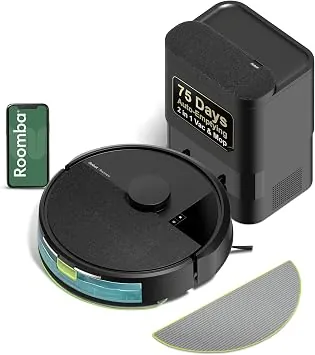
iRobot Roomba 105 Combo Robot + AutoEmpty Dock
US Y354020 bundle with AutoEmpty Dock and microfiber mop pad
Model Y354020
Amazon ASIN B0DWFZ8Q7M
iRobot
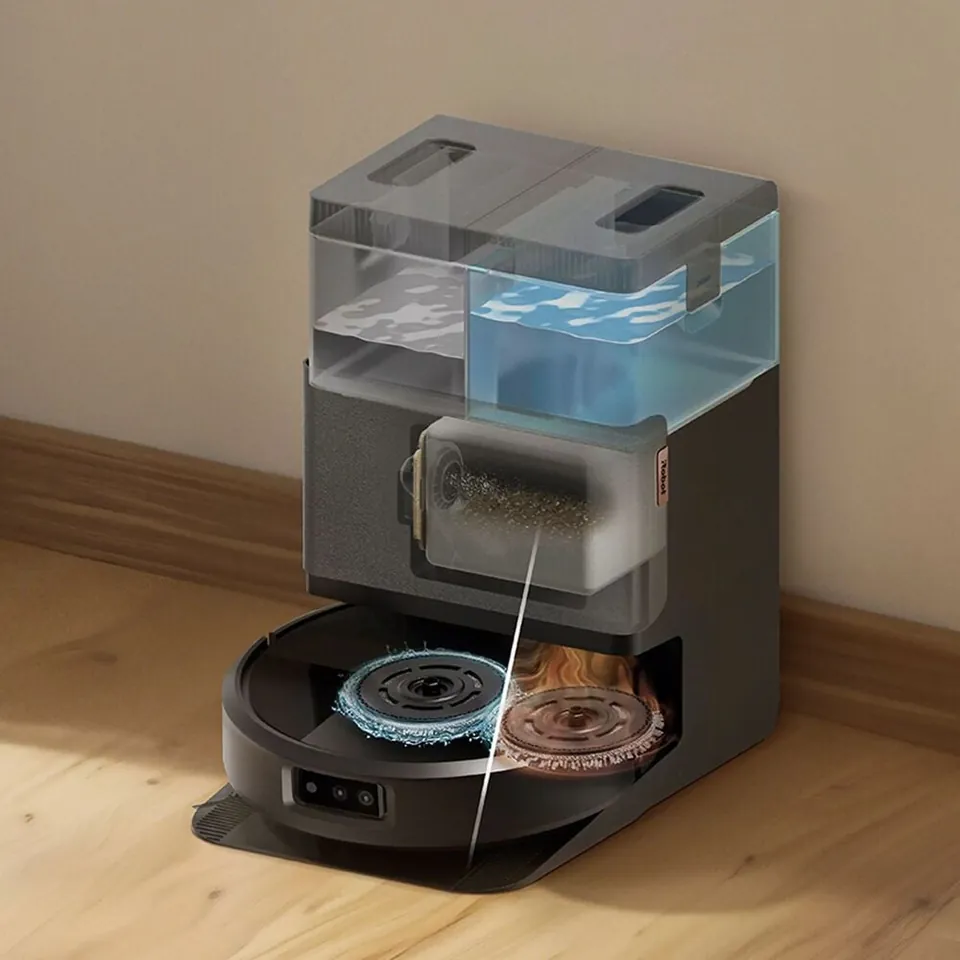
iRobot Roomba Plus 505 Combo Robot + AutoWash Dock
US N185020 bundle with AutoWash Dock and dual spinning mop pads
Model N185020
Amazon ASIN B0DWG1YNJR
Differences that matter
What matters most to you?
Choose a priority to see what it changes.
Dock work handled automatically
- iRobot Roomba 105 Combo Robot + Charge-Only Dock
- Charges the robot. The exact page's What's in the box list names a Charge-Only Dock; generic copy on the same page conflicts.
- iRobot Roomba 105 Combo Robot + AutoEmpty Dock
- Auto-empties robot debris into its bag; no automatic mop-pad washing or drying is documented for this bundle.
- iRobot Roomba Plus 505 Combo Robot + AutoWash Dock
- Auto-empties debris, refreshes mop pads during mopping, then washes and heat-dries pads.
Start with the chore you want to hand off: none beyond charging, dust disposal, or both dust disposal and pad care. Confirm Y314020's carton contents because the official page is internally inconsistent.
Mop hardware and care
- iRobot Roomba 105 Combo Robot + Charge-Only Dock
- Single microfiber mop pad; pad care remains part of the owner's routine.
- iRobot Roomba 105 Combo Robot + AutoEmpty Dock
- Single microfiber mop pad; AutoEmpty is the dust-disposal feature, not a pad-washing function.
- iRobot Roomba Plus 505 Combo Robot + AutoWash Dock
- Dual spinning pads; AutoWash refreshes, washes, and heat-dries them.
If washing the pad by hand is why you skip mopping, N185020 has the explicit dock feature for that chore. These feature descriptions do not prove better stain removal or less total maintenance.
Carpet transition while mopping
- iRobot Roomba 105 Combo Robot + Charge-Only Dock
- iRobot says it detects and avoids carpets in mop or combined modes.
- iRobot Roomba 105 Combo Robot + AutoEmpty Dock
- iRobot says it detects and avoids carpets in mop or combined modes.
- iRobot Roomba Plus 505 Combo Robot + AutoWash Dock
- iRobot says the mop pads automatically lift when carpet is sensed.
For mixed hard floors and rugs, compare the stated behavior with your floor map and rug edges. This is manufacturer-described functionality, not a guarantee for every rug or home.
Setup and box-list check
- iRobot Roomba 105 Combo Robot + Charge-Only Dock
- Official box list names one Charge-Only Dock, extra mop pad, line cord, and hair-cutting tool; the same page has conflicting generic AutoEmpty copy.
- iRobot Roomba 105 Combo Robot + AutoEmpty Dock
- Official box list names one AutoEmpty Dock, an extra mop pad, and hair-cutting tool.
- iRobot Roomba Plus 505 Combo Robot + AutoWash Dock
- Official box list names one AutoWash dock, an extra AutoEmpty bag, and an extra set of dual spinning pads; setup calls for a hard floor and at least 4 ft from stairs.
Match the complete model code to the seller's item and box contents before checkout. For N185020, measure the actual dock site and approach path rather than relying on the robot's smaller footprint.
Care tasks and service prompts
- iRobot Roomba 105 Combo Robot + Charge-Only Dock
- iRobot's 100/1000 care chart says empty the bin as needed, empty the Combo water tank after each job, clean the mop pad after mopping, and clean the filter weekly; replace it every 3–6 months.
- iRobot Roomba 105 Combo Robot + AutoEmpty Dock
- The same 105 robot-care chart applies; the AutoEmpty dock adds monthly contact, sensor, IR-window, and blower-cover care, while the bag is replaced when its indicator or app prompts.
- iRobot Roomba Plus 505 Combo Robot + AutoWash Dock
- The N185020 page describes pad washing/drying and dock self-cleaning, but does not give a matched recurring owner-care schedule in the cited page.
AutoEmpty reduces dust-bin handling but adds bag and dock care. AutoWash automates more pad steps, but these sources do not compare total owner time or a full maintenance schedule; check the exact 505 manual.
Think about the chore you want the dock to take over
The difference among these bundles is easier to see as a three-step dock choice. Y314020 is listed with a Charge-Only Dock, leaving dust disposal and microfiber-pad care to you. Y354020 adds an AutoEmpty Dock to handle robot debris. N185020's AutoWash Dock adds pad refreshing, washing, and heat-drying as well as debris emptying.
That is a feature map, not a ranking of total upkeep. AutoEmpty addresses one task; AutoWash adds pad care. Neither product page supports a claim that its robot cleans better or that its dock removes every owner task. iRobot's 105-series care chart shows that dust and mop care remain after the dock choice: the Combo tank is emptied after each job and the pad is cleaned after mopping.
Keep the Y314020 dock conflict visible
This is the bundle to check most carefully. On iRobot's Y314020 page, the What's in the box section names a Charge-Only Dock. Elsewhere, a generic paragraph calls the 105 Combo a robot + AutoEmpty Dock. The difference changes what you receive, so the public page does not resolve it on its own.
Before choosing the Amazon listing B0DWG2BB7X, ask the seller to confirm the full Y314020 item code and the dock in the carton. If they cannot confirm, compare a listing whose dock is explicit. The charge-only scenario is appropriate only when manual emptying and pad care are acceptable and the actual bundle is clear.
AutoEmpty handles dust; AutoWash also handles pads
Y354020 is the dust-bin choice. iRobot names the AutoEmpty Dock in both the page title and box list, and says the dock empties debris into a bag. Its listed cleaning modes and microfiber pad still make this a vacuum-and-mop robot; the cited page does not say the dock washes the pad. iRobot's 100/1000 care chart still calls for emptying the water tank after each job, cleaning the pad after mopping, and weekly filter cleaning for the 105 robot.
N185020 is the pad-care choice. iRobot describes dual spinning pads and a dock that refreshes pads during a mop run, then washes and heat-dries them. The page states four weeks of mopping and pad washing based on one mopping run per week. Treat that as the maker's stated usage basis, not a universal service interval or a no-maintenance promise. For the 105 AutoEmpty dock, that chart also lists monthly contact, sensor, IR-window, and blower-cover cleaning, with bag replacement when prompted. The N185020 page describes AutoWash self-cleaning but does not provide a matched owner-care schedule here; consult its exact model manual before estimating what remains.
Check rugs, bundle contents, and the dock location
All three pages describe carpet-aware behavior, but in different terms: the 105 pages say the robot avoids carpets while mopping, while the Plus 505 page says its mop pads lift when carpet is sensed. These are manufacturer descriptions. Map your rugs and consider fringe, thresholds, and room boundaries; the product pages do not promise the same result in every layout.
For N185020, iRobot says to put the AutoWash dock on a hard-surface floor at least 4 ft from stairs, with enough space for the robot to navigate in and out. Measure the planned floor spot and route. For every offer, match the ASIN and full model code to the dock and included pads or bag listed by the seller.
Product details
iRobot Roomba 105 Combo Robot + Charge-Only Dock
- Dock shown in package contents
- Charge-Only Dock; a separate generic paragraph on the page names an AutoEmpty Dock, so confirm the exact bundle with the seller Source
- Mopping setup
- Microfiber mop pad; the page lists vacuum-only, mop-only, and combination modes Source
- Rug guidance
- iRobot says the robot detects and avoids carpets in mop and combined modes Source
iRobot Roomba 105 Combo Robot + AutoEmpty Dock
- Dock job
- AutoEmpty Dock collects the robot's debris; iRobot advertises up to 75 days between emptying, depending on use Source
- Mopping setup
- Microfiber mop pad; the page lists vacuum-only, mop-only, and combination modes Source
- What the dock does not document
- The exact page lists an AutoEmpty Dock, not mop-pad washing or drying Source
iRobot Roomba Plus 505 Combo Robot + AutoWash Dock
- Dock job
- Auto-empties debris, refreshes pads during mopping, then washes and heat-dries the pads Source
- Mopping setup
- DualClean spinning pads with SmartScrub; the manufacturer lists vacuum, mop, combo, and vacuum-then-mop choices Source
- Placement check
- Place the dock on a hard-surface floor at least 4 ft from stairs, with room for the robot to enter and leave Source
Before you buy
Community discussions
Roomba Plus 505 Floor Cleaner
iRobot Roomba Plus 505 Combo Robot + AutoWash Dock
An owner of a Roomba Plus 505 with AutoWash asks whether to use the recommended floor cleaner or an alternative in the dock’s clean-water tank. The post does not say what they chose or identify an N185020 SKU.
What to check
Before counting on the AutoWash routine, verify the exact dock’s manufacturer-approved liquid and tank-handling instructions, and check whether the seller’s bundle includes the cleaner you expect. Do not use unverified alternatives suggested in the thread.
Choosing a dock spot before the first run
iRobot Roomba Plus 505 Combo Robot + AutoWash Dock
A first-time Roomba Plus 505 Combo buyer asked what to expect. A reply suggested finding a dock location with a clear route and considering the layout before setting up the map.
What to check
Measure the dock spot and put it where you can reach the parts you service. Compare the bin, bag and water handling you’ll do with each bundle.
Checking the robot bin when keeping an older dock
iRobot Roomba 105 Combo Robot + AutoEmpty Dock
A buyer reused an older Roomba 105 AutoEmpty dock with a separately purchased 105 Combo. The robot charged, but the buyer said the replacement bin did not empty.
What to check
When comparing bundles, check which dock and bin come together. The exact parts determine which jobs the dock can do.
Common questions
Does the Y314020 bundle definitely include a Charge-Only Dock?
iRobot's Y314020 What's in the box list says Charge-Only Dock. However, the same product page contains a generic sentence describing the robot + AutoEmpty Dock. Ask the seller to confirm the dock and exact item number on the shipped box before relying on this listing.iRobot Roomba 105 Combo Y314020 product page and box contents
Does the Y354020 AutoEmpty Dock wash the mop pad?
The Y354020 page identifies an AutoEmpty Dock and describes dust disposal. It does not document automatic mop-pad washing or drying; do not assume that function from the Combo name.iRobot Roomba 105 Combo Y354020 + AutoEmpty Dock product page and box contents
What space does the Plus 505 AutoWash setup need?
iRobot says to place its dock on a hard-surface floor, at least 4 ft from stairs, with ample space for the robot to navigate in and out. Measure the dock's planned floor area and its approach path before choosing N185020.iRobot Roomba Plus 505 Combo N185020 + AutoWash Dock product page, box contents and setup FAQ
Does the AutoEmpty dock make the 105 Combo maintenance-free?
No. iRobot's 100/1000 care chart still calls for regular robot care, emptying the Combo water tank after each job, and cleaning the mop pad after mopping. The AutoEmpty dock also has monthly contact, sensor, IR-window, and blower-cover care; replace its bag when the app or indicator prompts.iRobot Roomba 100/1000 care and maintenance frequency chart
Sources and scope
This is a manufacturer-feature and bundle-fit guide, not a measured cleaning comparison. Most importantly, iRobot's Y314020 page conflicts: its exact box list names a Charge-Only Dock, while generic copy on the same page refers to an AutoEmpty Dock. Confirm with the seller against the shipped carton. Manufacturer claims such as 'up to 75 days' are not guaranteed for every household. No comparative cleaning test, reliability study, ownership-cost calculation, or maintenance-time study is available.
Related comparisons
Roomba 105 Combo Y314020 vs Y354020
Y314020 has a Charge-Only Dock; Y354020 adds an AutoEmpty Dock for dry debris. Both remain 105 Combo kits with manual tank and mop-pad care.
Read comparisonRoomba 105 Combo vs Roomba Plus 505 Combo
For the exact US bundles, Roomba 105 Combo Y314020 has a Charge-Only Dock; Roomba Plus 505 Combo N185020 has an AutoWash dock that empties debris and washes and heat-dries pads. The 505 also needs a hard-floor location at least four feet from stairs with room to enter and exit. Decide whether that dock space and its tank, basin, and bag care are worth shifting routine pad handling away from you.
Read comparison