
Products compared

Sony
Sony HT-S100F 2.0ch Soundbar
U.S. Sony HT-S100F main soundbar; dimensions below are body only
Model HT-S100F
Amazon ASIN B0797MY6JB
Samsung
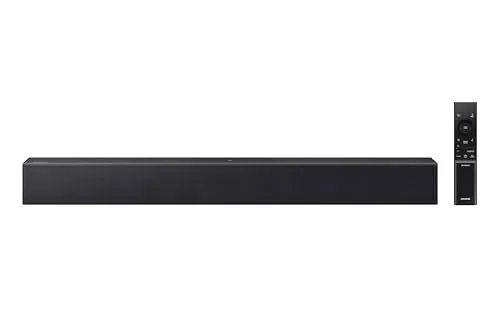
Samsung HW-B400F/ZA B-Series 2.0ch Soundbar
U.S. Samsung HW-B400F/ZA 2025 model; built-in woofer; dimensions below are the soundbar body only
Model HW-B400F/ZA
Amazon ASIN B0DY1Z934F
Differences that matter
What matters most to you?
Choose a priority to see what it changes.
Sources for TV audio inputs
Sources for TV remote and control setup
Sources for Main-unit placement footprint (W × H × D)
Sources for Included wiring and wall-placement planning
Start with the TV ports you actually have
Sony's exact HT-S100F specification lists HDMI ARC, optical audio, and USB Type-A. Samsung's U.S. guide for HW-B400F/ZA shows HDMI ARC and optical connections. For a TV-to-soundbar HDMI path, check that the TV has an ARC-marked output and follow its audio-output setup; the connection list alone does not guarantee compatibility with every television. Both manufacturers list optical cables in the box, while Samsung's guide says an HDMI cable is not supplied.
Before choosing, look at the back of the TV and pick the connection you intend to use. If you plan ARC, note the ARC-labeled port and make sure the required HDMI cable is on hand. If you plan optical, check that the TV has optical output and that the soundbar's included optical cable reaches the planned location.
Match remote control to your TV and remote type
Sony lists HDMI CEC and BRAVIA Sync for HT-S100F. That establishes the documented control feature, but Sony's specification does not prove operation with every TV or third-party remote. Samsung's HW-B400F/ZA manual references HDMI-CEC/Anynet+ when troubleshooting ARC and separately describes TV-remote volume control through IR. This IR mode defaults to Off and does not support Bluetooth TV remotes.
If controlling soundbar volume with the TV remote matters, identify the control route before buying: use the TV's supported HDMI-CEC path, or, for Samsung's additional mode, confirm that your remote is an IR type and follow the manual to enable the mode. The guide's 'All-TV Remote' setting is not a promise of compatibility with every television or remote model.
Measure width and depth, not just the bar's longest side
Sony gives the HT-S100F main-unit body dimensions as 35.5 × 2.5 × 3.5 inches (W × H × D). Samsung gives HW-B400F/ZA as approximately 25.2 × 2.6 × 4.2 inches (W × H × D). The Samsung body is about 10.3 inches narrower, while the Sony is about 0.7 inches shallower. This is a trade in shelf geometry: a shorter width can still require more front-to-back space.
Measure the usable shelf width and depth at the intended location, accounting separately for the cables and nearby objects. Compare those readings with the main-unit dimensions, not the shipping box. Neither specification supplies a universal TV-stand clearance requirement; if wall mounting, consult the exact guide and verify the actual bracket and wall conditions.
A quick pre-buy check for your setup
1. Confirm that the TV offers ARC or optical output and choose the path you will use. 2. Identify whether your intended remote control is HDMI-CEC or IR; do not rely on Samsung's documented IR mode with a Bluetooth TV remote. 3. Measure shelf width and front-to-back depth against the body's W × H × D dimensions. 4. Check the exact package and cable plan, especially if you need an HDMI cable for Samsung ARC. 5. For a wall installation, confirm mounting hardware and follow the precise model guide.
Sony is the fit when its listed BRAVIA Sync route and shallower profile match your TV location. Samsung is the fit when its narrower body works better and its IR remote mode matches the controller you actually use. Neither source gives a listening test, so this comparison does not rank sound quality or dialogue performance.
Product details
Sony HT-S100F 2.0ch Soundbar
Sony's exact HT-S100F specification lists HDMI ARC, optical audio, HDMI CEC and BRAVIA Sync. Its body-only size is 35.5 × 2.5 × 3.5 inches (W × H × D), and Sony lists the bar as wall-mountable. Those values describe the main unit, not a carton or a shelf-clearance requirement.
Samsung HW-B400F/ZA B-Series 2.0ch Soundbar
Samsung's U.S. HW-B400F/ZA guide documents HDMI ARC, optical input, and an IR-only TV-remote volume option that is off by default. It lists approximate main-unit dimensions of 25.2 × 2.6 × 4.2 inches (W × H × D) and describes optional wall mounting. The /ZA guide is the source used here; do not transfer setup or dimensions from another regional suffix.
Before you buy
Community discussions
An HT-S100F owner describes a three-remote TV setup
Sony HT-S100F 2.0ch Soundbar
An HT-S100F owner says they initially used separate remotes for the TV, soundbar volume and Fire TV apps, and asked how to simplify the routine.
What to check
Before choosing, identify whether you need the TV remote, the soundbar remote or a separate streaming-player remote for each daily task. Use the guide’s Sony and Samsung control details as checks, then confirm the actual TV and remote combination; this owner’s post does not establish compatibility.
Common questions
Can both soundbars connect to a TV by HDMI ARC or optical?
Yes. Sony's HT-S100F specifications list HDMI ARC and optical input, and the Samsung HW-B400F/ZA guide shows HDMI ARC and optical input. Check the exact TV outputs and settings; for ARC use the port labeled ARC.HT-S100F Specifications - Sony USAHW-B400F/ZA U.S. User Guide, English
Will the Samsung HW-B400F/ZA use my TV remote?
Its guide documents a TV-remote volume mode for IR remotes only. It is Off by default, and Bluetooth TV remotes are not supported by that function. Confirm your remote type and follow the Samsung guide to enable the setting before relying on it.HW-B400F/ZA U.S. User Guide, English
Which soundbar is narrower, and which needs less shelf depth?
Samsung lists the HW-B400F/ZA at about 25.2 in wide and 4.2 in deep; Sony lists the HT-S100F at 35.5 in wide and 3.5 in deep. Samsung is narrower, while Sony is shallower. Measure both axes on your shelf rather than deciding by length alone.HT-S100F Specifications - Sony USAHW-B400F/ZA U.S. User Guide, English
Does Samsung include the cable for an HDMI ARC connection?
The Samsung U.S. guide says the HDMI cable is not supplied. It lists an optical cable, so include an HDMI cable if you plan to use ARC and verify the exact package contents before buying.HW-B400F/ZA U.S. User Guide, English
Sources and scope
This comparison uses Sony's U.S. HT-S100F specifications and Samsung's U.S. HW-B400F/ZA guide. Check that the selected listing is the /ZA version before applying Samsung-specific port, remote, or size details. No listening, installation, or remote-compatibility testing was done. Main-unit dimensions do not establish package size, operating clearance, TV compatibility, or an acoustic winner.
Related comparisons
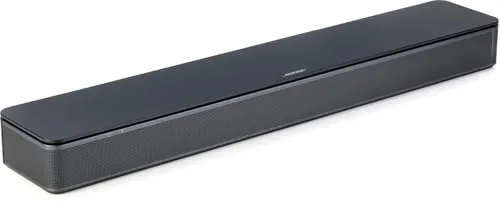
Bose TV Speaker 838309-1100 vs Sony HT-S100F: Match TV Ports, Cables, and Shelf Space
For a simple TV connection, either soundbar can use optical audio and both official box lists include an optical cable. Both also support HDMI ARC, but plan for a separate HDMI cable and verify that your TV has an ARC-labeled port; actual control and audio behavior depends on the TV and its settings. Bose’s TV Speaker (838309-1100) includes a remote with Dialogue and Bass controls and supports optional wired Bose Bass Module 500 or 700 expansion using a separately sold cable. Sony HT-S100F includes a remote and supports Voice mode plus USB playback for compatible file types. Bose is 23.38 inches wide; Sony is 35.5 inches wide, so check the shelf and cable path.
Read comparison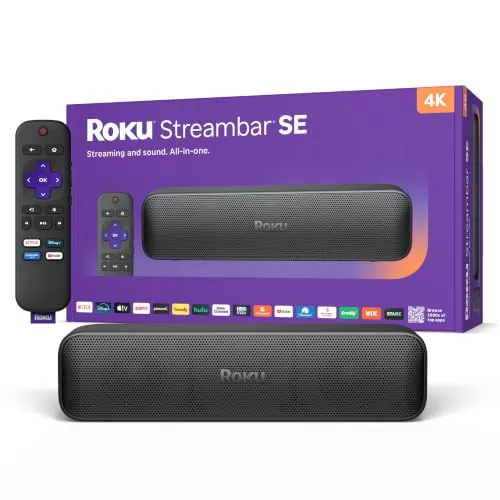
Roku Streambar SE 9104R vs Sony HT-S100F: TV Ports, Streaming and Remote Setup
This U.S. comparison covers the Roku Streambar SE model 9104R and Sony HT-S100F. Roku combines a soundbar with built-in 4K streaming and an included remote with TV power, volume and mute buttons; TV audio needs HDMI ARC or HDMI plus optical and Roku's SE setup requires PCM stereo from the TV. Sony is a soundbar for audio from an existing TV or source; its manual documents HDMI ARC or optical TV input, Dolby Digital or two-channel Linear PCM, plus Bluetooth and USB playback. Sony includes a remote and batteries, and the manual explains when the TV remote's IR signal may need to pass through the bar. Neither product is presented as the better-sounding option: the choice turns on source, ports, audio settings and controls.
Read comparison