
Products compared
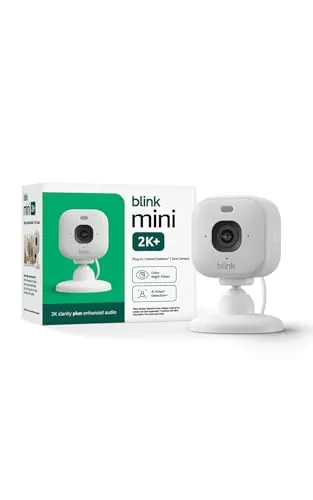
Blink
Blink Mini 2K+
White, one-camera plug-in model. Its local clips use a compatible Sync Module and removable storage rather than a card slot in the camera.
Model BCM00800U
Amazon ASIN B0F3BC8661
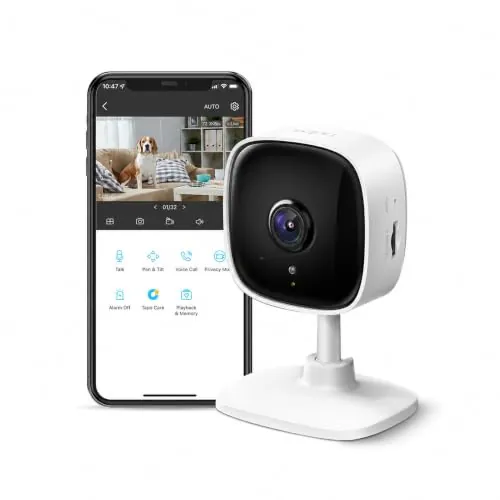
TP-Link
TP-Link Tapo C100
White, one-pack fixed indoor camera. Local recording uses a separately purchased microSD card in the camera.
Model Tapo C100
Amazon ASIN B0866S3D82
Differences that matter
What matters most to you?
Choose a priority to see what it changes.
Sources for Where local clips are stored
Sources for Cloud storage and subscription choice
Sources for Published video settings and network check
Choose the recording path before the camera
For a single camera, the practical question is where the removable storage sits. Tapo puts a separately purchased microSD card in the C100. Blink Mini 2K+ sends local clips through a compatible Sync Module: Module 2 takes USB storage, while XR takes microSD. Blink says its camera can function without a module, but that does not provide local clip storage.
Both brands also describe cloud storage options. Blink ties cloud storage to a plan or trial; TP-Link offers Tapo Care separately from its local card option. If avoiding a cloud subscription is the priority, price the separately purchased media and confirm the current app and service terms for the exact setup.
Check the setting your network can support
Blink publishes Best at up to 2560 × 1440 and lists a 6 Mbps upload minimum per camera for that setting; Standard is 1920 × 1080 with a stated 3 Mbps upload minimum. TP-Link lists the C100 at 1920 × 1080. Because the selected listing does not identify a hardware revision, no revision-specific frame-rate setting is applied here. Treat these as setting specifications, not a comparison of recorded image quality.
Before buying, check upload capacity where the camera will sit, and decide whether the higher Blink setting is useful for your use. This comparison does not establish performance through a weak connection or what either camera will show during an outage.
A short pre-buy checklist
For Blink, identify the Sync Module model you own before choosing media; Core is not a local-storage module. For Tapo, check the exact hardware version on the C100 offer and compare it with TP-Link's regional download/support page. The C100 family has multiple listed revisions, and TP-Link warns that card support can vary by model and hardware version.
Neither a published resolution nor the presence of local storage establishes outage behavior, detail in a real room, or whether recordings will meet a particular identification need. Verify those requirements with the exact manufacturer's instructions before relying on them.
Product details
Blink Mini 2K+
TP-Link Tapo C100
- Published video setting
- TP-Link lists 1920 × 1080 for the C100. This guide does not apply a hardware-revision-specific frame-rate setting to the selected offer. Source
- Local storage hardware
- A separately purchased microSD card goes in the camera. Verify the card limit for the hardware revision on the exact unit. Source
Before you buy
Community discussions
Checking where a clip is actually saved
TP-Link Tapo C100
A C100 owner recording events to an SD card asked whether viewing a clip remotely in the Tapo app means it is also saved to the phone or cloud, and whether it would remain available if the card were lost. The post raises a useful distinction between viewing, downloading, and keeping a separate copy; it does not establish cloud behavior.
What to check
Decide whether local card storage meets your needs or whether you need a separate copy of important clips. Before relying on either camera for that workflow, check the current manufacturer terms for local, cloud, and phone downloads and test where a saved clip is actually stored.
Finding the recording schedule after an app update
TP-Link Tapo C100
A C100 user could not find the recording schedule and SD-card formatting controls after an app update. This is one owner's app-navigation question, not evidence that those controls are absent or that the interface is currently the same.
What to check
If scheduled or local recording matters, confirm the current Tapo app exposes the controls you need for your exact camera and app version, and check how to format the card before placing the camera out of reach.
Common questions
Does Blink Mini 2K+ need a Sync Module to work?
No. Blink says the camera can function without a Sync Module. Local clip storage is different: it requires Sync Module 2 with USB storage or Sync Module XR with a microSD card; Sync Module Core does not support local storage.Mini 2K+ FAQ
Can I use a Sync Module Core for Blink local clips?
No. Blink identifies Sync Module 2 with USB storage and Sync Module XR with microSD as local-storage options, and explicitly says Core does not support local storage.Mini 2K+ FAQLocal Storage with Sync Module
Does Tapo C100 include the microSD card, and what size should I buy?
TP-Link marks the card as sold separately. Check the C100 hardware version for the exact listing and follow that revision's official card guidance; TP-Link says card capacity support can vary by model and hardware version.Tapo C100microSD Card Compatibility for Tapo and Kasa Security CamerasDownload for Tapo C100: hardware versions and manuals
Sources and scope
This is a feature-fit comparison of the assigned white, single-camera models. It does not test image quality, identify subjects, or establish operation during an internet outage. TP-Link lists multiple C100 hardware revisions; verify the specific revision and its card requirements before buying media.
Related comparisons
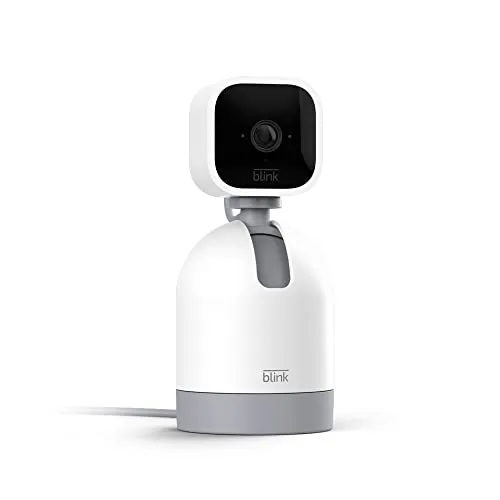
Tapo C100 vs Blink Mini Pan-Tilt: Fixed View or Remote Aiming?
The exact Blink B09N6YCT3Y listing is the white one-camera Blink Mini Gen 1 kit with its Pan-Tilt Mount, USB cable and power adapter. It adds manual app-controlled aiming, but Blink local clips need a separate compatible Sync Module and storage media. The Tapo C100 stays in a fixed view and records locally to a separately purchased microSD card in the camera. Check the C100 hardware revision and the exact retailer bundle before ordering.
Read comparison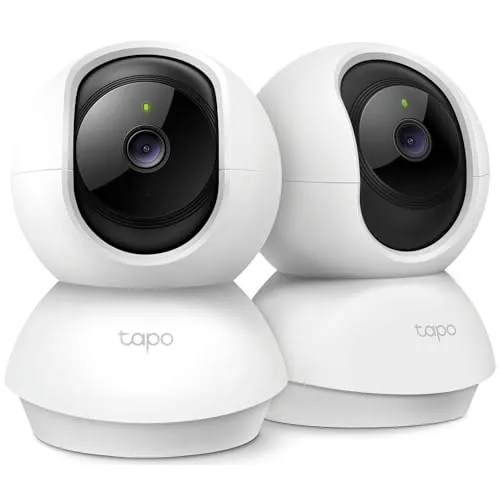
TP-Link Tapo C100 vs Tapo C210P2: One Camera or a Two-Camera Plan?
The Tapo C100 listing is a one-camera package with a published maximum of 1920 × 1080. TP-Link identifies C210P2 as a two-camera package; the C210 camera page lists motorized pan/tilt and a 2304 × 1296 maximum. Pick C100 for one planned position when its listed format is sufficient. Pick C210P2 when you need two units or want pan/tilt from a mounted position. Published dimensions and movement ranges do not promise room coverage or better-looking footage.
Read comparison