
Products compared
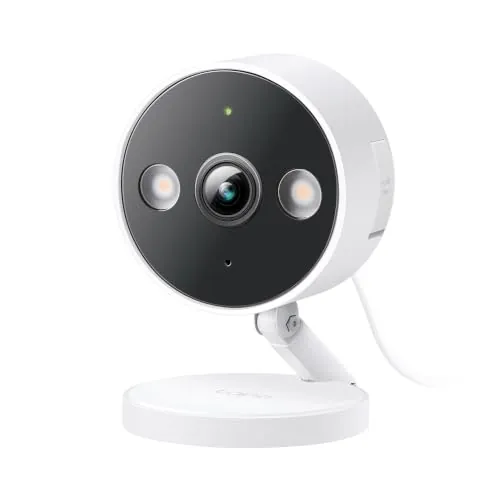
TP-Link / Tapo
TP-Link Tapo C120 Indoor/Outdoor Security Camera (White, 1-Pack)
The assigned U.S. listing is a white, single-camera Tapo C120. TP-Link's U.S. pages describe C120 V1 and C120 V2 separately; the current listing does not tell us which is in the box. Both pages describe person, pet and vehicle alerts, 2.4 GHz Wi-Fi, IP66 weather resistance and local microSD storage up to 512 GB. Confirm the exact hardware revision and current setup support on the seller page before relying on variant-specific details.
Model Tapo C120 (revision not identified by the selected listing)
Amazon ASIN B0CH45HPZT
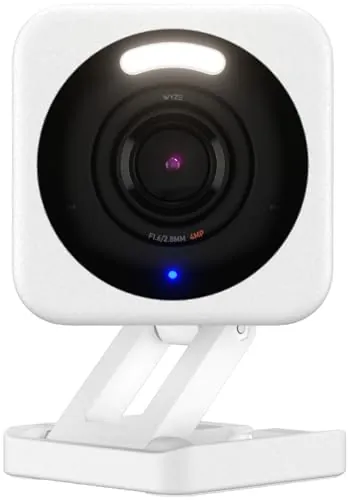
Wyze
Wyze Cam v4 Indoor/Outdoor Security Camera (White)
The selected listing is the white Wyze Cam v4, exact manufacturer model WYZEC4. Wyze lists a 6-foot microUSB cable, 5 V/1 A adapter, 2.4 GHz Wi-Fi (including Wi-Fi 6 support on 2.4 GHz), IP65 weather resistance and local cards up to 256 GB in exFAT. Wyze says a separate Outdoor Power Adapter is required for outdoor use. Its current Cam v4 AI guidance says person detection and Fast Notifications require a paid subscription.
Model WYZEC4
Amazon ASIN B0CJ9YX7DG
Differences that matter
What matters most to you?
Choose a priority to see what it changes.
Sources for Alerts and subscription dependence
Sources for Outdoor location and power protection
Pick by the alerts you can actually use
TP-Link's U.S. C120 V1 and V2 product pages list free person, pet and vehicle detection. Wyze's Cam v4 has Edge AI, but Wyze's current AI/Edge AI guidance says Cam v4 person detection and Fast Notifications require a paid subscription. If you mainly want those event categories without adding a camera plan, the Tapo page is the more direct fit—once the seller confirms which C120 revision it ships. That is a feature-and-plan choice, not a claim that one camera recognizes events more accurately.
Tapo Care and Cam Plus include different cloud and alert services. Compare the current account-specific terms if you need cloud clips, event thumbnails or a particular alert type. Do not read a 30-day history statement from one service and a separate rollover-storage statement from another as an equal-plan comparison.
Measure power reach before deciding where to mount
These are plug-in cameras, so mark a real outlet before choosing the camera position. TP-Link's C120 V1 page lists a 9.8-foot power cord and the V2 specifications list a 3-meter cable. Wyze lists a 6-foot microUSB cable for WYZEC4. The assigned C120 listing does not say V1 or V2; verify the exact box and current support instructions rather than assuming a third-party extension will work.
For outdoor Wyze placement, the manufacturer says the Outdoor Power Adapter is required and sold separately. The camera's IP65 rating does not establish that an indoor adapter or exposed outlet is weather-protected. Tapo's C120 pages list IP66 weather resistance, but still plan a protected power and cable route that follows the exact revision's manual.
Check the Wi-Fi band and the card workflow
Both products require a 2.4 GHz network for the camera connection. Wyze Cam v4 lists Wi-Fi 6 support, but Wyze's setup guide uses 2.4 GHz and its support page says Cam v4 is not compatible with 5 GHz. Confirm the 2.4 GHz network is available where you intend to mount the camera; published band support cannot predict signal through your walls.
Both brands document local microSD storage, but their current published limits differ: TP-Link lists C120 up to 512 GB, while Wyze's WYZEC4 Tech Specs and current card-limit help page say up to 256 GB, with exFAT in the specs. An earlier official Wyze product-page FAQ captured by the upstream comparison said 512 GB; current exact-model guidance now says 256 GB. If your planned card is above 256 GB, confirm directly with Wyze before buying. Either way, the maximum card size is not a promise of a particular retention period; estimate storage from your chosen recording mode only after checking each model's current instructions.
A quick pre-buy site check
Before ordering, write down four things: the exact camera revision/model on the listing, the outlet-to-camera distance, whether your router offers 2.4 GHz at that spot, and whether you will use a card, cloud plan or both. For C120, ask the seller which revision ships if its package or app feature matters. For WYZEC4, include the separate outdoor power adapter in your plan if the camera will be outside, and do not buy a card above the current 256 GB guidance without checking with Wyze.
The manufacturers rate the Tapo C120 IP66 and Wyze Cam v4 IP65. Those are not a head-to-head weather test; use the ratings and each exact model's installation guidance together, and keep the adapter, outlet and cable within their own environmental limits. This comparison does not rank image quality, false-alert rate, Wi-Fi stability or days of footage.
Product details
TP-Link Tapo C120 Indoor/Outdoor Security Camera (White, 1-Pack)
- U.S. hardware revision
- TP-Link publishes separate C120 V1 and V2 pages; the selected ASIN listing does not identify which revision it supplies. Source
- Listed alerts
- C120 V1 and V2 U.S. pages list person, pet and vehicle detection without a subscription; verify the exact revision and current app behavior. Baby-cry detection is listed on the revision pages but is not used to distinguish the selected listing. Source
- Local and cloud recording
- The U.S. C120 V1 and V2 pages list local microSD up to 512 GB; Tapo Care cloud storage requires a subscription. Card capacity does not establish recording days. Source
- Power and connection
- C120 is a plug-in USB-C, 5 V/1 A camera; the U.S. V1 page lists a 9.8 ft cable and V2 specifications list 3 m. The selected listing's revision is unknown. Both pages list 2.4 GHz Wi-Fi. Source
- Outdoor placement
- The C120 revision pages list IP66 weather resistance. This is a manufacturer rating, not a test of the listing's supplied power adapter or an exposed installation. Source
Wyze Cam v4 Indoor/Outdoor Security Camera (White)
- Exact model and color
- Wyze Cam v4; model WYZEC4; White is one of the listed colors. Source
- Local card
- Wyze's exact WYZEC4 Tech Specs list microSD up to 256 GB in exFAT; its current support card-limit list also lists Cam v4 at up to 256 GB. Source
- Power and Wi-Fi
- The exact WYZEC4 specs list a 6 ft microUSB cable, a 5 V/1 A adapter, 2.4 GHz Wi-Fi and Wi-Fi 6. Wyze's Cam v4 setup guide requires a 2.4 GHz network; Wi-Fi 6 support does not mean 5 GHz compatibility. Source
- Outdoor installation
- Wyze lists IP65 weather resistance and says the separate Wyze Outdoor Power Adapter is required for outdoor use. Source
- AI alerts
- Wyze's current Cam v4 AI/Edge AI guidance says person detection and Fast Notifications for Cam v4 require a paid subscription; confirm current plan eligibility for the account. Source
Before you buy
Community discussions
Planning the power cable at a window
TP-Link Tapo C120 Indoor/Outdoor Security Camera (White, 1-Pack)
A C120 owner planning an outdoor placement asked how to route power through a window while keeping a snug connection at the camera. The author considered sealing ideas, but the post does not establish a safe extension or weatherproofing method.
What to check
Plan the outlet and cable route before choosing a camera position. For outdoor use, follow the instructions for the exact C120 revision and use the specified cable and parts; do not improvise a seal at the connector. Check the package listing because the selected C120 ASIN does not identify its hardware revision.
Checking alerts and the connection at the intended location
TP-Link Tapo C120 Indoor/Outdoor Security Camera (White, 1-Pack)
A C120 owner reported that the USB cable could come loose with a small touch while describing separate concerns with alerts. This account does not establish a model-wide issue; only the power-connection concern is relevant to this guide.
What to check
Before mounting a C120 outdoors, verify the exact unit's included cable and connector-seating instructions, and position it so the cable is not tugged. Keep the weather seal and manufacturer-specified parts intact; evaluate alert behavior separately rather than inferring it from this power report.
Common questions
Does Tapo C120 give person, pet and vehicle alerts without a subscription?
TP-Link's U.S. C120 V1 and V2 pages list person, pet and vehicle Smart AI detection as free. The selected Amazon listing does not identify its hardware revision, so confirm which revision is being supplied and check current app support. This does not compare how accurately either camera detects an event.Tapo C120 V1 Indoor/Outdoor Home Security Wi-Fi Camera (U.S.)Tapo C120 V2 Indoor/Outdoor Home Security Wi-Fi Camera (U.S.)
Does Wyze Cam v4 need a paid plan for person detection?
Wyze's current AI/Edge AI guidance says Cam v4 person detection and Fast Notifications are available with a paid subscription. Confirm current plan eligibility in your account before choosing Cam v4 for those alerts.What's the difference between Wyze AI and Edge AI?
What microSD card size is currently listed for WYZEC4?
Wyze's exact WYZEC4 Tech Specs list cards up to 256 GB in exFAT, and its current support card-limit article also puts Cam v4 in the up-to-256-GB group. A prior official product-page FAQ captured in the earlier reviewed source said 512 GB; no revision or firmware explanation was provided. Follow Wyze's current model-specific compatibility guidance and confirm with support before buying a card above 256 GB.Wyze Cam v4 Tech Specs (WYZEC4)What is the microSD card size limit for my Wyze Cam?
Can Wyze Cam v4 be mounted outdoors using the included power adapter?
Wyze's product page says an Outdoor Power Adapter, sold separately, is required for outdoor use. Check its current installation instructions for the exact power arrangement; an IP65 camera rating does not by itself establish weather protection for an outlet or adapter.Wyze Cam v4 U.S. product pageWyze Cam v4 Tech Specs (WYZEC4)
Will either camera work on a 5 GHz-only Wi-Fi network?
The listed C120 revisions use 2.4 GHz Wi-Fi. Wyze says Cam v4 requires 2.4 GHz and is not compatible with 5 GHz; its Wi-Fi 6 support does not change that band requirement. Confirm your router offers 2.4 GHz at the camera location.Tapo C120 V1 Indoor/Outdoor Home Security Wi-Fi Camera (U.S.)Wyze Cam v4 Setup GuideDoes Wyze Cam v4 support 5 GHz networks?
Sources and scope
This is a document-based buying guide for the assigned white single-camera listings: Tapo C120, product 587 / ASIN B0CH45HPZT, and Wyze Cam v4 WYZEC4, product 6362 / ASIN B0CJ9YX7DG. TP-Link publishes separate U.S. C120 V1 and V2 pages, but the selected listing does not identify its revision; shared C120 claims are limited to details stated for both versions, and revision-specific packaging or app behavior must be checked on the exact seller listing. Wyze's current exact WYZEC4 Tech Specs, product comparison table and support card-limit article list microSD up to 256 GB (exFAT in the Tech Specs); an earlier official product-page FAQ captured in the earlier reviewed source stated 512 GB, with no revision or firmware explanation. This guide follows the currently accessible model specs and support limit, and advises checking Wyze before using a larger card. Tapo Care and Wyze Cam Plus are separate subscription services, not matched plans. IP ratings are reported as each maker lists them and are not treated as a comparative weather test. Wyze states that its separate Outdoor Power Adapter is required for outdoor use. No hands-on image, detection, Wi-Fi, reliability or recording-duration test is claimed; no exact retention-day estimate, offer price or universal winner is given.
- Tapo C120 V1 Indoor/Outdoor Home Security Wi-Fi Camera (U.S.)
- Tapo C120 V2 Indoor/Outdoor Home Security Wi-Fi Camera (U.S.)
- Tapo Motion Detection Setup for Cameras and Doorbells
- Wyze Cam v4 Tech Specs (WYZEC4)
- What's the difference between Wyze AI and Edge AI?
- What is the microSD card size limit for my Wyze Cam?
- Wyze Cam v4 U.S. product page
- Wyze Cam v4 Setup Guide
- Does Wyze Cam v4 support 5 GHz networks?
Related comparisons
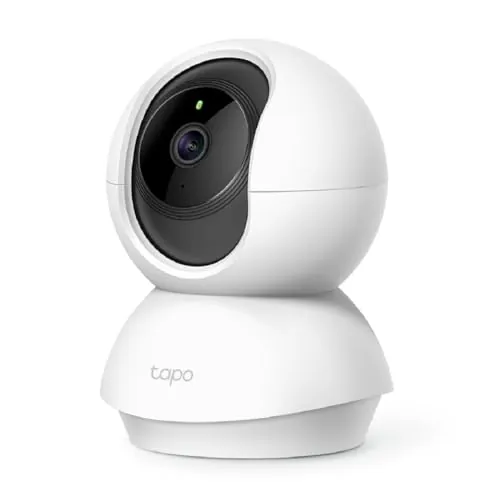
TP-Link Tapo C200 vs C120: App-Controlled Pan/Tilt or Outdoor Placement?
The practical difference is how and where you aim the camera. Tapo C200 uses app-controlled pan and tilt and is listed among TP-Link's indoor cameras. Tapo C120 is manually aimed at the mount and TP-Link lists the camera for indoor or outdoor use with an IP66 rating. The C120 still needs a planned power route: its camera rating does not establish that an adapter or outlet may be exposed. Both models list local microSD recording up to 512 GB and optional Tapo Care cloud storage, so choose a card or check current subscription terms rather than assuming cloud service is included.
Read comparison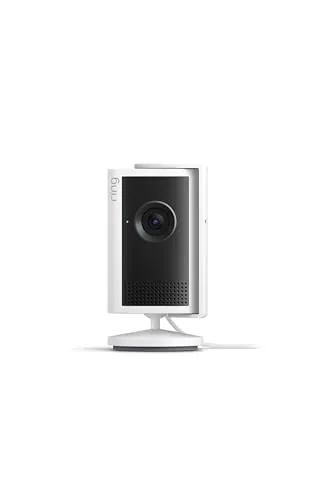
Ring Indoor Cam 2K vs Wyze Cam v4: Placement, Power and Video Storage
Both cameras plug into power and connect over 2.4 GHz Wi-Fi. Ring Indoor Cam 2K supports tabletop, wall or ceiling placement and requires an eligible Ring plan for recording replay. Wyze Cam v4 supports outdoor use with a separately sold power adapter and local recording with a separately sold microSD card. Plan the power route and how you want to review recordings.
Read comparison