
Products compared
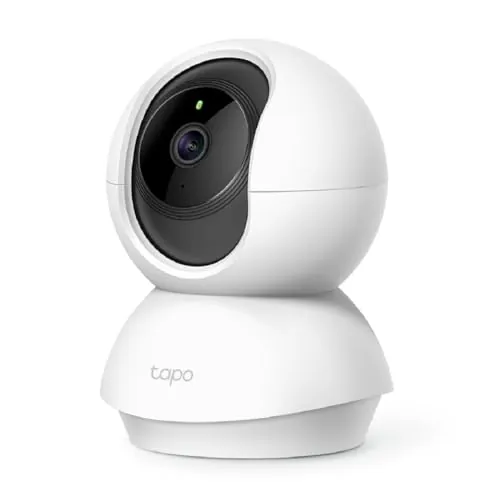
TP-Link
TP-Link Tapo C200 Pan/Tilt Home Security Wi-Fi Camera (White, 1-Pack)
The listing data identifies the white, single-camera Tapo C200. TP-Link's U.S. product page lists app-based Pan/Tilt, 2.4 GHz Wi-Fi, a 9 V DC adapter, tabletop or ceiling mounting, and local microSD or subscription cloud storage. The selected ASIN does not identify which C200 hardware revision ships.
Model Tapo C200 (hardware revision not identified by the selected listing)
Amazon ASIN B0829KDY9X
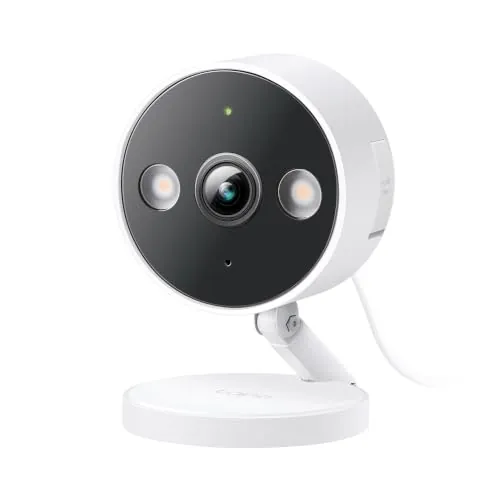
TP-Link / Tapo
TP-Link Tapo C120 Indoor/Outdoor Home Security Wi-Fi Camera (White, 1-Pack)
The listing data identifies a white, single-camera Tapo C120. TP-Link publishes U.S. C120 V1 and V2 pages. Both describe indoor/outdoor use, an IP66 camera rating, a magnetic base and local microSD plus optional Tapo Care cloud storage. The selected ASIN does not identify which revision ships; check its exact listing and manual for revision-specific details.
Model Tapo C120 (hardware revision not identified by the selected listing)
Amazon ASIN B0CH45HPZT
Differences that matter
What matters most to you?
Choose a priority to see what it changes.
Sources for How you aim the camera
Sources for Power route and mounting plan
Sources for Local card or cloud recording
Start with the view you need
Tapo C200 is the app-steerable option: TP-Link's Pan/Tilt instructions show how to move a supported camera from the app, and the C200 is the model used in the support example. That makes it a practical fit when the camera is indoors and you may want to redirect its view without reaching the mount. It does not mean the camera watches all directions at once.
Tapo C120 takes a set-it-at-the-mount approach. Its user guide shows how to tilt and rotate the camera and stand to choose the view physically. If the position is awkward to reach, decide the angle before fastening the mount rather than expecting app-based pan/tilt.
Outdoor placement means planning the power too
TP-Link's U.S. revision pages list the C120 camera as suitable for indoor or outdoor use and give it an IP66 weather-resistance rating. The C200 revisions in TP-Link's hardware table are categorized as indoor cameras, so C120 is the documented choice for an outdoor camera position between these two models.
Keep the camera's rating separate from its electrical setup. The C120 V1-family guide says its adapter should be used indoors at no more than 40°C. The selected Amazon listing does not resolve whether it is V1 or V2, so match the installation guide to the unit you receive and keep the adapter, outlet and cable route within those instructions.
Measure the power route and choose a recording path
Both cameras need a wired power connection. TP-Link lists a 9 V adapter and tabletop or ceiling mounting for C200; its current C120 V2 specification lists a 5 V/1 A Type-C input and a 3 m cable. The C120 V1 U.S. page also lists a 9.8 ft cable. Since the assigned C120 listing does not identify its revision, confirm what the seller supplies and measure the actual outlet-to-camera route before mounting.
For recording, TP-Link lists microSD up to 512 GB on both models; the card is not included. Tapo Care cloud storage is a separate subscription option. Decide which route you intend to use and check TP-Link's current card compatibility guidance. Neither the card maximum nor the cloud option guarantees a specific retention period or service availability for every account or region.
Check revision before adding a Tapo Hub
TP-Link's compatibility table makes the hardware label matter: C200 V1/V2 are listed as incompatible with Tapo Hub, while V3/V4/V5 are listed as compatible. The table lists C120 V1 as compatible and does not list C120 V2. Because neither selected Amazon listing identifies its revision, do not use the family name alone to assume hub support. Check the seller's exact revision or the device label and consult TP-Link's current table before buying for a hub-based setup.
Product details
TP-Link Tapo C200 Pan/Tilt Home Security Wi-Fi Camera (White, 1-Pack)
- Aiming
- TP-Link lists app-controlled Pan/Tilt; use it to redirect the view toward another part of an indoor room. Source
- Placement and power
- TP-Link categorizes listed C200 revisions as indoor cameras. The current U.S. product page lists a 9 V DC, 0.6 A adapter and tabletop or ceiling mounting. Source
- Recording
- The U.S. product page lists local microSD storage up to 512 GB or Tapo Care cloud storage, which requires a subscription. Source
TP-Link Tapo C120 Indoor/Outdoor Home Security Wi-Fi Camera (White, 1-Pack)
- Aiming and mounting
- The C120 guide shows manual adjustment by tilting and rotating the camera and stand. U.S. revision pages list a magnetic base and wall or ceiling mounting; the exact ASIN revision is unknown. Source
- Outdoor placement
- TP-Link's U.S. C120 V1 and V2 pages list indoor/outdoor use and IP66 weather resistance for the camera. This does not rate the adapter, outlet or cable route. Source
- Power and recording
- The current U.S. V2 specification lists Type-C power at 5 V/1 A and a 3 m cable. The V1 and V2 pages list local microSD up to 512 GB and optional subscription-based Tapo Care cloud storage; verify the revision supplied by the seller. Source
Before you buy
Community discussions
Planning the mount before placing the camera
TP-Link Tapo C120 Indoor/Outdoor Home Security Wi-Fi Camera (White, 1-Pack)
A C120 owner looking for a window mount said an aftermarket bracket was delayed. The post is a placement question, not evidence that a particular accessory fits or is included.
What to check
Choose the mounting surface and view before checkout. Check whether the manufacturer's supplied mounting parts suit that surface and leave a safe route for the included power cable; do not count on an aftermarket window bracket being in the box.
Checking the view down from a high shelf
TP-Link Tapo C200 Pan/Tilt Home Security Wi-Fi Camera (White, 1-Pack)
A C200 owner said a fixed-angle mount aimed too high and described making a custom adjustable clamp. That experience makes the chosen mounting angle worth checking, but it does not establish that a custom bracket is included or manufacturer-approved.
What to check
Before choosing pan/tilt or manually aimed placement, confirm that the supplied mount can be secured at the intended location and gives the downward view you need. Do not assume the custom clamp in this post is supplied or approved for the camera.
Common questions
Can I use Tapo C120 outdoors if its power adapter is outside too?
The C120 camera pages list an IP66 rating for the camera, but that does not establish an outdoor rating for its adapter or outlet. The C120 V1-family guide says the adapter should be used indoors at no more than 40°C. Because the selected listing does not identify its revision, check its matching installation guide and plan a protected power route before mounting.Tapo C120 V1 Indoor/Outdoor Home Security Wi-Fi Camera — U.S. product pageTapo C120 Indoor/Outdoor Home Security Wi-Fi Camera — U.S. V2 product pageTapo C120 User Guide
Do the C200 and C120 both need a cloud subscription to record?
TP-Link lists local microSD recording for both models, up to 512 GB, and also offers Tapo Care cloud storage as a subscription. The card limit is not a retention-days estimate; check the exact package and card compatibility before buying. Confirm current service terms and card compatibility for the exact hardware version.Tapo C200 Pan/Tilt Home Security Wi-Fi Camera — U.S. product pageTapo C120 V1 Indoor/Outdoor Home Security Wi-Fi Camera — U.S. product pageTapo C120 Indoor/Outdoor Home Security Wi-Fi Camera — U.S. V2 product pageGeneral Information about Using MicroSD Cards with TP-Link Cameras
Will either work with a Tapo Hub?
Compatibility depends on revision. TP-Link lists C200 V1/V2 as not compatible and C200 V3/V4/V5 as compatible. Its table lists C120 V1 as compatible, but does not identify C120 V2 as supported. Neither selected listing says which revision it contains, so verify the label and current table before buying for a hub setup.Which TP-Link Tapo Cameras/Devices Are Compatible with Tapo Hub?
Sources and scope
This guide compares the assigned U.S. listings by their listed model names: Tapo C200, product 13879 / ASIN B0829KDY9X, followed by Tapo C120, product 587 / ASIN B0CH45HPZT. Neither listing identifies its hardware revision. TP-Link's U.S. C120 pages separately describe V1 and V2, while its hub table gives revision-specific compatibility. The C120 V1-family guide's adapter instructions are not assumed to apply to an unidentified C120 revision. No detection-accuracy, image-quality, Wi-Fi-range, recording-reliability or security-outcome testing is claimed. Product prices and offer status are not embedded.
- Tapo C200 Pan/Tilt Home Security Wi-Fi Camera — U.S. product page
- Tapo C120 Indoor/Outdoor Home Security Wi-Fi Camera — U.S. V2 product page
- Tapo C120 V1 Indoor/Outdoor Home Security Wi-Fi Camera — U.S. product page
- Tapo C120 User Guide
- How to use Pan & Tilt in the Tapo app
- Which TP-Link Tapo Cameras/Devices Are Compatible with Tapo Hub?
- General Information about Using MicroSD Cards with TP-Link Cameras
Related comparisons
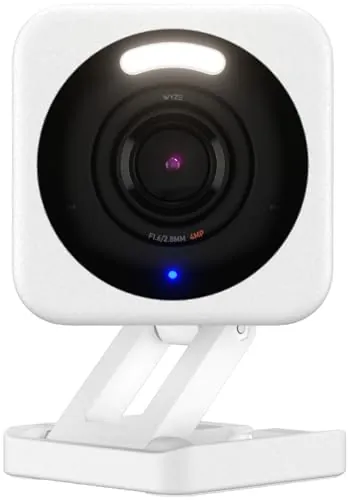
TP-Link Tapo C120 vs Wyze Cam v4 WYZEC4: Alerts, Power and Storage
Both are white, plug-in indoor/outdoor cameras that use 2.4 GHz Wi-Fi, but their practical differences are in alert plans, power placement and the exact card you buy. TP-Link's U.S. C120 V1 and V2 pages list free person, pet and vehicle detection, local microSD recording up to 512 GB, and optional Tapo Care cloud service. The assigned C120 listing does not identify its hardware revision, so check the exact seller unit before relying on a revision-specific detail. Wyze's exact WYZEC4 documentation lists local microSD up to 256 GB in exFAT; Wyze's current support card-limit list confirms that limit. Wyze's Cam v4 AI guidance says its person detection and Fast Notifications require a paid subscription. For a mount without a nearby outlet, check cable reach first: Wyze lists a 6-foot microUSB cable and says its separate Outdoor Power Adapter is required for outdoor use; TP-Link lists a 9.8-foot/3-meter C120 cable on its U.S. revision pages. Neither camera is battery-powered, and no retention duration or detection accuracy is inferred here.
Read comparison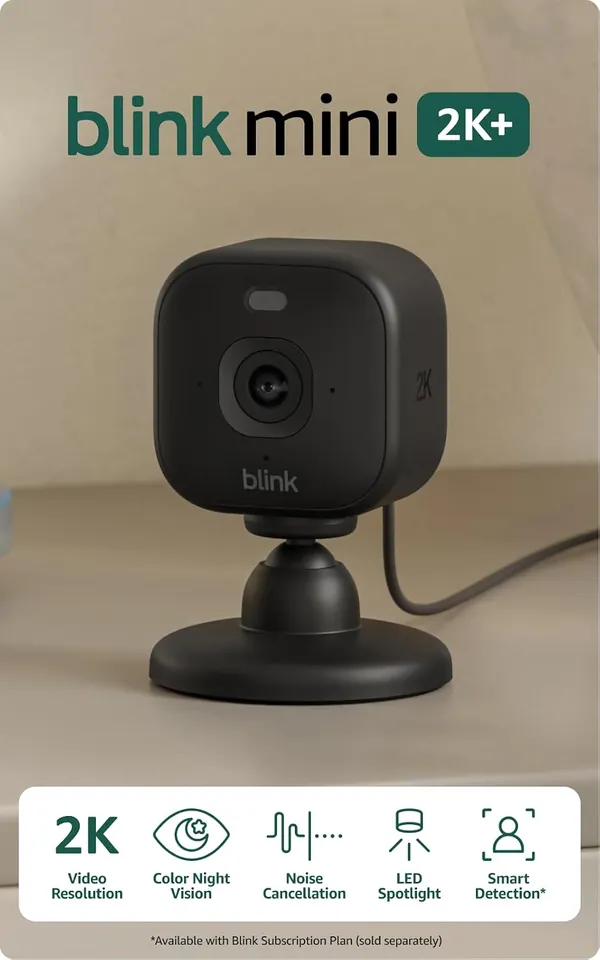
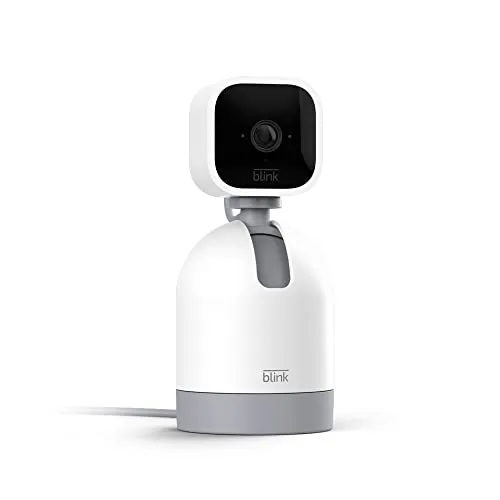
Blink Mini 2K+ 2-Pack vs Mini Pan-Tilt Camera
The Mini 2K+ package contains two cameras with fixed framing; the Mini Pan-Tilt package pairs one original-generation Mini with a motorized mount for app-controlled indoor repositioning. The mount is not compatible with Mini 2K+, and recording features depend on camera generation and storage setup.
Read comparison