
Products compared
TP-Link
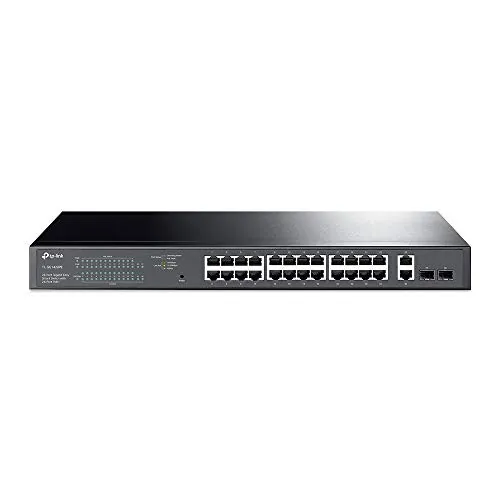
TP-Link TL-SG1428PE 28-Port Gigabit Easy Smart Switch
Exact retailer-linked hardware revision is unverified; current TP-Link US page describes 24 PoE+ ports and a 250 W budget.
Model TL-SG1428PE
Amazon ASIN B08J9ZC6J5
TP-Link
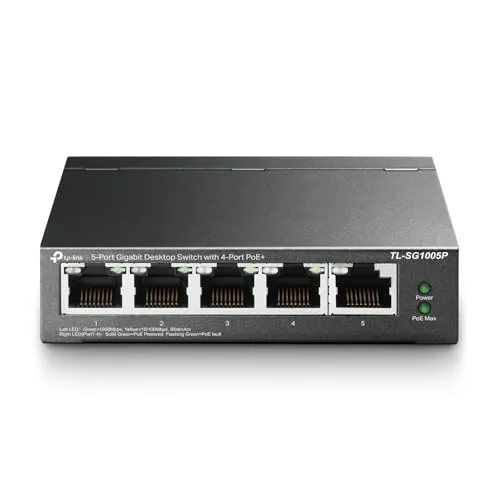
TP-Link TL-SG1005P 5-Port Gigabit Desktop Switch
Exact retailer-linked hardware revision is unverified; TP-Link US publishes different V1 and V2 power specifications.
Model TL-SG1005P
Amazon ASIN B076HZFY3F
Differences that matter
What matters most to you?
Choose a priority to see what it changes.
Sources for PoE standard and revision-specific power budget
Sources for Powered-device count and simultaneous load
Start with the exact PoE revision
The model name TL-SG1005P is not enough to settle this choice. TP-Link's V1 page lists four 802.3af PoE ports and a 56 W total budget. Its V2 page lists four 802.3af/at ports, up to 30 W per port and 65 W total. The listing data's 65 W title cannot verify that an Amazon-linked unit is V2, so ask for the hardware revision before relying on PoE+.
The current TL-SG1428PE US page lists 24 802.3af/at PoE+ ports, up to 30 W on each port, and 250 W total. That page is useful for planning only after the offered revision is identified; its current specification should not be assumed for every older unit.
Calculate the shared power budget, not just per-port maximums
Write down each endpoint's required PoE standard and maximum switch-side power allocation, then sum the devices that may be powered simultaneously. Check that every endpoint fits its individual port limit and that the total leaves a margin below the revision's aggregate budget. This is a planning calculation, not a prediction of measured draw or a guaranteed endpoint count.
The published ceilings show why both limits matter: four V2 ports at 30 W would total 120 W against a 65 W aggregate budget; 24 TL-SG1428PE ports at 30 W would total 720 W against 250 W. TP-Link says its budgets are based on laboratory calculations and actual budgets vary with client limitations and environmental factors. Use the endpoint specifications and the exact switch revision rather than these maximum-only examples to size a real system.
Decide who will own port layout and power settings
TL-SG1005P is a five-port desktop switch with four powered ports; TP-Link describes V1 and V2 setup as requiring no configuration, and labels V2 unmanaged. TL-SG1428PE's current page lists 24 PoE+ ports, two copper uplinks and two SFP uplinks, along with web and utility management. Count the non-PoE uplinks your actual network needs separately from camera, access-point or phone ports.
TP-Link lists PoE Auto Recovery and power-management controls for TL-SG1428PE. Its V3 support page includes the Easy Smart user guide, which names this model in the PoE configuration section. Check the actual unit's revision and firmware against current support documents before making those controls a buying requirement. Treat recovery as a configurable feature to maintain, not proof that outages will be prevented.
Product details
TP-Link TL-SG1428PE 28-Port Gigabit Easy Smart Switch
The current US product page describes 24 PoE+ ports with a 250 W total budget, plus non-PoE copper and SFP uplinks. The separate V3 support page links Easy Smart documentation, but the revision offered under this ASIN is not known.
- Current US page PoE plan
- 24 802.3af/at PoE+ ports; up to 30 W per port; 250 W total published budget. Confirm the offered hardware version before applying these specifications. Source
- Current US page uplinks and management
- Two Gigabit copper uplink ports, two SFP ports, web-based GUI and Easy Smart Configuration Utility are listed. Source
TP-Link TL-SG1005P 5-Port Gigabit Desktop Switch
The official V1 and V2 pages differ: V1 lists four 802.3af ports and 56 W total; V2 lists four 802.3af/at ports, up to 30 W per port and 65 W total. The current ASIN-linked model alone does not identify which revision a buyer will receive.
- V1 published PoE plan
- Four 802.3af PoE ports and 56 W total; the page says no configuration is required. Applies to V1 only. Source
- V2 published PoE plan
- Four 802.3af/at PoE+ ports, up to 30 W per port and 65 W total; the page identifies it as unmanaged and requiring no configuration. Applies to V2 only. Source
Before you buy
Community discussions
Checking controller support for the exact switch revision
TP-Link TL-SG1428PE 28-Port Gigabit Easy Smart Switch
A TL-SG1428PE buyer asked whether the switch would work with an Omada controller.
What to check
If Omada management is a requirement, confirm controller support for the exact TL-SG1428PE hardware revision and firmware before choosing a unit.
Common questions
Does TL-SG1005P always have a 65 W PoE budget?
No. TP-Link's US V1 page lists 56 W total and 802.3af. Its V2 page lists 65 W total, 802.3af/at, and up to 30 W per port. The product ASIN and model name provided here do not verify which revision a seller will ship.TP-Link TL-SG1005P V1 US product specificationsTP-Link TL-SG1005P V2 US product specifications
Can all four TL-SG1005P V2 ports draw 30 W at once?
The published limits do not support that assumption: four times 30 W is 120 W, while TP-Link lists 65 W total for V2. Use the actual simultaneous endpoint allocations, confirm compatibility and leave headroom; TP-Link also qualifies the budget by client and environmental factors.TP-Link TL-SG1005P V2 US product specifications
What should I verify before buying for TL-SG1428PE Auto Recovery?
Confirm the offered hardware revision and firmware, then check that the matching TP-Link support page lists the applicable Easy Smart guide and recovery feature. The current page documents Auto Recovery, but neither the retailer-linked revision nor fewer real-world outages is established here.TP-Link TL-SG1428PE US product specificationsTP-Link TL-SG1428PE V3 download and support pageTP-Link Easy Smart Switch User Guide
Sources and scope
Neither retailer-linked ASIN has a verified hardware revision. The TL-SG1005P V1 and V2 official pages document different PoE standards and budgets; the listing title's 65 W figure does not prove that the offered unit is V2. TL-SG1428PE specifications and Easy Smart power controls are revision and firmware dependent. Published wattage is a planning ceiling, not a guarantee of delivered power or a device-count promise. This guide did not test either switch.
Related comparisons
TP-Link TL-SG105 vs TL-SG1005P: Five Data Ports or Revision-Checked PoE?
Both TP-Link switches have five Gigabit Ethernet ports and are documented as unmanaged, plug-and-play devices that use an external power adapter. The TL-SG105 page lists five data ports and no PoE output. TL-SG1005P dedicates ports 1–4 to PoE and port 5 to data, but its U.S. hardware versions differ: V1 lists 802.3af and 56 W total, while V2 lists 802.3af/at, up to 30 W per port and 65 W total. The assigned TL-SG1005P listed model does not identify the shipping hardware version, so verify the label and endpoint draw before relying on a PoE figure.
Read comparison
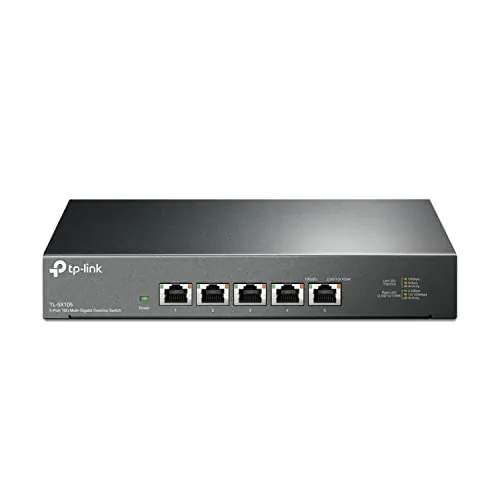
TP-Link TL-SG108E vs TL-SX105: Count Ports, Check Link Modes and VLAN Needs
The TL-SG108E has eight 10/100/1000 Mbps ports and documented Easy Smart configuration, including VLAN functions. The unmanaged TL-SX105 has five auto-negotiating ports for 100 Mbps, 1, 2.5, 5 or 10 Gbps. Write down every endpoint and uplink first: five devices plus a router need six ports, so they do not fit on the TL-SX105. Neither switch provides both multi-gig ports and configurable VLAN controls.
Read comparison