
Products compared
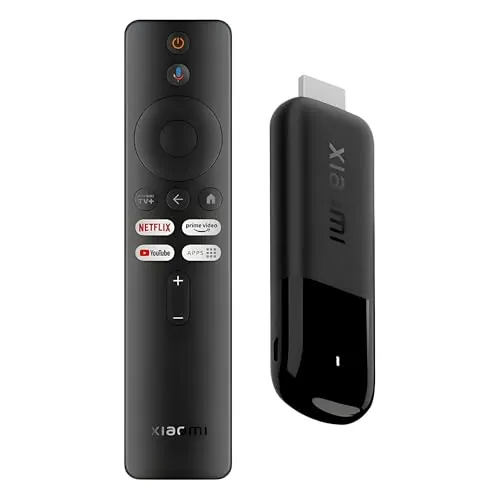
Xiaomi
Xiaomi TV Stick 4K (2nd Gen)
Black, single-stick version (ASIN B0GGNY89RS). Xiaomi's technical information for this exact model is global; check the U.S. seller's package and regional app/account availability before ordering.
Model TV Stick 4K (2nd Gen)
Amazon ASIN B0GGNY89RS
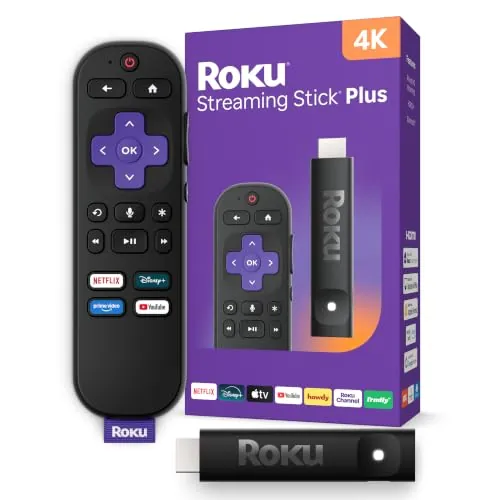
Roku
Roku Streaming Stick Plus (3830R)
Black, one-pack listing; Roku's US product page identifies the 2025 Streaming Stick Plus as model 3830R and lists its voice remote and TV-powered setup.
Model 3830R
Amazon ASIN B0DXY833HV
Differences that matter
What matters most to you?
Choose a priority to see what it changes.
Sources for TV format and connection requirements
Sources for Power, HDMI clearance and box contents
Sources for Browse, search and cast
Sources for Audio path to a TV or sound system
Sources for Exact item and region check
Start with the apps and accounts your household uses
The primary difference is the interface and service workflow. Xiaomi's exact 2nd Gen page describes Google TV discovery across apps and subscriptions, profiles, remote Google Assistant and casting from Google Cast-enabled apps. Roku's US page for model 3830R describes Roku search and its streaming platform. Both need internet; Xiaomi specifies a Google Account for its Google TV discovery experience, and Roku requires a Roku account to activate the player.
Make a short list of must-have apps, paid subscriptions, voice language and phone-casting apps before choosing. Xiaomi warns that availability varies by country, language and account; Roku notes that apps vary by country and may change. Neither platform page proves that every app or feature is available in every region.
Check the TV ports before you pick a 4K format
Both makers describe 4K streaming, but the TV, port and stream have to support the format. Roku specifies an HDCP 2.2 HDMI input for its 4K/HDR path. Xiaomi lists 4K output, Dolby Vision and HDR10+ and says supported TV hardware and content are needed for those formats. Roku's cited page lists HDR10, HDR10+ and HLG. If Dolby Vision is decisive, ask Roku about 3830R directly rather than reading its format list as proof of incompatibility.
For audio, Xiaomi's exact-model specification lists Dolby Atmos and DTS:X decoding. Roku's page specifies digital stereo through HDMI, DTS Digital Surround pass-through and Dolby-encoded pass-through. Check the format from the service and the capabilities of your TV, soundbar or receiver. These listed capabilities are not a controlled picture or listening comparison.
Do a physical power and HDMI check at the back of the TV
Roku's 3830R page lists a built-in HDMI connector, USB-C power cable and TV-powered operation, and says its slim body is designed not to block neighboring HDMI ports. Roku's general setup guide adds an important check: some TV USB ports may not supply enough power, so heed a low-power warning and use a wall outlet if needed.
Xiaomi lists HDMI and a Micro-USB power port. Its global specification lists a power adapter, USB cable and HDMI extender, but this does not establish the contents or plug standard of the B0GGNY89RS Amazon.com carton, nor does it say that wall power is required. Before checkout, inspect the exact listing and ask the seller or Xiaomi about the included US adapter and extender if either matters.
Use this quick pre-buy worksheet
1. Find the TV's model number and confirm a free HDMI input; for Roku 4K/HDR, verify that input supports HDCP 2.2. 2. Note whether the stick will sit behind a wall-mounted set and whether a neighboring HDMI plug or cabinet blocks clearance. 3. Check whether a TV USB port is accessible and heed any low-power warning. 4. List essential services and verify availability for your country, account and language. 5. For Xiaomi B0GGNY89RS, confirm the exact US carton and included adapter rather than assuming the global package list applies.
Choose Xiaomi when its documented Google TV/Cast workflow and listed HDR/audio formats align with your TV and services, and you can confirm the retail package. Choose Roku when its US-documented 3830R Roku workflow, TV-power option and TV-control remote fit your setup. If the required apps, region support or power arrangement remains uncertain, verify with the manufacturer before purchasing.
Product details
Xiaomi TV Stick 4K (2nd Gen)
- Output and HDR
- Xiaomi lists 4K output, Dolby Vision and HDR10+; compatible TV and content are required for the corresponding formats. Source
- Platform and casting
- Google TV, Google Assistant by remote, and casting from Google Cast-enabled apps are documented; Xiaomi says availability of apps, content and some features varies by country, language and account. Source
- TV connections
- The exact-model specification lists HDMI, Micro-USB power, dual-band 2.4/5 GHz Wi-Fi and Bluetooth 5.2. Its package list is global and is not confirmation of the US carton. Source
- Account and services
- Xiaomi says Google TV discovery requires an internet connection and Google Account; viewing may require subscriptions, downloads or purchases. Source
Roku Streaming Stick Plus (3830R)
- Output and HDR
- Roku lists up to 4K at 60 fps and HDR10, HDR10+ and HLG for a compatible 4K/HDR TV, HDCP 2.2 HDMI input and suitable content. Source
- Platform and remote
- The US product page describes Roku streaming and voice search; the included voice remote has TV power, volume and mute controls that work with most TVs. Source
- Power and ports
- Roku lists built-in HDMI and USB-C power, a USB-C-to-USB-A power cable, and TV-powered operation; its page says the slim stick is designed not to block neighboring HDMI ports. Source
- Account and services
- Roku requires internet access and linking the player to a Roku account to activate it. A free Roku account does not make paid channel content free. Source
Before you buy
Community discussions
Counting the cables you carry when traveling
Xiaomi TV Stick 4K (2nd Gen)
In a discussion of the second-generation Xiaomi TV Stick 4K, one traveler said its power cable was another item to pack.
What to check
Check the cable type and included parts for the exact offer. See whether the stick and cable leave room around the TV’s ports.
Common questions
Will both sticks give me 4K on any TV?
No. Both manufacturers condition 4K on compatible TV hardware and content. Roku specifically says its 4K/HDR use needs a compatible 4K/HDR TV with an HDMI input supporting HDCP 2.2. Check your TV's manual and the HDMI port you intend to use before buying.Xiaomi TV Stick 4K (2nd Gen), global product pageRoku Streaming Stick Plus (3830R), US product page
Does the Xiaomi need a wall outlet, while Roku can use the TV's USB port?
Roku's exact US 3830R page says it can be powered by the TV, while Roku's general setup page cautions that some TV USB ports may not supply enough power and says to use a wall outlet if a low-power warning appears. Xiaomi's exact-model specification lists Micro-USB power and a global package adapter/cable; it does not establish the US package or require wall power. Confirm the B0GGNY89RS carton and the TV's available power before deciding.Roku Streaming Stick Plus (3830R), US product pageRoku, set up any streaming player or Streaming StickXiaomi TV Stick 4K (2nd Gen), global specifications
Do both include the apps and subscriptions I already use?
Neither citation guarantees every app in every location. Xiaomi explicitly says app, content and feature availability can vary by country, language and account, and its Google TV flow needs an internet connection and Google Account. Roku says apps can vary by country and change; Roku activation also requires internet and a Roku account. Check essential apps and paid subscriptions for your region before choosing.Xiaomi TV Stick 4K (2nd Gen), global product pageRoku Streaming Stick Plus (3830R), US product pageRoku, activate or link a streaming device
Which one supports Dolby Vision?
Xiaomi lists Dolby Vision and HDR10+ for the exact 2nd Gen stick. Roku's 3830R page lists HDR10, HDR10+ and HLG, but not Dolby Vision. If Dolby Vision is a must-have, confirm support with Roku for model 3830R and your TV before buying; an unlisted format in that page is not treated here as proof of incompatibility.Xiaomi TV Stick 4K (2nd Gen), global product pageRoku Streaming Stick Plus (3830R), US product page
Does this comparison show which stick streams faster or looks better?
No. It compares the makers' documented platform, format and setup details. It includes no matched test of picture quality, streaming speed, Wi-Fi stability, audio quality or reliability.Xiaomi TV Stick 4K (2nd Gen), global product pageRoku Streaming Stick Plus (3830R), US product page
Sources and scope
Xiaomi documents this exact generation on its global site. Confirm the plug and box contents on the U.S. listing, then check app availability in your region. Roku’s TV control functions depend on the TV model.
Related comparisons
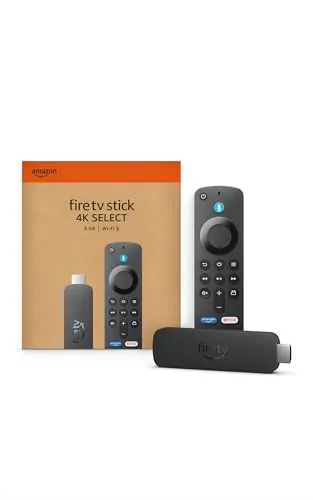
Roku Streaming Stick Plus vs Fire TV Stick 4K Select: TV Fit, Power, and Apps
Roku's Streaming Stick Plus (3830R) can be powered from the TV and publishes 4K HDR10/HDR10+/HLG support, but 4K needs an HDCP 2.2 TV input and some TV USB ports may under-power a stick. Amazon's Fire TV Stick 4K Select uses a wall power adapter and includes an optional HDMI extender. Both list HDR10, HDR10+, and HLG; verify your must-have apps on the exact device before buying.
Read comparison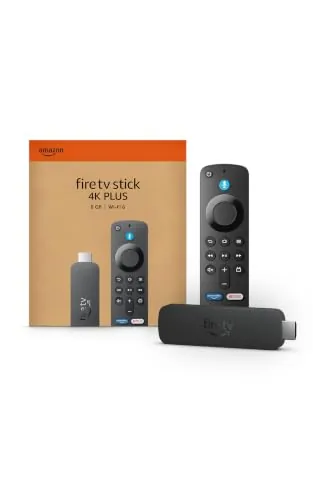
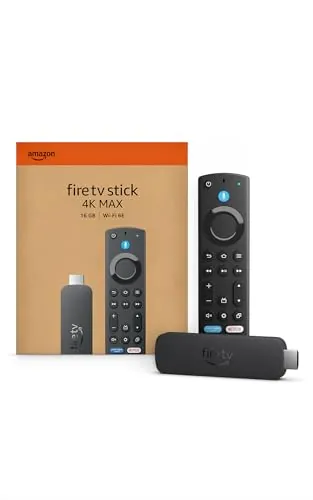
Fire TV Stick 4K Plus vs 4K Max: App Compatibility, Storage and Remote
This comparison covers the U.S. Fire TV Stick 4K Plus (2025) and Fire TV Stick 4K Max (2nd Gen, 2023). Amazon lists both with Fire OS 8 based on Android 11, so Max is not an OS-generation upgrade. That does not guarantee support for a particular app: check the app's Works With information for the exact device. Max adds 16 GB total storage with external-storage support, a Wi-Fi 6E/6 GHz option for compatible networks, an enhanced remote and Ambient Experience. Both devices list 2 GB memory and the same core 4K HDR and audio formats. Decide whether a specific Max feature fits your setup.
Read comparison