
Products compared
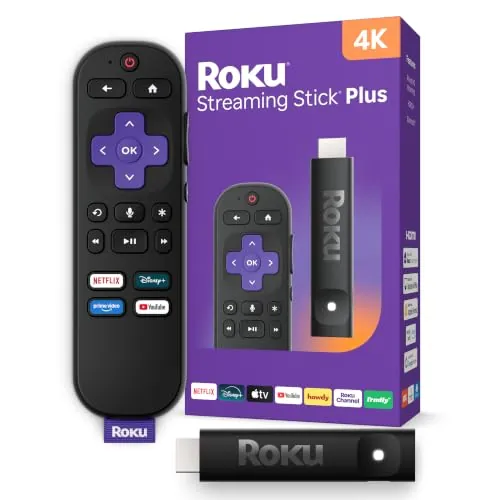
Roku
Roku Streaming Stick Plus (4K)
US black, one-stick retail item; the selected listing maps this ASIN to Roku model 3830R.
Model 3830R
Amazon ASIN B0DXY833HV
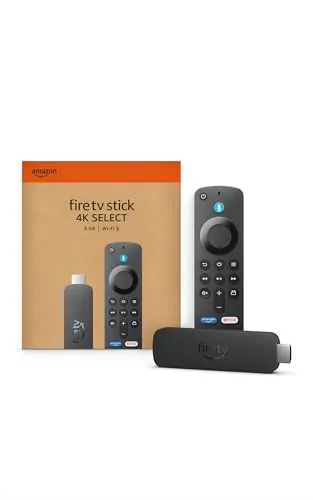
Amazon
Amazon Fire TV Stick 4K Select (2025)
US black, one-stick retail item. The selected listing maps this ASIN to CL32P4; Amazon's current developer device table lists the 2025 Fire TV Stick 4K Select retail model separately from other Fire TV sticks.
Model CL32P4 (listed model; Amazon retail name: Fire TV Stick 4K Select)
Amazon ASIN B0C6W3D4RM
Differences that matter
What matters most to you?
Choose a priority to see what it changes.
Sources for HDMI access and port space
Sources for Remote and voice-search routine
Sources for Apps and household ecosystem
Sources for Audio pass-through for an HDMI sound system
Check the TV inputs and the power route first
Both products use a direct HDMI connection, but the power plan differs. Roku identifies the selected Streaming Stick Plus as model 3830R, includes a USB-C-to-USB-A power cable, and says the stick can run from the TV. Roku's setup support notes that some TV USB ports do not supply enough power, so a low-power warning means checking another USB port or using a wall adapter.
Amazon's Fire TV Stick 4K Select setup guide lists a power cable, wall adapter, and optional HDMI extender in the package. It instructs the owner to plug the adapter into an outlet and not to power the stick directly from the TV's USB port. If the TV is wall-mounted or the HDMI port is recessed, Amazon says to use the extender when direct insertion is difficult. For a practical pre-buy check, identify the TV input you will use, the outlet location, and whether another cable crowds that HDMI port.
Match the video formats to the TV and input
Roku publishes a maximum output of 2160p at 60 fps on a compatible 4K television and lists HDR10, HDR10+, and HLG. Roku also specifies an HDMI input that supports HDCP 2.2 for 4K. If your TV has multiple HDMI inputs with different capabilities, check the manual or input labels for the port you plan to use; the stick's 4K label alone does not make every port a 4K/HDCP 2.2 path.
Amazon's exact Fire TV Stick 4K Select help entry lists HDR10, HDR10+, and HLG. Amazon's developer specification identifies a 2025 Fire TV Stick 4K Select retail model and HDMI output. The cited Amazon help entry does not state an output frame-rate ceiling, so this comparison does not infer one or rank playback quality. In either case, the TV, streaming source, and content must support the selected format for it to appear.
Pick the search and remote routine you prefer
Roku's included Voice Remote combines player search with TV power, volume, and mute buttons, which Roku says work with most TVs. Roku describes voice search across thousands of apps and lists connections to Roku Smart Home, Apple AirPlay/HomeKit, Google Home, and Alexa. If an existing home setup is a deciding factor, confirm the specific feature and device combination rather than assuming a platform logo guarantees every command or device works.
The Fire TV Select setup page describes an Alexa voice button and preset app buttons on the included remote. Amazon cautions that remote appearance, features, and preset apps can vary. The Fire TV Select device help page says its app listing data consists of compatible Amazon Appstore apps and directs buyers to each app's Works With details. Compare the interface and shortcuts you use every day, and check that the exact apps you need list the selected Fire TV or Roku device.
If you use a soundbar, check the whole HDMI chain
Roku lists DTS Digital Surround and Dolby-encoded audio pass-through over HDMI. Amazon lists Dolby/DTS passthrough for the Fire TV Stick 4K Select. Those are format-support statements, not evidence that a particular app supplies Dolby Atmos or that one stick sounds better.
Before buying for a sound system, check the streaming service and title, the stick, the TV's audio-output settings, the receiver or soundbar, and the cables between them. If a specific format must reach the soundbar, confirm the complete path supports it.
Product details
Roku Streaming Stick Plus (4K)
The 3830R's standout setup option is TV-powered installation using the included USB-C-to-USB-A cable. Roku also publishes a 2160p/60 4K output limit and requires an HDCP 2.2-capable TV input for 4K. If the TV USB port cannot provide enough power, Roku's general stick setup instructions say to use wall power.
- Maximum listed video output
- Up to 2160p at 60 fps on a compatible 4K TV; 4K requires an HDMI input supporting HDCP 2.2 Source
- Listed HDR formats
- HDR10, HDR10+, and HLG Source
- Power and box contents
- USB-C power input; USB-C-to-USB-A cable in the box; Roku says it can be powered by the TV Source
- Audio pass-through
- DTS Digital Surround and Dolby-encoded audio over HDMI Source
- Remote
- Roku Voice Remote with TV power, volume, and mute buttons; Roku says these TV controls work with most TVs Source
Amazon Fire TV Stick 4K Select (2025)
The Fire TV Stick 4K Select follows a wall-outlet power setup in Amazon's model-specific guide; that guide lists a power adapter and an optional HDMI extender. Amazon's device table lists HDR10, HDR10+, and HLG and tells buyers to check an app's device compatibility before relying on it.
- Device generation and HDMI
- Amazon identifies a 2025 Fire TV Stick 4K Select retail model with HDMI output; do not substitute specifications for older Fire TV Stick 4K models Source
- Listed HDR formats
- HDR10, HDR10+, and HLG Source
- Power and included setup parts
- Amazon's model-specific setup guide lists a power cable, wall adapter, remote AAA batteries, and optional HDMI extender in the box; it directs users to a wall outlet and says not to power directly from the TV's USB port Source
- Audio pass-through
- Amazon lists HDMI pass-through for Dolby/DTS encoded audio; the 2025 developer spec also lists Dolby Digital, Dolby Digital+, Dolby Atmos, DTS, and DTS-HD input formats Source
- Remote and app compatibility
- Alexa Voice Remote with Alexa voice button and preset app buttons; apps must be compatible with this Select device Source
Before you buy
Community discussions
Check TV volume control with your setup
Amazon Fire TV Stick 4K Select (2025)
A shopper setting up a Fire TV Stick 4K Select struggled with volume control on their Westinghouse TV. They later said it started working on their setup.
What to check
Check whether the stick’s remote can control volume on your exact TV model if you want to use one remote for both.
Confirm an existing universal remote supports 3830R
Roku Streaming Stick Plus (4K)
A Roku Streaming Stick Plus owner identifies model 3830R and asks about using it with a Harmony Elite after the model was not available as a supported device selection.
What to check
If Harmony Elite is your planned primary remote, check its support list for Roku 3830R before buying. Do not assume support for the 3820 or another Roku generation applies to this model.
Common questions
Can Roku Streaming Stick Plus run from the TV's USB port?
Roku says the 3830R can be powered by the TV and includes a USB-C-to-USB-A power cable. Roku support notes that some TV USB ports may not provide enough power; if the stick shows a low-power warning, use a suitable wall adapter as Roku directs.Roku Streaming Stick Plus (Model 3830R) - US product pageHow to set up your Roku streaming player or Streaming Stick (any model)
Does Fire TV Stick 4K Select need a wall outlet?
Amazon's model-specific setup guide lists the wall adapter and power cable in the box and instructs users to plug the adapter into a power outlet. It advises against connecting the USB cable directly to the TV.How to Set Up Fire TV Stick 4K Select
Do both models support HDR10+?
Roku lists HDR10, HDR10+, and HLG for model 3830R. Amazon's Fire TV Stick 4K Select support entry also lists HDR10, HDR10+, and HLG. Your television, content, app, and connection must support the format for it to be used.Roku Streaming Stick Plus (Model 3830R) - US product pageWhich Fire TV Device Do I Have? - Fire TV Stick 4K Select entry
Will either stick work with every streaming app I use?
Do not assume that. Amazon says to check the Works With details on the app page for Select compatibility. Check the current service listing for the Roku device as well, especially if a specific channel is essential.Which Fire TV Device Do I Have? - Fire TV Stick 4K Select entryRoku Streaming Stick Plus (Model 3830R) - US product page
What should I check if my TV HDMI ports are crowded or recessed?
Inspect the space beside and behind the port you plan to use. Roku describes the 3830R as slim and designed not to block nearby HDMI ports. Amazon includes an optional HDMI extender for the Fire TV Select and recommends it when the stick is difficult to plug in.Roku Streaming Stick Plus (Model 3830R) - US product pageHow to Set Up Fire TV Stick 4K Select
Can I use Dolby or DTS audio through a soundbar?
Both manufacturers list HDMI audio pass-through support. Check your source app and the entire HDMI audio path, including the TV or receiver and soundbar, for the exact format you need; these specifications are not a listening test.Roku Streaming Stick Plus (Model 3830R) - US product pageWhich Fire TV Device Do I Have? - Fire TV Stick 4K Select entry
Sources and scope
This is a document-based setup and feature comparison, not a test of speed, picture quality, reliability, or app performance. Video output depends on the TV input, content, app, and any connected audio equipment; a listed HDR format does not guarantee that every program is available in that format. Amazon's device documentation pages show version-dependent OS details for the 2025 Select; this guide does not rely on an OS-version claim. Check each must-have service's compatibility for the exact device before checkout.
- Roku Streaming Stick Plus (Model 3830R) - US product page
- How to set up your Roku streaming player or Streaming Stick (any model)
- How to Set Up Fire TV Stick 4K Select
- Which Fire TV Device Do I Have? - Fire TV Stick 4K Select entry
- Device Specifications: Fire TV Streaming Media Player (2025 Fire TV Stick 4K Select)
Related comparisons
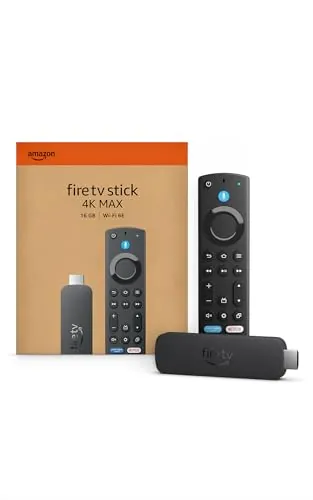
Fire TV Stick 4K Select vs 4K Max: Check Apps, HDR, and Remote Fit
The 2025 Fire TV Stick 4K Select (CL32P4) runs Vega OS, while the 2nd-generation Fire TV Stick 4K Max (K3R6AT) runs Fire OS 8. Amazon uses separate Fire OS and Vega OS app release tracks, so check each must-have app's current Works With listing for the exact stick. Then compare HDR needs, available Wi-Fi, storage, and remote compatibility. The similarly named 2025 4K Plus is a different device.
Read comparison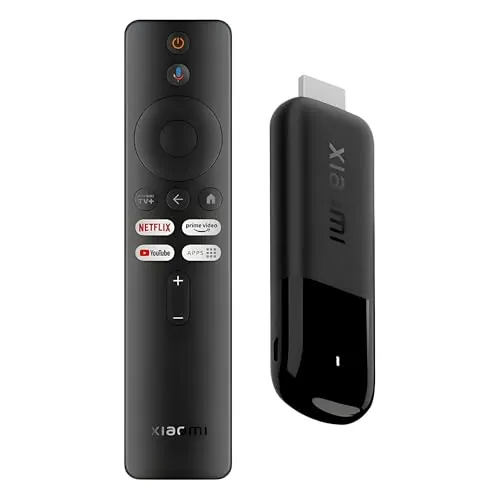
Xiaomi TV Stick 4K (2nd Gen) vs Roku Streaming Stick Plus (3830R)
Both are HDMI streaming sticks with 4K output. Xiaomi's exact 2nd Gen is built around Google TV, Google Cast from compatible apps, and documented Dolby Vision/HDR10+ support; Roku's US 3830R centers on Roku search and voice controls, lists HDR10/10+/HLG, and explicitly documents TV-powered use. Pick the interface and services that fit your household, then check HDCP 2.2, Wi-Fi, HDMI clearance, and the exact Xiaomi US box before buying. Xiaomi's manufacturer material is global, so its US plug, package and regional app availability are not established here.
Read comparison