
Products compared
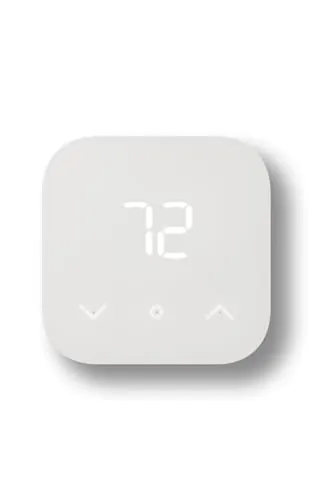
Amazon
Amazon Smart Thermostat
U.S. one-pack Amazon Smart Thermostat, model S6ED3R.
Model S6ED3R
Amazon ASIN B08J4C8871
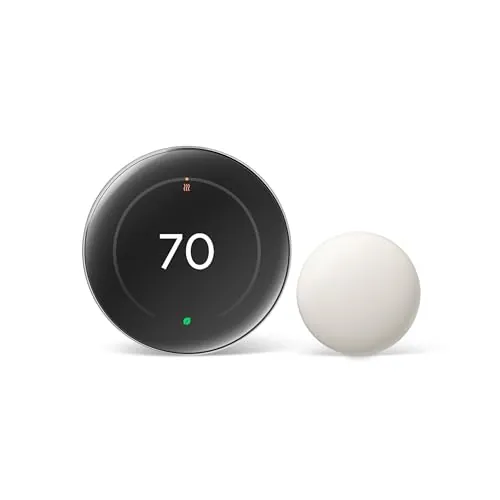
Google Nest
Google Nest Learning Thermostat (4th gen) with Nest Temperature Sensor (2nd gen)
U.S. Polished Silver Nest Learning Thermostat (4th gen) bundle with one Nest Temperature Sensor (2nd gen); Google part number GA05551-US.
Model CE911542
Amazon ASIN B0D5BGST5N
Differences that matter
What matters most to you?
Choose a priority to see what it changes.
Sources for Setup and everyday control
Sources for HVAC system screen
Sources for Room temperature sensing in the box or home
Start with the house, not the thermostat brand
Smart-thermostat listings cannot confirm what is behind your existing wall plate. For heat pumps, Amazon lists air-to-air and geothermal systems and excludes those with gas or oil backup. Check the actual HVAC system in Amazon's compatibility tool. Google says the 4th-gen Nest works with most 24V systems, including several common heating and cooling types, and also directs shoppers to its checker. These are screening descriptions, not a result for your home.
Before buying, note the system type and the terminal labels currently present, then run the two makers' checkers separately. If the system type is uncertain, the checker is unclear, or wiring evaluation is outside your comfort zone, ask a qualified HVAC professional. This guide does not provide installation or wiring steps.
Treat C-wire guidance as a model-specific check
Amazon's support says its thermostat needs a C/common wire. It describes a compatible adapter as one option in some no-C-wire situations and asks buyers to check their HVAC compatibility. Google's 4th-gen Nest is designed to work with or without a common C wire, but Google notes limited exceptions where a C wire or Nest Power Connector may be needed. Neither statement confirms that your wiring will work.
A useful shopping note is simply: record whether your current setup has a C/common connection and whether your checker gives a clear supported result. Do not buy a generic adapter or infer a wiring path from the other thermostat's documentation.
Compare the app and room-sensor workflow you will actually use
Amazon’s model S6ED3R can be set up through guided Alexa-app instructions, and Amazon documents on-device and Alexa-app temperature/mode adjustments plus Alexa routines. This Amazon Smart Thermostat listing is a one-pack; Amazon separately lists certain Echo generations and its Smart Air Quality Monitor as eligible external temperature sensors, with up to 10 supported. If you already own one of those exact devices, check its generation and account/app setup before counting it as a room sensor.
The selected Nest 4th-gen Silver bundle includes one Nest Temperature Sensor (2nd gen). Google's sensor help says it can report a different room's temperature to a compatible Nest thermostat; for 4th gen, sensor setup/control is in Google Home. Google's setup for the thermostat itself also requires Google Home. This is an included accessory and app-workflow difference, not a guarantee of improved comfort or separate zone control.
A short pre-purchase worksheet
1. Write down the HVAC type, whether it is a heat pump, and the current thermostat's terminal labels; do not work on live wiring. 2. Run Amazon's and Google's compatibility checks independently. 3. Record each checker result and any C-wire, adapter, or power exception it names. 4. Decide whether you want Alexa app routines, Google Home setup, or the selected Nest bundle's included sensor; if you already own eligible Echo sensors, verify their exact generation. 5. Check the Wi-Fi band: Amazon says its thermostat requires 2.4 GHz, while Google lists 2.4 and 5 GHz for Nest 4th gen.
If either check returns unsupported or uncertain, resolve that with the manufacturer or an HVAC professional before choosing. A compatible sensor does not override an HVAC compatibility result, and one thermostat's approval cannot be transferred to the other.
Product details
Amazon Smart Thermostat
- Model identity
- Amazon support identifies model S6ED3R. Source
- Setup and controls
- Setup and guided installation use the Alexa app; Amazon documents on-device and Alexa-app temperature/mode control and app routines. Source
- External temperature sensors
- Amazon documents up to 10 compatible external sensing devices, including listed Echo generations and the Amazon Smart Air Quality Monitor; those are separate devices. Source
Google Nest Learning Thermostat (4th gen) with Nest Temperature Sensor (2nd gen)
- HVAC compatibility scope
- Google lists most 24V systems, including gas, electric, oil, forced air, heat pump, and radiant, and directs shoppers to its compatibility checker. Source
- C-wire guidance
- Designed to work with or without a common C wire; Google notes limited exceptions and recommends checking the exact system. Source
- Included sensor and setup app
- The 4th-gen bundle includes a Nest Temperature Sensor (2nd gen); thermostat and sensor setup/control use Google Home. Source
Before you buy
Community discussions
Checking what can act as a bedroom temperature sensor
Amazon Smart Thermostat
An Alexa household considering Amazon’s Smart Thermostat wants to know whether an Echo Dot in the bedroom can provide a room temperature reading for thermostat control.
What to check
Decide which room should drive temperature control and verify which sensor and thermostat combinations support it, including how the room is selected.
Common questions
Can this comparison tell whether either thermostat will work with my HVAC system?
No. Use the exact manufacturer's checker for each thermostat and your system. Amazon's support identifies types it excludes, including dual-fuel heat pumps with gas/oil backup; Google says its 4th-gen thermostat supports most 24V systems but also lists limited wiring/power exceptions.Does Amazon Smart Thermostat Work with My System?Specs & Wiring Compatibility of Nest Learning Thermostat (4th gen)
Does the Nest 4th-gen thermostat bundle include a room sensor?
Google lists a Nest Temperature Sensor (2nd gen) in the 4th-gen thermostat box. Google documents using sensor readings and schedules through Google Home for the 4th-gen model. The sensor does not itself create separate HVAC zones.Specs & Wiring Compatibility of Nest Learning Thermostat (4th gen)Learn about the Nest Temperature Sensor
Does the Amazon Smart Thermostat support room sensors too?
Amazon says its thermostat can use up to 10 external temperature-sensing devices, including listed Echo (4th gen), Echo Dot (5th gen), Echo Dot with Clock (5th gen), and Amazon Smart Air Quality Monitor models. These devices are not listed as included with the selected thermostat one-pack offer.Set Up External Temperature Sensors with Amazon Smart Thermostat
Which app do I need?
Amazon's guided thermostat setup and documented control routines use the Alexa app. Google requires Google Home for Nest 4th-gen setup; it also lists control through Google Home and other Matter-enabled apps and voice assistants, subject to their own requirements.Set Up Your Amazon Smart ThermostatSet Your Home Temperature with a RoutineSpecs & Wiring Compatibility of Nest Learning Thermostat (4th gen)
Sources and scope
This is source-based buying guidance, not an HVAC compatibility result or installation guide. Use each manufacturer's current checker for the home's actual system and wiring. Amazon's listed external sensor devices and the Nest sensor bundle are app- and device-specific; room sensors do not create independent zones on a single-zone system. No installation, wiring, comfort, energy-savings, safety, or temperature-control outcome is claimed.
- Safety & Compliance Information for Amazon Smart Thermostat (model S6ED3R)
- Adjust Your Home Temperature Manually
- Set Up Your Amazon Smart Thermostat
- Set Your Home Temperature with a Routine
- Does Amazon Smart Thermostat Work with My System?
- Connect the Wiring for Your Amazon Smart Thermostat
- Set Up External Temperature Sensors with Amazon Smart Thermostat
- Specs & Wiring Compatibility of Nest Learning Thermostat (4th gen)
- Learn about the Nest Temperature Sensor
Related comparisons
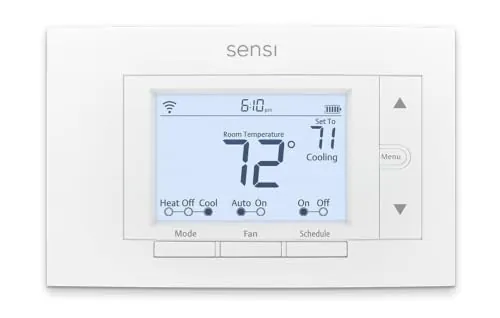
Amazon Smart Thermostat S6ED3R vs Sensi ST55: C-Wire and Schedule Fit
For these exact US thermostats, compatibility comes before app preference. Amazon requires C-wire power unless Amazon confirms its separately purchased adapter will work; ST55 can avoid a C-wire on conventional heat-and-cool systems, but other system types and HomeKit require one. If both qualify, Amazon puts schedule setup in Alexa, while ST55 supports a basic seven-day, four-setpoint wall schedule with Wi-Fi off.
Read comparison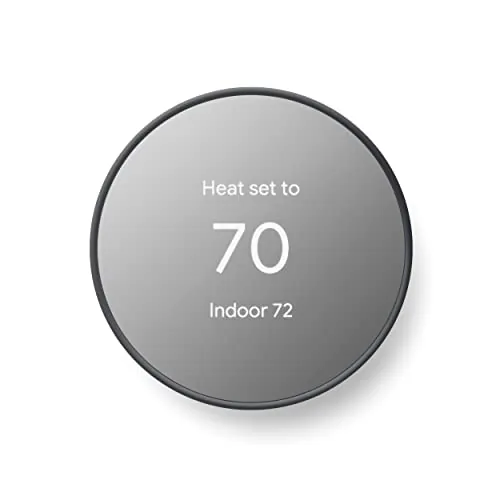
Amazon Smart Thermostat vs Google Nest: Check HVAC Fit Before You Buy
Amazon’s S6ED3R is controlled and set up through Alexa and requires a C wire or a separately sold power adapter. The standard Google Nest Thermostat uses Google Home and may work without a C wire in many homes, but some HVAC systems need a C wire or compatible power accessory. Run the exact-system compatibility check before choosing either model.
Read comparison